

yyukinoh1989 Whilst I could explain it that'd be quite a long post so instead I'll direct you to this video which shows you how to get a turntable animation set up and then this video which details how to render an animation. Do note though that there are a few things different things you'll need to do if you're using 2.8 but if you're having issues just ask and I'll do my best to help!
@theluthier Aha, thank you! Thanks for your and everyone else's insight, I appreciate it!
thecabbagedetective I'm already hooked to the 'Aaron show' so I'll keep some snacks close by while being glued to the screen waiting for some awesome stuff to twirl by 😬🍿
I love the skin modifier, it's so reliable. I love when it looks perfect then I move one vert by a fraction of an atom and the entire model implodes on itself like a black hole.
thecabbagedetective That pesky skin modifier.. 😫
'don't you dare tease Aaron he has to make some cool stuff!'
Day 1.5 done!
Just a mini update. I tried making a new sculpt standing up like was suggested but due to the skin modifier being a pain and just generally not being *that* great at the sculpting stuff I wanted to throw my tablet out the window and decided "screw it" and used a combination of the rotate, grab and thumb brushes to make my previous model stand up. Not anatomically correct by a long shot but it's a great starting point I feel. If there's anything glaring you feel the need to point out (example would be the stubby snout) be sure to to!
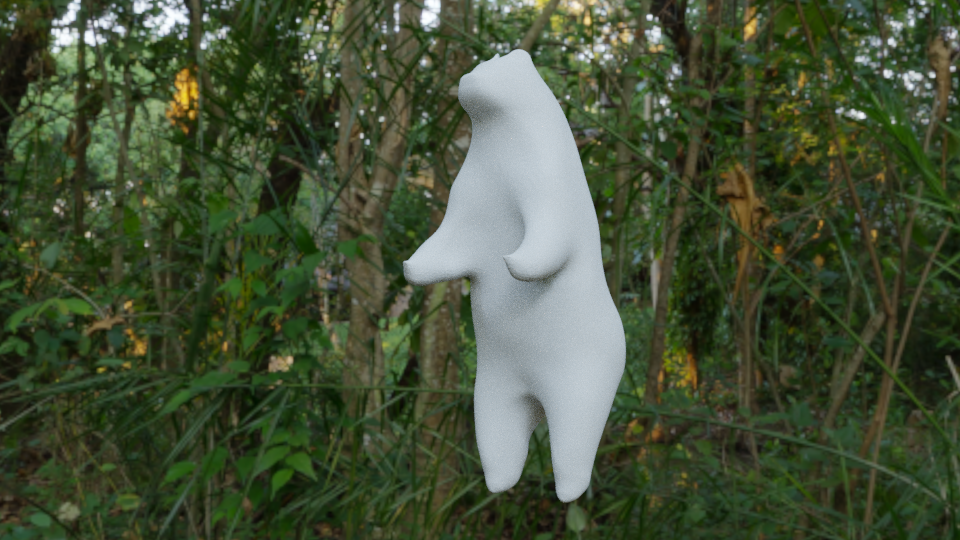

thecabbagedetective Well, do what you can to get that thing modeled lol. Looks good as far as I can tell, but I don't look at bears all day, so I don't know the proportions.
thecabbagedetective Nicely done! 😁 does look a bit like he's balancingg on his toes, maybe the feet should be flatter? Dunno much about bears though so that's about all I can contribute.. very curious what for scene you're gonna make!

thecabbagedetective Great start, looking good so far.
I had a look at some pictures of standing bears. I notice that their legs (knees) aim a little outward and are a little more bent. Additionally I assume you're making a bear with raised arms ready to attack in which case they all seem to have their arms bent down a little and then up rather than being straight out. The other common bear pose I see on google search is with arms hanging straight down in front but it depends what you're going for I guess. Of course you could totally be planning to do these things already since this is just a blockout but thought I'd mention it anyway. Additionally maybe separate the arms from the body a bit more (underneath) and make the snout a bit longer.
silentheart00 ssmurfmier1985 cptken Cheers for all the feedback you lot! Fortunately most of what you suggested was something that I fixed in the more detailed block but I'd argue it's still got a few issues, like the shoulders being too broad, so if any of yous want to add some feedback I'm justing waiting on a render so you'll be able to do so. Cheers again!

Day 2 done!
Ay-ay-ay, sculpting is not my strong point. A little disheartening to be honest. Not sure what it is. Not enough skill? Not enough sleep? Too much worry? Either way I'm starting to feel a tad disheartened and generally burnt out, but not enough to stop completely! Once this class is over with I'm taking a short break and then coming back in full force for the October class, if not sooner.
Now onto the work itself, completed the 3 primitives exercise. Not perfect by a long shot and I could possibly be redoing them by the time homework is due but here's what I have for now:
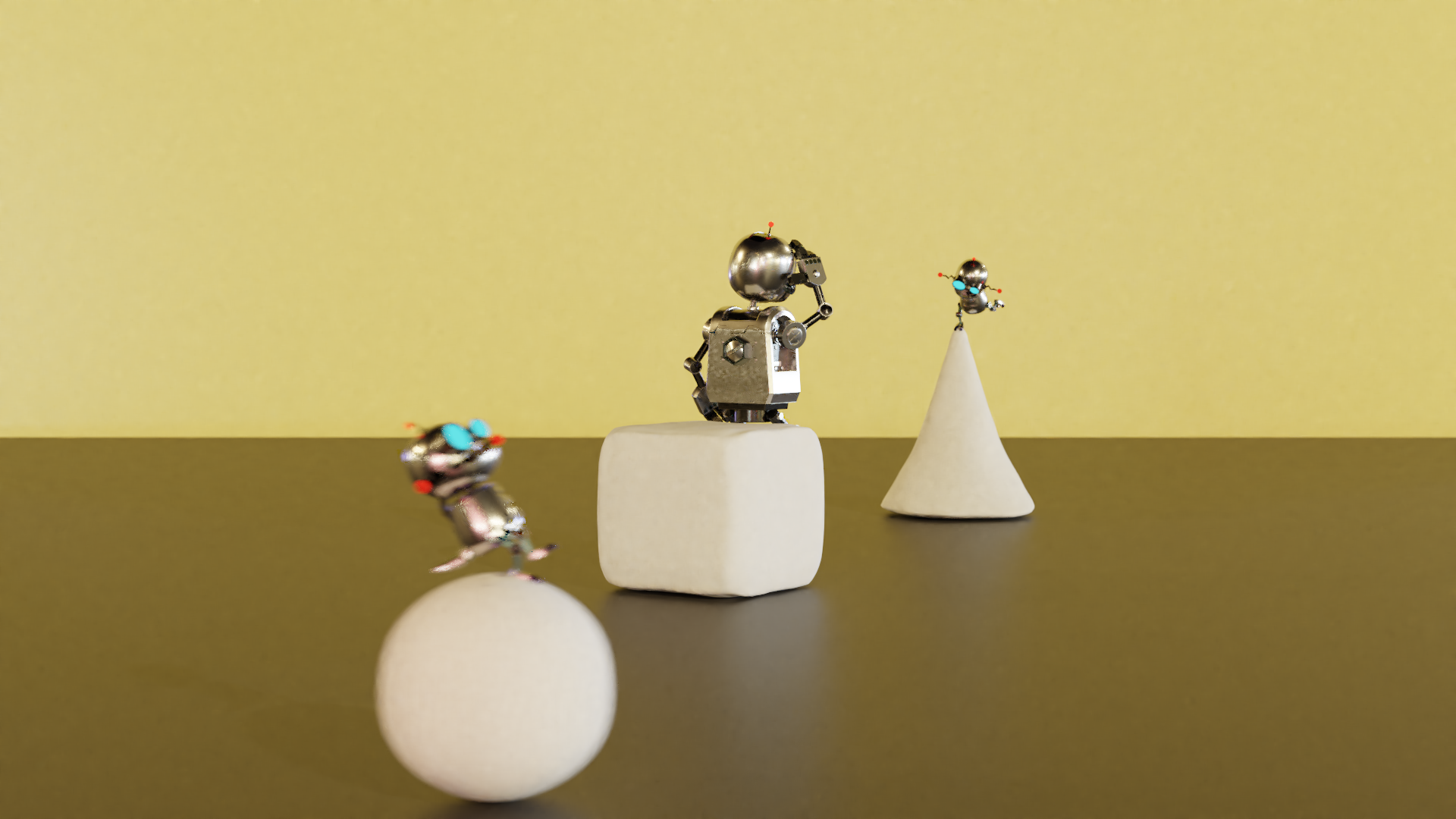
Those Gadgebots sure are playful little rascals...
I did do the Melvin sculpt a while back but it wasn't... great (whoda thunk it?) so I'll be doing my best at redoing it for this class, applying my small but hopefully effective sculpting skills I'd learnt since.
Now onto my main subject, the bear. As a few of you pointed out there were quite a few problems with my original block, and for good reason. Fortunately most have been fixed since then, though I feel some issues still preside, like the shoulders or the head, I'll let you be the judges on that one.
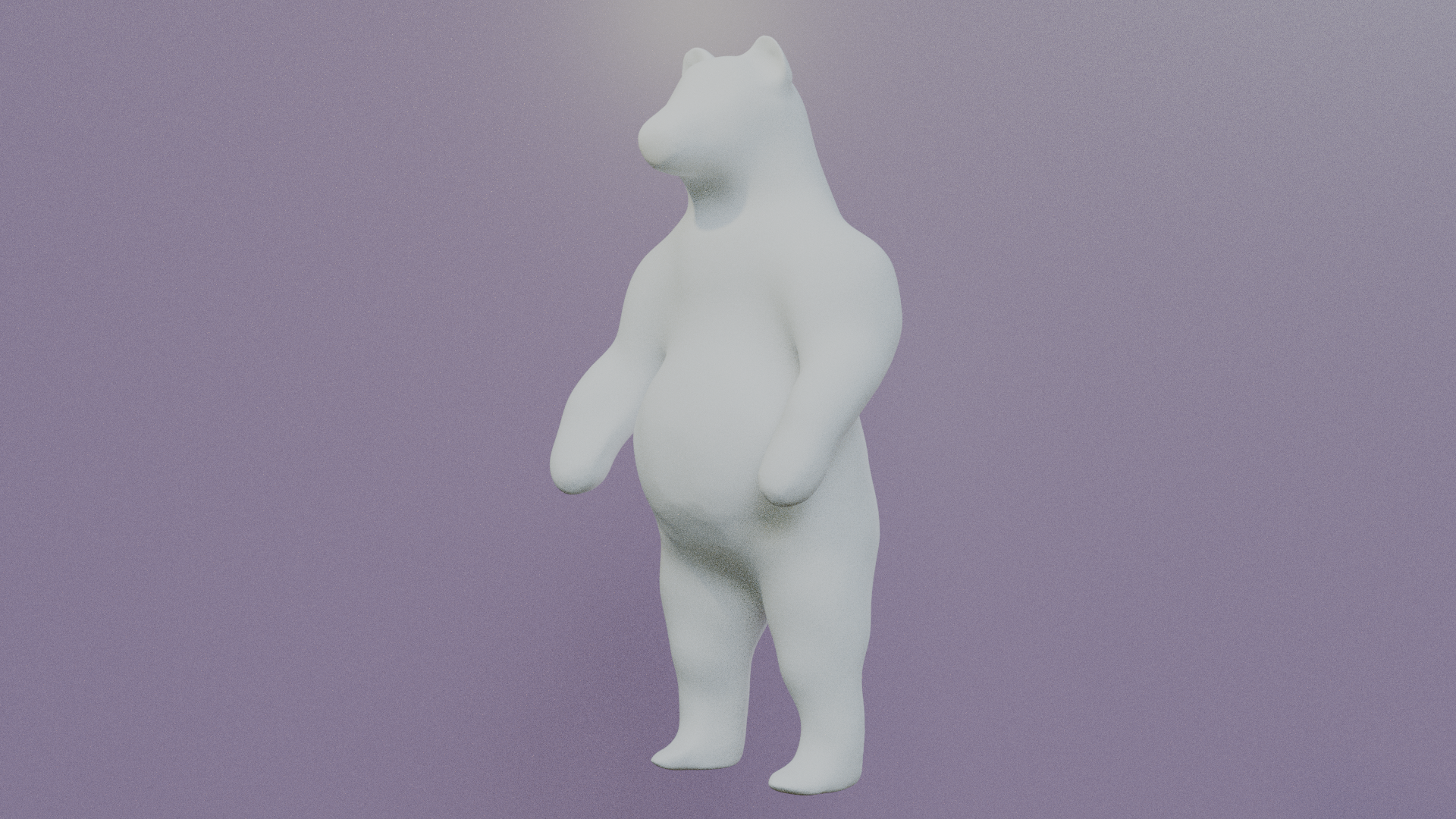
Plus here's an animated one, since people really seem to like these and I like to make them:
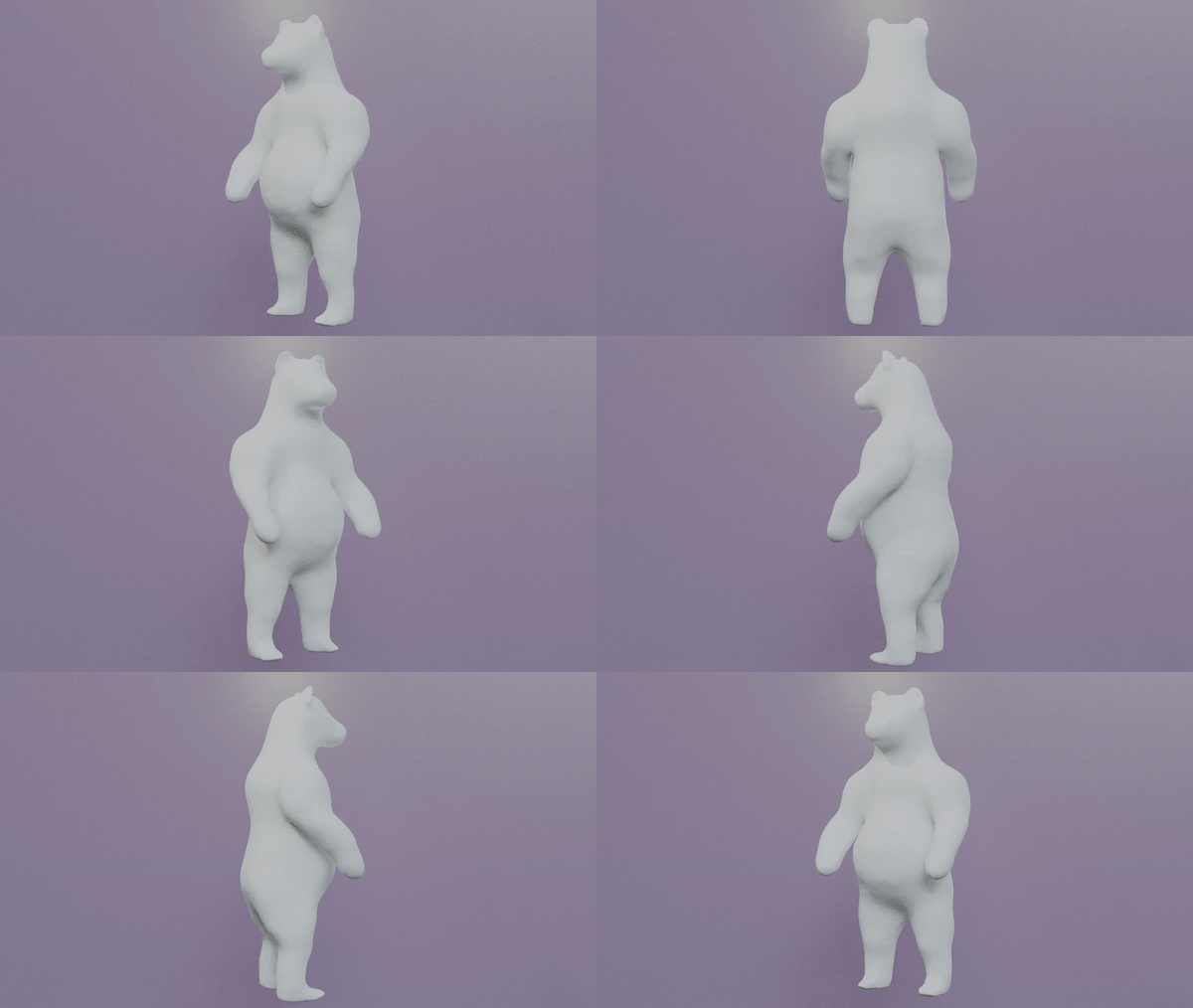
Well that's all I got for the night (morning? It's 6AM and I'm still up), so have a good one and I wish you guys the best of luck in your sculpts!
swikni Funny that so does my friend, he was the main inspiration for this.
thecabbagedetective Hahaha those bots in the scene are hilarious.
I think the large shoulders and belly gives the bear a nice stylistic touch. The head looks nice to me but the arms could use some finishing touches. Idk are they maybe too flat from the wrists or are the fists too small. When you think of bears, it's pretty tough subject since if they are shaved bold they look surprisingly much like human. The thick fur coat makes them look rounded and soft so it's pretty much about the artist how the shape is done.
Great sculpt overall. Now try to have some rest
thecabbagedetective Hey man don't be too disheartened, I don't think it's an easy thing and it can be difficult to get your head around using brushes on mesh rather than moving verts. The other aspect is that anatomy has a huge role to play with this sort of thing. The course teaches sculpting but not anatomy and anatomy is a huuuuuuuuuge part of getting something to look correct and to top it off anatomy is a really complex subject, imo particularly for an animal. We see human anatomy all the time, we can feel our own bodies (oh dear) and figure it out. Human anatomy is hard enough but animals are next level. I used to think that anatomy didn't matter for fantasy creatures and imaginary things but that was dead wrong too.
That being said a lot of what you know of human anatomy can be transferred to animals. For example, those shoulders that you are not happy with seem to be coming directly out of the side. In reality they are more like caps. Think of putting a cap on the corner of the torso and then wrapping it around the back and up the neck (the traps).
First thing I think you should try is to just scrape some volume off the shoulders. Don't use the grab tool or snake tool too much anymore. It appears like you have been using them a lot and while they have their uses they also have their limitations. Instead use the clay stripes brush inverted an scrape off some shoulder volume, then add some clay strips flowing from the back of the shoulders onto the back and up the neck. As you do this you should also be smoothing as you go to get rid of jagged edges. I know bears don't have a whole lot of definition in their muscles due to loose skin, fur etc. but it may be worth also grabbing the crease brush and lighting putting in creases where some of the muscles are more defined. You can always smooth them later but it will give you a better idea of the form you are going for.
Anyway good luck.
P.S. Are you using a mouse or tablet? I know a lot of people say it's 'OK' if you only have a mouse... I understand why people say this, yes its possible to sculpt with a mouse and most people are too scared to say "go spend some money on a tablet". However, I honestly believe that if you want to have a fair go at sculpting without being frustrated out of your mind you need a tablet. I know it's taboo to say that sort of thing but honestly getting a tablet was one of the best things I ever did. It's enabling and allows you to skip much frustration. If you already have a tablet then feel free to ignore this entire paragraph! :)
P.S.S. Did you start with a sphere?
P.S.S.S. I think the form is actually good and mostly there if you change the shoulders a bit. He looks like he's standing properly and his weight seems to be centred. Might be time to leave the overall form as it is and go down to the next level of detail blocking in the smaller shapes.
thecabbagedetective Lol, those gadgebots! 😆
Sculpt looking good so far! The others had lots of advice and they know a lot more than me, so I'm not going to try an add anything to add anything.
Isn't it illegal to make bears dance? 🤔 Nah, looking good I like the spinning yessss 😜

thecabbagedetective I've seen you going hard with computer graphics for at least 3 months. That's a long time to fuel a passion. A break sounds like a good idea to me. Burn out sucks and it's always a threat. We're all wise to mind it.
I recommend you take it easy the rest of this class; do smaller projects. Regroup, get some rest my dude.
I see a lot of potential with your sculpting so far. Give it time and I bet it clicks with you after a while.
Hey, be careful with yourself. Especially for us artists it's easy to burn yourself up. We tend to be perfectionists and kind of emotional. You cant keep working all day through for long periods of time. You need your rest.
And don't take it personal when things don't go the way you want. Just do the best you can, and be content with it. Mastery takes time, you cant rush it.
Your sculpt look great by the way. Your doing well. 😃
thecabbagedetective Hey, we all have to start somewhere. I'm terrible at programming, but I know with time and practice I can be decent at it.
I'm sure you're aware of the problems with your primitives. The sphere is still a little cubular, the cube could use tighter edges and flatter faces, and the cone's tapering a bit. But how fun having the Gadgebots goofing around.
The bear is coming along.
thecabbagedetective I do agree with the others on taking enough rest mate. It's a thin line between working hard and working too hard.. I kinda like you and the passion you have, so I just want to say: it's awesome that you give it your all and work your butt off every time, the results and improvement are amazing! but please, don't forget to take care of yourself too, all right? 😊👍🏻