

Update 7/29/2019: Omar's new scene is ready to render and already underway on SheepIt. If you're part of the CG Cookie Render Monsters team, we'd appreciate you launching the SheepIt app on your computer to contribute. NOTE: Make sure on your SheepIt account "Options" you enable Render my team's projects first. Thanks!
Update 7/18/2019: Omar is polishing new scenes.
Update 7/3/2019: Omar has 2 new files ready for rendering. Let's do dis.
Update 7/1/2019: We have finished rendering two of Omar's reel projects. Way to go community. Omar still has several to prep for rendering. I'm going to unpin this thread and re-pin once it's ready to render again.
Update 6/17/2019: Omar has updated his shared project folder with new scenes to render. It was accidentally uploaded as a new folder so if you've already synced the previous folder, you can delete that one (if it's still there) and you'll have to sync this new one. From now on we know how to avoid this so no more re-syncing.
The time to render is now!
Update 6/16/2019: We've finished Omar's first 2 scenes! Way to go People 👏👏 Thanks to everyone for contributing. Now we're waiting for Omar to setup and upload his next scene.
@theluthier Kent after comparing the original Cycles renders and Element 3D real time ones, I think you are right, rendering it out of Cycles is totally worth going the extra mile for. Although you and Lampel said it was great, that it's 95% there, for a second I saw a twinkle in your eyes saying "C'mon dude, you know it, I know it... there is no spoon." And then the twinkle continued "No one eats an Oreo and doesn't go all the way to the stuffing in the middle, the cookie part is just enough". I see what you mean twinkle.
I didn't want to bother people though, but I guess if I'm going to try this there's no way around that. I don't know how to use Drop Box, I've never used it before. Should I get an account? I hope it's enough space. I remember you kinda set things up in a similar way in the Rendering & Finishing A Blender Animation course. I should re-watch that. I have never done things through the internet so this should be a learning experience.
I, Kent Trammell, am commandeering Omar's original post! [evil laugh] I'm the one that encouraged Omar to reach out to the community for helping him render his demo reel. My computer just sits collecting dust most nights and I'm happy to lend some rendering power to this project while I'm asleep. I suspect that there are a number of CGC community members willing to do the same 🙏
If you want to help out, please follow the instructions below!
The status of the project will be stated and updated at the end of the thread title in brackets. When it says "READY TO RENDER" that means a project has been submitted to SheepIt for rendering. If it says anything else, the project isn't ready for rendering yet.
The status of the project will be stated and updated at the end of the thread title in brackets. When it says "READY TO RENDER" that means it's ready to sync the project folder and start rendering. If it says anything else, the project isn't ready for rendering yet.
STEP 1 -- Sync Omar's project folder to your Google Drive.
If you have a gmail account, you have 15 GB of free Google Drive space. Just click the link and when you're redirected to the Google Drive website, right click on the "Demo Reel Files" folder and choose Add to My Drive.
If you're on Mac or Windows, use the official Google Drive app (personal version) to sync your Google Drive to your computer's file system.
Render_Scenes_1_Packed.blend
If you're on Linux like me, there is no official app. I've had some success with Open Drive but it seems to have stopped syncing on my system. I'm currently using Insync and it's working beautifully. It's $30 after the 15 day trial period, which I will likely pay.
STEP 2 -- Open one of the render-ready .blends with Blender 2.8
After the project folder has finished syncing *entirely* to your computer, launch Blender 2.8 and open Demo Reel Files > Blend Packed Files > Render_2.8-Scene_1_Packed.blend. Then follow Omar's instructions in the file for CPU or GPU rendering, whichever your machine is best equipped.
Enable viewport rendering to double check the scenes look fine (no pink from missing textures). I've tested these files myself and they should be ready to render without problems.
STEP 3 -- Render the Animation
The files should all be setup properly so anyone that opens them doesn't have to do anything but click the Render button.
That should be all you need to do to contribute rendering to Omar's project! Note that these scenes are heavy and can take an hour or more per frame, even on a high end machine, which is why Omar needs our help.
When the rendering is all done (or you need to stop and regain your own GoogleDrive space), simply navigate to the Google Drive website, right click on the folder and choose "Remove".

 splat21 Thanks for digging into the details of sheepit! I've been looking in /tmp and /var/tmp while rendering and have yet to see any project files appear. I see a "sheepit-binary-cache" folder and a "blender_XXXXXX" folder but nothing in them. When setting up the sheepit applet I designated a "Working Directory" underneath the login credentials. That folder is regularly updated with blender versions and password-protected .zips (which I believe to be project files)..
dostovel registered and sended request to join team. how manny you need to join?
also how do i start the rendering ?

yyukinoh1989 Hi yuki, If I remember correctly, you are on a Windows machine, which means you'll have to launch the .exe and then enter your credentials. Then it should start rendering automatically.
spikeyxxx where do i find the credentials? And where do i give it in
yyukinoh1989 You have to download the .exe that Sheep It provides. You download it depending which System you are running in your computer.
Then in your downloads you will have this icon, at least in Windows.
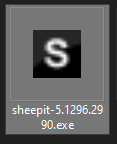
When you double click it you should have this screen,
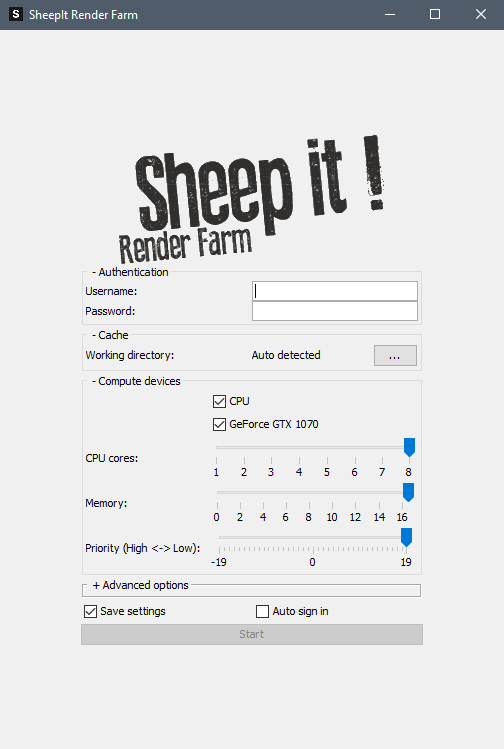
Where you set your setting and then hit "Start" and it'll do its thing.
dostovel And how i know its rendering and working for youre render?.
yyukinoh1989 We still haven't submitted one of my scenes to Sheep it for rendering. Firstly, I still have to finish preparing the scenes and I guess secondly because we would need points to render them. For now what we are doing is accumulating points to have as a CG Cookie Team in general, so that any of us who would need it could render something in the future.
Remember to enable here "Render my Teams Project First" just like Spikey has it and everyone else on the CG Cookie Team.
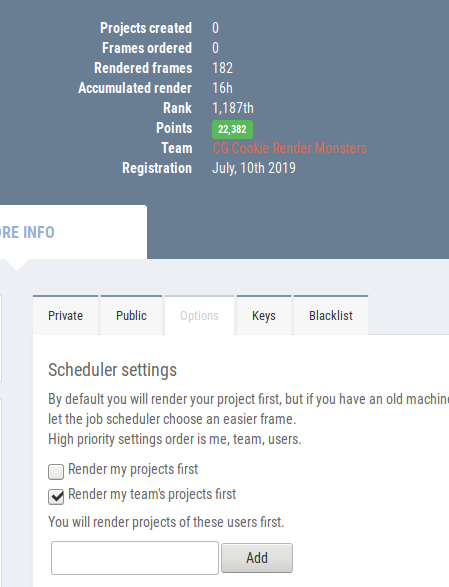
Yyukinoh1989 - There are a couple of ways to see if Omar (or anyone on the SheepIt team) are currently rendering. From the SheepIt web site, go to "Your Account" home page, click on the "CG Cookie Render Monsters" team link.
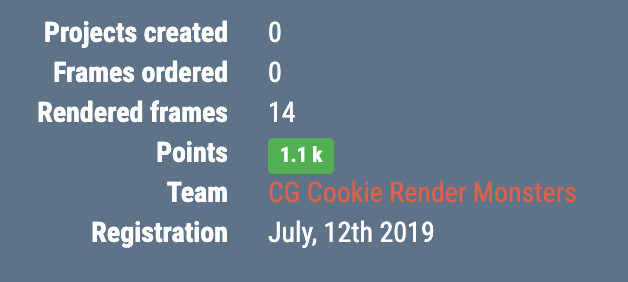
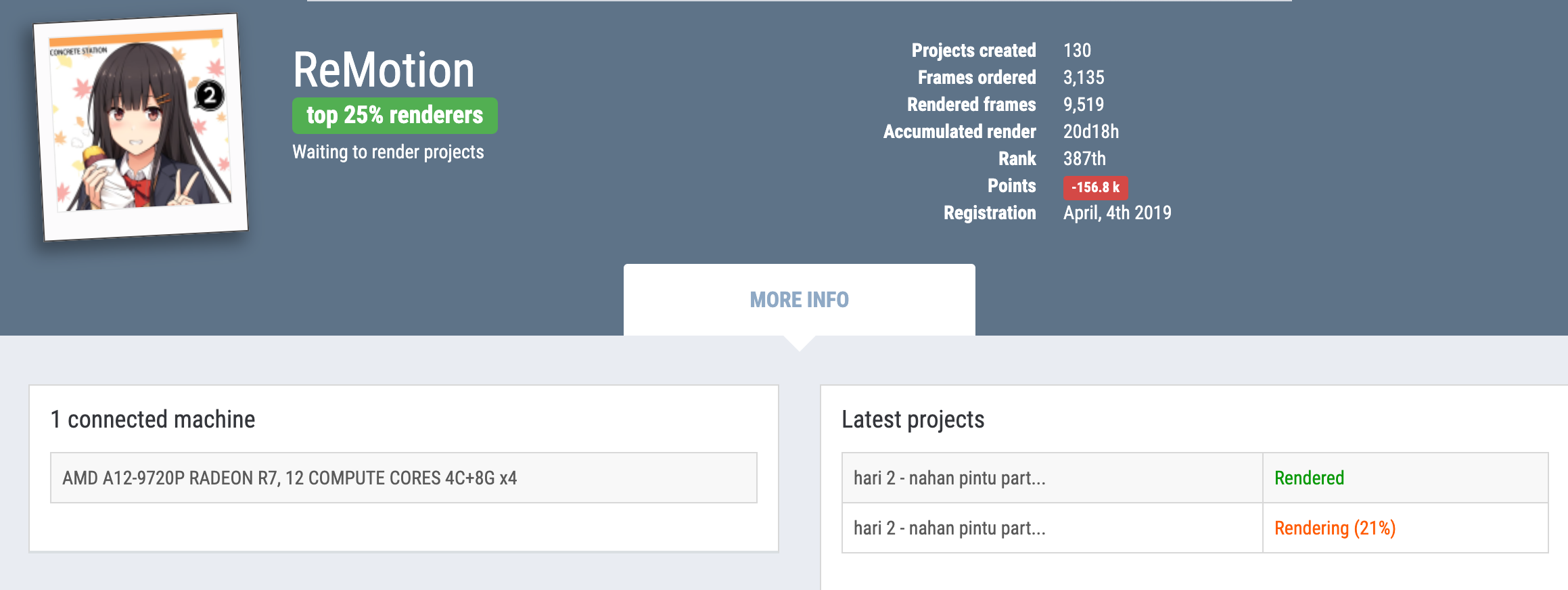
Find Omar in the team list and click the link to see his account page. (Note, it is possible that the team list page may show a team member's project that is currently being rendered. As I have not yet seen a team member render a project, I don't know if the page will report this or not).

As Omar does not currently have a project being rendered, I took a screen shot of someone that is. On the bottom right it shows in orange "Rendering (21%)." The project being rendered is named "hari 2 - nahan pintu part..."
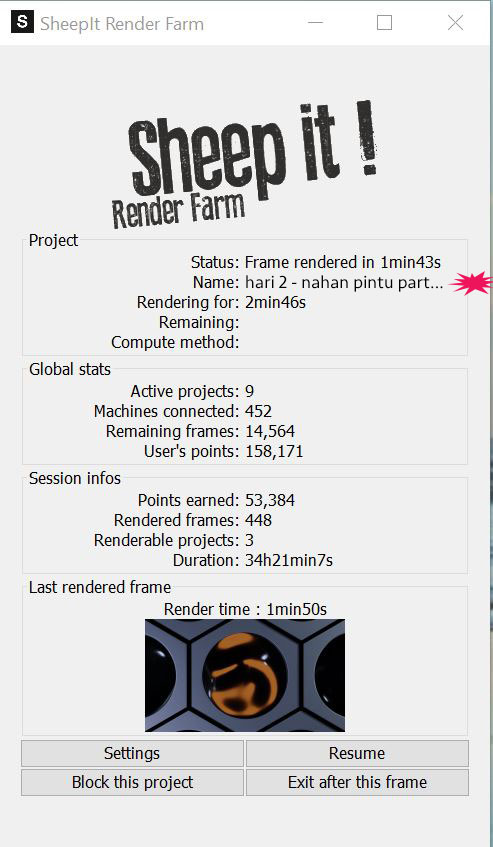
In your SheepIt client, look in the "name" field. This will show you the project that you are rendering. SheepIt will give priority to render projects from people on your team. However, it is still going to ensure that your system's RAM/CPU/GPU can meet the rendering requirements of the team member's rendering project.
I have been following along with "Creating Simple Eevee Environment" with a bit of a delay (great stream), and I learned of the Sheepit render team that has been setup.
I installed Sheepit today and made a request to join the CG Cookie team. When I have been accepted, I will see to it that I can collect some points for the team.
splat21 the name is "Sc9" is that the project's name then? and for who is that render still not sure how to figure it out xD
yyukinoh1989 I am sorry, but I don't know where you got the reference of "Sc9."
To follow through with my example, below is a photoshopped SheepIt Client example. I have added the "hari 2 - nahan pintu part..." in the name field and put a red burst shape to show you where you would find it. This is only to show where the name of the project can be found in the SheepIt client.
splat21 ok . so basicly if no one of our group has an available render sheep it will render projects of others ?
also for example if i want to render a project how do i add one ? just curious :p
yyukinoh1989 - Yes, if no one of our team has an available render, SheepIt will render other projects.
The short answer to how to Add a Project is: From the SheepIt website, go to the Projects Page and press the "+ Add your project" button. From there, just follow the instructions.
The long answer is to view a Youtube video: https://www.youtube.com/watch?v=D7ku2EcloGI. While the video may be a couple of years old, and the screens are different, the basics are there.
splat21 Thanks
one more question i tryed to render of a specific person (trying to render for remotion since she has 2 projects ongoing .
in settings i put in her name to test it but i still cannot render her project . is there a reason for it?
yyukinoh1989 - Let's make sure we are on the same page. As I understand it, you added ReMotion in your Options settings for users to be rendered first. For example:
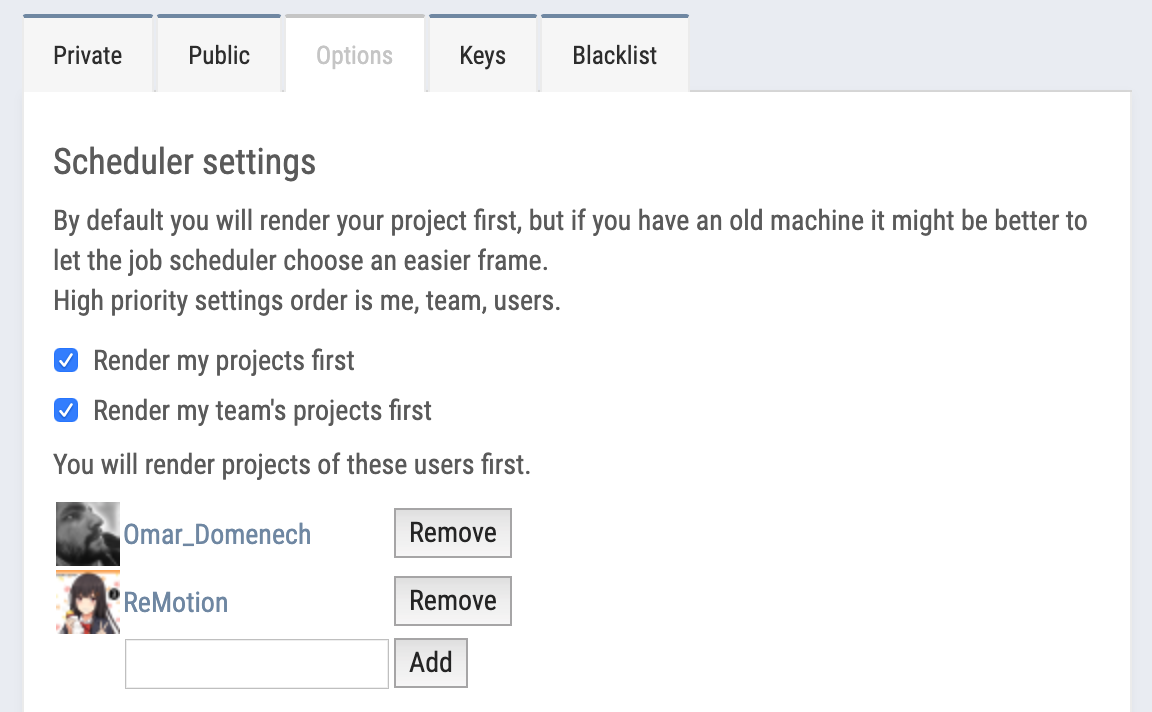
Note, my including Omar in my list is probably redundant since I have the "Render my team's projects first" checked.
I do not have a definitive answer as to why you are not rendering ReMotion's projects. My guess is that SheepIt is making your rendering assignment based upon your RAM/CPU/GPU configuration and it may be possible that ReMotion's project requirements are more than your system's capabilities.
If you want to see the "strength" of your graphics card as SheepIt views it, check out the link below and do a Find on your graphics card.
https://www.sheepit-renderfarm.com/machines.php
splat21 Oh I didn't know you could see so much tech info on Sheep It. You have two monster video cards, Splat. It is impossible to reach you Top 3 guys, my hat's off to you.
splat21 damn got not the best computer for rendering . handy to know this :D
Made a small test of what the final result should approximate. Mainly to test if I could work compositing from TIF 16bit files. I think I can work with Sheep It and output 16bit TIF's. I hope that can be possible since we know EXR are out of the picture.
I'm really tired of looking at it over and over again so naturally I lost perspective of how it's turning out. And it's clunky when it comes to sound, I don't know if I should include sound fx since I have no idea how to work sound.

dostovel looking good. one thing that jumped out for me was the fast cuts when the transformation animation got going. i found it really disorienting and too fast. i want to see the whole thing and not jump around on different angles.
