Update 7/29/2019: Omar's new scene is ready to render and already underway on SheepIt. If you're part of the CG Cookie Render Monsters team, we'd appreciate you launching the SheepIt app on your computer to contribute. NOTE: Make sure on your SheepIt account "Options" you enable Render my team's projects first. Thanks!
Update 7/18/2019: Omar is polishing new scenes.
Update 7/3/2019: Omar has 2 new files ready for rendering. Let's do dis.
Update 7/1/2019: We have finished rendering two of Omar's reel projects. Way to go community. Omar still has several to prep for rendering. I'm going to unpin this thread and re-pin once it's ready to render again.
Update 6/17/2019: Omar has updated his shared project folder with new scenes to render. It was accidentally uploaded as a new folder so if you've already synced the previous folder, you can delete that one (if it's still there) and you'll have to sync this new one. From now on we know how to avoid this so no more re-syncing.
The time to render is now!
Update 6/16/2019: We've finished Omar's first 2 scenes! Way to go People 👏👏 Thanks to everyone for contributing. Now we're waiting for Omar to setup and upload his next scene.
@theluthier Kent after comparing the original Cycles renders and Element 3D real time ones, I think you are right, rendering it out of Cycles is totally worth going the extra mile for. Although you and Lampel said it was great, that it's 95% there, for a second I saw a twinkle in your eyes saying "C'mon dude, you know it, I know it... there is no spoon." And then the twinkle continued "No one eats an Oreo and doesn't go all the way to the stuffing in the middle, the cookie part is just enough". I see what you mean twinkle.
I didn't want to bother people though, but I guess if I'm going to try this there's no way around that. I don't know how to use Drop Box, I've never used it before. Should I get an account? I hope it's enough space. I remember you kinda set things up in a similar way in the Rendering & Finishing A Blender Animation course. I should re-watch that. I have never done things through the internet so this should be a learning experience.
I, Kent Trammell, am commandeering Omar's original post! [evil laugh] I'm the one that encouraged Omar to reach out to the community for helping him render his demo reel. My computer just sits collecting dust most nights and I'm happy to lend some rendering power to this project while I'm asleep. I suspect that there are a number of CGC community members willing to do the same 🙏
If you want to help out, please follow the instructions below!
The status of the project will be stated and updated at the end of the thread title in brackets. When it says "READY TO RENDER" that means a project has been submitted to SheepIt for rendering. If it says anything else, the project isn't ready for rendering yet.
The status of the project will be stated and updated at the end of the thread title in brackets. When it says "READY TO RENDER" that means it's ready to sync the project folder and start rendering. If it says anything else, the project isn't ready for rendering yet.
STEP 1 -- Sync Omar's project folder to your Google Drive.
If you have a gmail account, you have 15 GB of free Google Drive space. Just click the link and when you're redirected to the Google Drive website, right click on the "Demo Reel Files" folder and choose Add to My Drive.
If you're on Mac or Windows, use the official Google Drive app (personal version) to sync your Google Drive to your computer's file system.
Render_Scenes_1_Packed.blend
If you're on Linux like me, there is no official app. I've had some success with Open Drive but it seems to have stopped syncing on my system. I'm currently using Insync and it's working beautifully. It's $30 after the 15 day trial period, which I will likely pay.
STEP 2 -- Open one of the render-ready .blends with Blender 2.8
After the project folder has finished syncing *entirely* to your computer, launch Blender 2.8 and open Demo Reel Files > Blend Packed Files > Render_2.8-Scene_1_Packed.blend. Then follow Omar's instructions in the file for CPU or GPU rendering, whichever your machine is best equipped.
Enable viewport rendering to double check the scenes look fine (no pink from missing textures). I've tested these files myself and they should be ready to render without problems.
STEP 3 -- Render the Animation
The files should all be setup properly so anyone that opens them doesn't have to do anything but click the Render button.
That should be all you need to do to contribute rendering to Omar's project! Note that these scenes are heavy and can take an hour or more per frame, even on a high end machine, which is why Omar needs our help.
When the rendering is all done (or you need to stop and regain your own GoogleDrive space), simply navigate to the Google Drive website, right click on the folder and choose "Remove".

dostovel Yeah I think you could try clearing out. Just be sure to update the .blend start frame to coordinate with the already-rendered frames.
The only issue I foresee is people who are rendering the original file already. Will their blender session start rendering the cleared out frames? I don't *think* so. If I remember correctly the placeholder system doesn't look backward from the frame it just rendered, only forward. So it shouldn't be a problem but we shall see.
@theluthier Yeah I've had that same experience before, the placeholders doesn't look back, it keeps going forward so it seems it'll be alright. I think Jack tells Rose the same thing in the Titanic. I haven't seen that movie in perhaps 20 years, jesus christ.
I have learned a couple of things doing this project. Perhaps the thing that caught me most off guard was the samples a scene needed. It's a different approach when you're doing just a still image than when you're rendering hundreds of frames. I figured that if the Toyota scene needed 1,000 samples to clear up, then the Heli scene would need double that amount since it's a much more complicated scene, but then magically it got away with just 256 samples. How in the world? I had never rendered something with so low samples and for such an intricate model.
But then after doing another scene with the Heli that has a sun lamp and no HDRI in it, renders were coming out with much more noise and needed much more samples to clear and the other 256 sample scene had no lamps and only only simple HDRI, so that's were the key is in all this.
Also it looks like there really is a science behind layout, depth of field, camera placement, composition lines, etc. I notice my eyes are all over the place when seeing the frames all rendered in a movie sequence. You can't just go about throwing the camera wherever you like and focusing anywhere, framing and planing the layout of each shot turns out is quite a big deal.
@theluthier Wow wow, looks like you send Linux Luke to train with Yoda. I go to scene 2 and you had already demolished half of it all by yourself.
Scene 1 is done!

dostovel I was thinking of you and out of curiousity I checked ArtStation for jobs in Canada. Maybe you should consider moving to Europe, lots of job openings there according to ArtStation 😱 and we have less cold temperatures 😛😂
I also saw some in Canada b.t.w. but mostly for games (in fact, most job openings there are for game studios it seems...)
How is the job hunting going? Any news, or is the demo your best bet? Hope you're doing well
ssmurfmier1985 My Canada profile is open and still valid for another year. If one day I get the invitation to apply for the immigration program... well I'd freak out really hard first and then force myself to go on with the plan.
I'm doing it out of hope for a better future, because this here is a third world country that is showing signs that it's probably going to get worst. But I really really really do not want to take a risk so big as to move to a totally different country, I wish I could stay here, I have all my stuff here, everyone I know is here, the sun is here, although I wish it would take a break from time to time... yet I if I want to look for a better future, it is clearly not here and neither is working in the arts; Art is not a respected field in my country, you cannot make a decent living out of it.
I haven't started looking for a job yet, not until the demo reel is ready. Every time I think I'm doing this portfolio project to look for a job in another country, to move to another country and live there, to work in an industry that is really exploitative, my heart starts beating faster, so I try not to think to ahead of myself. I have done lots and lots of freelance stuff here, so the veil of wonderment and magic for "The Industry" has worn off for me, but lets not go into that rant.
Canada is not the only option to consider. I chose Canada because I have uncles and cousins there and people say there are good opportunities for jobs since they have a deficit in their population. Loads of people are going to Canada lately, they are accepting a bunch of immigrants. Europe could be an option as well, I haven't consider it because is so far away and I don't know anyone there. The United States could be an option, but since Donald Trump and his policies, no one here is talking about the USA in a welcoming fashion anymore, so his tactics are working. Even worst, this island has been in the news lately in a very negative fashion.
So for now I'll continue with the Canada plan but just because is the only one I have.
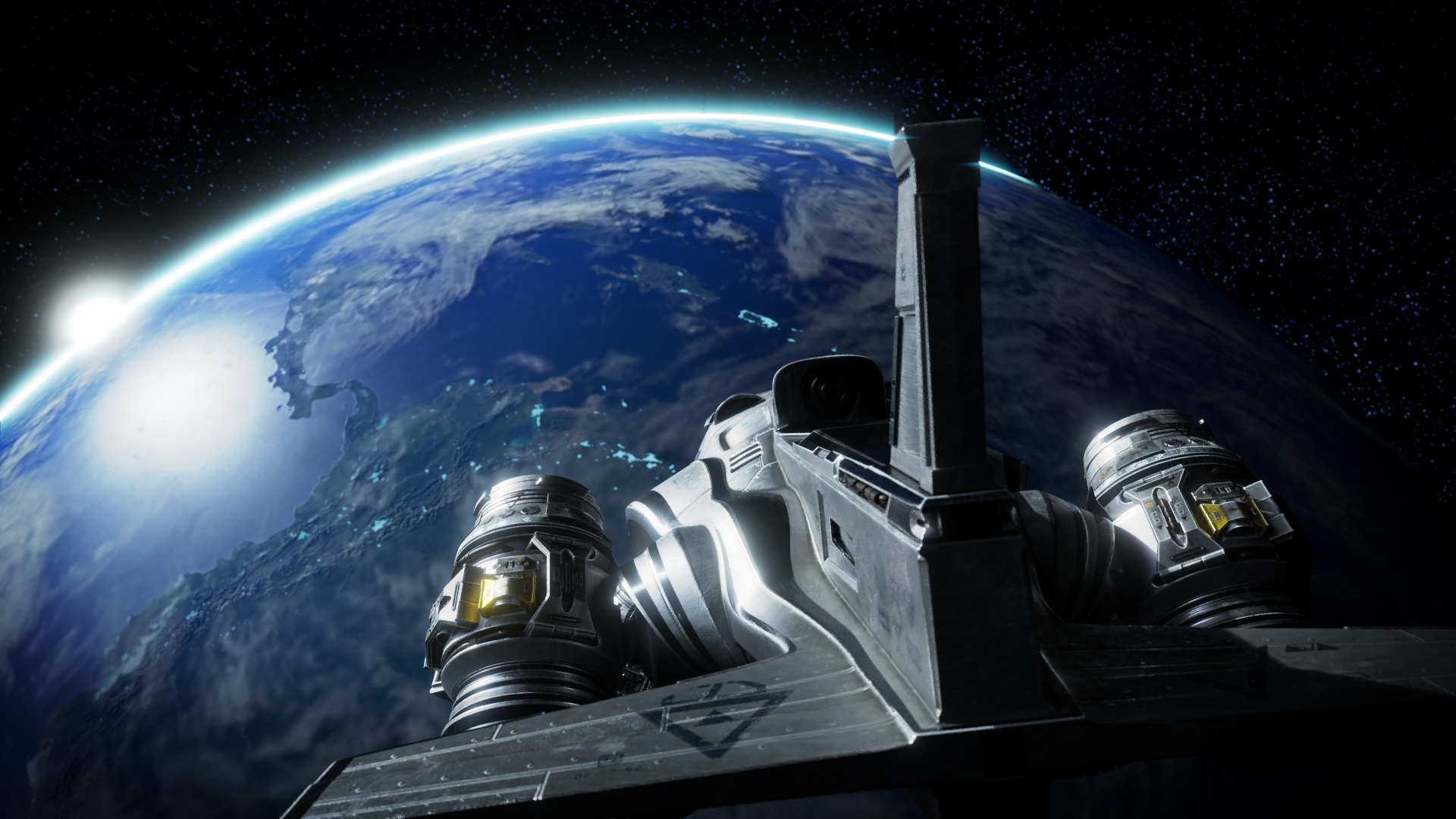
Made another short scene for the Heli. I felt bad that it being the main project, there was no background on it, so space... It is an All-Terrain after all. But it was way harder than it should've been, Blender 2.8 was not making things easy at all so I just gave up. I hope they start to fix Blender as soon as possible.
I also wanted to make a scene with it running in car-mode, but building the environment for that is going to take a long time. Maybe at the end it there's energy left I could tackle it.
dostovel Sorry to hear your island is not doing well... it's hard to imagine living in the western world how it is for you living in a third world country. My little brother recently came back from a year studying abroad in Curacao (he's learning to be a docter so he worked in a hospital there), and he told stories about how decayed the inlands are. But I never realised you are only 1 hour flying away from there and that it would probably be like that for you too. Guess I was stupid for thinking you might be able to do freelance over the internet (like Wayne does) and maybe get a parttime job on the side for a little stable income, so you can stay with your friends and family. Since your island is in trouble, I totally get you wanting to seek a better future for yourself. I admire you taking that step even though you rather not.
As for job hunting, I get that you want to wait for your demo reel. However, please don't wait too long. It's quite a risk for companies to take on someone from abroad, especially if it's a person without actual work experience in the industry. It might take you a while before you find a taker... Your portfolio is solid and high quality, you are hire-worthy! You could also consider doing some freelance work / volunteer work in the mean time to get some work experience on your resume. Sitting still ain't your style anyway, so why not do something that makes you even more hireable? Ultimately you have to decide for yourself of course ;-)
No matter how you go about it, I will be rooting for you to succeed in crafting a better future for yourself!
dostovel Love the earth background! My only crit is that the earth feels a little lo-res in the textures the more I look at it. When compared to the amazing detail you put everywhere else, it feels out of place.
You could spend some more time upgrading the resolution of the textures with things like tiny wavy detail in the oceans, adding additional detail to the clouds, finer city lights.
Or you could bypass that by increasing depth of field and blurring out the earth more.
Either way this is a perfect situation for a flashy lens flare 😎
I've spent about a week feeling out SheepIt and my opinion is: We should try it for one of your scenes dostovel.
I really think it will be a cleaner, more automated option with far less risk for accidents: No one's storage is eaten up, no syncing of files, no potential for accidental file deletion, no duplication of frames.
My experience:
While money isn't valid SheepIt currency, the system is moderated by points. Everyone earns points by rendering other people's projects and they lose points by getting their own projects rendered. More points means higher priority for getting your own projects rendered.
So there's incentive to gain and maintain points. I submitted a single-frame project (split into 32 tiles) when I had about 60-70K points and it waited 2-3 hours in the queue before it started to render. Today I submitted a 200-frame animation when I had about 280K points and it started and finished rendering within an hour. Linux Luke would have taken 6+ hours! Check out how many people were rendering my scene at the beginning: (spoiler: 60 people!)
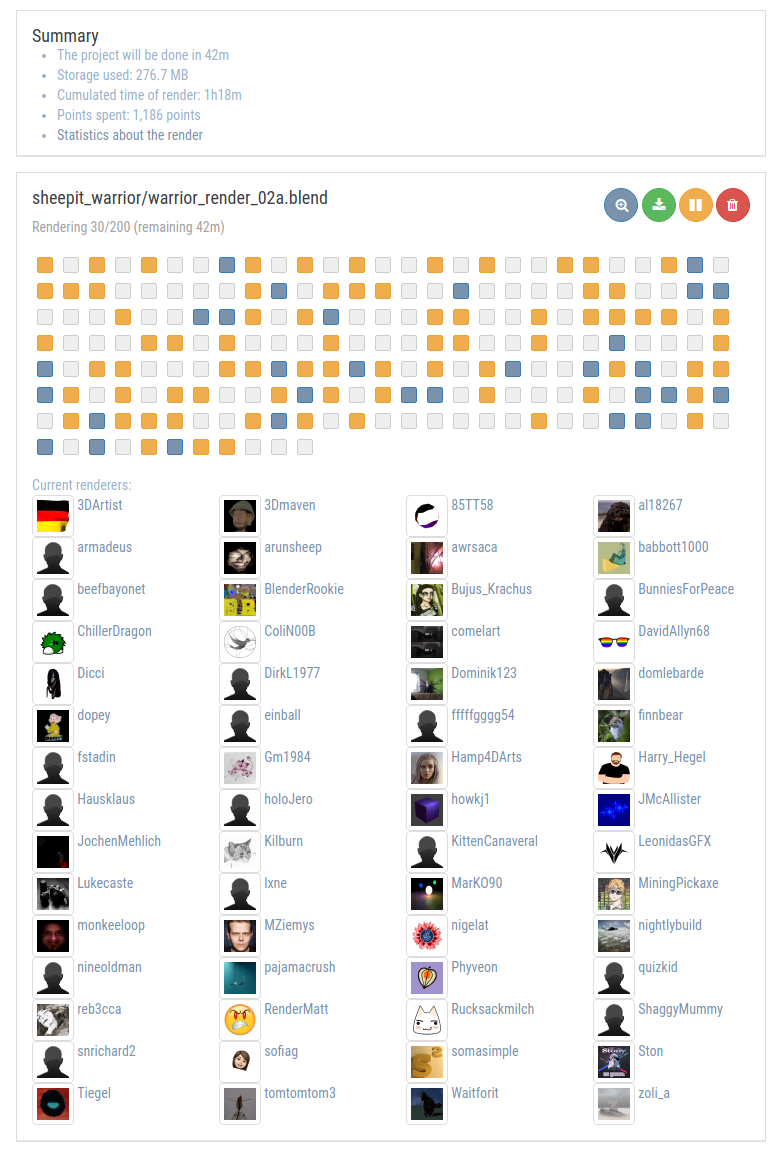
That makes me think points are very important for prioritizing your renders. Therefore if I'm going to get good, reliable use out of SheepIt, I need to regularly render for others. I plan to build up points by rendering 1 or 2 nights per week.
The more I use it the more I think the system is ingenious. Frankly I'm amazed that more people aren't using it. Typically I've seen between 400-500 computers connected for rendering. Out of all the Blender users out there wanting/needing renders without spending money...that's crazy to me. The number should be in the thousands.
The biggest caveat is that no one can harness the full potential of SheepIt right away. As far as I can tell you must build up significant points or the system is going to be underwhelming.
Team Rendering:
I haven't tested this but it looks like we (people in this thread) could use SheepIt to render scenes "privately" between our computers. Like we're doing with Google Drive but with the automated SheepIt system:

This way we could setup a "CG Cookie Team" where members could join SheepIt and anytime a member has a project that needs rendering, the CGC sheepit team gangs up on the frames for rendering. If we all got in the habit of loading the sheepit desktop applet regularly / periodically it would even happen automatically.
Omar, what do you say we try this for you next scene?
@theluthier Of course, lets try it out. Beam me up Tank, hook me up to the matrix.
Do you find the build up / spend points system balanced? meaning, do I need to spend a lot of time to build up points only to have them go out the window fast when it's time to render my own stuff? like modern day games, grind grind, grind, grind, finally opens chest aaaand it's a cheap item, guess i'll have to grind some more.
It's already worth it if only to see other people's usernames... beefbayonet, dopey, ffffffggggggg54, ShaggyMummy.
Regarding planet earth, I think I'll go cheap and blurry it. It's only a three or five seconds scene.
ssmurfmier1985 No it's not stupid at all, I could do freelance over the internet like Wayne from here. Yet the goal is to take a huge chance and try to see how life is elsewhere and work where salary is certainly going to be better than working in 3D here. Words can't begin to describe how bad working in the arts is here. Until a little while ago I did freelance here, I stopped it to work on the portfolio. I have an 8 to 5 job, plus freelance, I didn't have free time and I was getting really burned out of doing them both at the same time.
It is easy to say that this country is going down the toilet, but is not that simple. The island is not so so bad as a whole. It's complicated. The capital city where I live is fairly developed, once you start to get out you start to see the reality. Or I don't know is we've just gotten used to it all. Still it is a third world country with lots and lots of corrupt politicians, lots and lots of poor people.
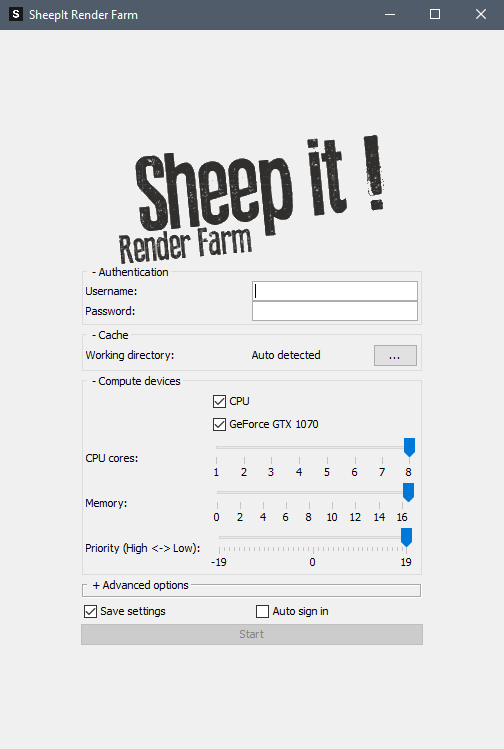
dostovel Sweet! Looks like you have the desktop applet running. Sign up for a sheep it account and plug those credentials into the applet. I would also enable "Auto sign in" so you don't have to login each time.
Send me you username once you're signed up and I'll get you involved on the team I just created.
Now we just need a bunch of people here to sign up and join the team as well. Wonder how to go about that.. 🤔
@theluthier You could start by asking people here, in the discord that seems to be popular (with others I’m not on it) and asking people at the end of today’s livestream right before signing of :)
@theluthier Ok I guess I'm officially sheeping it. Is this the official app? this is how you use it? in the website it looks better designed. Can I change settings in the middle of progress? say I want to change to use my GPU instead of the CPU.
Check computer strength? it's an ok laptop, alright Sheepit, don't put it to shame.
It keeps jumping from project to project and every time it has to download it. I thought you stuck with one project until it was finished. Also it keeps saying "downloading renderer" why doesn't it download it one time and holds on to it.
Do I need to go to the .exe every time to launch the app? It seems I can't pin it to start on Windows.
I feel I'm doing something wrong.
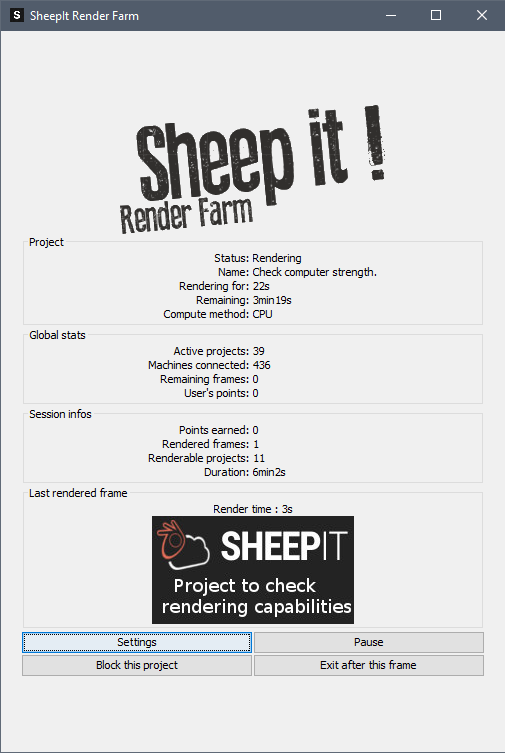
dostovel Yep that's the applet. Yes you can change settings at any time but they will update after the current frame you're rendering. Each time you open the applet it runs that "project to check rendering capabilities". It usually only takes 30 seconds or so to run. I think it uses that info to prioritize projects for rendering.
I believe every project your machine grabs for rendering starts by downloading the project files as a zip and also the blender version chosen by the project owner. This is nice because we don't have to worry about maintaining any version of Blender for sheepit to run. And I guess it wipes those files clean upon exit as to not clutter our hard drives.
As far as I know yes, you have to launch the .exe every time (though I'm on linux). It's a java app, which is a first for me. Linux let me pin it to my "start bar" after launching via terminal. I recommend googling "how to pin java app to start menu".
I feel I'm doing something wrong.
I doubt it which is partly why SheepIt is good! It makes this process pretty easy and mistake-free for people to get involved and start rendering. Now we just need to get more CGC peeps to join our team and we can test one of your scenes.
Speaking of your scenes, you will want to zip up the "Blend Packed Files" directory as a zip and submit that for rendering (making sure only one .blend is in the root of that directory). i.e. exactly the way scene 3 is organized right now. I went ahead and zipped it and added underscores for the space. Can't remember if that's required but it's always a safer bet.
You know, I think I will go ahead and submit this for rendering to anyone (not just our team) if you're OK with it. Again I think it's plenty secure as it password protects each project's zip that gets distributed. Give me the green light and I'll submit!
ssmurfmier1985 Great suggestions for getting the word out. I'll start by mentioning it at the end of today's stream.
dostovel I forgot to say that you can install the SheepIt applet on your work machines too and log them in with your account. Your points will rack up QUICK and if you're in that situation where you left for the weekend, you could jet launch that applet before leaving.
Also in your user profile on the sheepit website you can enable the option to "render my team's projects first" to give them priority.

This looks really cool. The down side to seeing this now is I have to wait all day until I get home to sign up. :)
@theluthier Oh no wait, let me update scene 3 by blurring the earth a bit more on the background and change a thing or two. I'll work on it asap and let you know once its done.
Their website can be improved. I clicked everywhere to see how I could go back to the CGC Team. It is not under "Team" on the main page, and there is no "Search" option if I wanted to look for a specific team. The team I joined is on my profile and it is written on red on a dark blue background and contrast gets lots. I thought that would be more relevant.
And that is a good idea, to let the iMacs rendering. Is there a limit? can I download the app in all 4 computers and log my account in each one and let them render away?
@theluthier Ok I updated Scene 3. I didn't do anything with the .zip. I guess you'll delete it and zip it again.
We are Code green, I repeat we are Code Green, you can Sheepit.
Can I say I'm not happy with that space scene. The background is lacking in art stuff, it feels dull. Again and again I feel backgrounds are a different animal to tackle. You focus on your model, but then when you want to make a good composition for it to live in, then environment comes into play and other elements such as lighting, camera angles, focus lines, DoF, etc. I guess I'll try to make up to it with the "Flying" and "Car-Mode" scenes of the Heli.