

Update 7/29/2019: Omar's new scene is ready to render and already underway on SheepIt. If you're part of the CG Cookie Render Monsters team, we'd appreciate you launching the SheepIt app on your computer to contribute. NOTE: Make sure on your SheepIt account "Options" you enable Render my team's projects first. Thanks!
Update 7/18/2019: Omar is polishing new scenes.
Update 7/3/2019: Omar has 2 new files ready for rendering. Let's do dis.
Update 7/1/2019: We have finished rendering two of Omar's reel projects. Way to go community. Omar still has several to prep for rendering. I'm going to unpin this thread and re-pin once it's ready to render again.
Update 6/17/2019: Omar has updated his shared project folder with new scenes to render. It was accidentally uploaded as a new folder so if you've already synced the previous folder, you can delete that one (if it's still there) and you'll have to sync this new one. From now on we know how to avoid this so no more re-syncing.
The time to render is now!
Update 6/16/2019: We've finished Omar's first 2 scenes! Way to go People 👏👏 Thanks to everyone for contributing. Now we're waiting for Omar to setup and upload his next scene.
@theluthier Kent after comparing the original Cycles renders and Element 3D real time ones, I think you are right, rendering it out of Cycles is totally worth going the extra mile for. Although you and Lampel said it was great, that it's 95% there, for a second I saw a twinkle in your eyes saying "C'mon dude, you know it, I know it... there is no spoon." And then the twinkle continued "No one eats an Oreo and doesn't go all the way to the stuffing in the middle, the cookie part is just enough". I see what you mean twinkle.
I didn't want to bother people though, but I guess if I'm going to try this there's no way around that. I don't know how to use Drop Box, I've never used it before. Should I get an account? I hope it's enough space. I remember you kinda set things up in a similar way in the Rendering & Finishing A Blender Animation course. I should re-watch that. I have never done things through the internet so this should be a learning experience.
I, Kent Trammell, am commandeering Omar's original post! [evil laugh] I'm the one that encouraged Omar to reach out to the community for helping him render his demo reel. My computer just sits collecting dust most nights and I'm happy to lend some rendering power to this project while I'm asleep. I suspect that there are a number of CGC community members willing to do the same 🙏
If you want to help out, please follow the instructions below!
The status of the project will be stated and updated at the end of the thread title in brackets. When it says "READY TO RENDER" that means a project has been submitted to SheepIt for rendering. If it says anything else, the project isn't ready for rendering yet.
The status of the project will be stated and updated at the end of the thread title in brackets. When it says "READY TO RENDER" that means it's ready to sync the project folder and start rendering. If it says anything else, the project isn't ready for rendering yet.
STEP 1 -- Sync Omar's project folder to your Google Drive.
If you have a gmail account, you have 15 GB of free Google Drive space. Just click the link and when you're redirected to the Google Drive website, right click on the "Demo Reel Files" folder and choose Add to My Drive.
If you're on Mac or Windows, use the official Google Drive app (personal version) to sync your Google Drive to your computer's file system.
Render_Scenes_1_Packed.blend
If you're on Linux like me, there is no official app. I've had some success with Open Drive but it seems to have stopped syncing on my system. I'm currently using Insync and it's working beautifully. It's $30 after the 15 day trial period, which I will likely pay.
STEP 2 -- Open one of the render-ready .blends with Blender 2.8
After the project folder has finished syncing *entirely* to your computer, launch Blender 2.8 and open Demo Reel Files > Blend Packed Files > Render_2.8-Scene_1_Packed.blend. Then follow Omar's instructions in the file for CPU or GPU rendering, whichever your machine is best equipped.
Enable viewport rendering to double check the scenes look fine (no pink from missing textures). I've tested these files myself and they should be ready to render without problems.
STEP 3 -- Render the Animation
The files should all be setup properly so anyone that opens them doesn't have to do anything but click the Render button.
That should be all you need to do to contribute rendering to Omar's project! Note that these scenes are heavy and can take an hour or more per frame, even on a high end machine, which is why Omar needs our help.
When the rendering is all done (or you need to stop and regain your own GoogleDrive space), simply navigate to the Google Drive website, right click on the folder and choose "Remove".

 phoenix4690 dostovel Unfortunately everyone needs to have the same amount of space to participate in a rendering project like this. That's the bummer of not being able to use Dropbox. 2GB would fill up super quick and that's only if no one has anything else in their Dropbox.
I'm a bit disappointed in Google Drive not being as polished as Dropbox. I suppose there's also an internet speed situation to account for. Say if I have a slow internet connection and you have a fast one and we both spit out a placeholder at the same time, whose gets synced? Maybe this is why we're seeing duplicates occasionally. There's not much of an excuse for seemingly random deletion of files. I've never seen that before in the ~4 years I've used Google Drive. I tend to think there was an accidental deletion on someone's local machine. Could have been mine frankly. Linux Luke has a mind of it's own.
All things considered, 15 free GB of a glitchy but functioning cloud sync solution is still good for enabling this to be accomplished at all. Does anyone have experience with another cloud sync app that offers this kind of space for free?
@theluthier First time I use any of those cloud services sync things. And that's sad that we would all need to have the same Drop Box space available. But yeah, Drive is getting the job done so far, and you're right about variant internet speeds, that has to be accounted for, so it's not just all Drive's fault.
If things comes to worst, Drop Box could be an option, just that a very cumbersome option since the workflow would be like setting the timeline to every 50 frames, render those, copy/delete EXR, set timeline from 51 to 100, render those, copy/delete EXR, save the file, timeline 101 to 150, so on and so forth.

Thanks for all the help so far. It has been worth it doing the renders in Cycles Kent. There are more projects left to render but I have to prepare them. Some just have to be optimized, try to create some interesting camera angles or possibly tell some small story, create some backgrounds, mix and match others, etc, etc. I'll try to work as fast as possible.
I put the video of the latest sequence in the Results folder.

@theluthier at least this was super simple especially compared to git and the incomprehensible commands about branches etc that totally confuse me
sheila5 Thanks but there's so much left to render that it's like Frodo hasn't even left The Shire.

dostovel Good to hear, Omar! Happy to help where I can =] Let us know when you're ready again and we'll get the army on it.
@theluthier Kent, I uploaded the next scene into Google Drive. Do you mind giving it an all green status before actually going forward with it? I'm kinda nervous with this one since it's in Blender 2.8 and I still don't understand it well, plus it's a hefty scene capable of terrifying Linux Luke himself.
dostovel Another fire scene! Oh the lovely details....
Both scenes are set up properly for rendering this but I did have two points of advice:
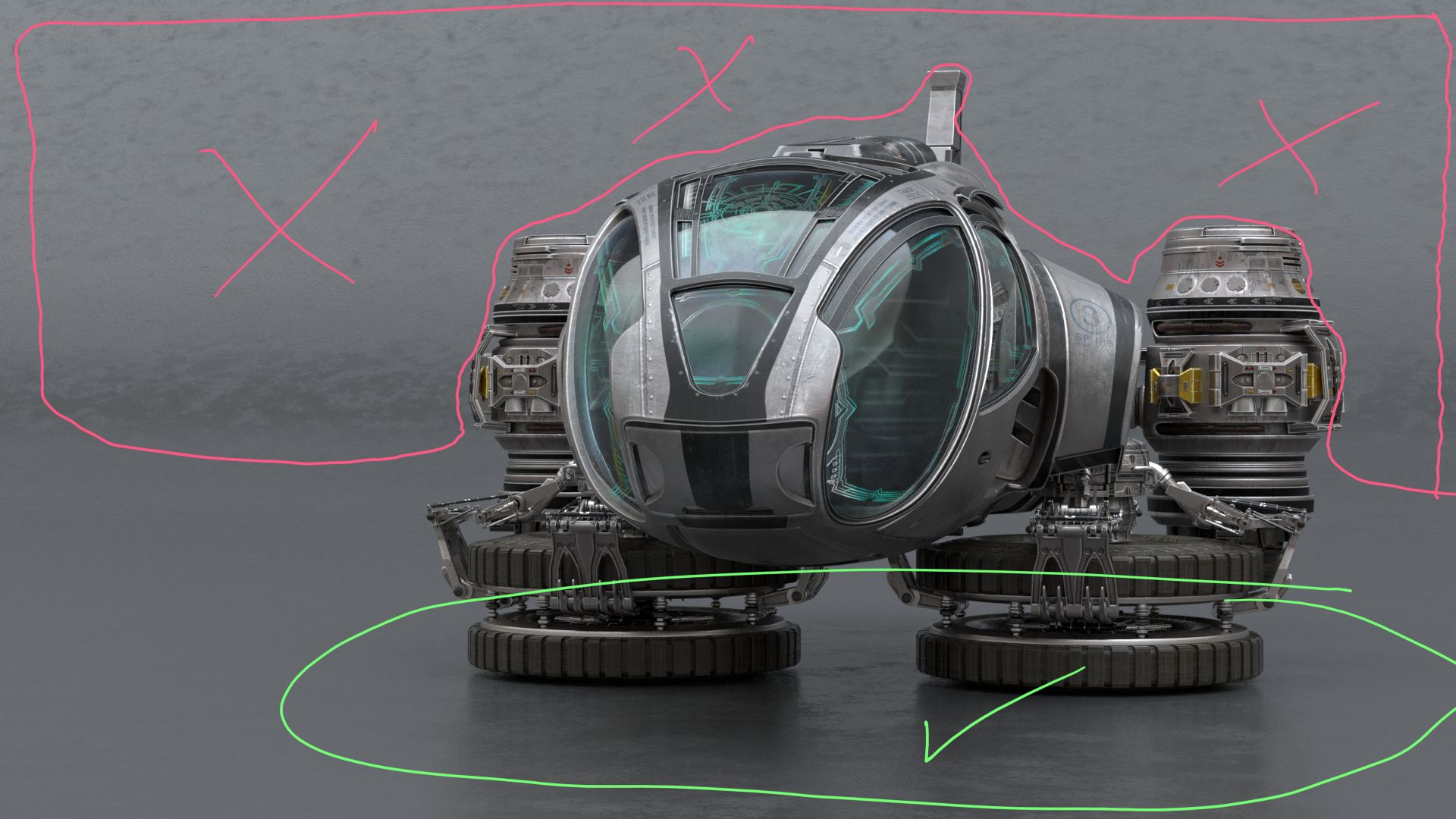
@theluthier Perfect, thanks for the help. I'll get right on it and let you know as soon as I finish. I wanted to build an environment, like a hangar of sorts but I backed down as soon as I saw how many hours would go into creating it. For it to look good it has to have a lot of details and a lot of back and forth as it has t be design on the fly and that requires lots of time.
But I think I've got an idea that I can pursuit that might look good and wont suck up so much time. I'll get on that soon as well.
I rendered frame 1 on the iMac were I work at and it was 1 hour 6 minutes one frame and yours was 10 to 3 minutes 😰 Shame on you Apple, it's a 4,000 dollars computer.
@theluthier I did a couple of things:
- The file with the Z pass and Vector Pass enabled to make the motion blur in compositing was 50MB to 60MB, the file with no passes enabled but motion blur by default was 15MB. Render times were not that much different. So I opted to make both files with no passes enabled whatsoever so they were 15MB and that way Google Drive space will be enough but most importantly it'll probably help with the file duplicating since it will be easier to upload and sync 15MB files then 60MB files.
- Samples are at 256. I've never done renders with samples so low but it seems to work fine.
- Eliminated the tiled texture on the background and kept details on the floor.
- Made the background darker since the Heli and the background were the same shade of gray and there wasn't enough contrast for the Heli to stand out.
- If you agree with the changes and give the green light, then Code Green is a go.
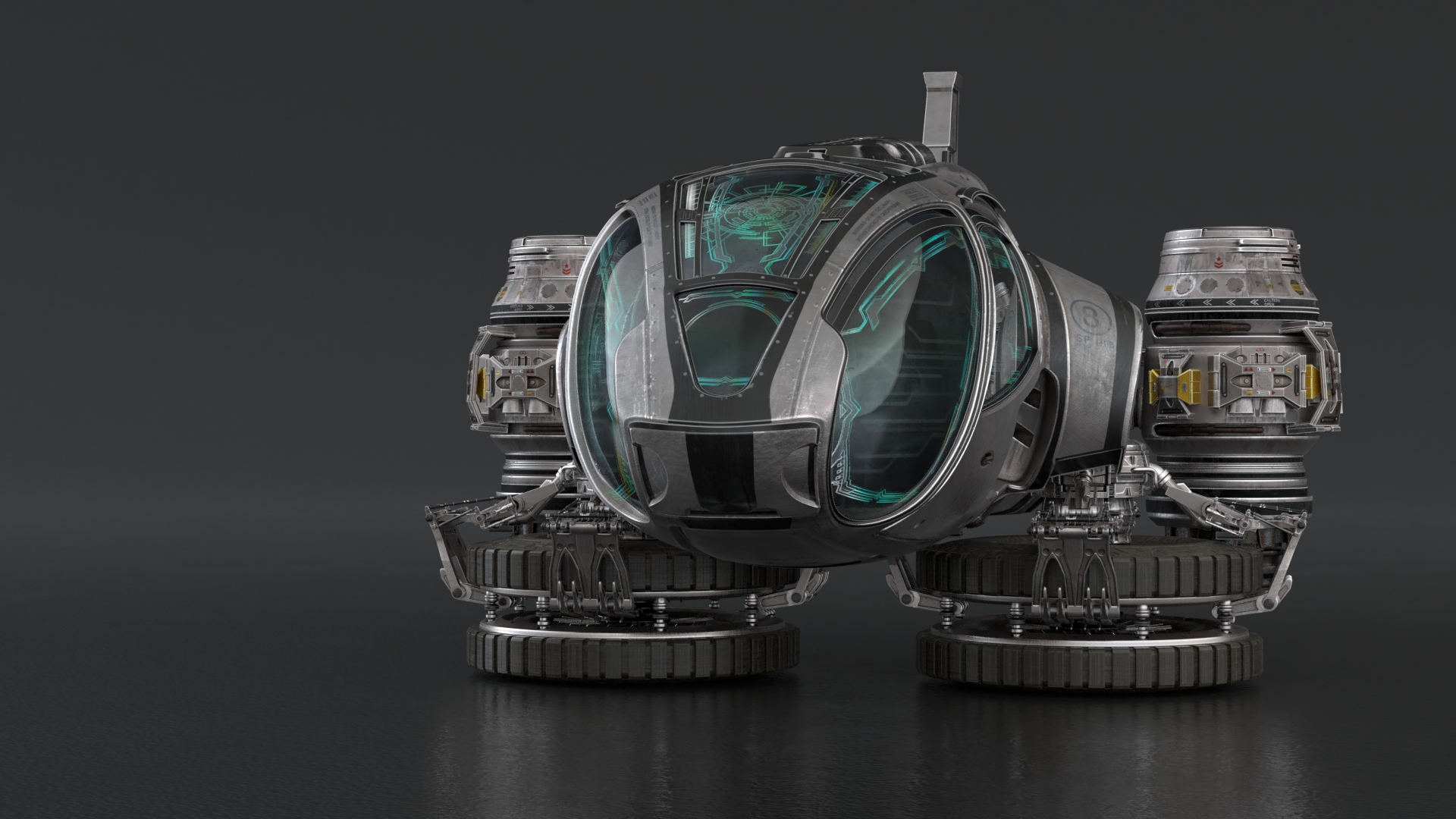
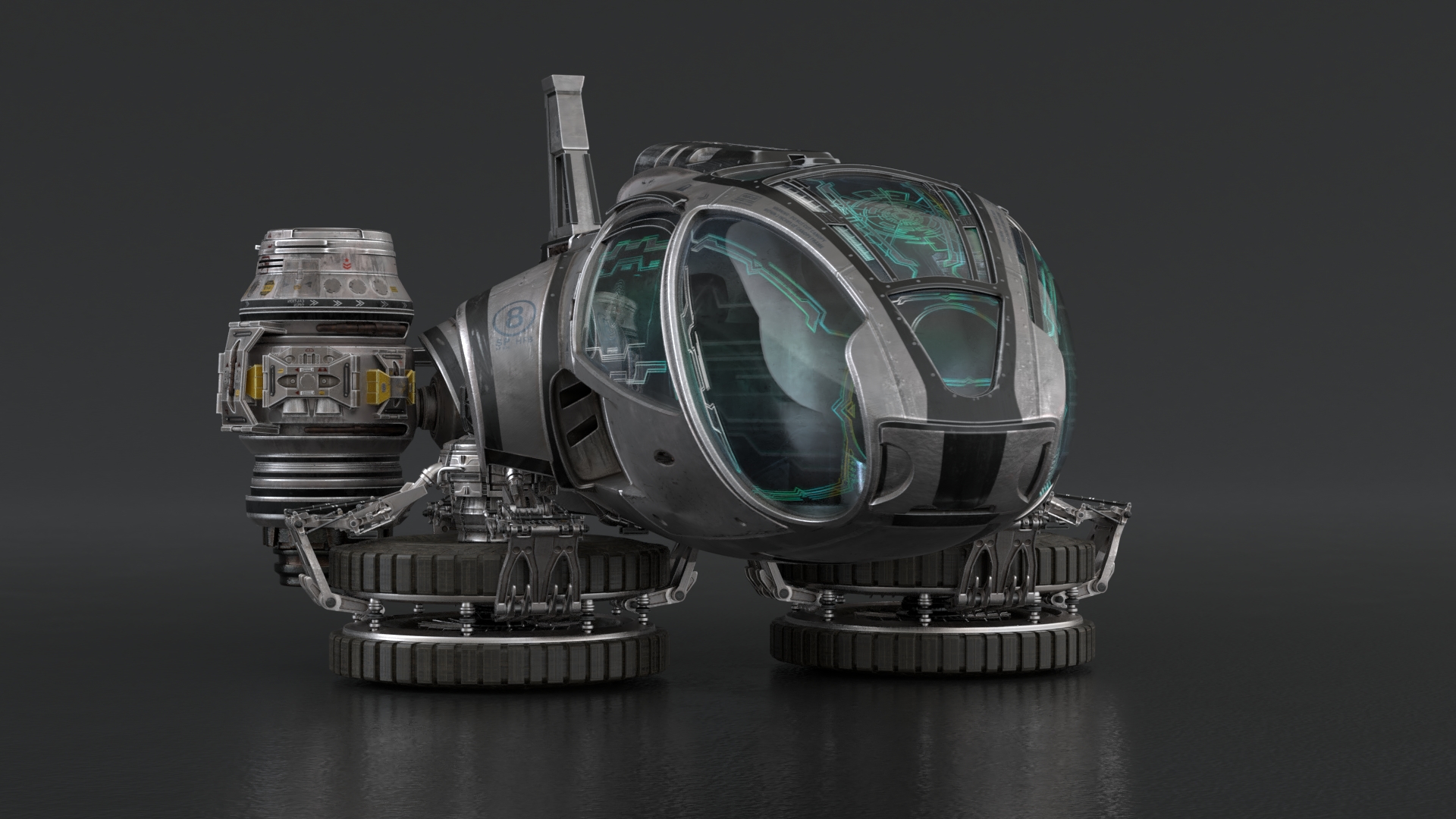
dostovel I like the changes! Very clean and focus 100% on the heli. Let the rendering commence 📢
I'll change the title of the thread to indicate it's render-ready. Also something interesting I stumbled upon hdri-haven's patreon:
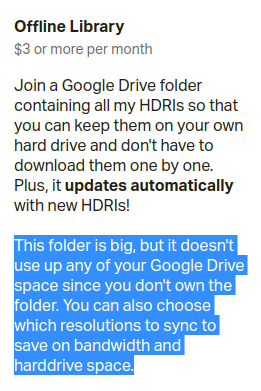
Apparently shared Google Drive folders only occupy cloud storage space for the owner of the folder. That's pretty cool.
@theluthier Great. Thanks for checking it all out. And so it begins again. Tomorrow is my last day here at work, I'll be taking a two weeks vacation so I wont be able to render with this 4 computers here. That's a shame, they were really helpful.
I guess Google Drive just got a bit better. Lets see how it behaves this time with lower file sizes.
I stumbled upon the SheepIt render farm website yesterday. I think I remember it from years ago..It's basically a website + desktop app to systematically do what we're doing with your reel renders dostovel: People register with the website, download the app, and make their system available to render other people's Blender scenes. It looks like the scene data is kept private (aside from a small thumbnail that appears in the app GUI when a frame is finished - which is kinda fun to see a preview of what you're rendering).
You can even setup a "team" for designating certain people to prioritize a certain project (like this reel for example). It works on this credit system where rendering other's projects gains credits and getting your renders done by others costs credits. Pretty cool way to measure giving VS taking in the community.
Has anyone used it before? I'm testing it now by rendering other people's projects and building up some credits before I submit a project to test myself. Curious if it reliably finishes projects in a reasonable amount of time.
This could be a more official version of what we're doing.
@theluthier I clicked the link, it all looks and sounds great. Let me know how your test goes. I could subscribe to that since after this I would like to do more videos and animation, still images feels like it's not going to cut it for me anymore.
I put a small video test of the Heli in the Results folder. There's two or three frames with a bit of weird ghosting that pops up, but it's no big deal. In the part were the camera runs from above it looks a bit jittery, maybe there's not enough frames per second, but that can stay like that for now.

@theluthier I do not recommend Sheepit. I never found out how to do anything with it.
@theluthier
I brought this one up in February/March after live critiques, Pavel knew it and had this to say:
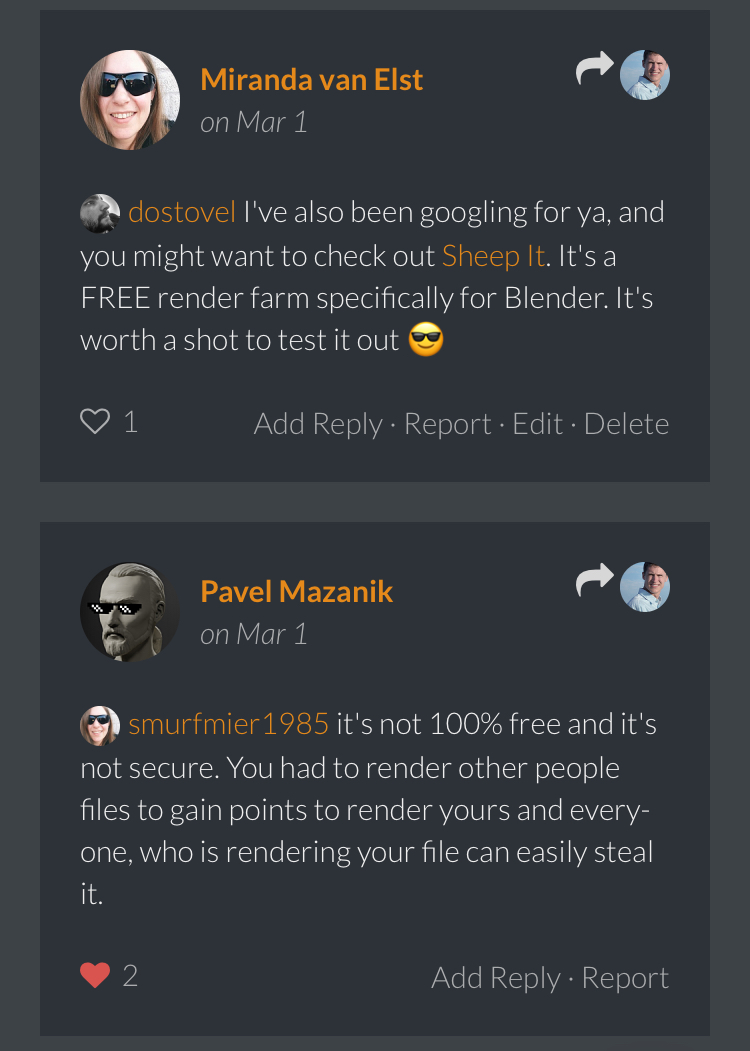
The steeling thing is also true the way you do it now, except in this case you know the community and they are great 😊
ssmurfmier1985 Oh sheep, that's some bad news. Maybe Kent will have better luck? The other option would be Denis's Barista addon. I know how much the addon costs, but I don't know how much is Amazon's servers fees, so I can't calculate how much you'd be spending if you rendered all your stuff with that.
ssmurfmier1985 I completely forgot you mentioned it. I should have tried it back then.
I'm curious about  nekronavt's experience. He's right that you can't start rendering your own project as soon as you sign up. Sheep it requires you to render 10 frames of other people's projects in order to submit your own for rendering. But I don't see that as a cost. I mean technically the cost of electricity to run your computer I suppose. I see it as a small commitment for everyone joining. The whole thing only works if there's as much give as there is take. I render yours, you render mine; I scratch your back you scratch mine.
As for security, I haven't been able to crack into anyone's Blender scene file. I get .zips added locally but they're all password protected. Unless Pavel knows something I don't, it seems pretty secure to me.
I let half of my computer's resources render other peoples' projects (also CPU for SheepIt, GPU for Omar) for 18 hrs and I'm already in the top 50% of renderer's for this month and ranked 517th overall. I find the points system brilliant! It comes with these badges to unlock. Like a game for lending your computer to others for rendering.
I'm only seeing positive things so far. The real test will be submitting a project of my own to test efficiency. Will do that ASAP and report back.
@theluthier Kent I was thinking, maybe it is a good thing that from time to time the folder with all the rendered EXR on Google Drive be cleared out. For example, the next frame is frame 345, so there are 344 EXR files, if someone wants to jump in to render at this point, they are going to have to sync 344 files before they start to render and that takes a lot of time. I can just copy paste all the EXR files that are already rendered to my local drive, move the Timeline in the .blend file to start at frame 345, save the file, clear the Google Drive folder and start fresh. If someone wants to jump in, they don't have to sync so many files and things can move up quicker. Do I give it a go at this strategy?