
So far, I’ve gone through the Basics course twice, then revised the Gamepad course twice too — really wanted to make sure I didn’t miss anything. Now I’m moving into the Core Fundamentals series, and I’m ready to level up my skills.
I created this topic to:
Track my progress over time.
Share renders, notes, and thoughts.
Stay motivated and connected with the community.
I’m still new (just a couple of months in), but I’m trying to be consistent, and I really want to grow as a 3D artist. Feedback is always welcome!
Let’s go! 🚀
1st mission completed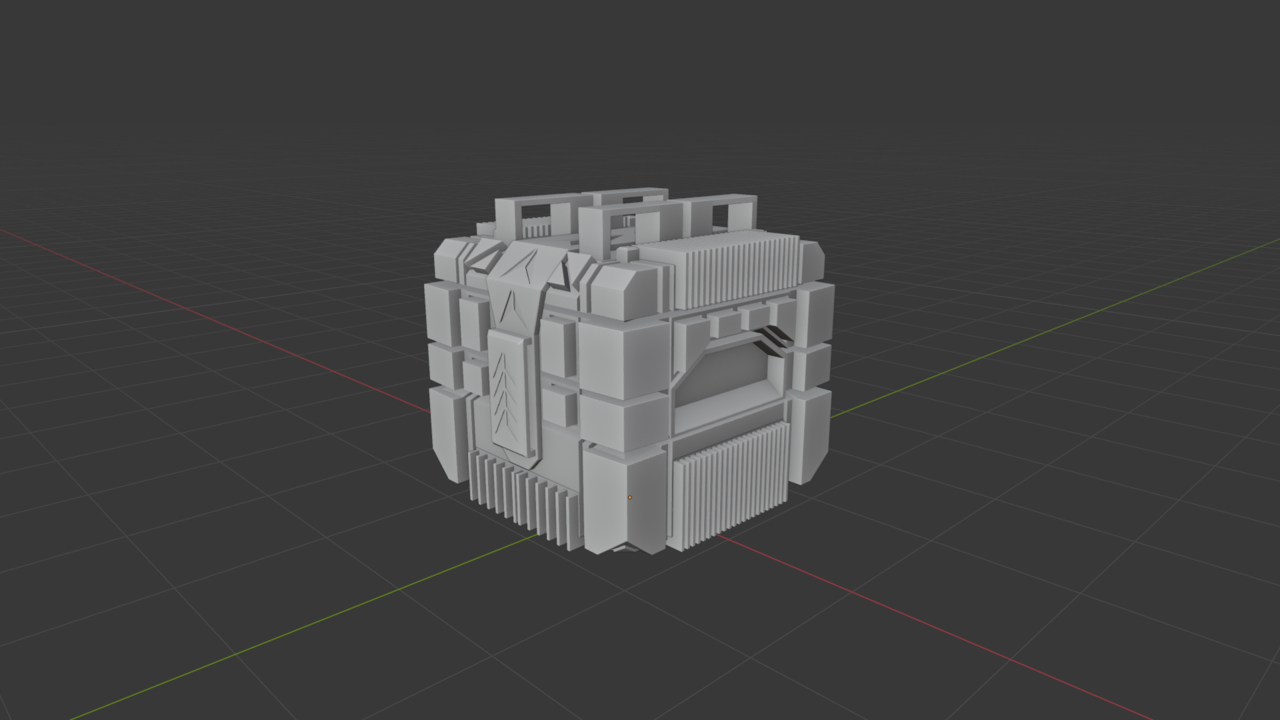


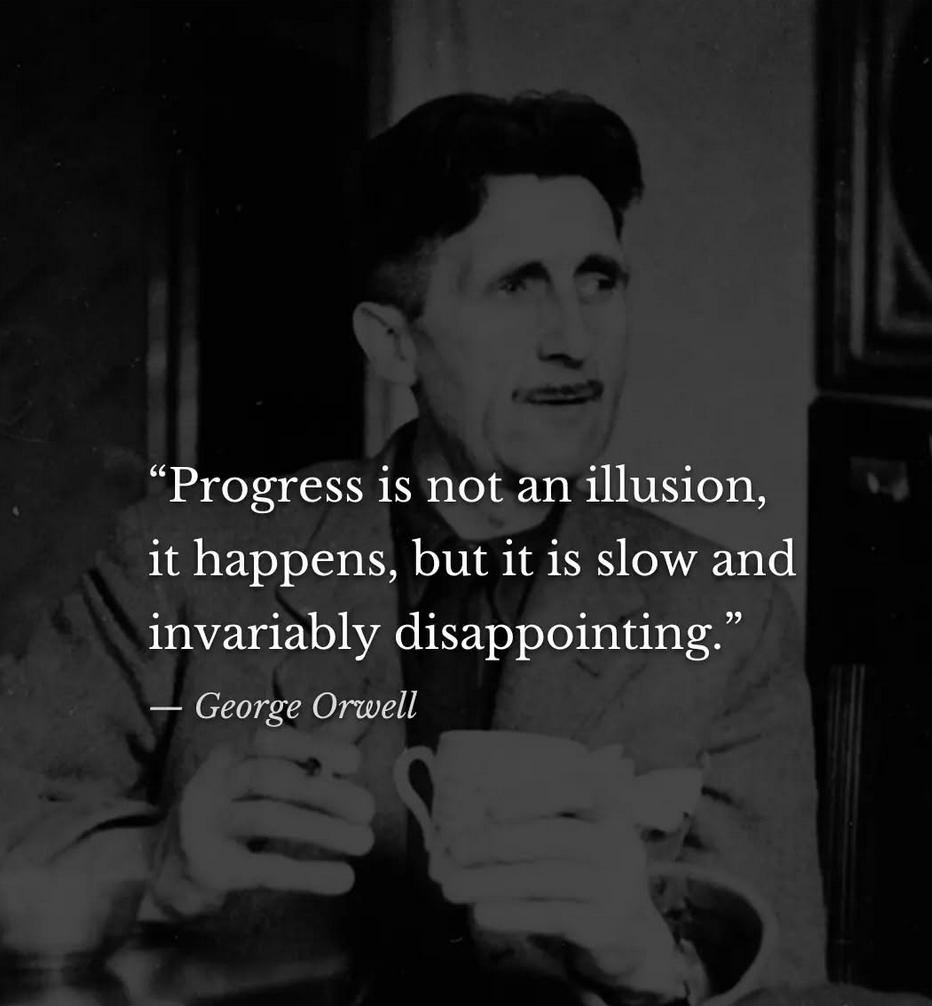
Yeah don't worry, just stick to practice and you wont even notice when you get super good. Perhaps one day you'll be like oh, I modeled an entire motorcycle that looks awesome and in the past I wasn't able to do that, but now all I can think about is all the errors I left in. Like the George Orwell quote:
Thanks a lot as always, guys! 😀
So now that I’ve basically wrapped up the mesh modeling fundamentals, my plan is to do a 30-object practice challenge to really build confidence. After that, the next part of the core course is sculpting.
My question is: do you think I should jump into the sculpting section after finishing those 30 objects, even if I don’t yet feel fully confident with modeling? Or would it be smarter to keep pushing modeling projects further before I touch sculpting? My biggest fear is spreading myself too thin — I’d rather build solid modeling fundamentals first since that feels like the foundation for everything else.
Also, what would you suggest I should and shouldn’t do at this stage?
One more thing — I notice that I always think, “I know this part, so I should be able to create this object on my own without tutorials.” But then I often get completely blocked, feel demotivated very fast, and don’t want to look up YouTube videos for that specific object. I know this probably isn’t the best mindset, but it keeps happening.
So do you think, while making these 30 objects, if I get stuck, I should watch a YouTube video for that specific object? Or would that be harmful for learning? How would you guys suggest I approach this whole practice phase?
I like to stay into something until I feel I have a good grasp of it. So I would stay on modeling practicing for a while, at least until I feel I needed a change, then I would jump into sculpting, just to change things a bit and not get too burned out. That way I give modeling a rest and then after a bit of sculpting, jump back into modeling and keep practicing it. Because you are right, modeling is the foundation of everything else, and it also takes a lot of practice, so the point is to try and not get overwhelmed, and again, when you feel overwhelmed is when I would change things a bit and jump into sculpting.
I'd say do a mixture of trying to do things for yourself and when you get stuck then try watching a tutorial. But I'd say trying to model something from scratch without a tutorial is crucial for learning. Like ridding a bike with back wheels, it's comfortable, but you need to start getting rid of them and risking a crash from time to time or you'll never learn proper bike riding. And it's ok if you get stuck or demotivated, we all have to push through it. Learning is not like in the movies where you have a passion and it never is hard, no, even if it's your passion it's going to be hard and you have to keep at it, because it does get easier and easier as you practice.
My first SubD model made completely on my own, without any tutorial.
what could i have done better?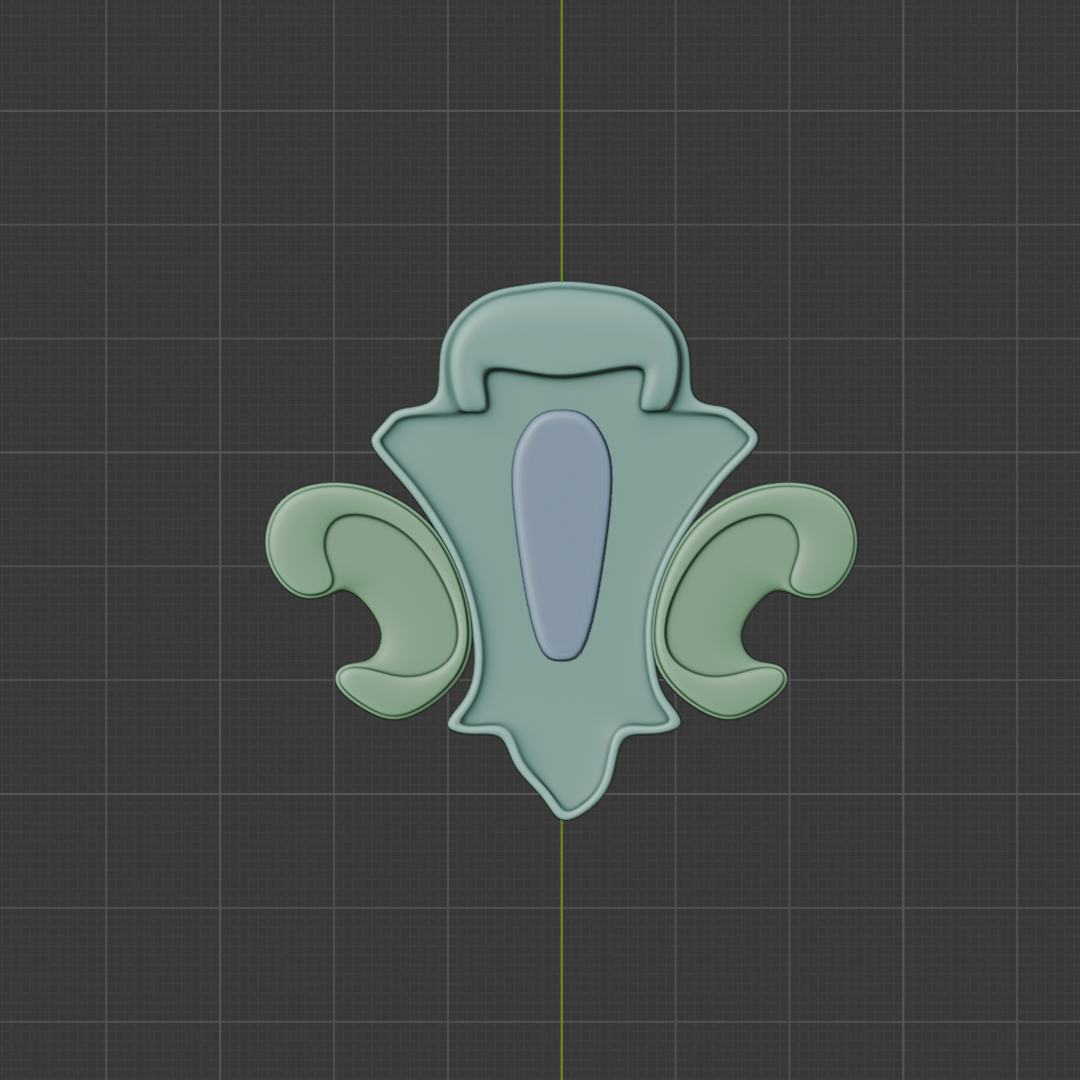

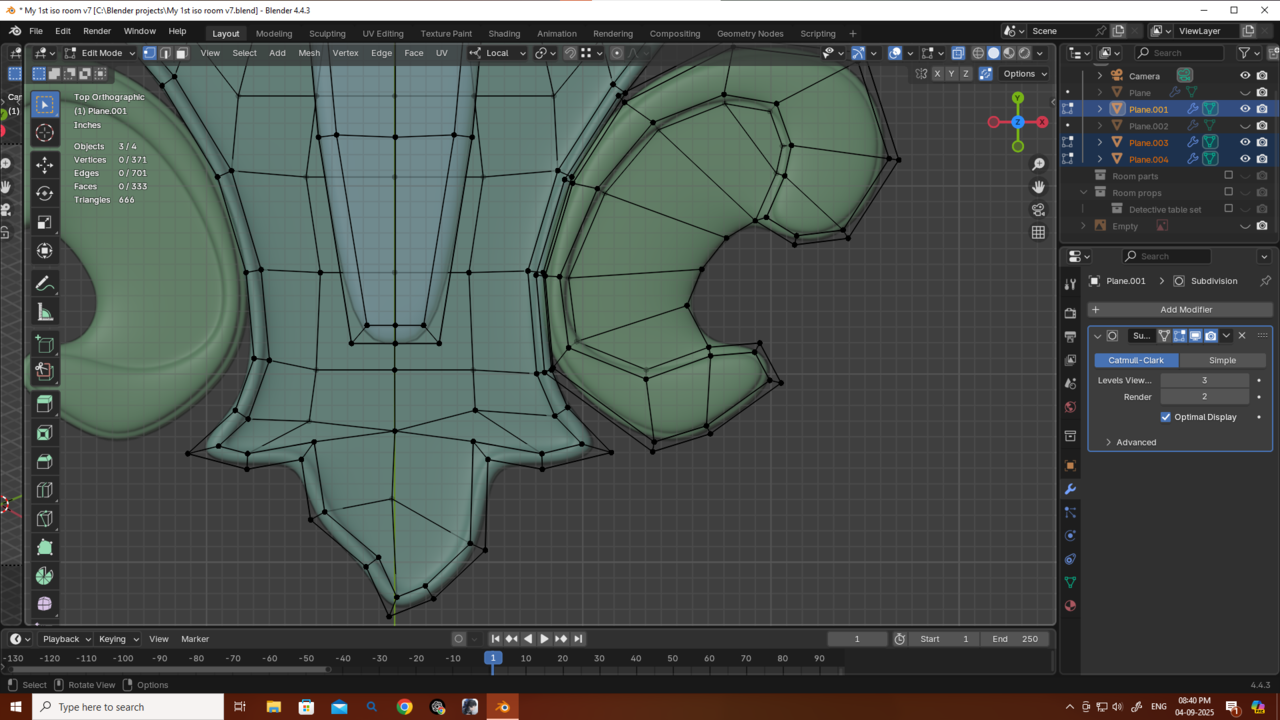
Hi Deb,
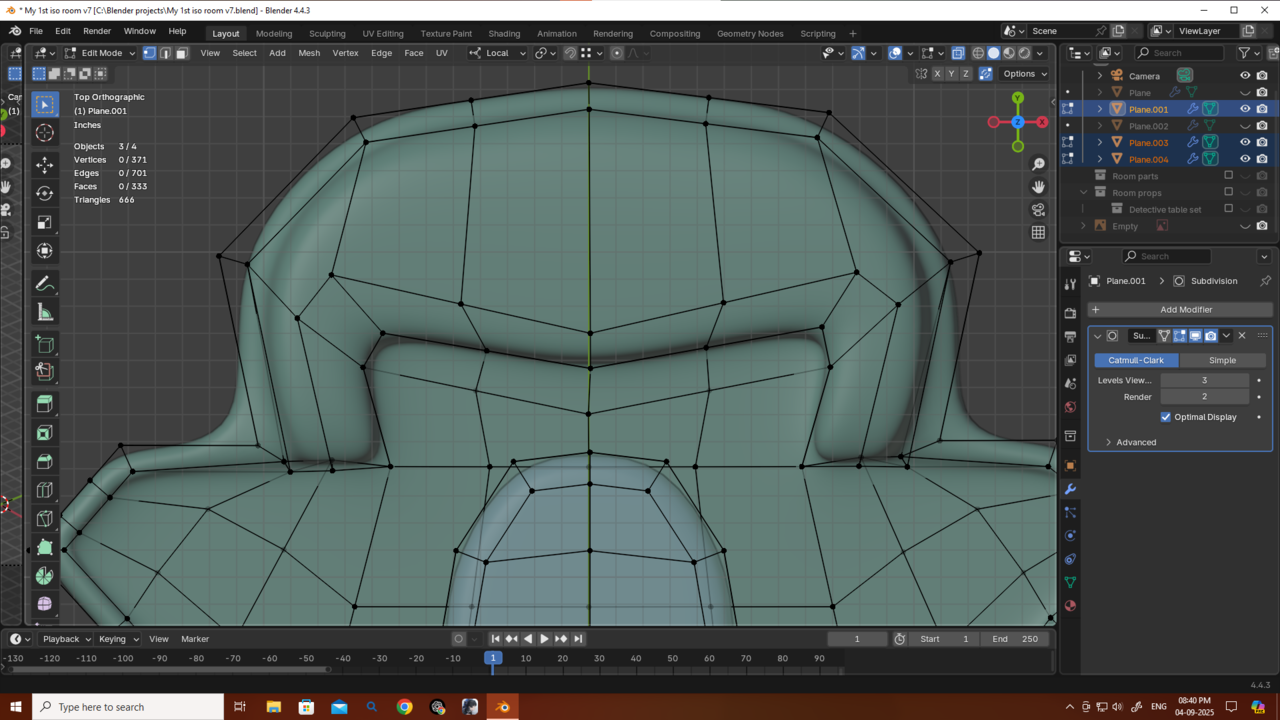
Congrats, it looks good, so it is good.
But, you stiil can improve this area:
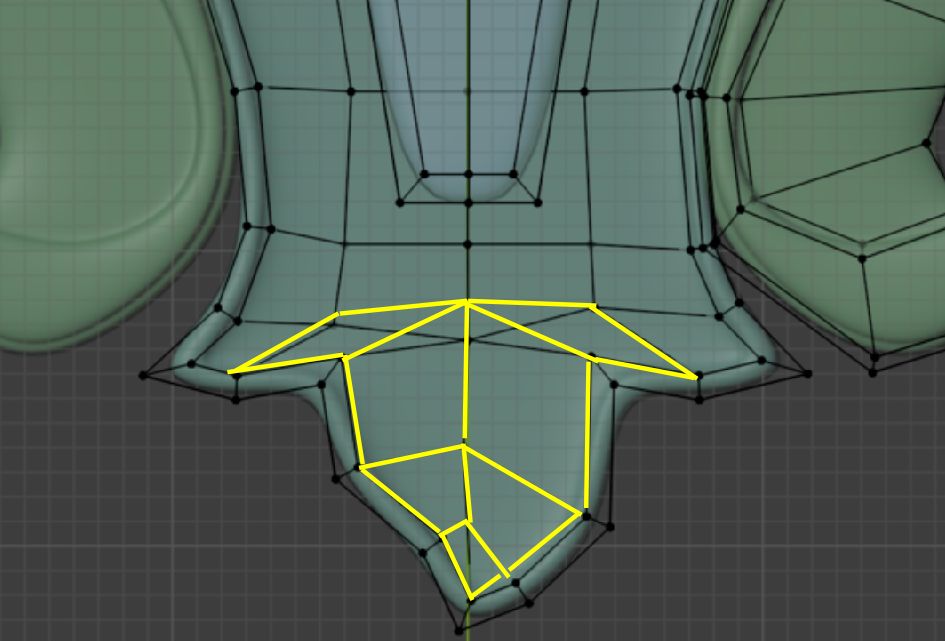
Those 2 Quads that look like Triangles are generally frowned upon and the Quad near the bottom, that is like an arrowhead, actually causes problems. This is not obvious in your case, but if you allow me to exagerate the situation a bit, you get this:
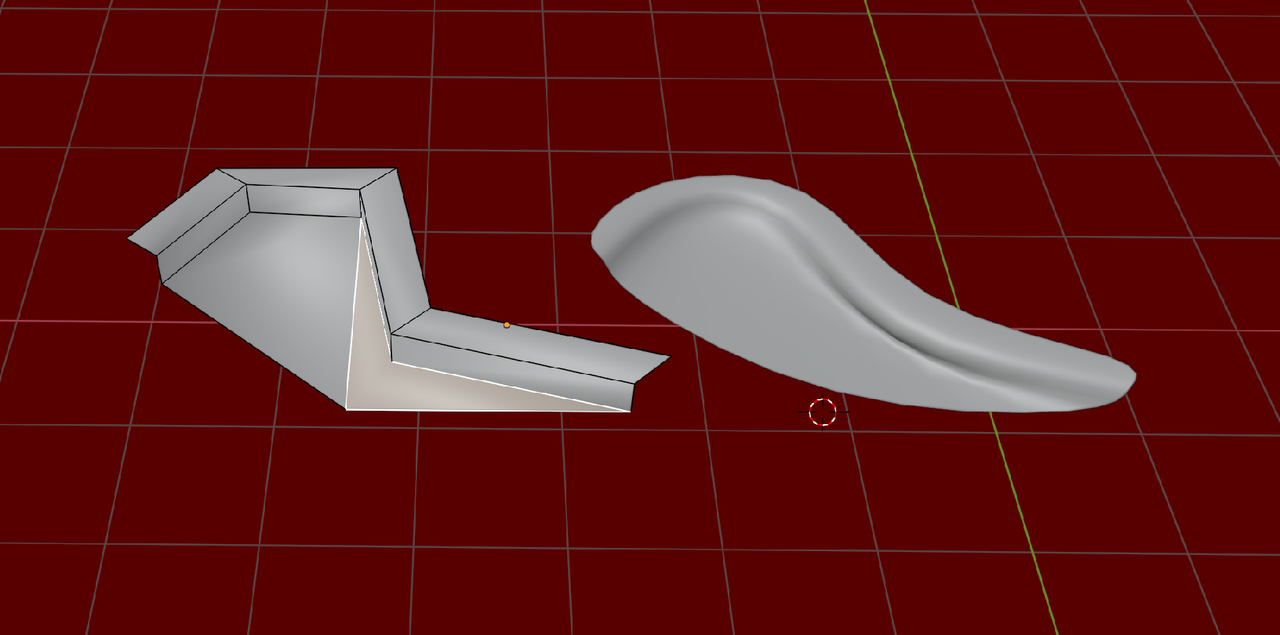
This is usually not what you want (unless you're making an earshell or so).
This happens, because the Subdivision algorithm, subdivides a Quad, using the average Position of the 4 Vertices as the Center of the Quad and when that Center lies outside the surface of said Quad, you can get undesirable results.
Love your work, mate — always so helpful. I was having this problem when I tried to create the whole thing as a single mesh, but when I made the ear-like shapes separately the problem was solved. Now I understand why it was happening.
Also, could you take a look at this ornament I created for my desk? I want to use it in the mesh modeling isometric room challenge. I attached it to the desk, but something doesn’t feel quite right. Should I make it shorter, place it somewhere else, or maybe array it? Or is it mostly because my desk doesn’t have any textures yet? Also, let me know if my desk itself looks fine. Thanks as always!
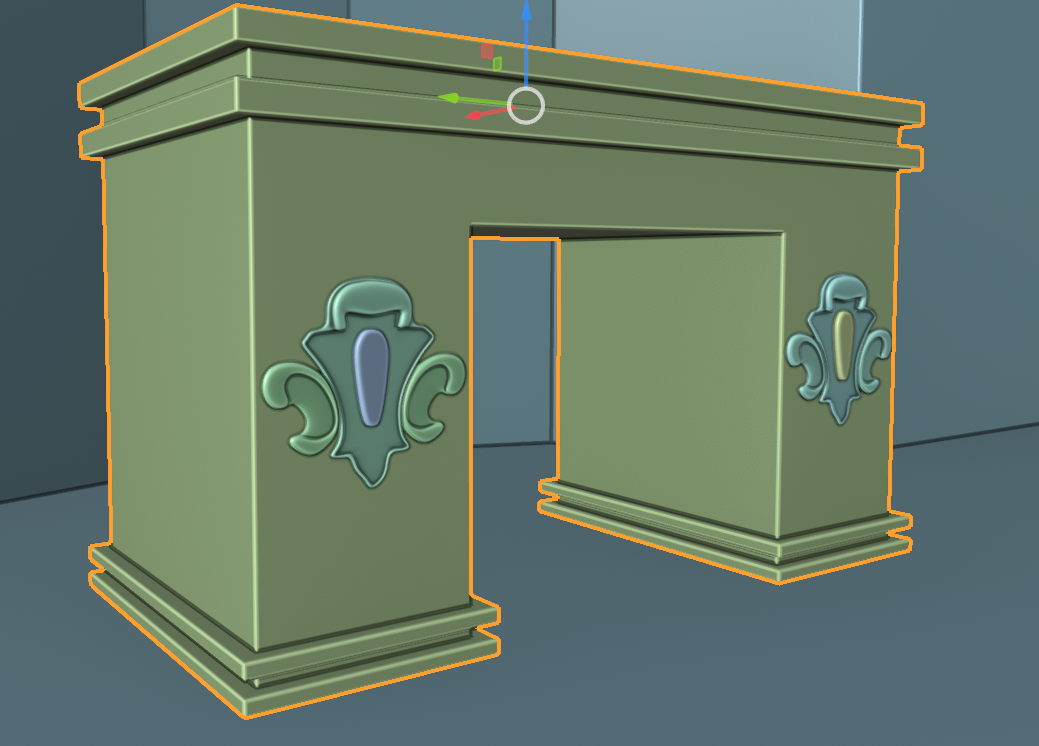
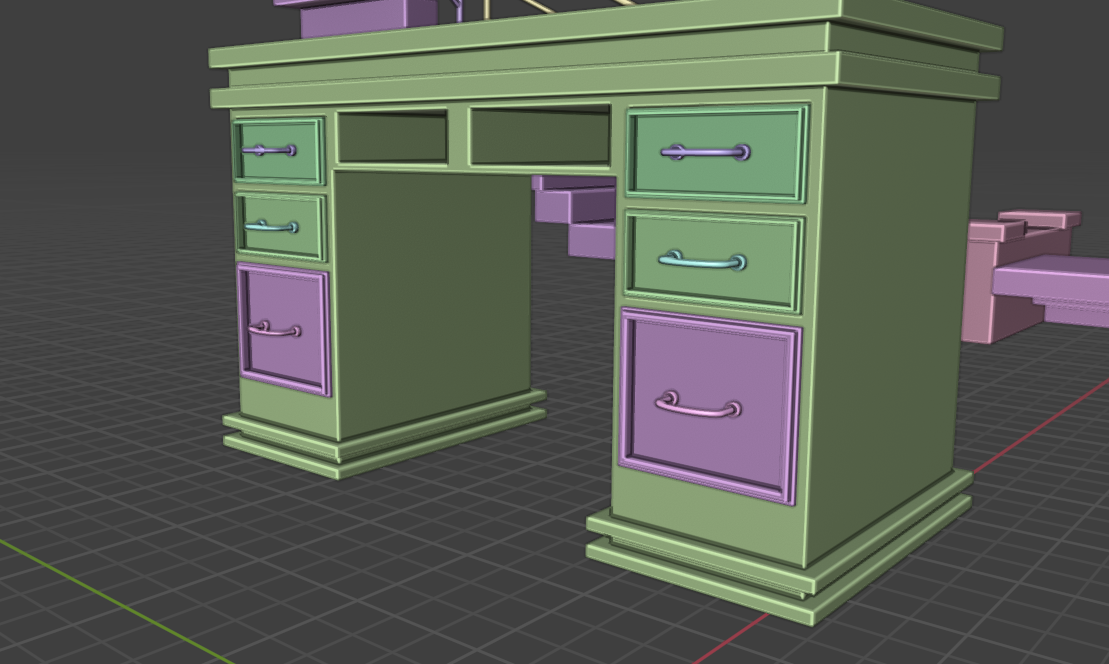
The only thing for me is that it's too big compared to the space it is in, it almost touches the outer sides. So I would just make them smaller. And as you say, you have to wait until it's in context with the whole table finished, textured and lit. Also if you feel something isn't right, it's always a good idea to work with real life measurement and have a human model next to your asset, so it's easier for the eye to judge proportions. Being very bulky it almost doesn't fell like a table and more like an architectural monument, like France's Arc de Triomphe.
The desk looks great, Deb!
I'd make the ornaments a tad smaller, maybe (i'm not sure yet) move them up a bit as well.
Alternatively, you could also place the ornaments on the sides of the desk, instead of on the back. You probably wouldn't have to make them smaller then.
Now that I think about it, on the sides would probably make more sense, as desks are often placed with the back against a wall.
Thank you very much, Omar and Martin! Yes, I’m trying to create everything with real-life measurements. Thanks as always — you guys are so fast, damn. I had to place the desk like this because my character is going to sit on the wall side and talk with customers, and the customers will actually see the back of the table. I hope u guys understand what i am trying to say lol...My room is gonna be kinda detective office com room..
I modeled this today without any tutorial. I didn’t really know how to use Sculpt Mode, but I remembered from Blender Guru’s donut tutorial what the Inflate brush does, so I just used that to make my chair a bit puffy.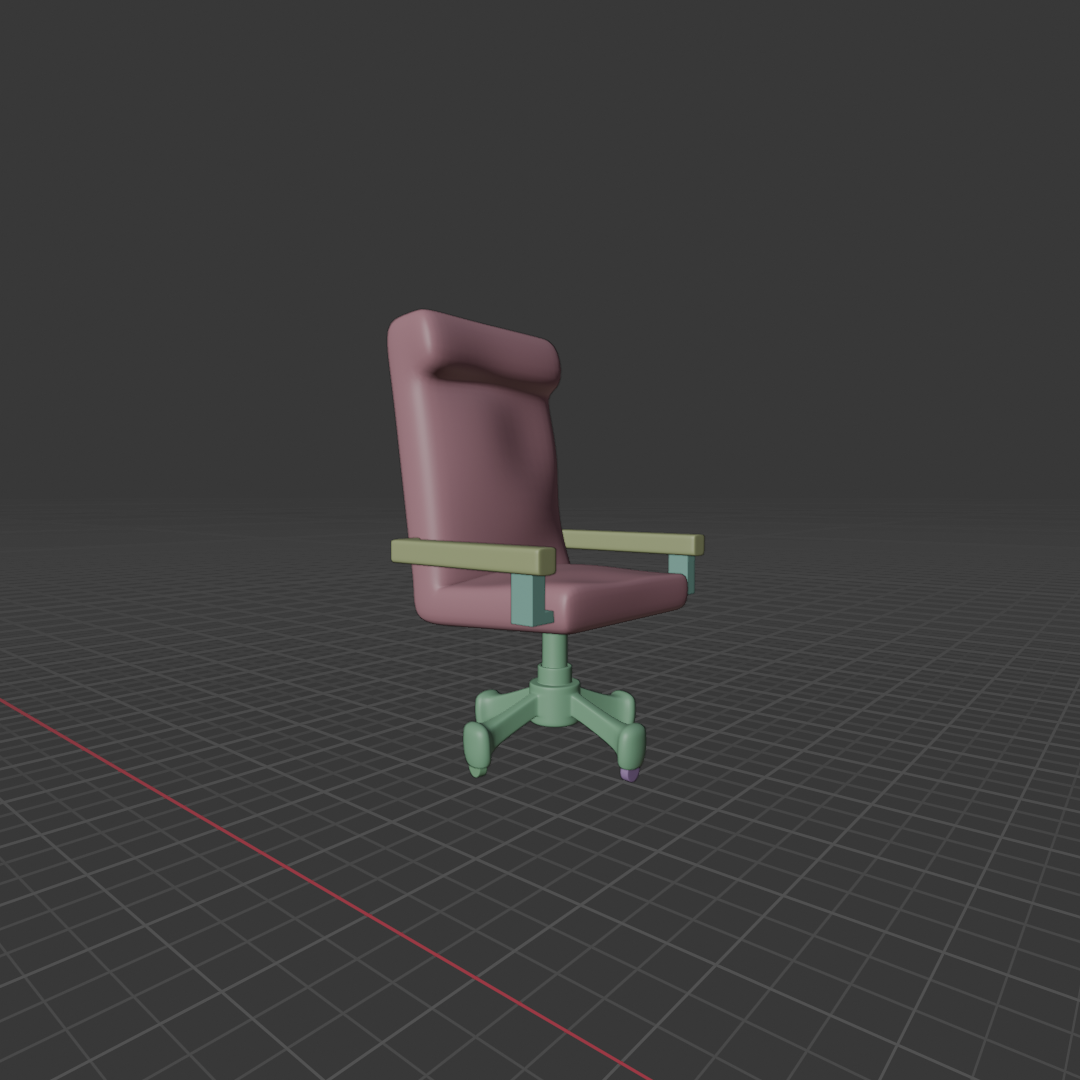
A vintage desk lamp I modeled today by myself — open to any feedback! (Next prop for my isometric room)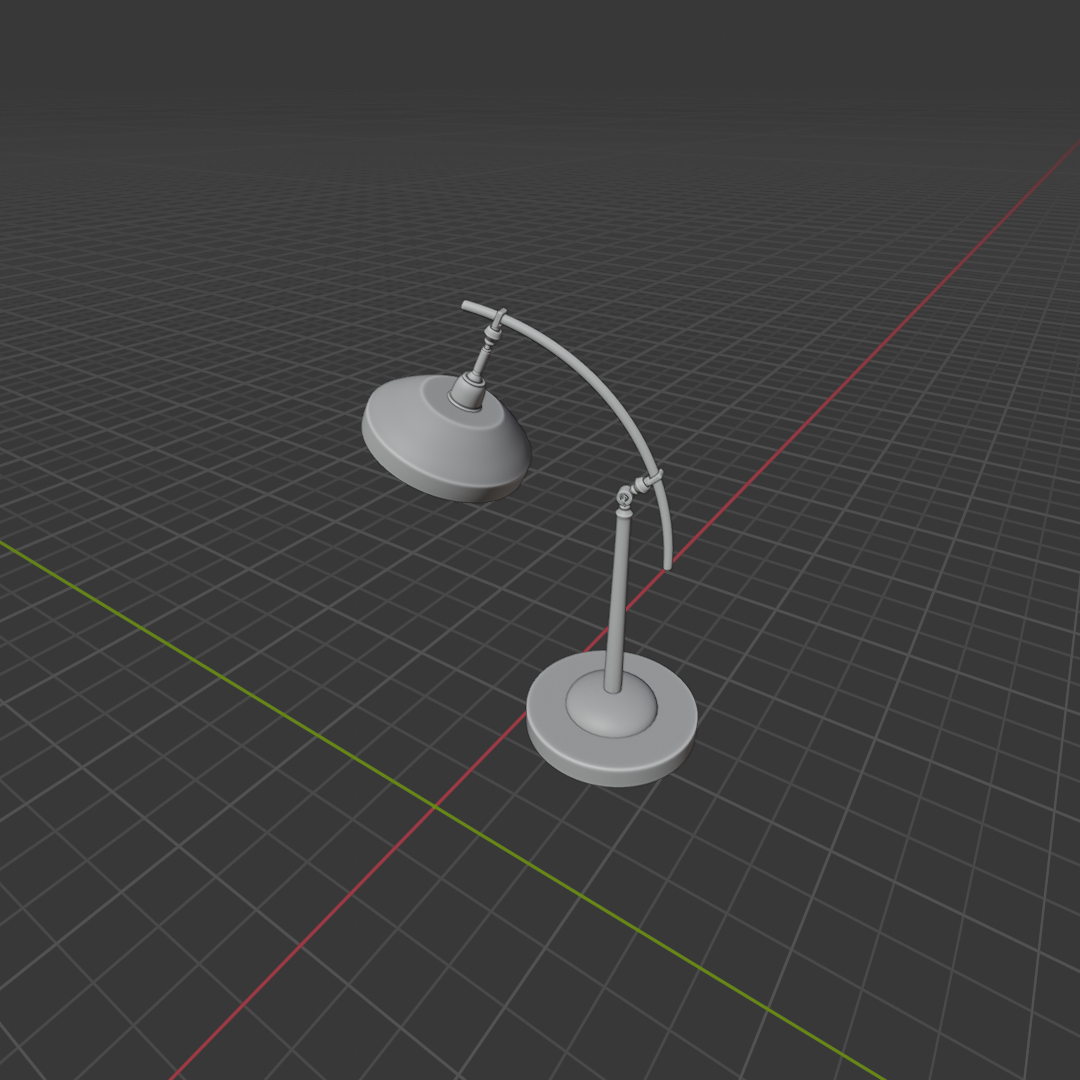
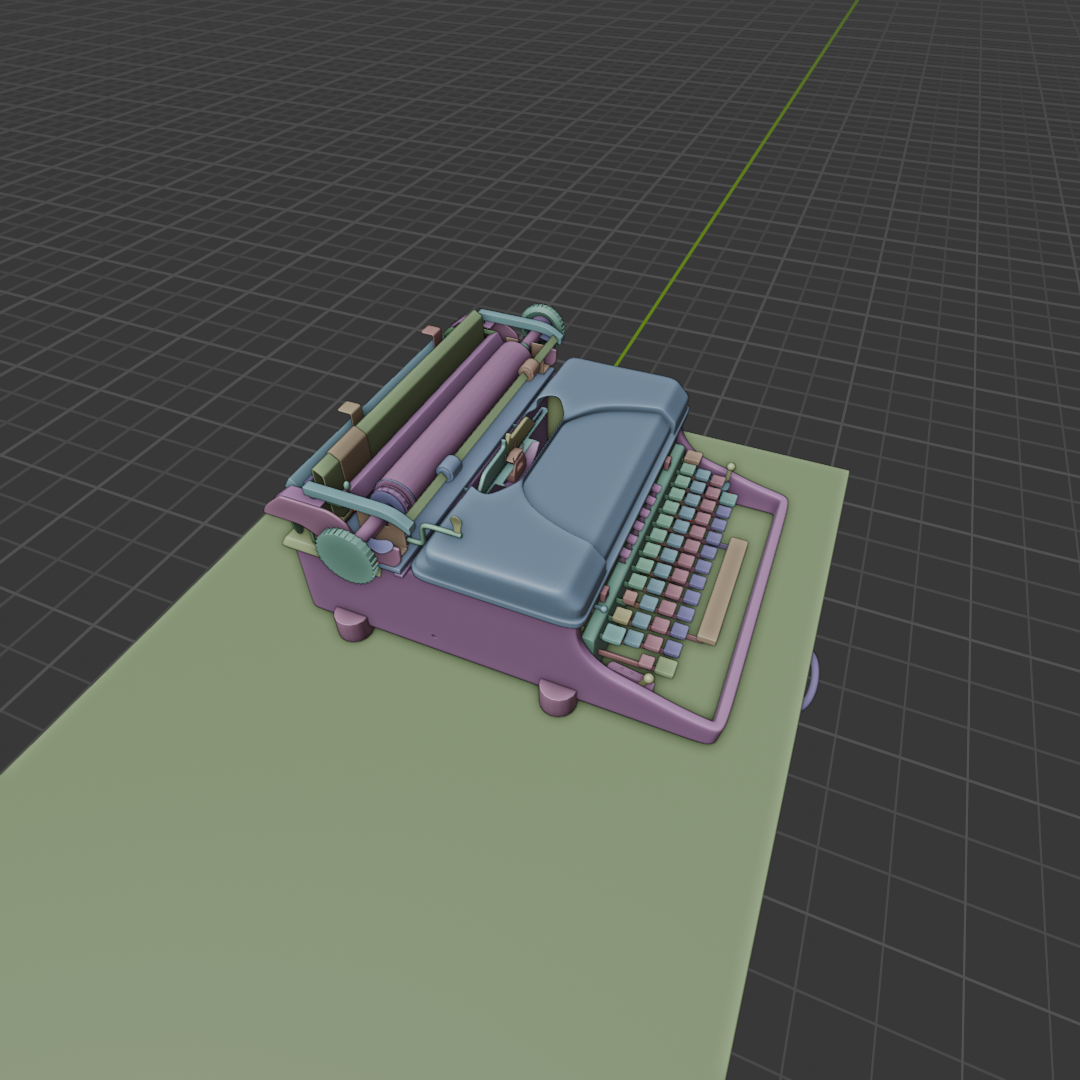
I finished this vintage typewriter today as one of the props for my isometric room — again, without following any tutorial i should mention that i used bolt modifier for some nuts. That said, without your help Martin and Omar, I probably would’ve been stuck on it for months. You guys really helped me get started with the base shape, and that gave me the foundation I needed to understand the process and finish building the rest.
I’m only about 3 months into Blender and 3D, so I’m still pretty new to all this. I think it looks good, but I’m not sure if I might be missing something — suggestions are always welcome.
Thanks a ton, Martin and Omar — your help means a lot and made this project way less overwhelming.

I won’t believe this, lol… thanks a lot, Omar, for motivating me — really means a lot. BTW, I wanted to ask: I haven’t seen Martin around for some days. I don’t see him commenting lately. Is he okay? He has also helped me a lot, so I’m a bit concerned.