I want to use dynamic paint to create text from the tread pattern of a tyre on a ground plane. Cos my tyre is modelled at real world scale and needs v high level of sub divisions to capture the tread pattern it's not practical to simply subdivide the entire ground plane. The first time I've ever had my PC start to lag have happened simply setting up small tests.
Is there a solution where I only change the ground plane to a high res where I need it under the tyre - see below.
Or could/should/do I need to approach this differently?


Maybe Micro Displacement?
https://www.youtube.com/watch?v=dRzzaRvVDng
https://www.youtube.com/watch?v=Eazr-lvSYVc
You could also cheat and have the ground as separate parts where you need the high res geometry. Hide the seams with pebbles, rocks, trash or other details?

Will have to watch that video - thanks. Ideally I just want a nice smooth slightly glossy ground colour.
I had wondered if I could manually brute force it and do something like below but asking to try and learn what options/methods are available and if there's a clever solution where it'll sub-divide dynamically based on what's required.

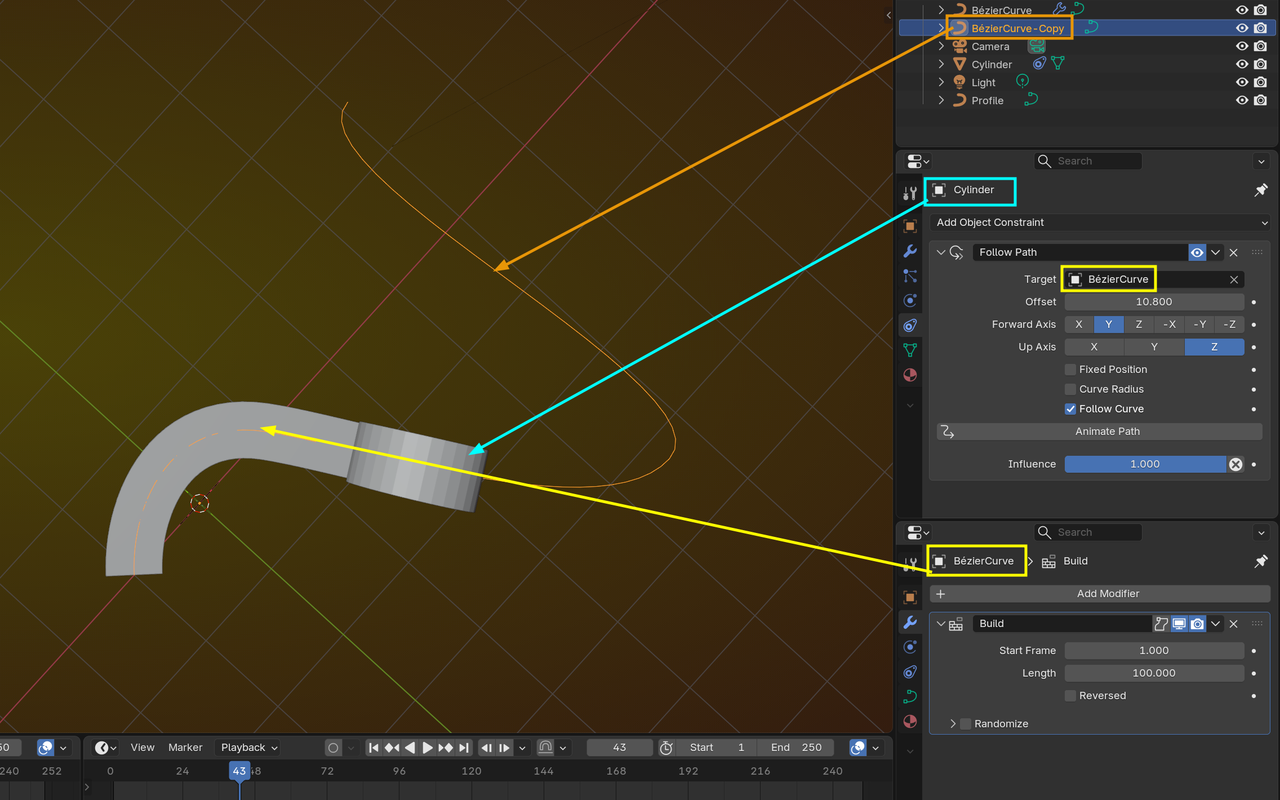
Martin. I initially used a curve modifier on the section of tread which is how I got the viewport screenshot. But I then I wasn’t confident of animating this in sync with the wheel.
I don’t know the build modifier. How does this work with the curve modifier?
Can I not do it with dynamic paint and adaptive sub division? I’m guessing not as adaptive works based on the camera distance whereas I want it based on collision of 2 objects.

With the Build Modifier, you can 'write' the curve.
It doesn't have any of the fancy stuff that Dynamic Paint offers, but in the case of a rolling wheel, leaving a print, you don't need that.
Adaptive Subdivision won't work, because, as you say, it Subdivides, based on the distance from the Camera.

Depending on how deep and the camera angle you can use dynamic paint, but instead of displacement use it as a bump/height map. I did something similar awhile back. Mine was a robot track thru snow. Yours may be easier. I created the pattern of the track and arrayed it and put it along a curve like you've done. Then put a cube longer then the pattern. The cube is to Boolean the pattern so it doesn't show until it starts moving along the curve. Parent the pattern to the tire or rig if you're like me and prefer to use rigs. In my case I had a plane following the curve going the opposite direction and it's own Boolean. It was parented to the rig also. Plane was the covered the indented part of the snow that the Pattern would fill as the track moved over it. This way you only have to animate the tire and the pattern will move forward with the tire and if you need a cover then it will move forward and disappear. Note: if the end or beginning isn't seen in the camera you won't need the Boolean.
I think I'd need some screenshots to follow your steps Dwayne.
I was planning to animate each shot of the tyre leaving tracks separately although I still need quite a big ground plane as the angle is so low the vanishing point is very far off - almost infinite. It's only in the last shot that the camera would pull up to reveal the full 'tread' text showing the tyre leaving the underline to the text. So although I don't want to animate the whole thing, the only way I can see to get the final frame of all the text from dynamic paint requires the whole thing to be rendered from frame 1
I don't need any depth to the displacement really... all I need is a clear graphic tread pattern to be left. Dynamic paint sells the effect really nicely cos you don't get a perfect vector shape like you do with tread arrayed along a curve and the sync of tyre roll to pattern being left works perfectly regardless of any easing to the wheel roll. I don't know how to do it as a bump and not displacement. I just followed Kenny's CGC tutorial.
I'm going to watch some tutorials on the build modifier to try and understand how it works.
Ahh! This seems promising. I’ll try it out later. Build modifier doesn’t really do anything different in this context that animating an array along a curve does.
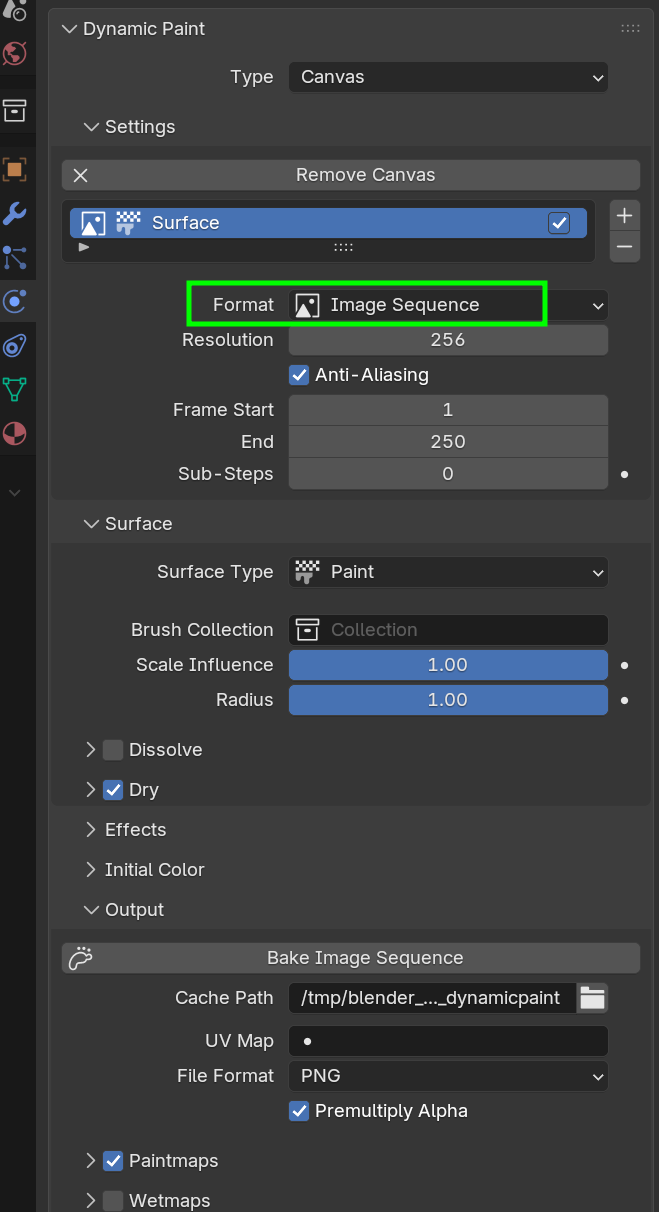
I'm afraid I'm stuck. My output is 100 frames of this. Even the colour of the output makes no sense as it's neither the initial canvas nor the brush colour

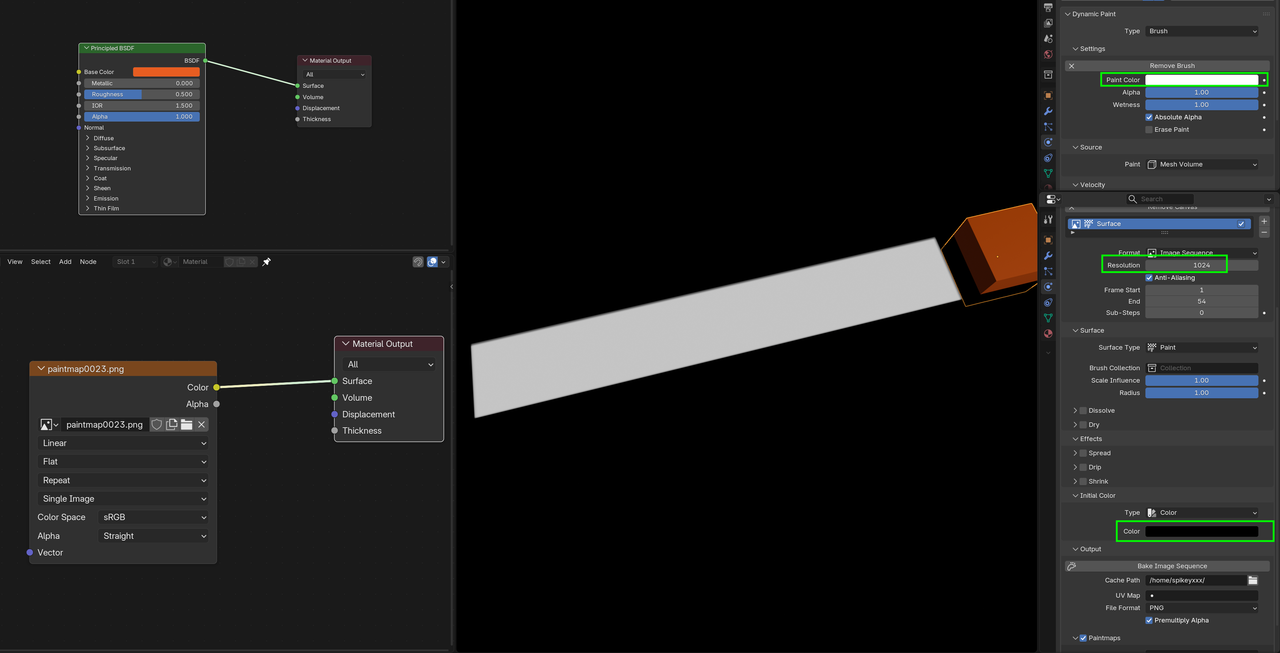
Brush Settings (tyre)
Canvas Settings (Ground)

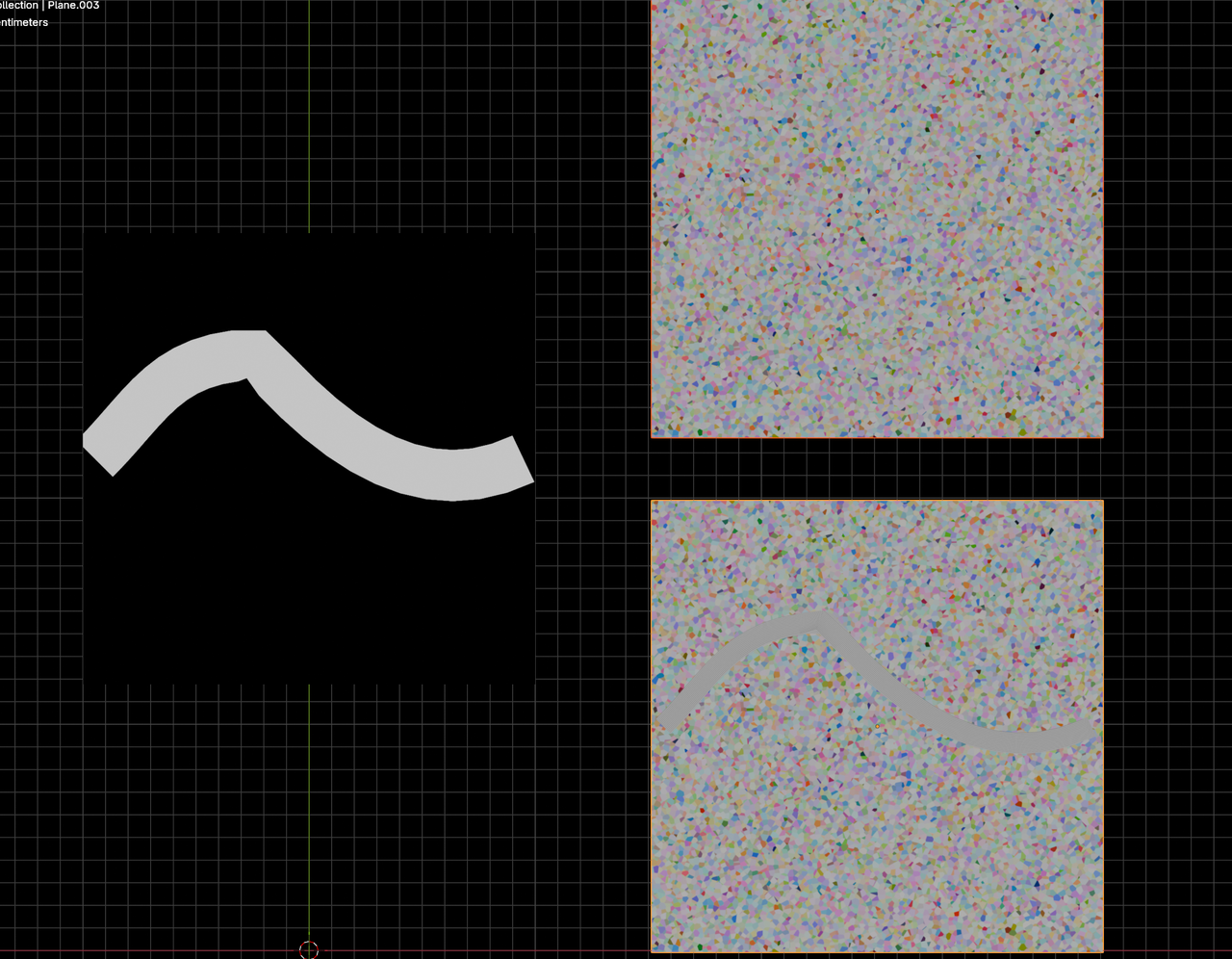
UV
Update.
Dynamic paint modifier wasn't at the top of the stack.
I now how an output of sorts from a bake but it's blurry dogshit. I've tried at 2k and 4k and 4k is arguably even worse.
I also don't understand why the colours are off

I need the output of this visible in the viewport. I don't understand how I'm supposed to use / incorporate this into the render. Do I have to take this bake and then somehow animate this as an alpha of a material? It feels like it's getting too complicated. All I want is the dynamic paint effect but without having to have a massive subdivided plane. There must surely be an easier way

If I use it as a mask I need the proper resolution. So it seems like I’m back to square one as image resolution will need to be enormous to capture the resolution I need.
Why don’t the colours match?
But I want the texture from the dynamic paint not from the array as that’s too perfect it also means I have to try and match two separate animations
It looks like I’m back to manually gridding the ground plane and sub diving those squares to get the coverage I need at the resolution I need without killing the computer.
I can’t believe there’s not a better solution to this tho. I really should probably give up on trying to solve this as it clearly beyond my skill level and I’m sure any attempt I make is going to be sub par and won’t be able justify the time I’ve sunk into this.
Not exactly sure what you mean with wanting the texture from the Dynamic Paint...that sounds like you'd need a Resoluton of at least 16K. I also don't understand why you'd have to Subdivide the ground Plane, if you don't need Displacement.
And there wouldn't be 2 separate animations to match up, in my suggestion; the wheel follows the Curve and is used as the Brush in DP, which is used as the mask to reveal the tyre track, that is already there, You also don't need to use an Array for the tyre track; a Curve has UV's that you can use for an Image Texture of a part of the tyre profile.