
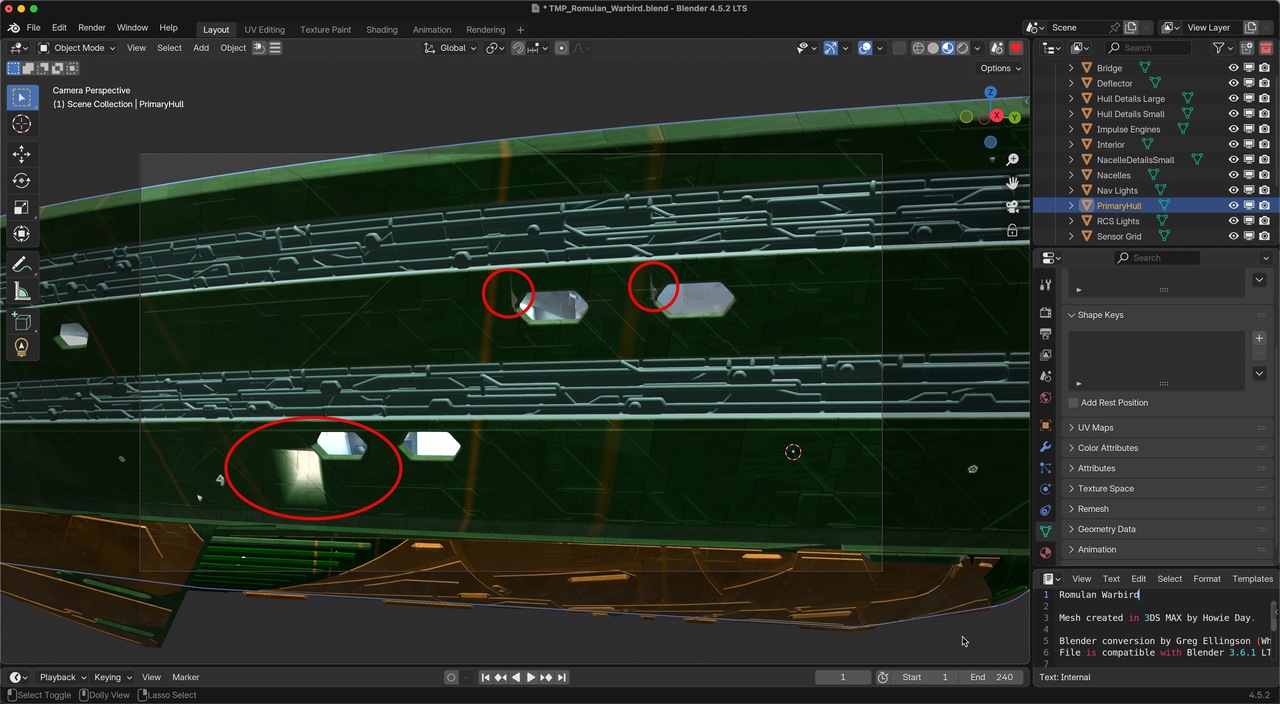
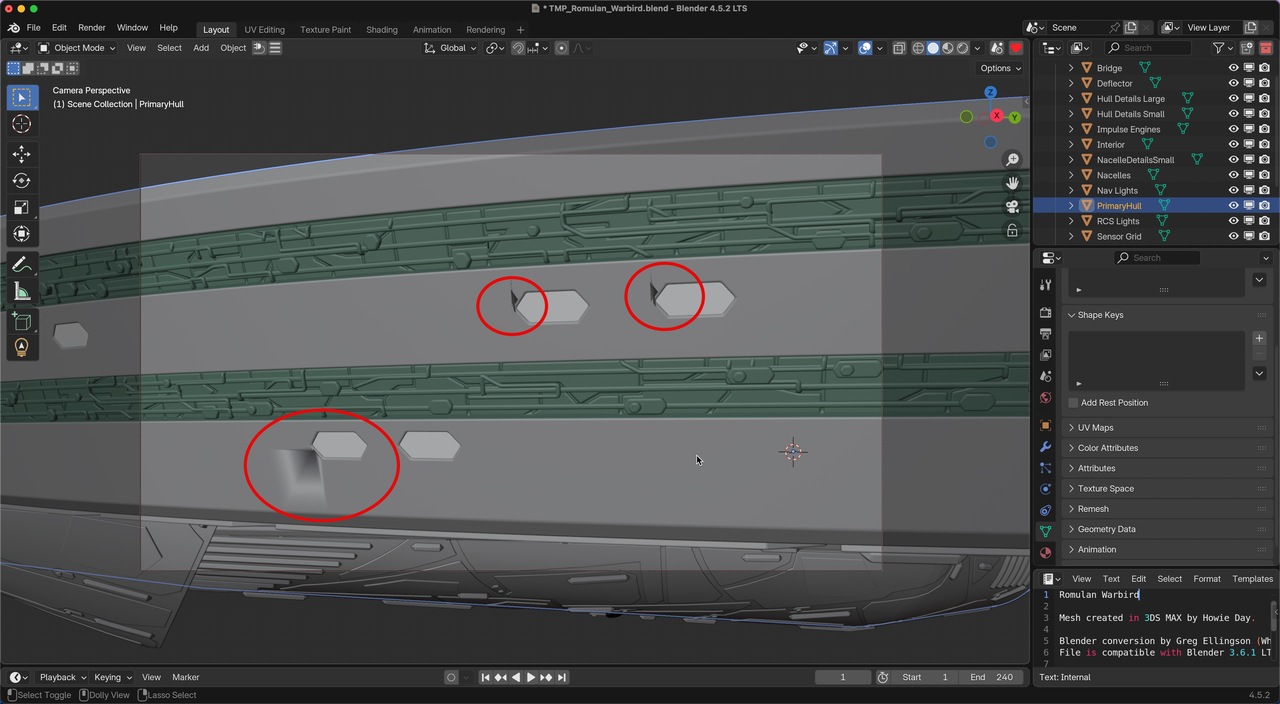
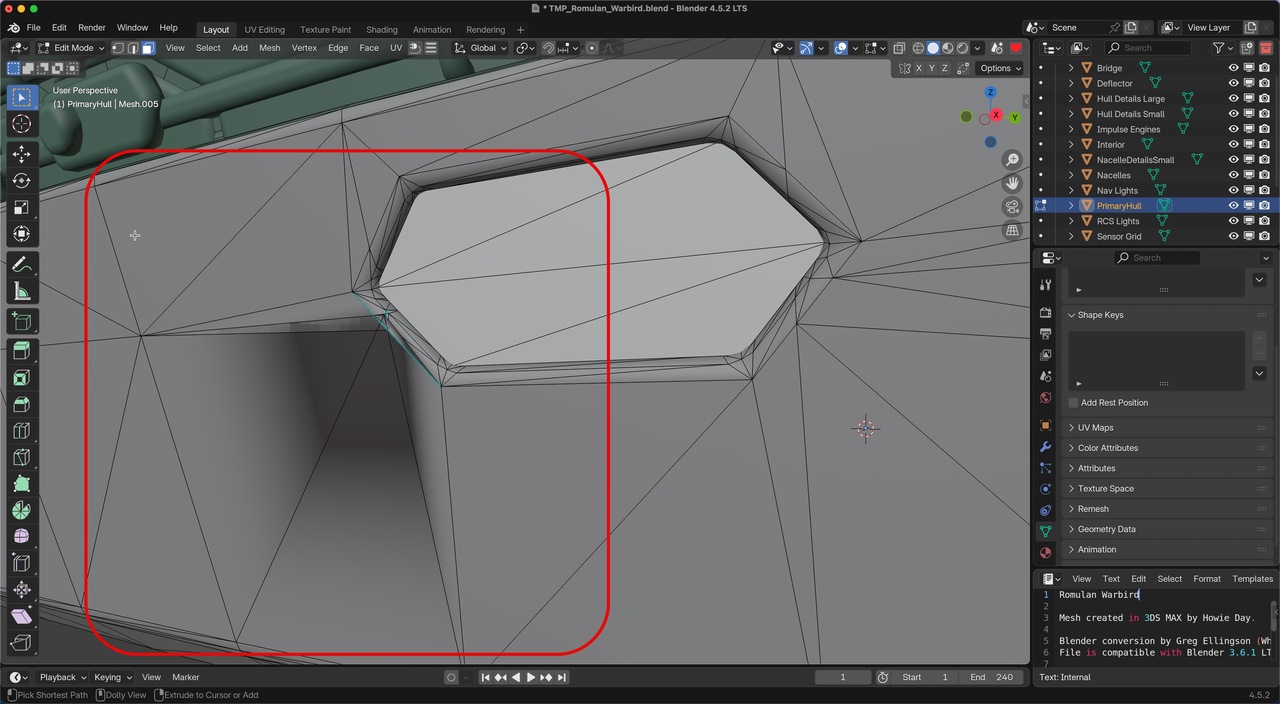
Is the stress/shading issue shown in the screenshots fixable without a ton of remodeling?
I want to use a Blender conversion of a Howie Day model by Greg Ellingson in a personal project, but if the fix requires hours of work, I'll move on and use a different ship model instead.
I've tried flipping and recalculating normals. I've tried auto shading, shading smooth, shading flat and clearing sharp. I've tried removing loose verts, edges and faces, removing doubles, removing zero faces and getting rid of dispensables using the Instant Clean addon.
It looks like I would have to delete a fair amount of geometry and rebuild it, which is a deal-breaker for using this model. But I thought I would ask here just in case there's a simpler way to fix this.
NB: My modeling skills are infinitesimal; everything that I can do is based on repairing other people's meshes. I've only learned what I needed at the time.
I will try to attach a link to the original model, but since I'm not willing to spend more than an hour or two trying to fix this, please don't spend a lot of time working on a solution.

Sure Jeff,
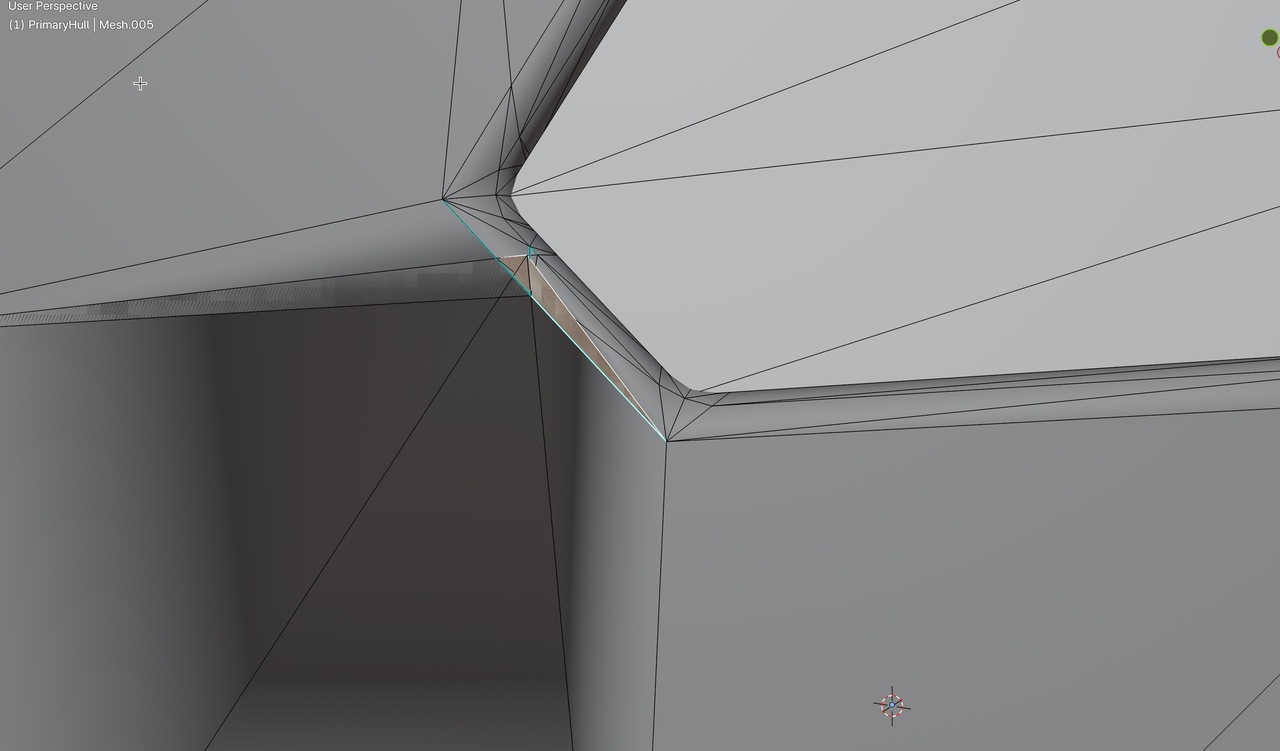
It's a bit hard to see, but there are 3 Vertices Selected and Merge at Last merges them at the last Selected, the Active (white) Vertex. That makes the Triangle go away in a simple way.
You can get good results with Sliding Vertices as well, but in this case, this seems easier to me. Call it 'intuition through experience', or somehthing like that.
Like we mentioned before, the Topology is extremely messy (a lot of 'double Vertices' as well, by the way) and we can try and make the most offending areas slightly less offending and there are different ways to do that. Whatever works to get a decent looking Render.
A real fix, would mean a complete Retopology, or just Model it yourself, but I understand, that that's not really an option here.
Thanks again, Martin.
I really respect the expertise that you and the other mentors bring to the rest of us to help solve problems. There's no amount of book learning that can substitute for experience!
I had a play with the Merge options and after a few tries I figured out what it was doing. It was a challenge to pick the correct vertices in the correct order, but eventually I got it to work. It didn't seem any easier than the delete-slide method, but it eventually gave good if not better results. I can see that if I had started with Merge in mind, it might indeed have been easier. And it's nice to have different options for workflow.
I like the idea of making things "less offensive" and keeping the question of "Does it look good?" at the forefront. At my skill and experience level, that's the best I can do.
