Lifeform's Polybook for Core Modeling

Polybooks

I happened to see a youtube short about two ways of making circles, so I tried those on here as well, then wanted to challenge myself a little more and used some of the newly taught moves to make a double cross thingy.
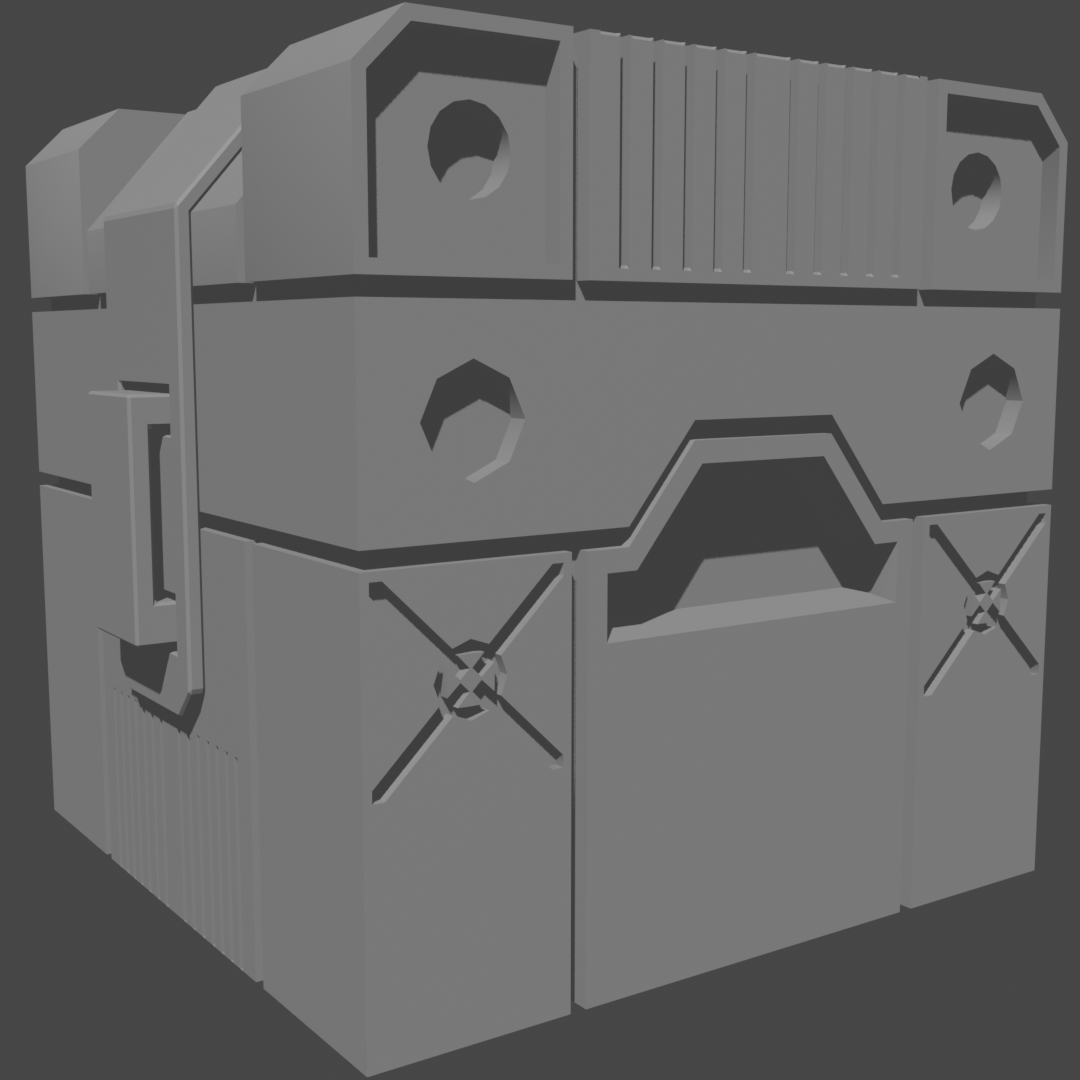
FinishedRender.png

  • Looking good 🤘
4 loves
Reply
  • Omar Domenech replied

    Nice crosshairs detail.

    2 loves
  • spikeyxxx replied

    Well done!

    1 love
  • Mathew Tran(Ichitran) replied

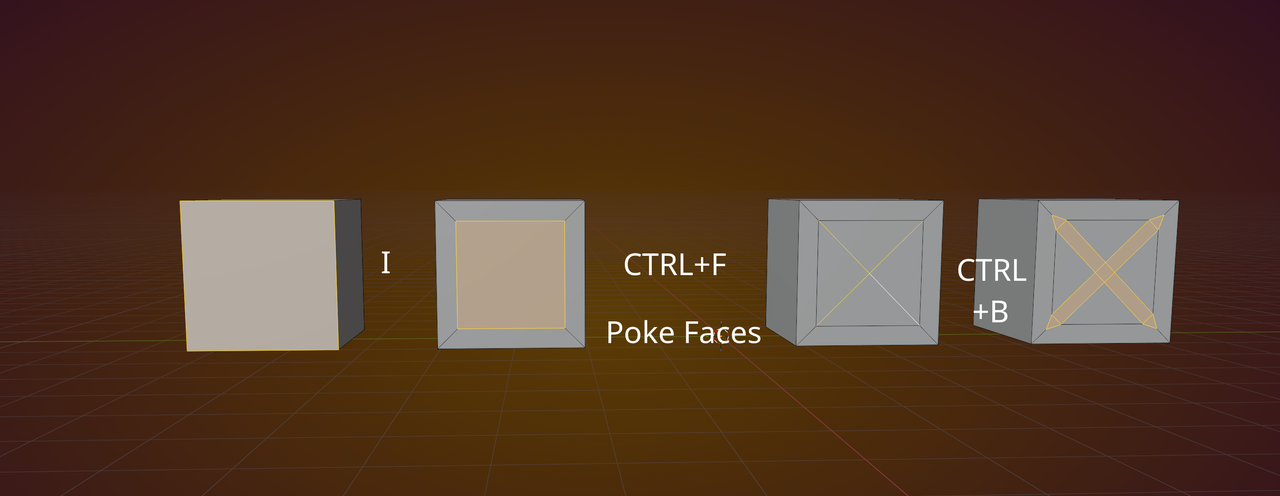
    How did you go about making the crosses? I assume subdivide and inset in an x shape?

    1 love
  • Martin Bergwerf replied

    Hi Matthew IIchitran ,

    Don't know how LLifeform did it of course, but here is 1 possible way:

    Cross_00.png

    So, Inset, Poke Faces, Select the cross Edges, Bevel.

    2 loves
  • Omar Domenech replied

    I suspect booleans. I'm thinking shapes cut through the mesh making that circled X detail. But we'll see what Lifefrom says. 

    2 loves
  • Lifeform replied

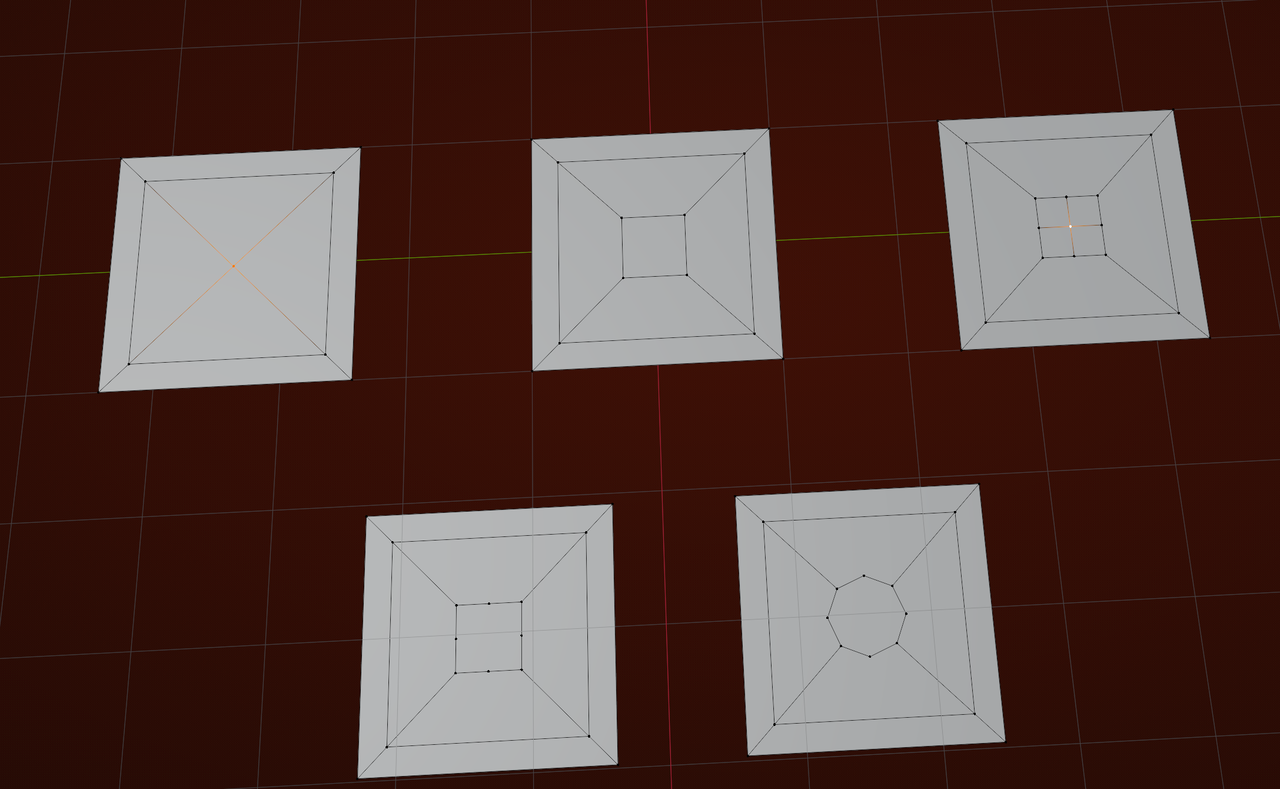
    Martin is correct in the initial cross! Although I didn't do poke faces, but manually connected the vertices with J. Poke faces is a better option, so thanks for posting that!

    Then I manually aligned/snapped these verts to the outside so we have a square outer loop again before extruding out the X

    The cross was also a combination of bevels and extrusions, and I think the loop tool circle, but for the life of me I can't seem to recreate what I did last night, hahaha. So here's the way the edit view looks at least

    1 love
  • Lifeform replied


    I also managed to follow along with the football in the selection videos. For some reason, the similar selection worked better for me than it did in the video. Maybe because I'm on 5.0, or maybe I just accidentally hit a better value.
    Either way, super cool and useful info in that one.

    • 🤘
    • Great!
    2 loves
  • Martin Bergwerf replied

    For the circle, maybe something like this, Bevel the center Vertex (SHIFT+CTRL+B), Subdivide, Dissolve the center Vertex (CTRL+X), then Loop Tools > Circle:

    Cross_01.png

    Not exactly what you did probably, but still.

    2 loves
  • Lifeform replied

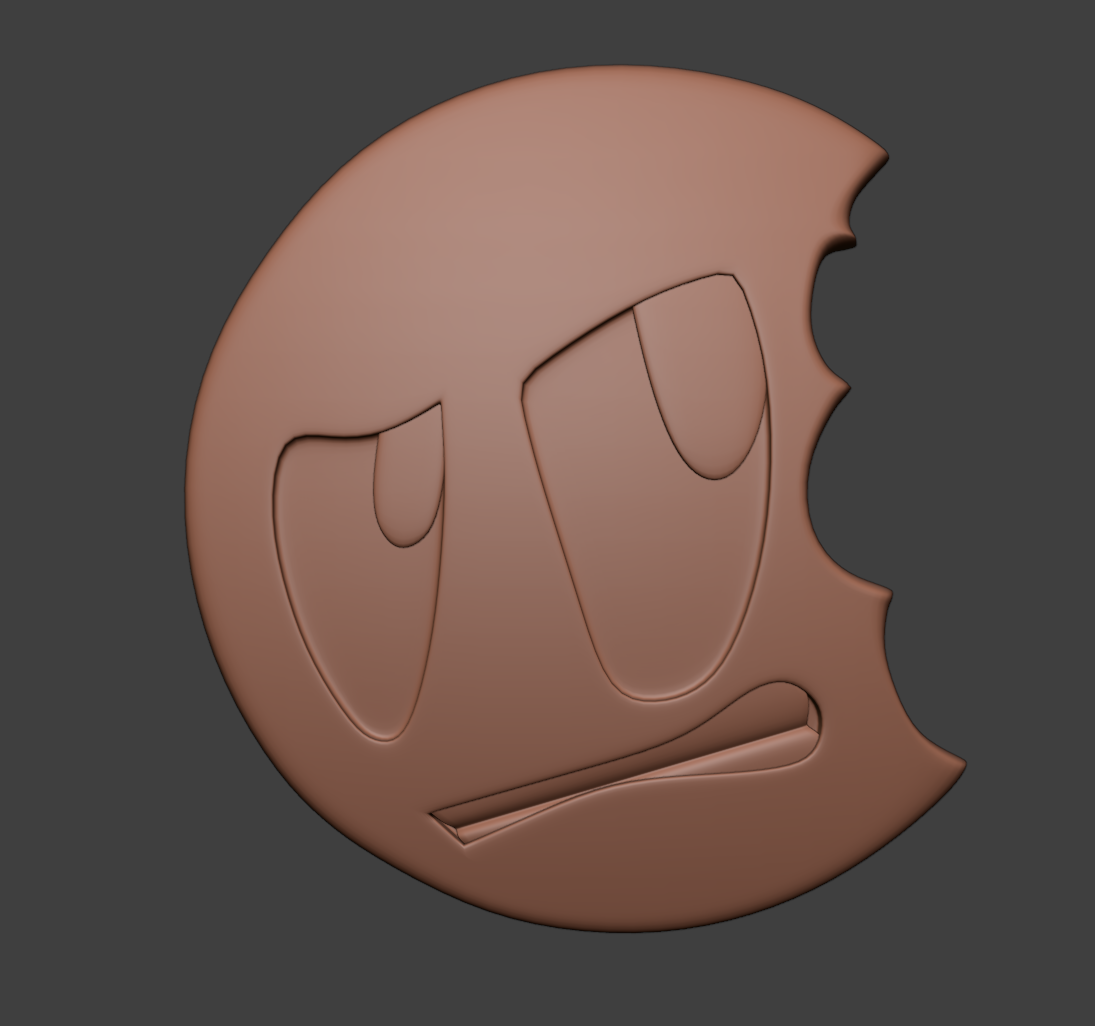
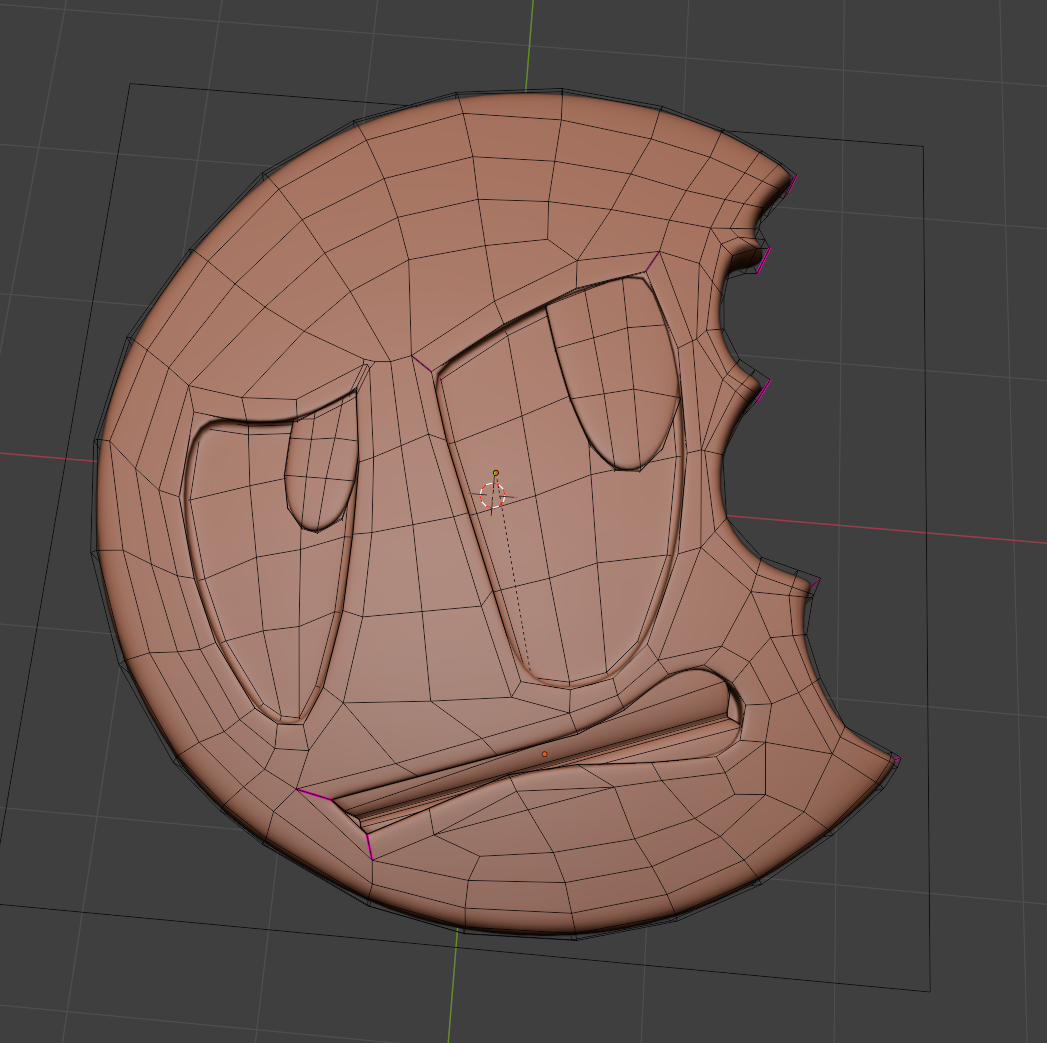
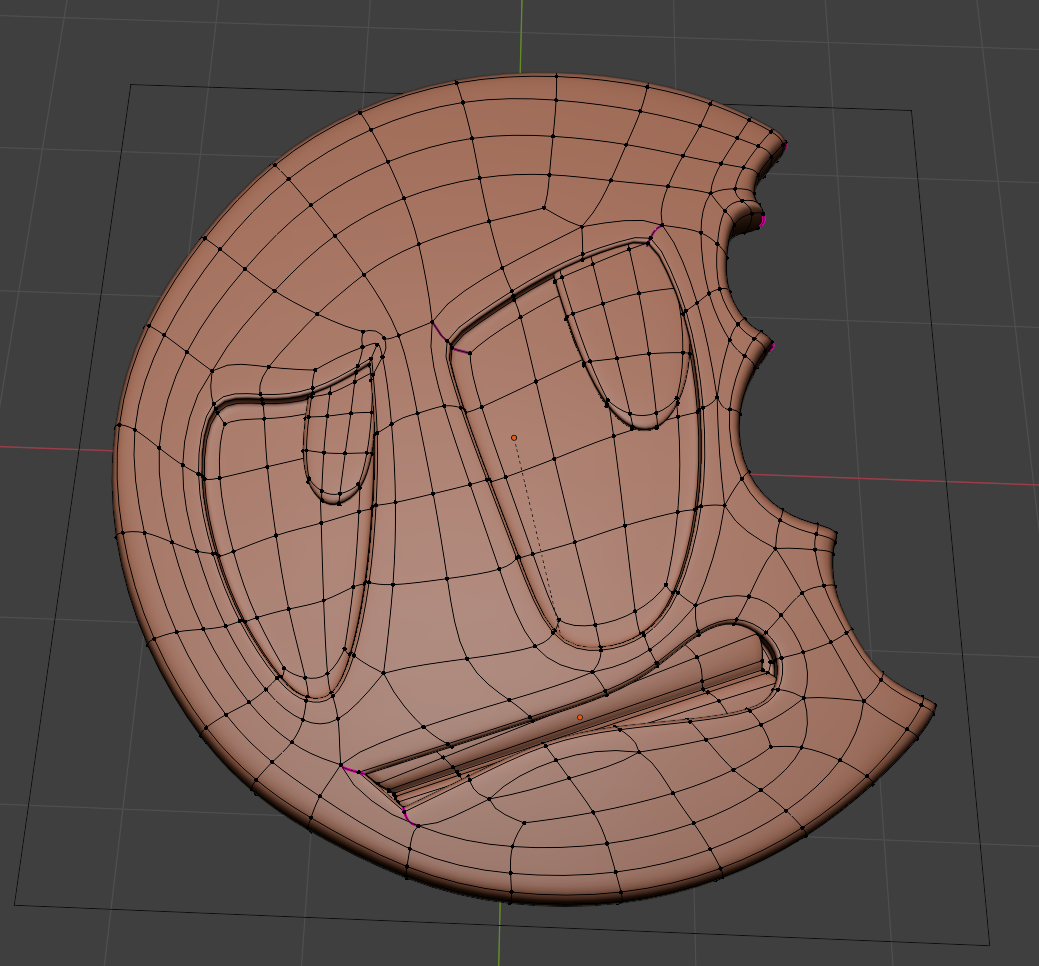
    Finished the cookie logo. I ended up with slightly different topology in places, maybe a bit more wasteful in my vertex count. 
    I also ended up making a bevel for the deepest corner of the eyes since the crease I made first was leaving a nasty artifact. 
     SolidView.pngWireFrame.pngCagedWireframe.png

  • Martin Bergwerf replied

    Looking good!

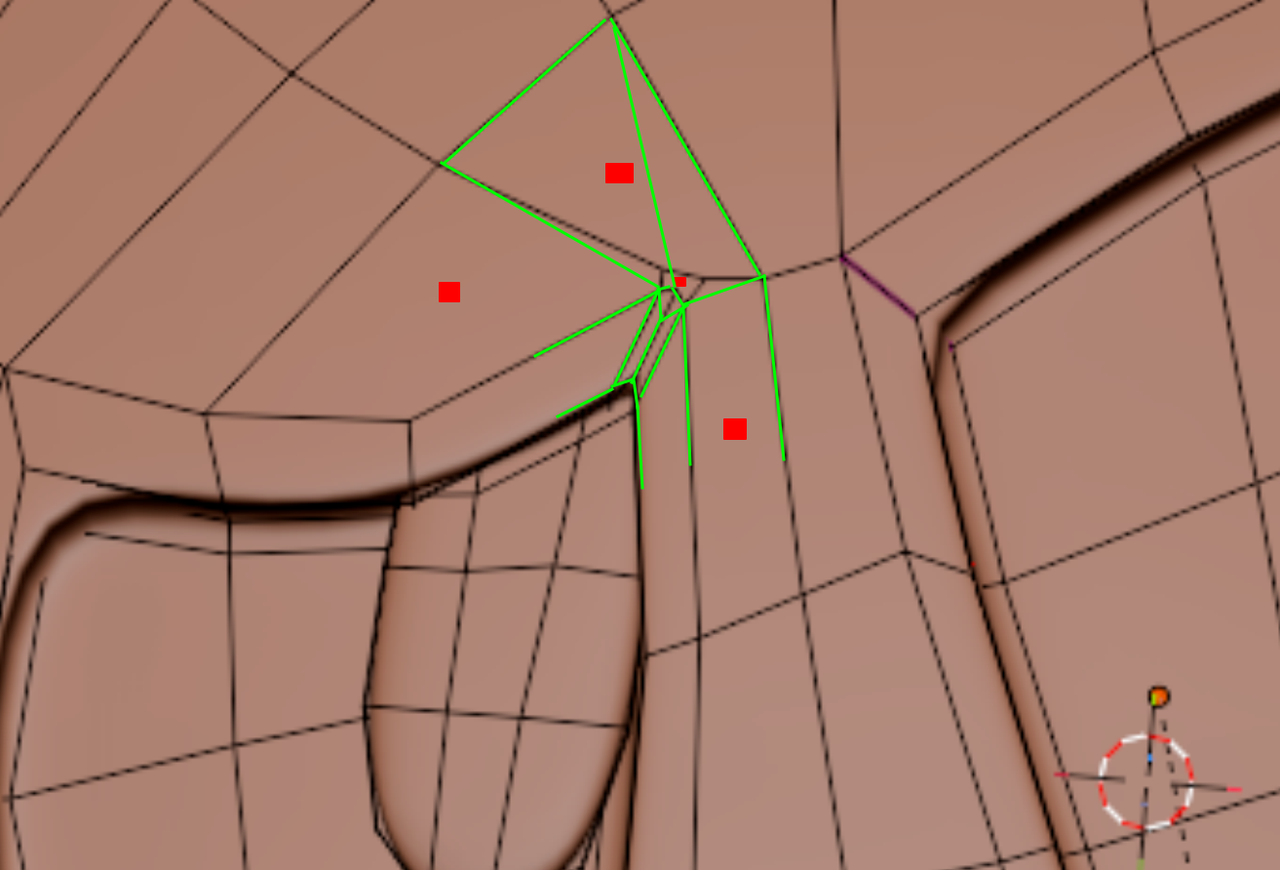
    You did create a few NGons in that corner, which isn't a big deal in this case, because the area is flat, but it could have been avoided, for instance like this:

    NGons_00.png

    1 love
  • Lifeform replied

    Ah dang, I missed those That bevel was the last thing I did, and I didn't check. Thanks for pointing them out :)

    • 👍🏻
    • 🤘
  • Martin Bergwerf replied

    Excellent LLifeform!

  • Lifeform replied

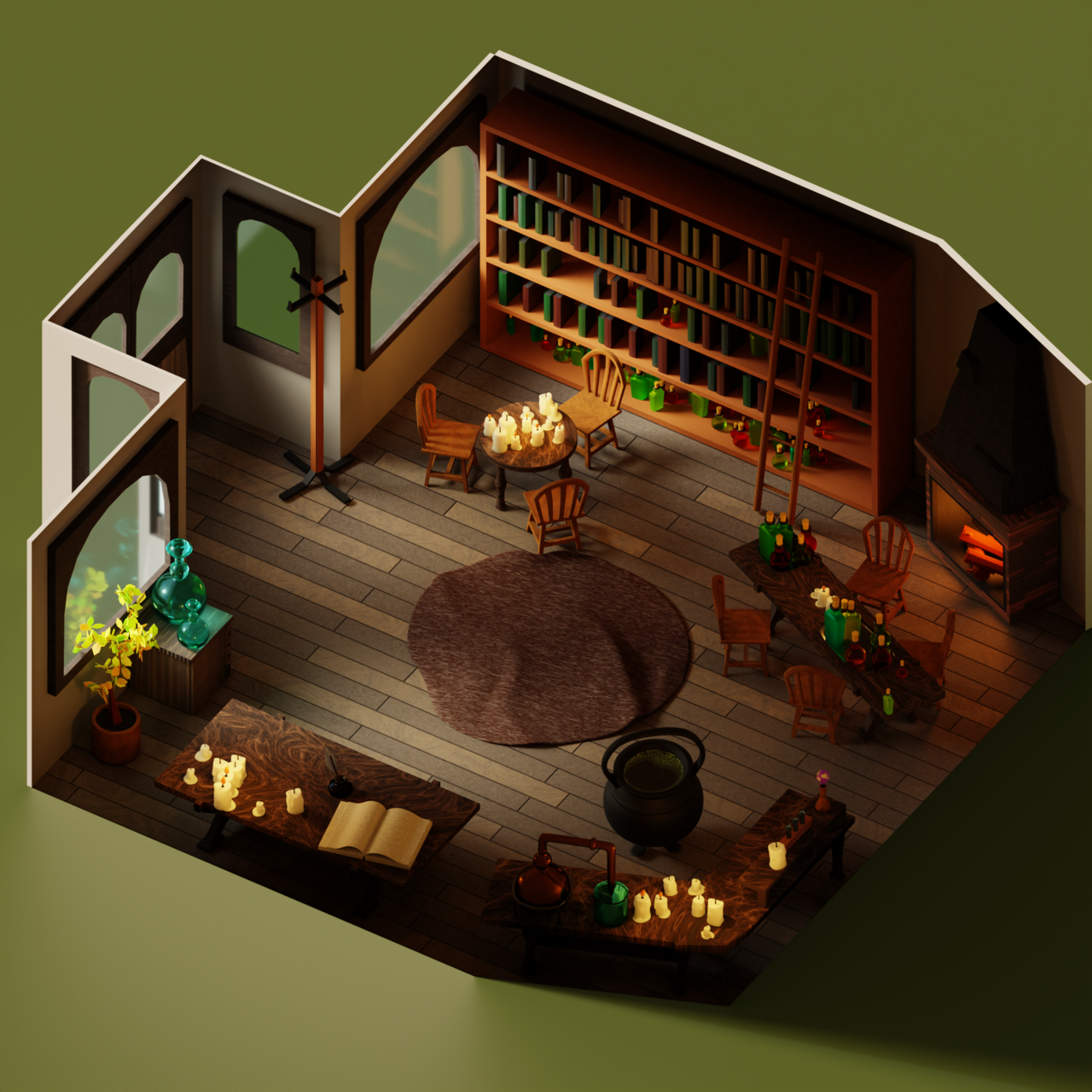
    This was fun. I spent quite a lot of time on this, and a lot of that was on texturing even though I only used default texture nodes for everything other than the foam in the cauldron, for which I used a free coffee foam texture.

    Everything in the scene is made by me, I used a lot of "scatter on surface" and arrays to fill the scene.
    I think most everything is reasonably set up, although I did have some issues with geometry around the the windows/doors, curved table, the chairs, and the folded open book. I also unnecessarily added a wax blob to the bigger candle via a boolean which I regretted immediately because of how bad the geometry turned out from that.24-30200-16jt88n.png
    • 🤘
    • 😍👍🏻
    1 love