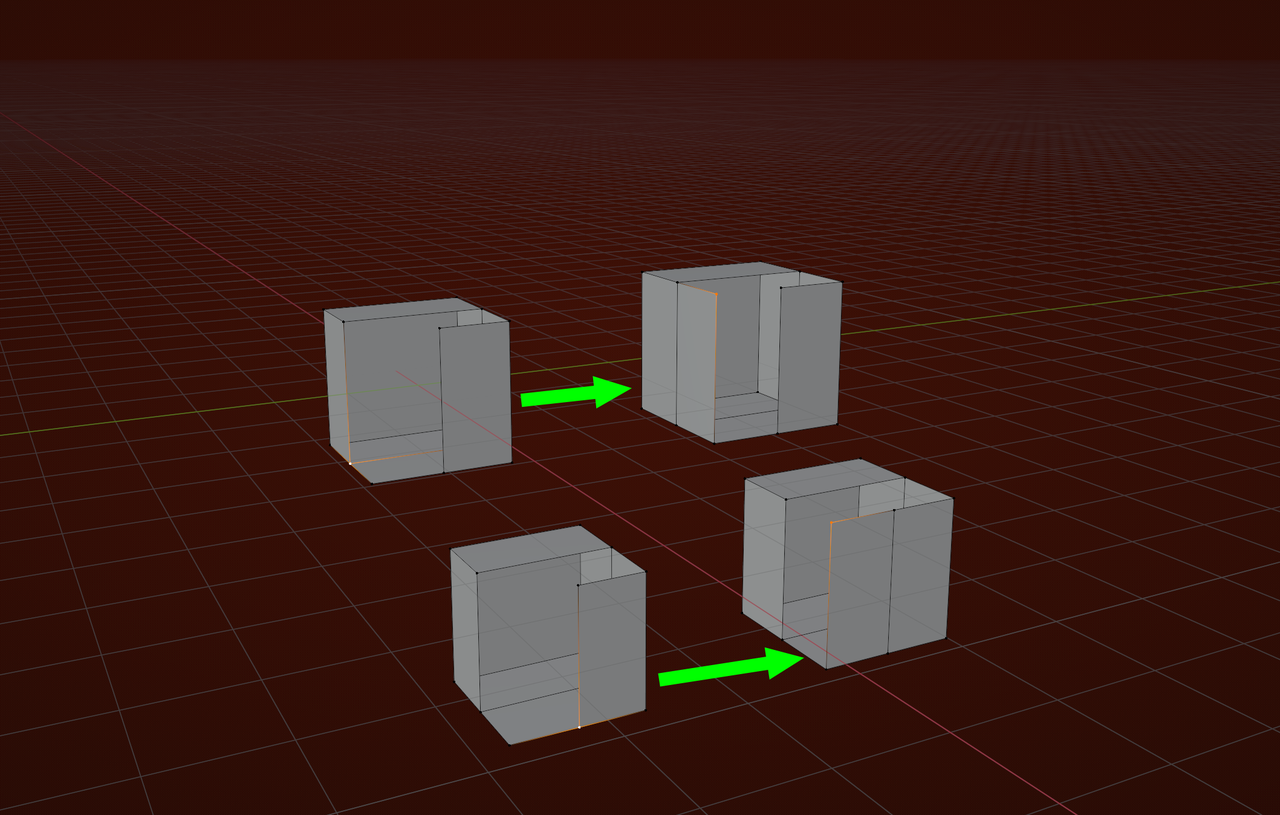
1. When I have a hole like this I'd really want to just press a hotkey and have Blender create the 4th vertex and fill the face. I thought F2 did this (create a face from 3 vertices) and although I have it installed I don't see any extra functions or see it working in Blender at all. At the moment I'm having to extrude the vertex, snap to the correct position and then press F to fill.

2. I'm after some general advice on how best to approach these 3 parts of the camera. The combination of such small sharp details so closely intersecting such big smooth curves is proving extremely challenging but I'm sure this would be easy, or at least easier, if someone could tell me the correct steps I should make.

This is where I'm at.

There's no symmetry so I modelled the underlying rectangular body. Then adapted the right side and now I'm doing the left side.
I added the cylinder that follows the shape of the lens and stitched it to the body. This has worked out ok but now have to resolve the mesh to incorporate the shear and the round and square indentations for the switches.
1. The shear of the cylinder is sort of there but I'm struggling to know how to follow the reference shear profile (you can see from the model with ref photo the ends need to pull in on the Y) while keeping the cylinder shape. At the moment I've just manually pushed the vertices and eyeballed the curve but a) it doesn't give me a nice crisp seam that runs up/down the vertical and b) I don't feel like I should be manually setting vertices for a smooth curve but I'm not at all sure how to better solve it.

Beyond this I was then going to try and Bool the Door Open switch and then tidy up the mesh before doing the second bool for the Auto Man Lock dial switch but it's a worry as each step compounds the difficulty in resolving everything
So... generally is this approach valid - do one thing at a time, or should I be planning ahead for all three before I start?
What's the best way to approach something like this?

1st attempt. Made stupid mistake in lining up the bool with established edges and didn't stop to consider if that edge was properly centred on the Z! Kept a backup so will adjust and try again tomorrow. 

Hi Charles,
As to you first question, when you have F2 enabled, you can (switch to Vertex Select) Select a corner Vertex and then press F to make a Quad.
For the rest, it looks like you're doing really well on your own. There isn't really a best practice for everything you'll try to Model; just start a few times with different methods until you find what works best for you (two Objects that look very similar, can have a different 'best workflow'), making mistakes along the way is a great way to learn to avoid those mistakes in the future.
With F2 the only way I can get F to do anything is having 2 or 3 edges or vertices selected. If I only selected the 2 edges I could below it would create a triangle! Having 1 vertex selected and pressing F does nothing.
Is there anything else which will create a face from an edge and be intelligent about what's needed. So I select edge in white and it'll create a face with a new vertex as below. This really feels like something that should be possible
Regarding the general modelling question, I guess I'm just in a constant state of thinking 'this can't be the way to do this'. Let's agree there's a few different footpaths to get you from A to B. I feel like I don't have a map and I'm just brute forcing my way from A to B, zig-zagging across all the paths and fighting my way through undergrowth to eventually, sort of, finding my way to B but I look terrible when I get there cos I've taken such a bonkers route. Do you see what I'm saying? Maybe like the five stages of grief, there's a kind of equivalence for 3d modelling and I just need to keep going and by some magical process will be able to look back one day and see this a 'a stage'
"... I feel like I don't have a map and I'm just brute forcing my way from A to B, zig-zagging across all the paths and fighting my way through undergrowth to eventually, sort of, finding my way to B ..."
That sounds completely normal to me. Over time this will become easier and you'll arrive at B, less dirty and with less scratches and torn clothes.
If there is a shortcut to this learning/gaining experience process, I am not aware of it.
Ahhh! Yes ok that works if I only select 1 vertex (in the mesh) and not both available. I had previously just created a single vertex not connected to any mesh.
However...

If neither had faces then I'd agree but it seems very odd to me it's programmed to create a duplicate face rather than assessing all the possibilities available and defaulting to filling the unfilled face instead of creating a duplicate
That's just how the algorithm works...The Selected Vertex has only 2 Edges connected to it. Had you Selected this (yellow) Vertex:
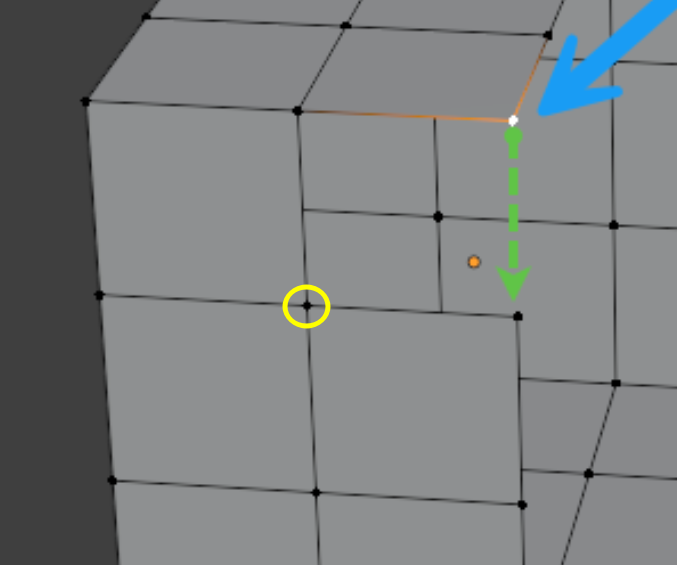
that has 4 Edges connected to it, then it would (still) make a Quad, using the 2 Boundary Edges (that have exactly 1 Face attached to them).
Yeah I get it. Thanks. It just strikes me as the add-on equivalent of a belligerent security guard that can't use a bit of common sense when necessary cos it's more than their job's worth

Not really, because from that point it does not know if you want to go down or to the right.
It's not some kind of AI...
It's an algorithm; it doesn't look at your Mesh and thinks: "what would Charles like me to do?"
It just looks at your Selection (and it's connections).
There was this post recently, where someoone downloaded the wrong version of Scattershot, probably thinking the bottom one was the latest:
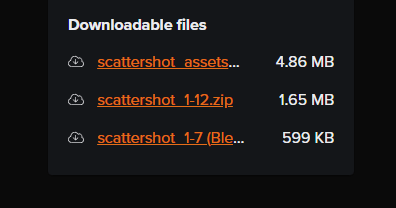
The sorting algorithm sees scattershot 1-1 and 'says' that comes before scattershot 1-7.
What I am trying to say is, there is no 'common sense' here.
Thank you. I do really appreciate your patient feedback.
What parts catch your eye?
There are a few triangles and an ngon I just couldn't resolve as I can't add any more horizontal edges without destroying the cylinder profile.
Hi Charles,
Let me say again, this is not an easy thing to model!
What catches my eye mostly, is the inconsistency of the edge sharpness.
Looking at the Topology, you have holding Edges at both sides of the green Edges but only on one side of the yellow ones:
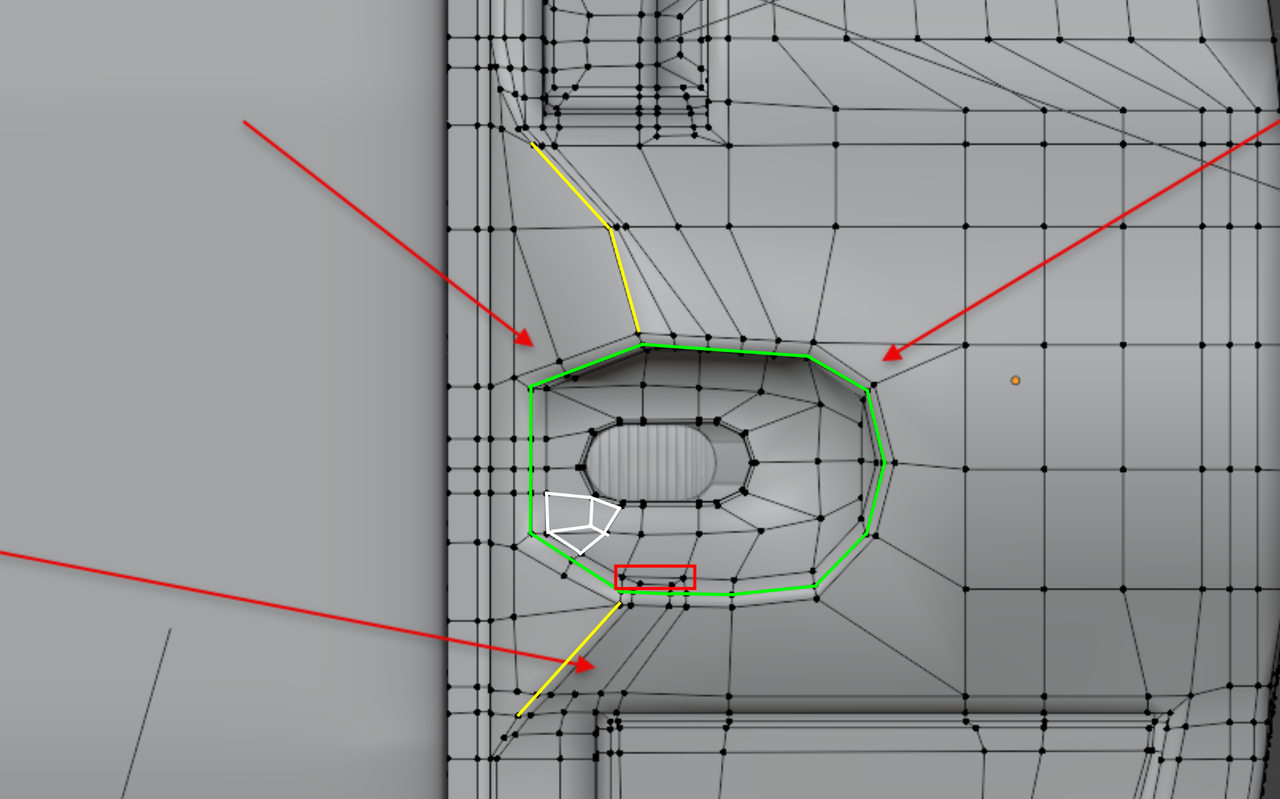
There is also inconsistency in the distance between the 'main' edge and the holding edges, which results in the uneven sharpness.
Apart from that, the part in the red rectangle is too close to the holding Edge Loop and in white, the Triangle and N-Gon next to each other could easily be made into two Quads. But those things don't show in the model in Object Mode and are thus not very important.
It is often best to try and model along the 3 Axes as much as possible. for instance, in a highly simplified representation:
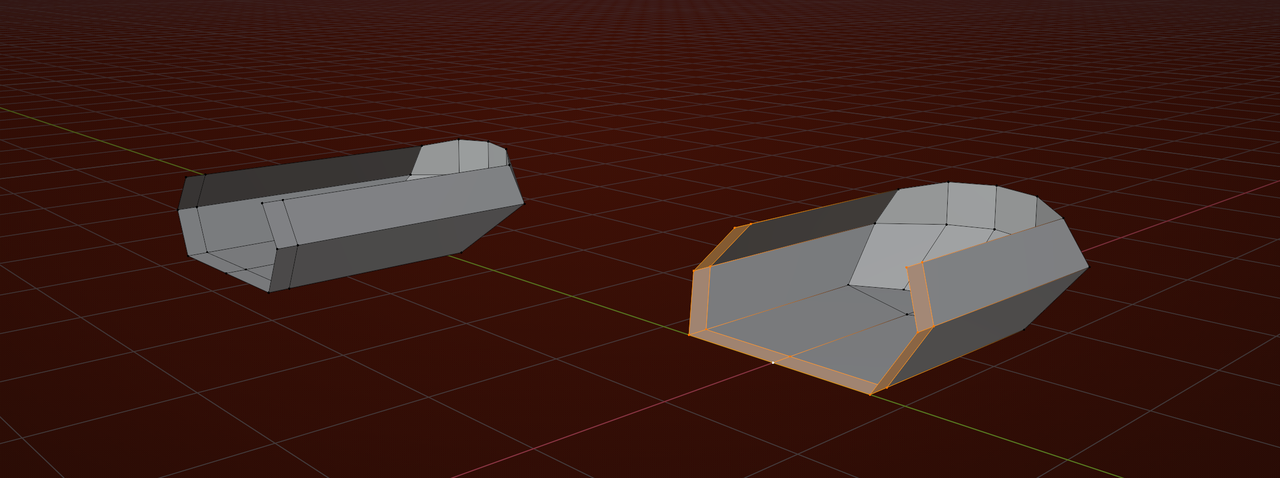
Using my favorite Blender Shortcut: SHIFT+CTRL+ALT+S to Shear (in Orthographic Front, Side or Top View).