
1. When I have a hole like this I'd really want to just press a hotkey and have Blender create the 4th vertex and fill the face. I thought F2 did this (create a face from 3 vertices) and although I have it installed I don't see any extra functions or see it working in Blender at all. At the moment I'm having to extrude the vertex, snap to the correct position and then press F to fill.

2. I'm after some general advice on how best to approach these 3 parts of the camera. The combination of such small sharp details so closely intersecting such big smooth curves is proving extremely challenging but I'm sure this would be easy, or at least easier, if someone could tell me the correct steps I should make.

This is where I'm at.

There's no symmetry so I modelled the underlying rectangular body. Then adapted the right side and now I'm doing the left side.
I added the cylinder that follows the shape of the lens and stitched it to the body. This has worked out ok but now have to resolve the mesh to incorporate the shear and the round and square indentations for the switches.
1. The shear of the cylinder is sort of there but I'm struggling to know how to follow the reference shear profile (you can see from the model with ref photo the ends need to pull in on the Y) while keeping the cylinder shape. At the moment I've just manually pushed the vertices and eyeballed the curve but a) it doesn't give me a nice crisp seam that runs up/down the vertical and b) I don't feel like I should be manually setting vertices for a smooth curve but I'm not at all sure how to better solve it.

Beyond this I was then going to try and Bool the Door Open switch and then tidy up the mesh before doing the second bool for the Auto Man Lock dial switch but it's a worry as each step compounds the difficulty in resolving everything
So... generally is this approach valid - do one thing at a time, or should I be planning ahead for all three before I start?
What's the best way to approach something like this?

Hi Martin. I've now used Shearing with you shortcut - v. useful to know that one. I assumed by active tool you meant the Gizmo. I couldn't use shear without that for sure.
A quick further question. I find myself wanting to slide vertices along a curved mesh edge to snap with another vertex but I can't do this. If I gg to slide I can't then snap and if I move on an axis I can snap but the vertex is no longer constrained to the curved edge. Do you understand?
simplified example below. I want to slide the selected vertex down it's curved edge to snap to the vertex that forms the V. How do I do that?

Hi Charles,
I hope I undrstand you correctly.
Let's get one thing straight first; in regard to "...the vertex is no longer constrained to the curved edge...": Edges are not curved.
What I think you want, is to get the Selected Vertex aligned with the Vertex to the (picture) right of it (encircled white).
Here comes the advantage of Modeling along the Axes in play. Suppose the X-Axis is paralel to this (red line):
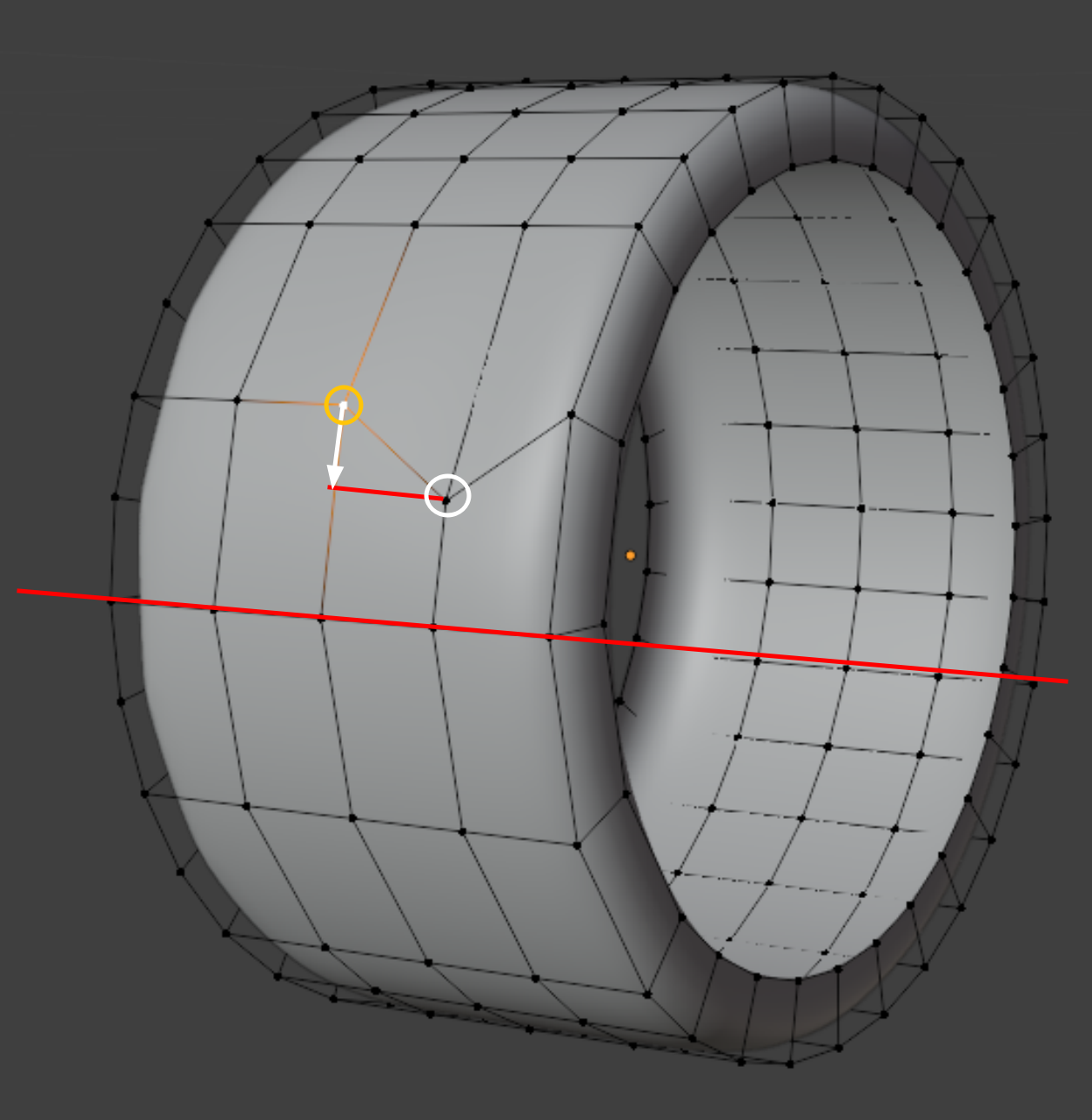
Then you can Select the ornge encircled Vertex and SHIFT Select the White one and set the Transform Pivot Point to Active Vertex....
and then Scale, SHIFT X, 0.
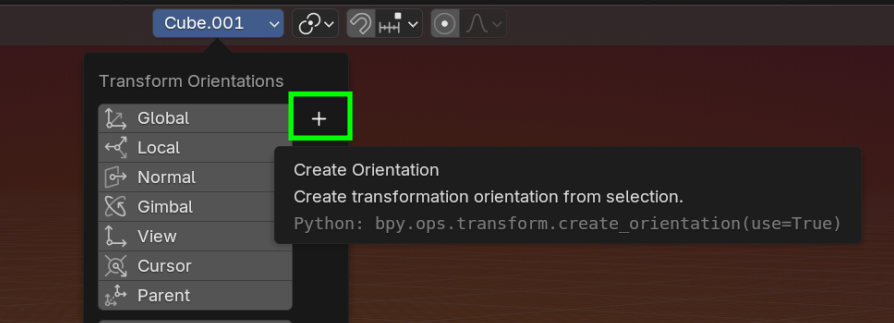
If the red Edges are not paralel to a World Axis, you can make a Custom Orientation, by Selecting 1 of those Edges and press the plus on the Transform Orientations dropdown:
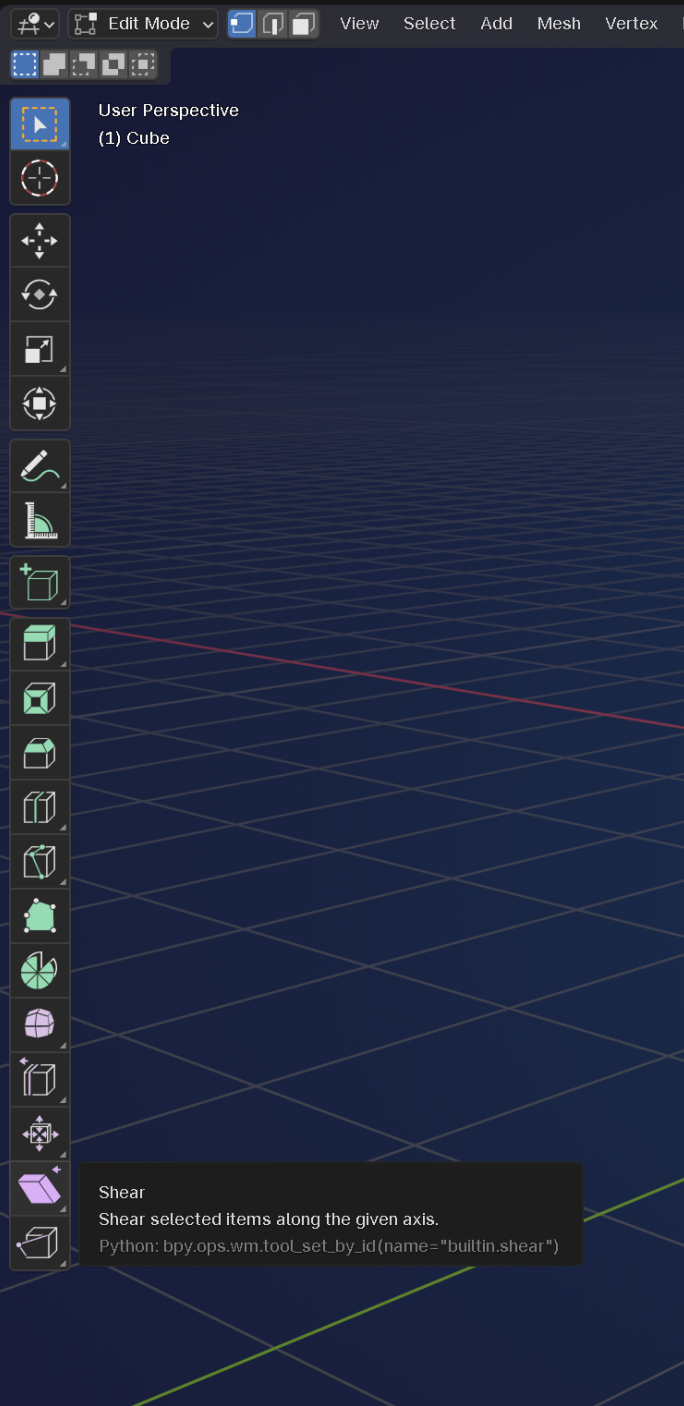
With the Active Tool, I mean the one in the Toolbar:
OK well I couldn't replicate you steps above so started out by articulating the problem in greater detail... and in the process I think I've solved my own issue.


