Hey everyone!
I've been dabbling in Blender for a few years and realized I have a lot more to learn, so I started with the fundamentals. I want to get as figured out as I can so that I can start making game-ready assets! First the basics.
Here is my Snowman:

And here is my sci-fi box, I added the black inset squares on the corners and put a hole in the latch. I also added some color because it really felt like it needed some!
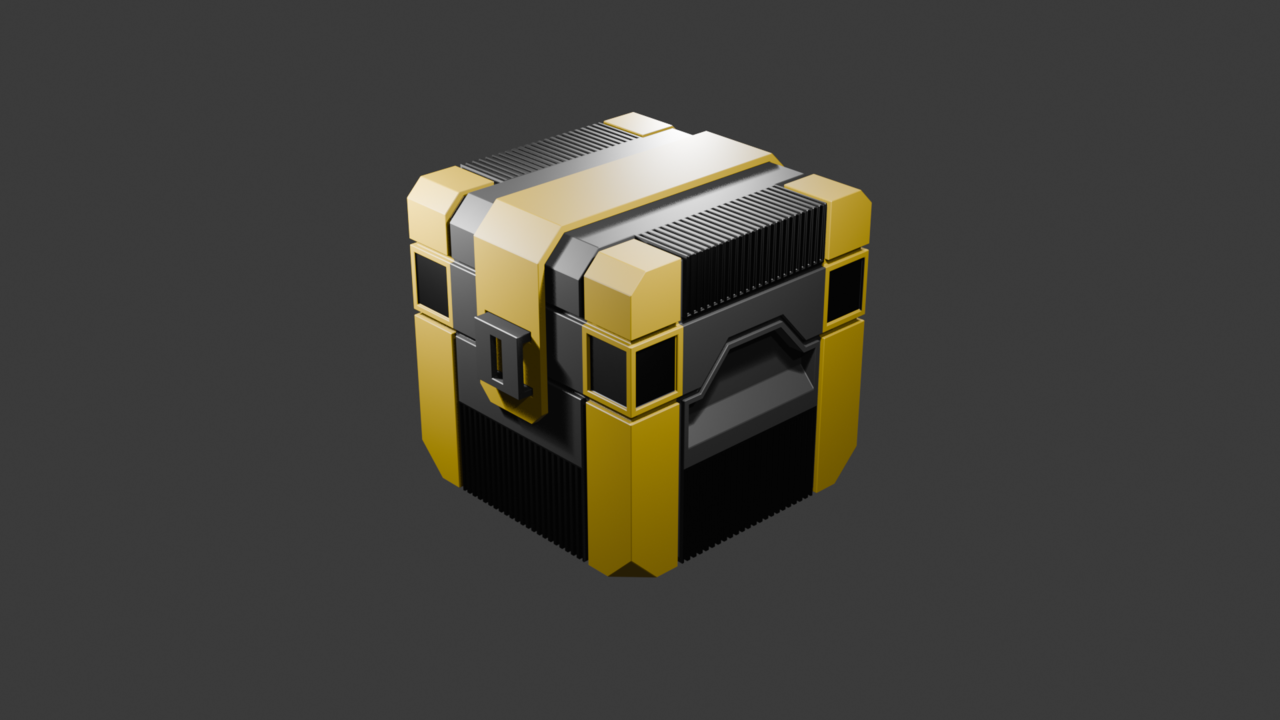
Thanks for reading, I hope to hear some tips from all of you who have them!
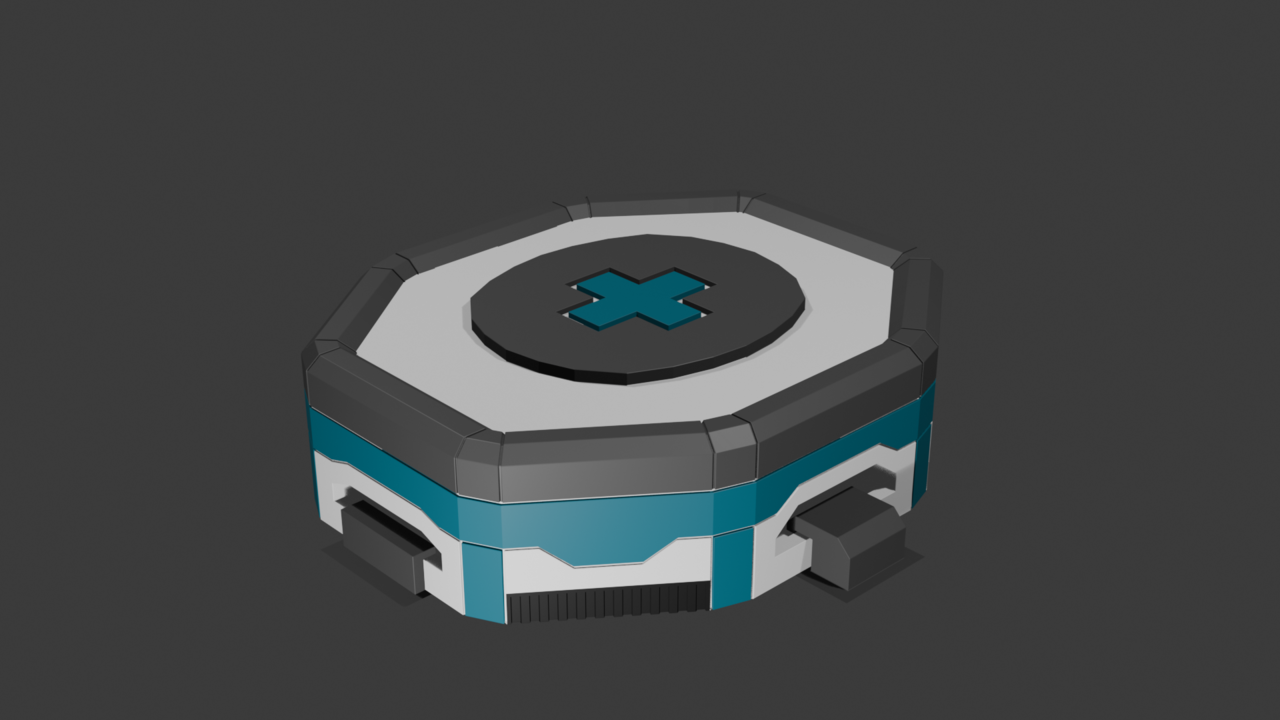
Then I created this medkit, using only the tools for the Sci-Fi Box tutorial and Snowman Tutorial. It has some additional mounting brackets to mount it to a wall or floor.


I've heard advice elsewhere that creating your own version of something after a tutorial is a good idea to help cement the knowledge. So I created a Christmas tree out of primitive shapes, limited only to the tools used in the Snowman tutorial: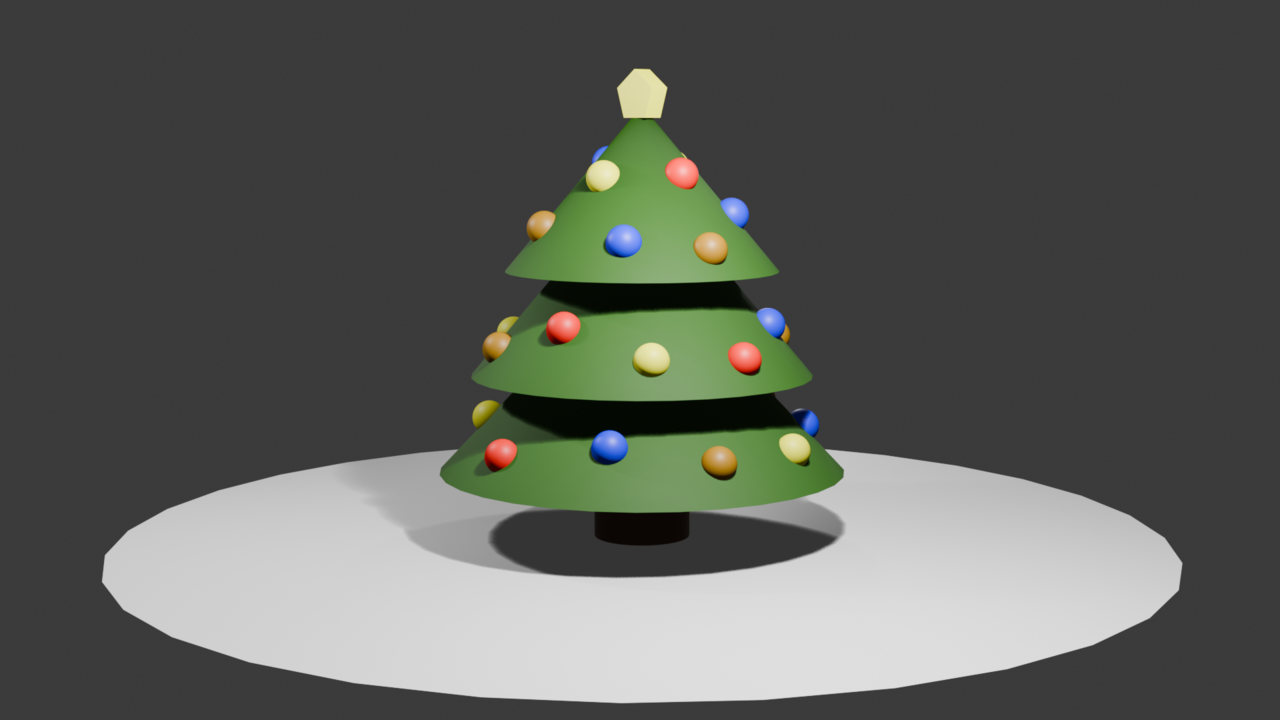
Another tutorial complete, and here is the soccer ball. I really liked this one because it contained a lot of selection stuff I didn't know about. The entire Shift+G menu was new to me, and is a huge help! Also, setting Vertex Groups to be selected later is incredibly useful!
To build upon the Soccer Ball tutorial, I made this Sci-Fi Dome. The typical place where people grow plants on different planets. The Shift-G selections used on this one were a little more fiddly, since the flattened bottom half resulted in some incomplete hexagons that I had to manually select. I used Vertex Groups a lot! The subdivision surface made the corners of the gray parts misbehave, so I used some edge weights to sharpen the edges, but that means there's a visible point in the middle of each intersection. This would be less visible if the gray material didn't have metallic set to 1. I think more support topology like support loops or bevels would benefit this model, but that wasn't part of the soccer ball tutorial, so on to the next!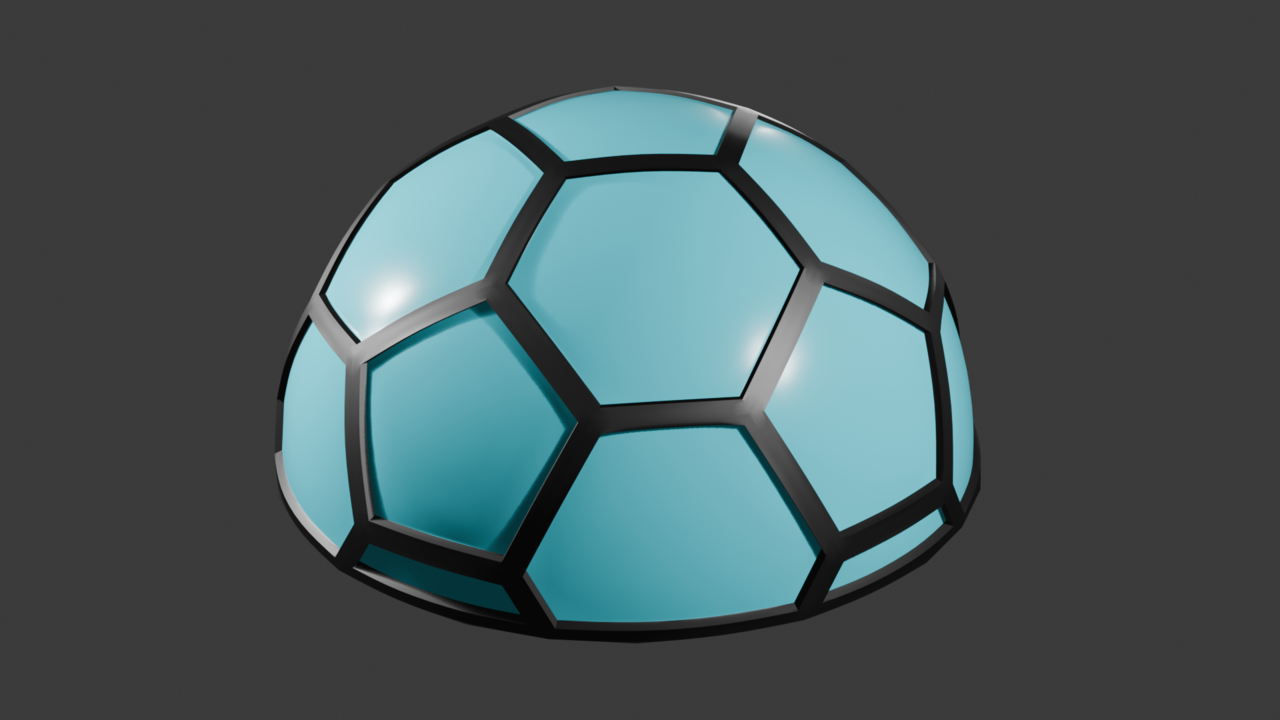
I finished the Hard Drive from the Hard Surface Modelling, but I haven't watched the video on how it was done. Here are my solutions to the problems presented and the final result.
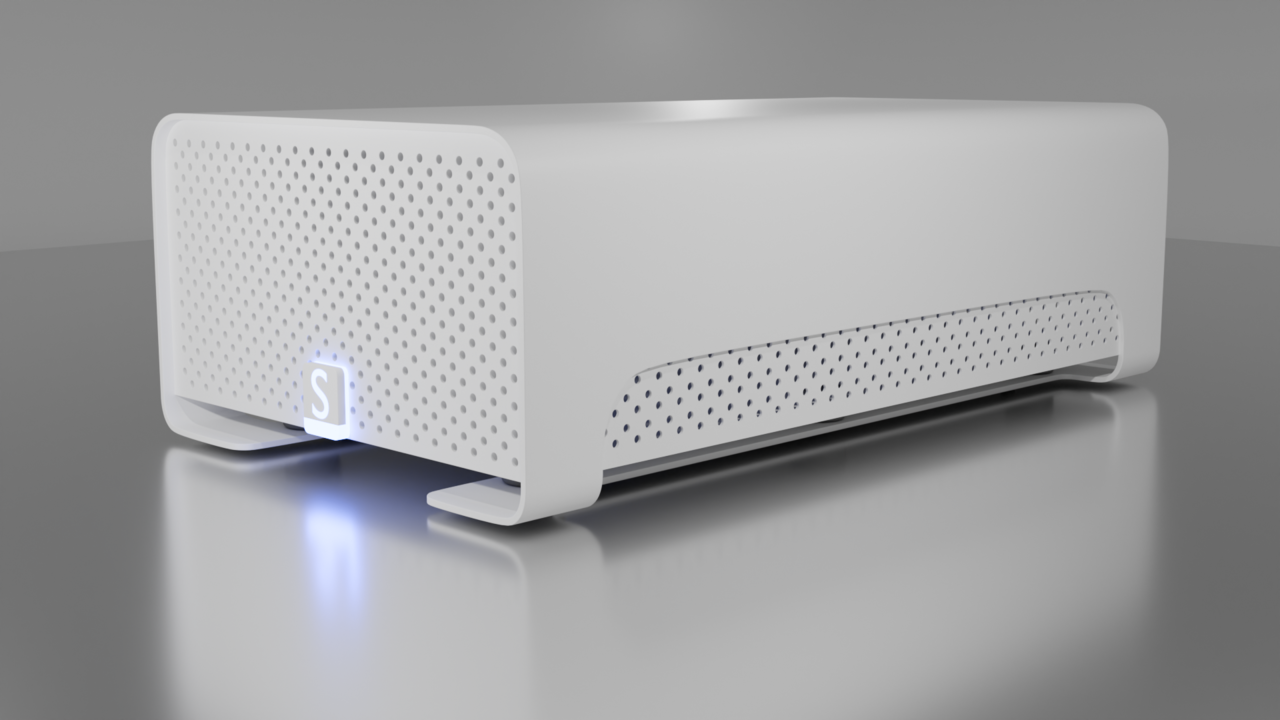
First, I started with the curved outer shell, making use of the Solidify modifier to make managing the geometry easy because it is a single plane. This was useful, because when I was preparing my final render, I realized my Hard Drive was too short, so I had to make the shell and front face taller. I created manual bevels for the curves by either Edge Beveling or Vertex beveling. In the past, I have had the "Only quads unless it's impossible" mantra reinforced a lot. I tried that out here, but like any tools in 3D, sometimes the supporting edges provided for a quad are required: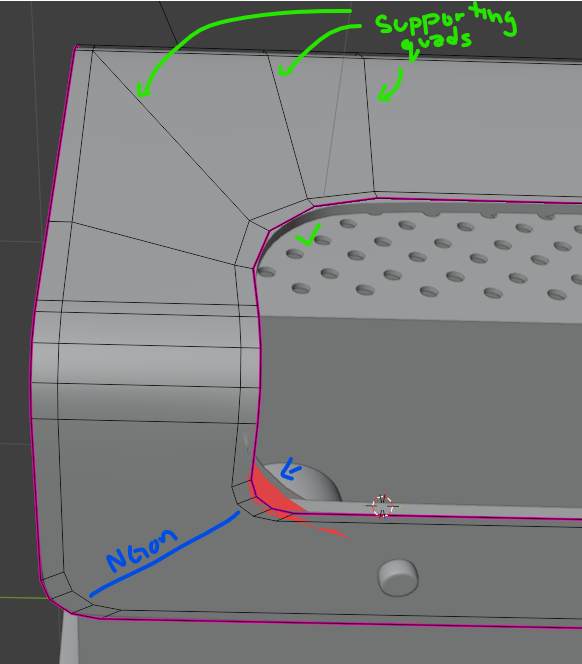
The final result used a lot of non-destructive modifiers, making modifications to the mesh easy, even if changing from edit mode to object mode took a couple of seconds. I recognize that the two loop cuts that go across the top are probably unnecessary, since they're really only there to support the curve on the side. Would it be worth localizing that geometry for this model by adding a loop cut that runs along the side? Perhaps this is answered in the course video I plan on watching after this post.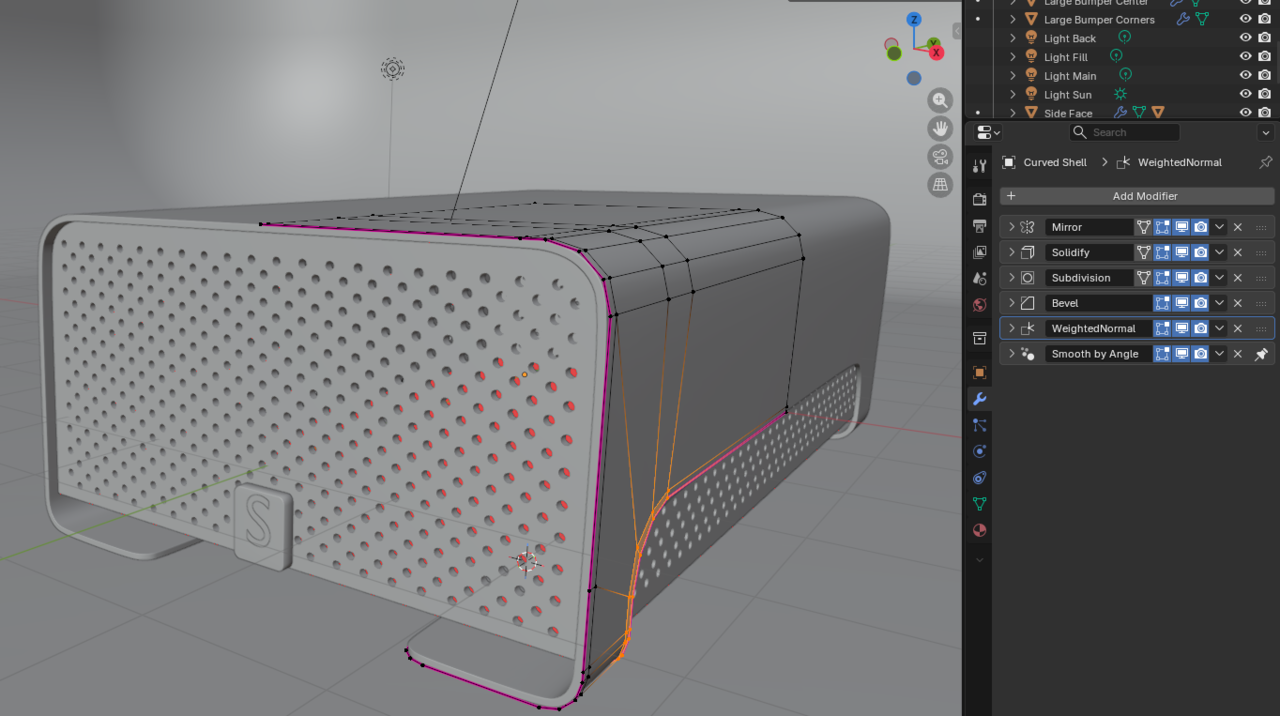
I next set out to make the holes required for the front face and the interior side panels. I recently tried my hand at creating a diamond plate texture, so this was familiar territory for me. Blender 5.0's new Array tool with the gizmo is incredible for this type of work! First I created a cylinder with an array that offsets it to the right and down to make a diagonal pair (blue below). A second array was made to tile that diagonal pair horizontally (red below), and a final array tiles that whole strip vertically down (green below) to fill the area with these cylinders.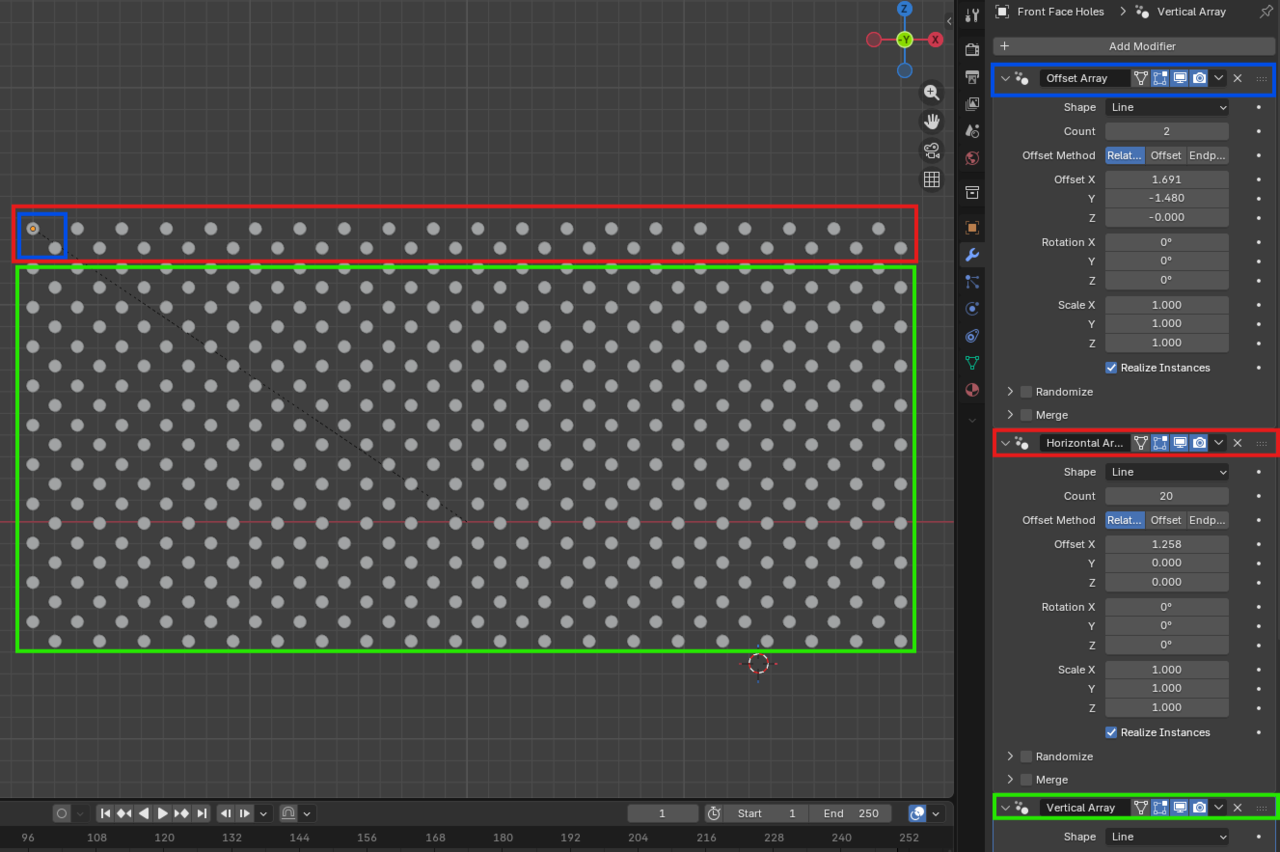
With these cylinders laid out, I used it in a boolean to cut it out of the front face. Then I added some bevels and mirrored it to make the side you don't see on camera. All of this was duplicated exactly for the side panel.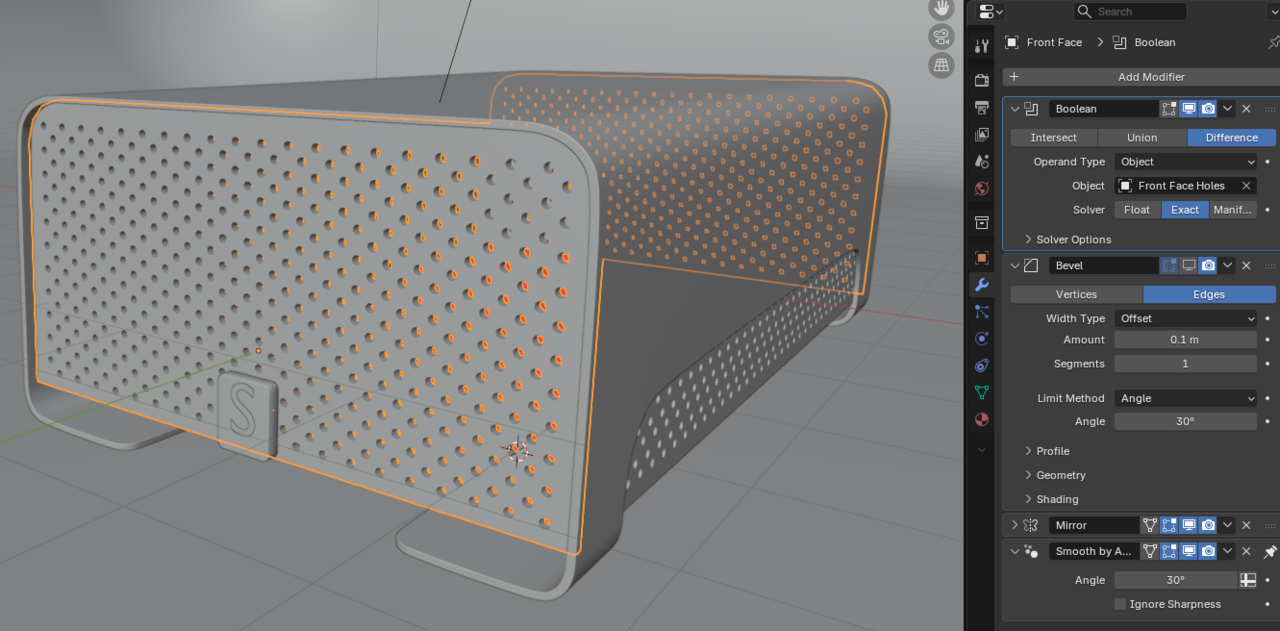
The geometry here is entirely ngons. The result here is fine since I am not subdividing this face. A lesson for later, my cylinder had the default 32 vertices, which resulted in the side face having almost 4,500 triangles! I probably should have used fewer faces, since 32 is overkill for such a small hole. My computer struggles to manipulate this boolean because of these calculations.
I added an S for my username. It is a separate object from the little rectangle it sits on and is still a text object that just has a solidify on it. The problem I had here was finding a simple way to replicate the reference render with the emission. I haven't done very many textures with emission, so I couldn't figure out how to make the texture bright while properly reflecting a dark blue light like in the original render. The cube has some manual bevels on the edges, and a bevel modifier to soften the rest of the edges, pretty standard stuff at this point. I added an edge loop to the bottom and around the side so that the light texture could be applied to those faces. I'm also now realizing that the plate should have been skinnier. Oh well!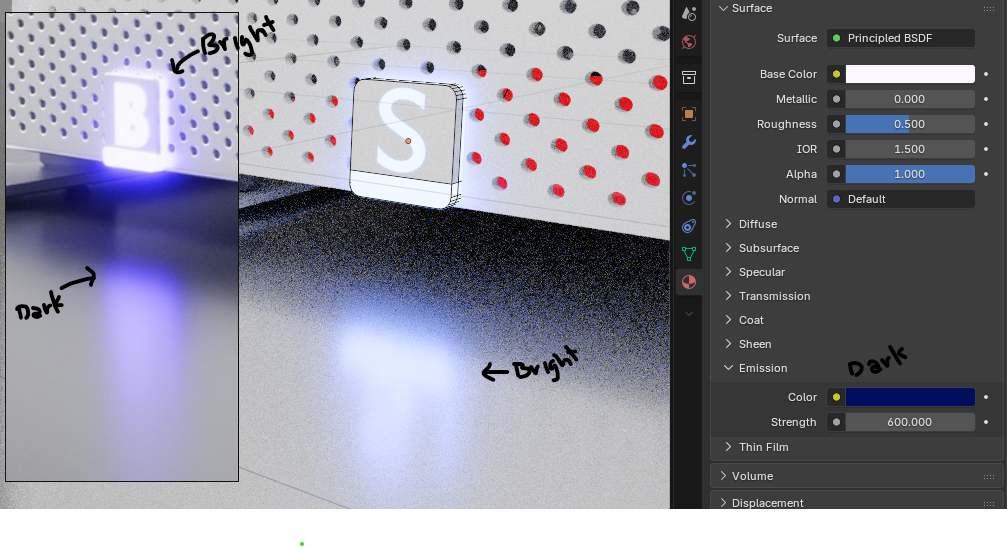
Another thing I couldn't quite figure out was how the background of the original image seems to transition from a reflective surface to a rough background smoothly. My attempt was to make a curved backdrop like so, with a rough texture on the back and a low-roughness texture beneath the hard drive to get those nice reflections. When I tried the whole backdrop with a reflective texture, there were highlights from the lights.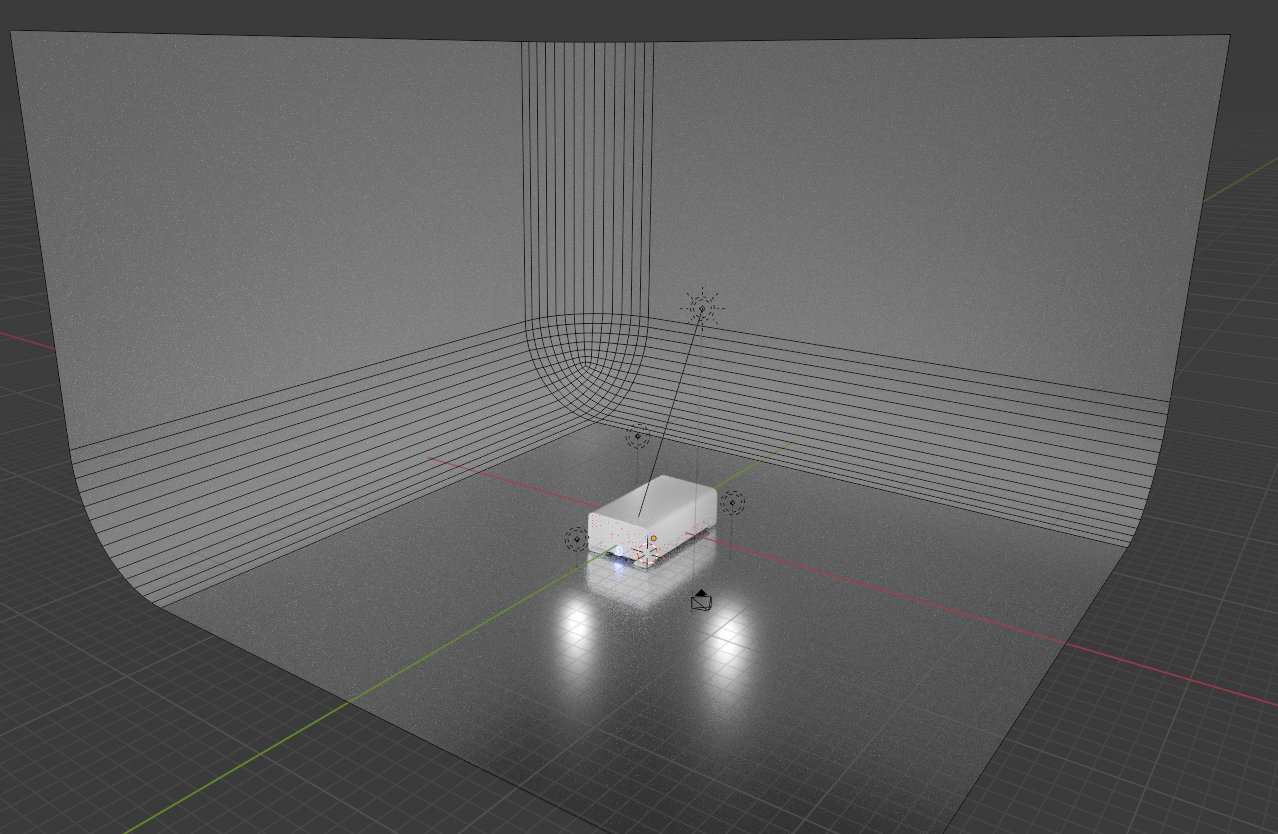
As we all know, lighting is incredibly important to making a render look nice. I attempted a 3-point lighting system, with a primary point light at 1000 power, a fill light in to the left of the camera at 500 power, and a backlight at 300 power. I also added a sun with a power of 1 to brighten the scene as a whole. I fiddled with this for a few hours, but that's probably for a later lighting course, so I stopped. Perfection is the enemy of done, after all.
Thanks for following along so far! I appreciate the feedback I have received until this point. Time to see how I went wrong by watching the how-to video.

In the video there's no Sub-D and everything is done using bevels. If you don't know or have forgotten about weighted bevels it's well worth watching
I have just finished the video and the primary takeaway I have (which matches what thehomme pointed out) is that I shouldn't have forgotten about weighted bevels! The bevel modifier is a new one for my toolkit, so I really only used it for the tiny bevels along the edges. The video uses a shader bevel instead, which isn't a problem. I'm hesitant to use the shader bevel because it seems like it could get complicated when you start to bake normals. By that I mean, when we do a high-poly to low-poly bake, I imagine the shader bevel would have to bevel certain parts of the normal differently in a way similar to weighted beveling for the bevel modifier, rather than applying a uniform bevel across the hole piece. I also could be very wrong, since I haven't done a whole lot of normal baking.
The freedom given by the bevel modifier and other non-destructive workflows like it, is that we can freely modify them at any point in the future. The video does this, and at one point I had to manually modify a bevel I manually created in this project. Ew!
There are some details of the hard drive I got wrong simply because I stopped watching it when he said "You should go try this yourself first." Things like the real world scale of the hard drive, the fact that the bottom of the main case is beveled, and the fact that there are 6 total tiny rubber feet on the bottom, while mine only has 4. Also, I didn't realize from the screenshot that the little light bar below the letter sticks out. These are nit-picks akin to the video perfecting that bevel on the front panel to match the case, so I'm not worried about them at all.
So yes, as Martin and Omar have pointed out, the end result of my work works so the ways my methods differ isn't necessarily incorrect. However, I really like the elegance and simplicity of the method used in the video, primarily because he used weighted bevels to curve things. He also didn't use a subdivision surface modifier, so his final mesh is likely less dense than mine, and triangle counts do matter in some applications. I'll have to give the weighted bevels another visit, since I used exactly zero of them in mine!
Thanks for all of your feedback! Since this project was created before I watched the video. I think I'm going to move on the subdivision surface modifier section instead of creating a second project akin to the Hard Drive. I anticipate using bevel modifiers a lot in that part of the course!
Sticking to primitives and bevel modifier can be incredibly quick and efficient for modelling hard surface objects. It's so freeing when you can simply bool objects together and not worry about resolving all the geometry. You can produce some very detailed models without having to touch SubD. The Luminor course is a great example of this. Keep going with the course and do the final exercise of modelling a room to practice
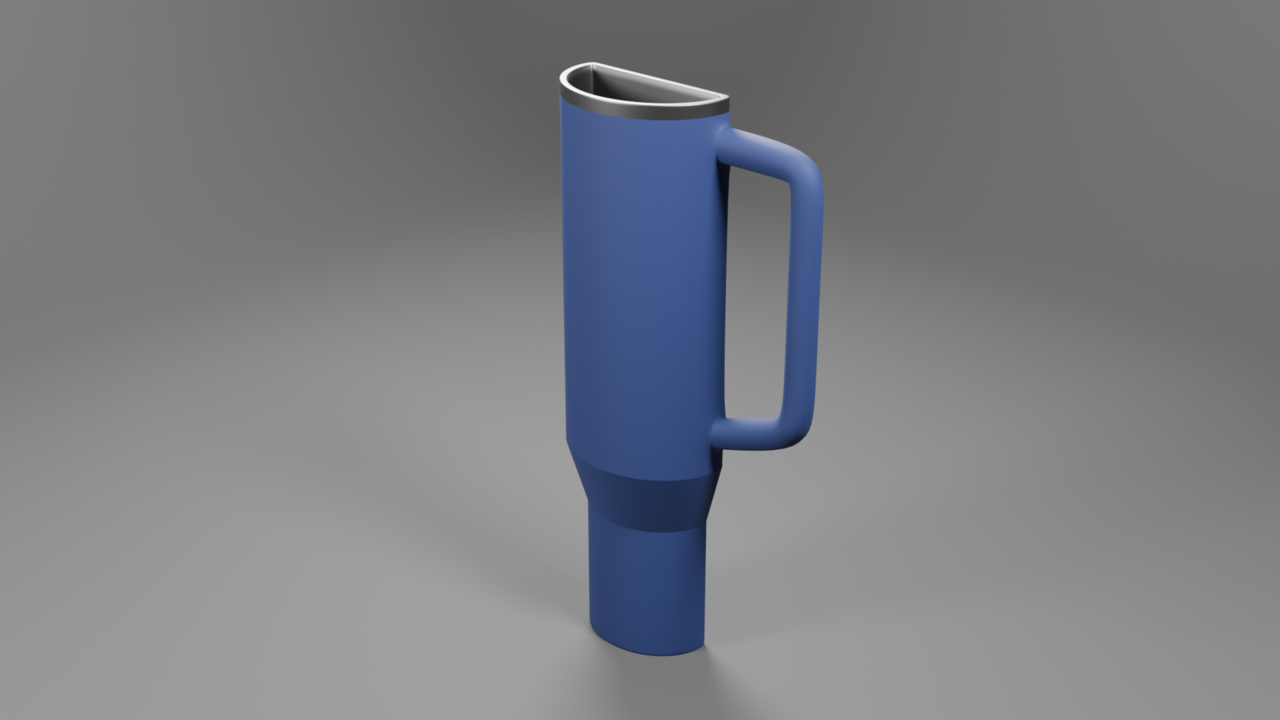
I have started on the subdivision portion of my journey with the first tutorial being the coffee cup. I found it a bit strange that the first video explains the benefits of using the Bevel modifier to sharpen the edges of a subdivision surface and then this video doesn't use them. I understand that the loop cuts are probably more beginner-friendly. So, here's my coffee cup:
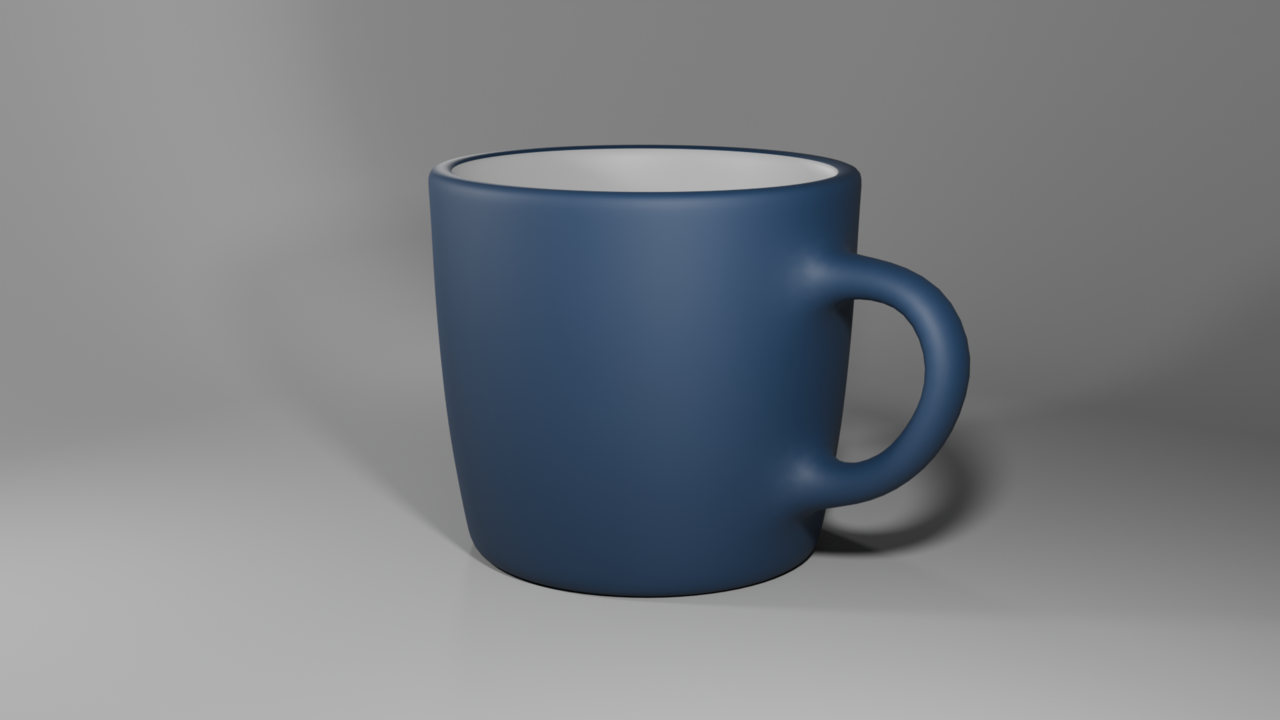
My new mug to practice the lesson was a cup I keep seeing everywhere, the Stanley cup. This design takes the 40 oz tumbler and slims it down. Same height, same width, but half the depth.
For the technical usage, I tried out using the bevel modifier with weights where it made sense, so along the rims of the drinking end of the cup, around the parts where the handle connects, and the very bottom of the cup. To make the sloped part sharp, I just used edge creases set to 1. It might have been more visually correct if I had used a bevel or supporting edge loops instead, since I doubt the real life Stanley cup is actually that sharp. I also think the handle is too long, which means the proportions between the wider top part and the thinner bottom part aren't quite right. If this were a serious project, I would fix those problems, but it's more about the subdivisions than proportions.
Do you think Stanley will hire me?
thehomme I look forward to the Luminor course and the room! I agree, it blew my mind at how simple the Hard Drive wound up being to make when the Bevel modifier was used. It looks just as good as my subdivided mesh, with fewer triangles. A win-win!
Well not in every course they will use the same technique. You'll see stuff get introduced just to showcase it, but they may never be used again. Also you'll see teachers using different approaches in the same course, to try and diversify and just different ways to do the same thing, to expand your toolbelt knowledge.
I have finished putting together my Low Poly room for the submission and the final project of the Mesh Modeling Course. I wanted to make a Sci-Fi-themed room after the tutorial for the Sci-Fi Box, I also wanted to capture a feeling that something has gone wrong in the room. That's how I landed upon this Sci-Fi Hangar that is in red alert after some poor forklift operator had a mishap with whatever strange green ooze was in their crate!
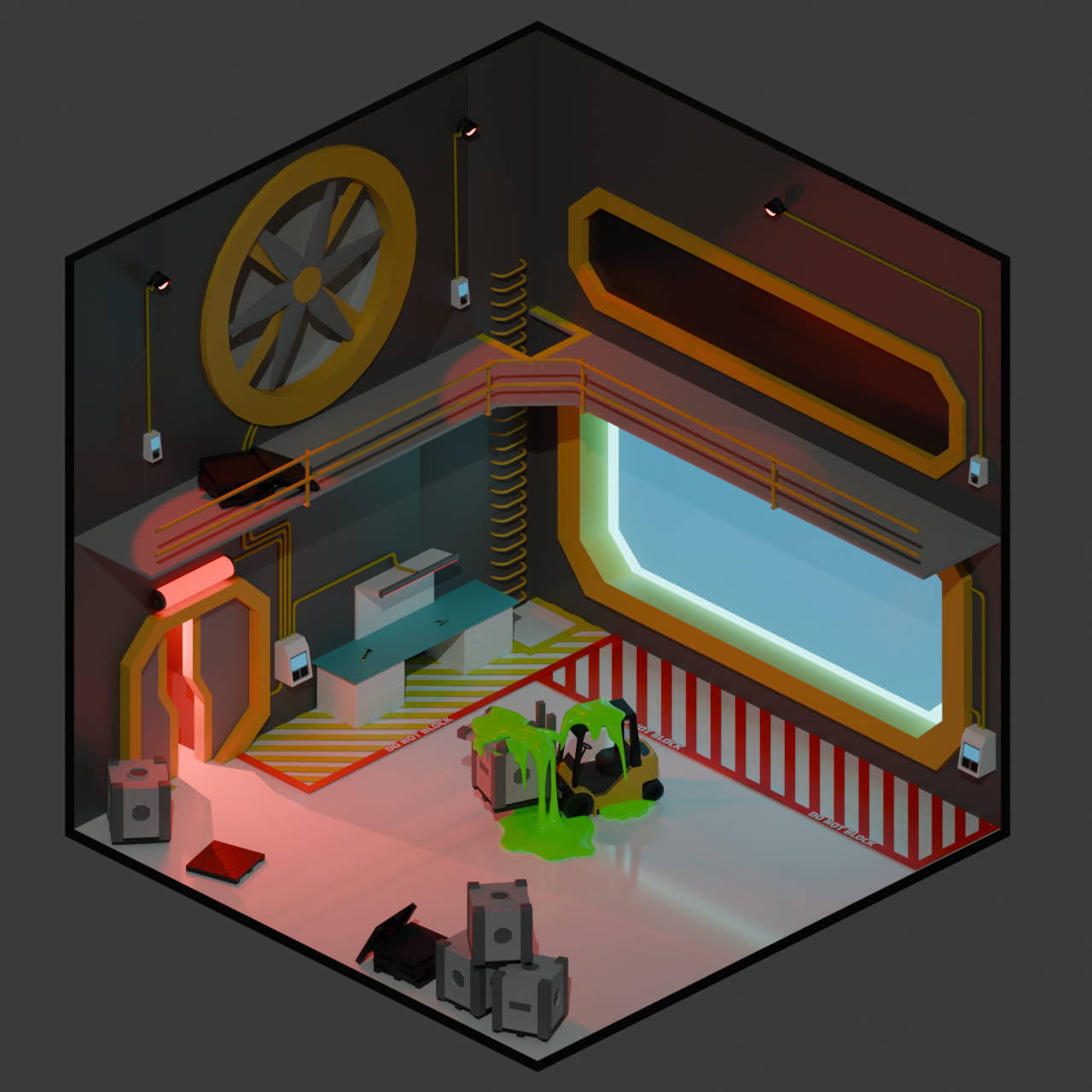
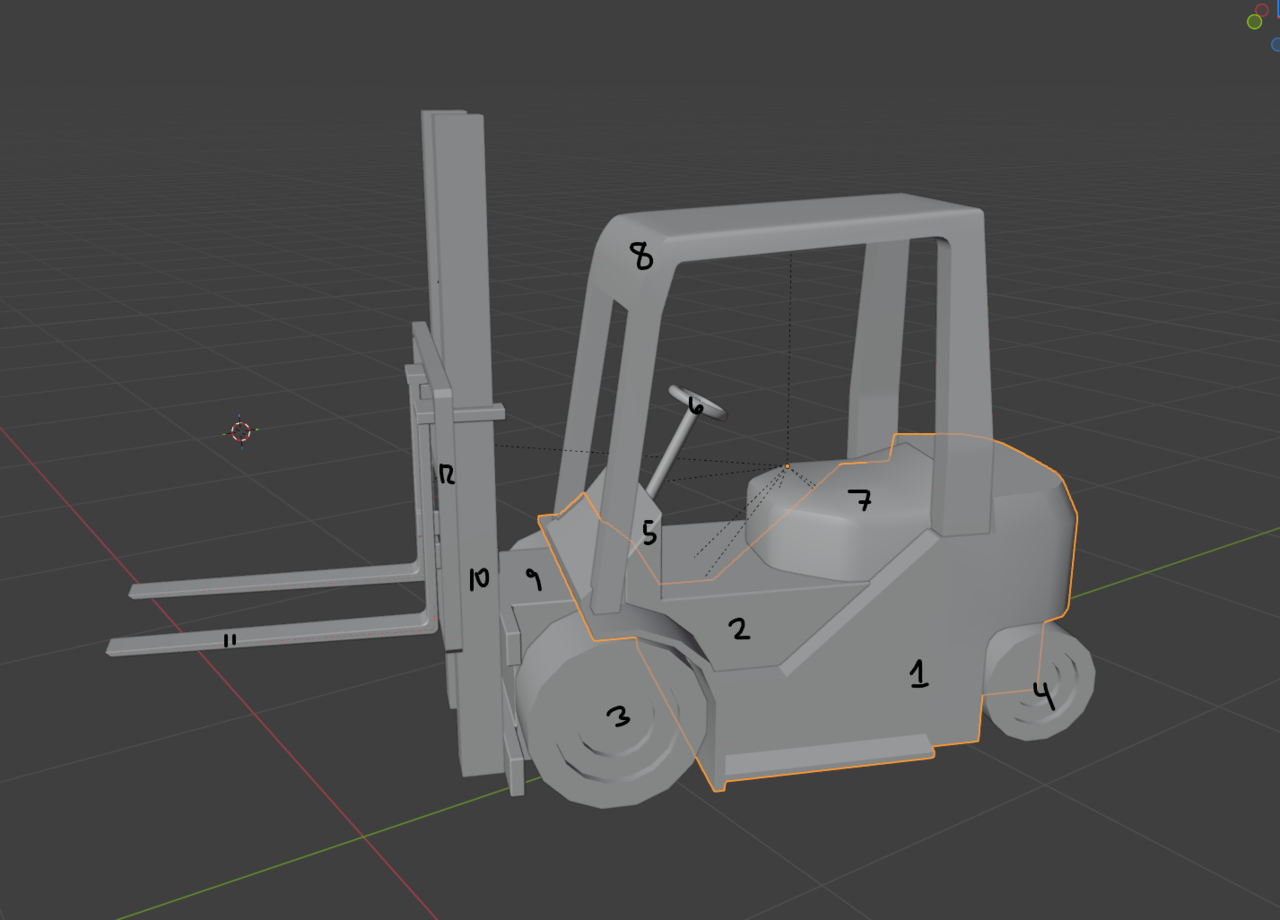
I wanted to ensure I used pieces from as many of the projects leading up to this one as I could. That means many of the objects in this scene are collections of simpler objects. The control panels on the walls, the hammer, and the forklift are each a collection of simpler, separated parts connected together using the Parenting technique used in the snowman tutorial.

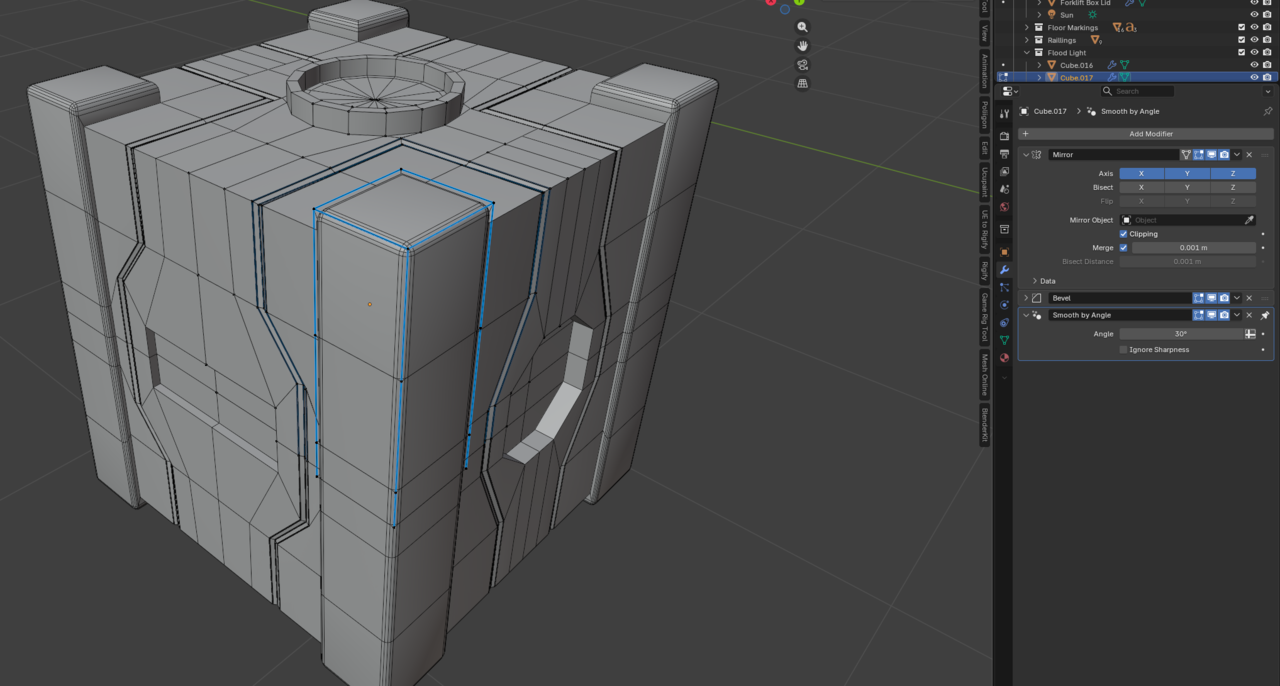
The Sci-Fi crate tutorial introduced the Mirror modifier and bevels to create interesting Sci-Fi elements. I created a new Sci-Fi crate for this project using the same mirror modifier setup and a pallet that has some of the panel lines introduced in the guided crate.
The Mirror modifier has always been my favorite modifier, so it is used all over this project. I used it to create the rungs for the ladder, the light fixtures, all 12 of the forklift parts, and the palette.
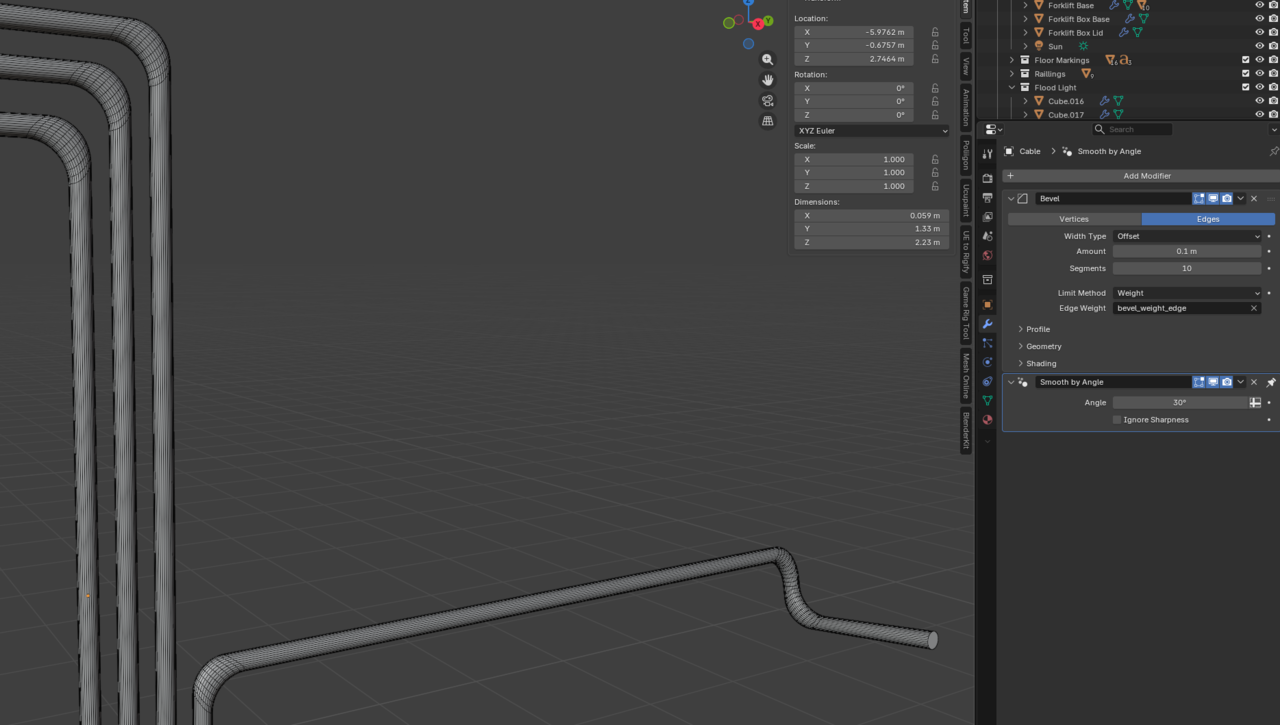
The bends in the yellow cabling on the wall use the Bevel modifier to get a curve. A consequence of this method is that the corners are a little bit distorted. I tried a few different methods for this, but I didn't mind the slight distortion on the corners and it was the simplest to manipulate. This was useful in maintaining a uniform appearance while making new corners easy to create since I had to lay out 10 cables with 22 bends in total.
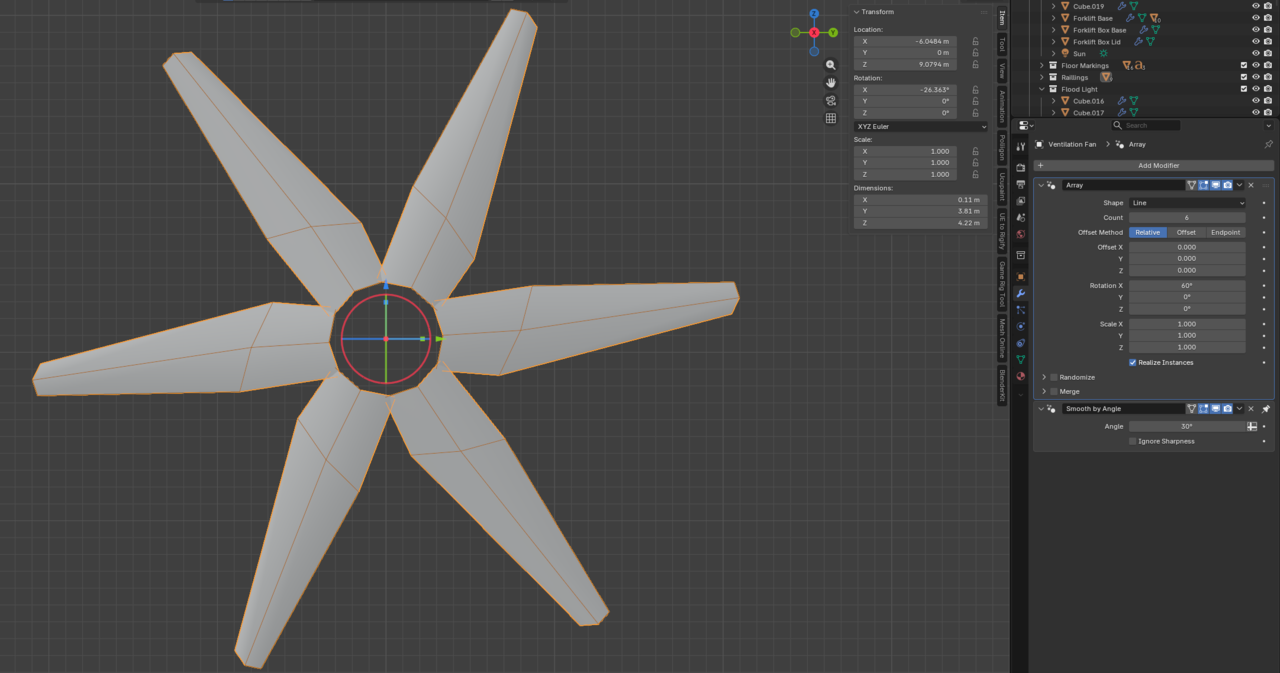
The Array modifier was used in some specific applications for this project as well. I needed to lay out the diagonal hazard markings on the floor evenly, which is where the Array modifier excels. I also used it to evenly distribute the blades on the big fan rotating one blade around the center of the fan to create all of the blades.
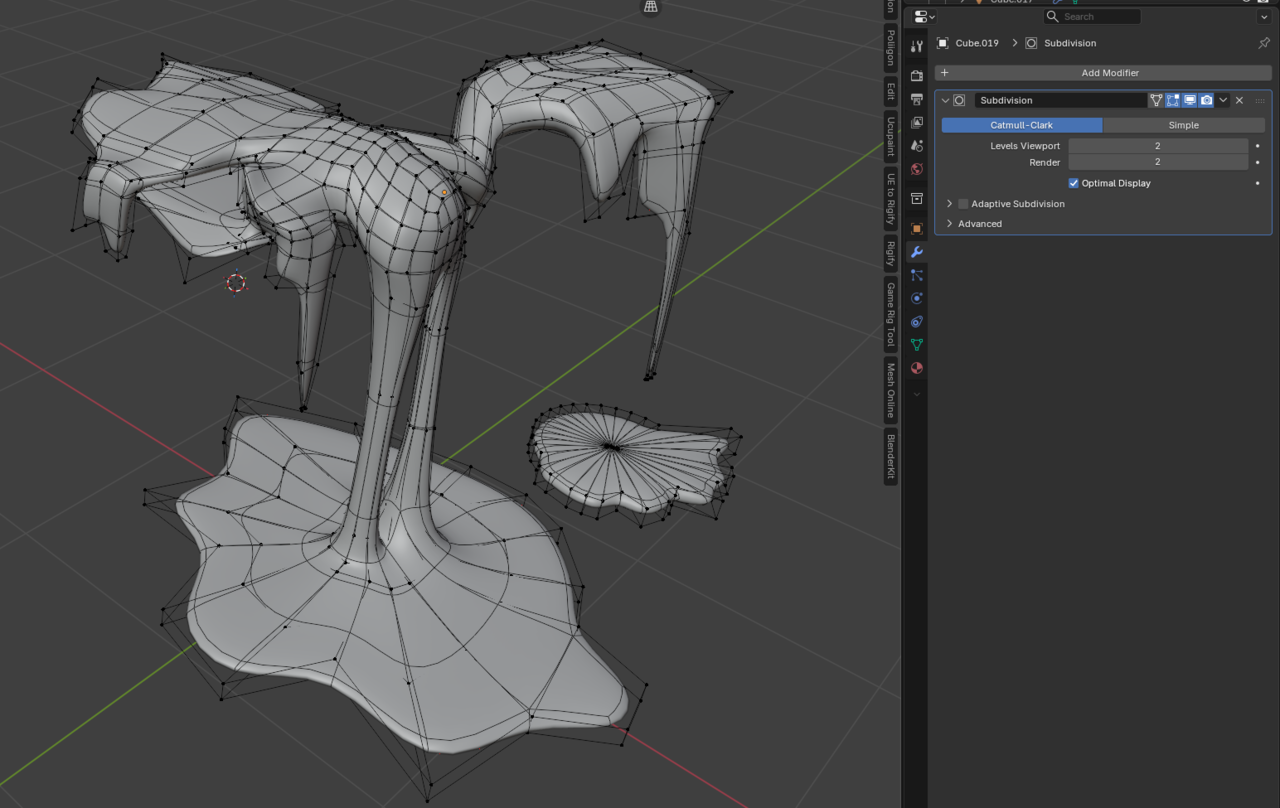
I added the slime coming out of the box because I wanted to try modelling a more organic form using the subdivision modifier. I was careful to use quads as in the CG Cookie Logo tutorial so that the form looked like dripping slime. The slime loses some of its visual appeal up close, but I learned after creating the hammer and pliers that a lot of the small details are lost when you zoom out to the camera perspective that captures the entire room.
The first course in my CG Cookie journey has been a ton of fun, and I've completed more 3D models in the last 30 days than I have in the last 8 years messing around with Blender. I have been constantly reminding myself that "perfect is the enemy of finished". There are some imperfections in each model I have created, but the overall result of each project is something I am proud of making and no project will ever be flawless. I learned how to better use Bevel Modifiers, which I had never used in my modelling before, and was blown away with their application in the Hard Drive Tutorial. I learned more about the Subdivision Modifier and how to properly lay out quads to support important geometry when the modifier is on. I also surprised myself with the sheer volume of objects I can make using the information provided in the course. This project also taught me the importance of keeping the final render in mind when modelling objects. I put far too much time and details into the hammer and pliers for how large they ended up being in the final render. The minute details were lost in the final render, which is a bit of a shame, but a valuable lesson learned. Mirror modifiers, array modifiers, and linked duplicates make it easy to manipulate multiple objects at once, reducing the work required by half or more!
I look forward to some more amazing 3D modelling work in 2026 and sharing it here with you. Happy New Year everyone!