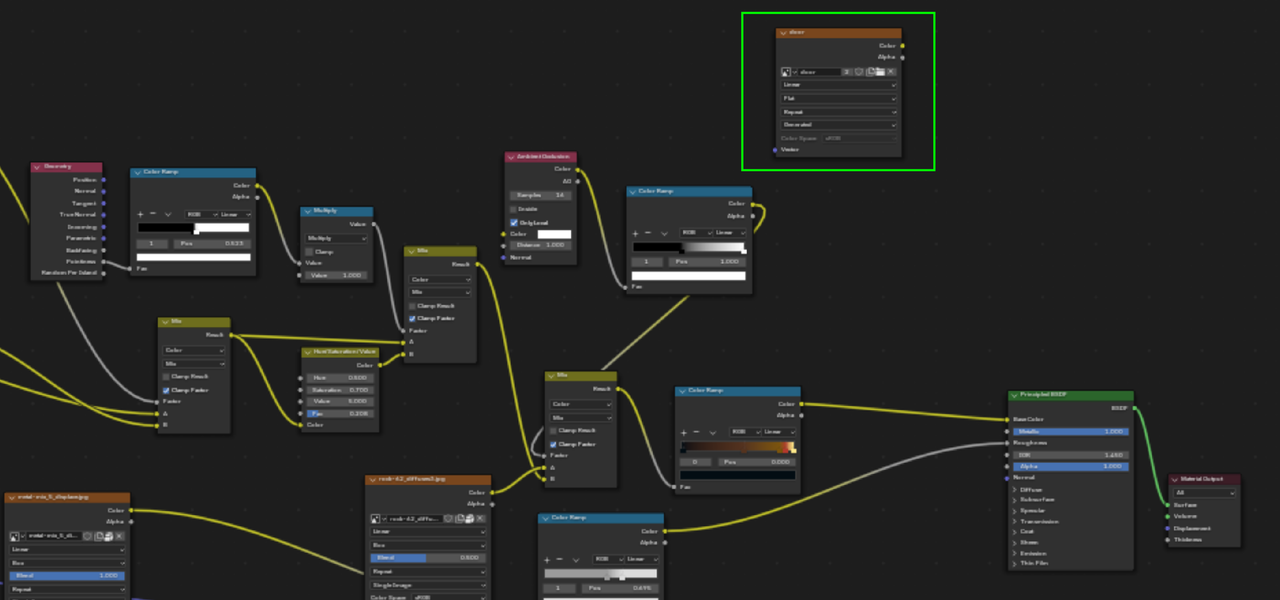
baking diffuse map

Question Materials and Textures

im baking diffuse map of procedural material but its coming out black 

1 love
Reply
  • muqaddas mumtaz(muqaddas ) replied


    1 love
  • muqaddas mumtaz(muqaddas ) replied


    1 love
  • Martin Bergwerf replied

    Hi Muqaddas mmuqaddas ,

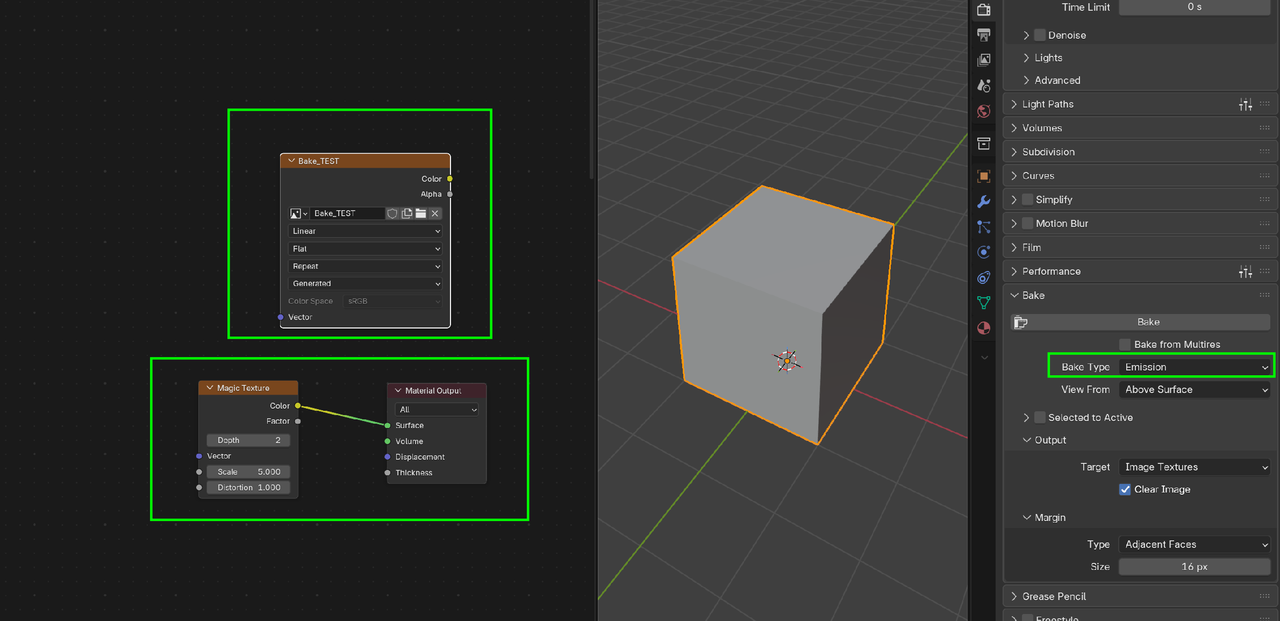
    You need to Select the Image Texture Node you want to Bake the Texture to:

    Bake_00.png

    1 love
  • Martin Bergwerf replied
    1 love
  • Omar Domenech replied

    That course is a must watch if you're going to do anything with baking. Chunck goes through all the gotcha's. 

    1 love
  • muqaddas mumtaz(muqaddas ) replied

    Image texture was selected when I was baking diffuse:)


    1 love
  • Martin Bergwerf replied

    Was it also the Active one?

    1 love
  • muqaddas mumtaz(muqaddas ) replied

    yes!


    1 love
  • Martin Bergwerf replied

    And you also need to have an Unwrapped Object Selected, so you have UV's to Bake on.

    1 love
  • muqaddas mumtaz(muqaddas ) replied

    yes I have unwraped the object before baking it

    1 love
  • muqaddas mumtaz(muqaddas ) replied

    I have also checked normals

    1 love
  • Martin Bergwerf replied

    Does Blender give you an Error message when you try to Bake? 

    And if so, what does it say?

    1 love
  • muqaddas mumtaz(muqaddas ) replied

    no error 
    final image coming out black 

    1 love
  • Martin Bergwerf replied

    Maybe you don't have any Light in your Scene.

    You could also Bake it like this:

    Diffuse.png

    That would  give an Albedo Map.

    2 loves
  • Martin Bergwerf replied

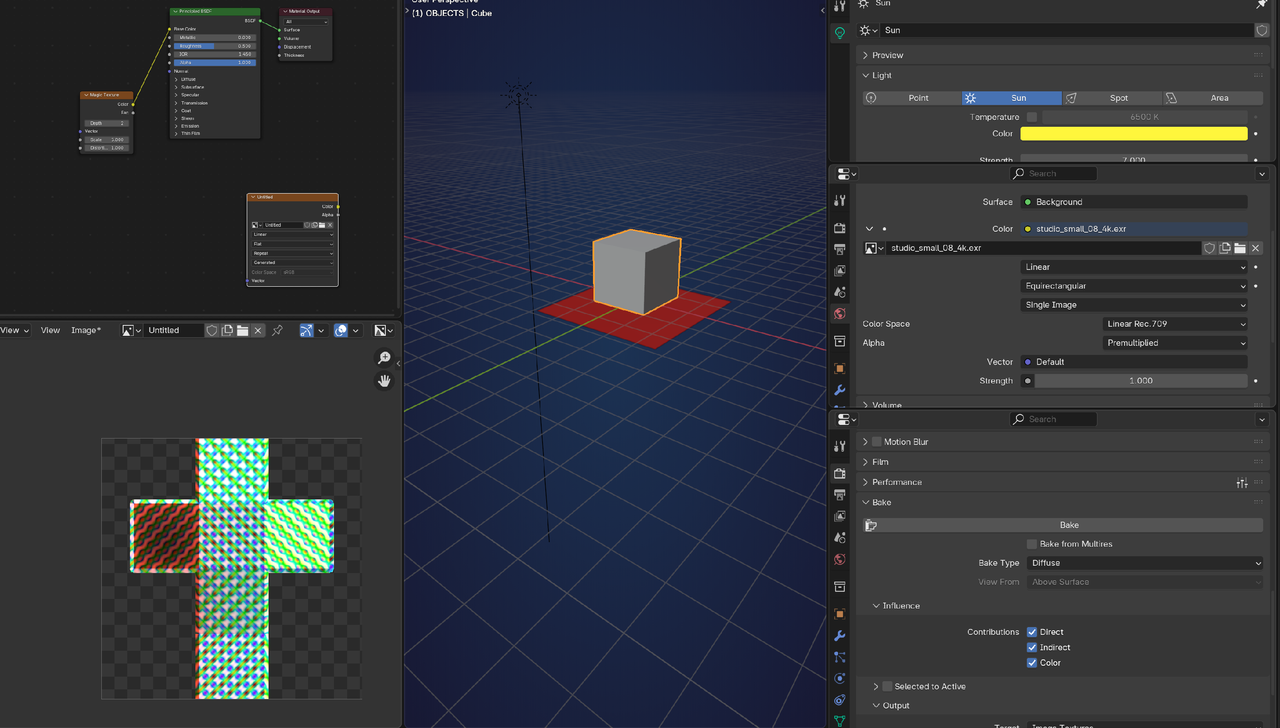
    The most neutral Diffuse would be with a World set to white and no other Lights. You'd still get the Indirect Diffuse, because you havee that enabled.

    Here you can clearly see how the Lighting affects the Diffuse Baking:
    Diffuse_00.png

    So if you have no Lights (and a black/dark grey world), your Bake will be black (dark grey).

    2 loves
  • Omar Domenech replied

    Perhaps this is one of those that is better to have the blend file to investigate. You can upload it to google drive or dropbox and paste the link. And don't forget to collect all the resources and pack it into the blend file. 

    2 loves
  • muqaddas mumtaz(muqaddas ) replied

    Apologies for bothering you I’m very grateful for your support and guidance Thank you.🥲

    https://drive.google.com/file/d/19G8kHC7uz5exrJlKmx1kqCYtyu8ivJix/view?usp=drive_link

    1 love
  • Martin Bergwerf replied

    Hi Muqqadas,

    That Link gives an Access Denied.

    1 love
  • Omar Domenech replied

    Same here. You have to make it public. 

    1 love
  • muqaddas mumtaz(muqaddas ) replied

    I HAVE MADE IT PUBLIC

    https://drive.google.com/file/d/19G8kHC7uz5exrJlKmx1kqCYtyu8ivJix/view?usp=sharing


    1 love