Exposure and Colour management

Hi. Using blender version 4.4. When I change the exposure settings In render settings I replay the animation and it reverts to original exposure settings of zero. My render properties and output properties are identical I.e follow scene. I’m not entirely sure why the exposure adjustments are not working considering I am following scene settings
1 love
Reply
  • Christopher Stevens(Sausau83) replied

    Ok I’ve figured it out. There was a conflict with my photographer addon. For anyone seeing this in future make sure if you are utilising the photographer addon do all your camera work and adjustments in there, particularly the exposure settings. Cheers 

    • 👌
    • 👍
    1 love
  • Martin Bergwerf replied

    Always those sneaky little Addons😉

    (I was just about to write that I can't reproduce your issue, but you already solved it, luckily.)

    2 loves
  • Christopher Stevens(Sausau83) replied

    I probably don’t need about 90% of my excessive add-ons library 🤔

    1 love
  • Omar Domenech replied

    I always work with default Blender and enable an addon only when I feel I need to use it. If I haven't used one for a while, I deactivate it. 

    3 loves
  • Dwayne Savage(dillenbata3) replied

    I use default blender plus node wrangler and 2 of my own. One of those is an addon manager so that I can turn on and off the add-ons I use regularly. I use to have a very low power system and now it's habit. 

    1 love
  • Christopher Stevens(Sausau83) replied

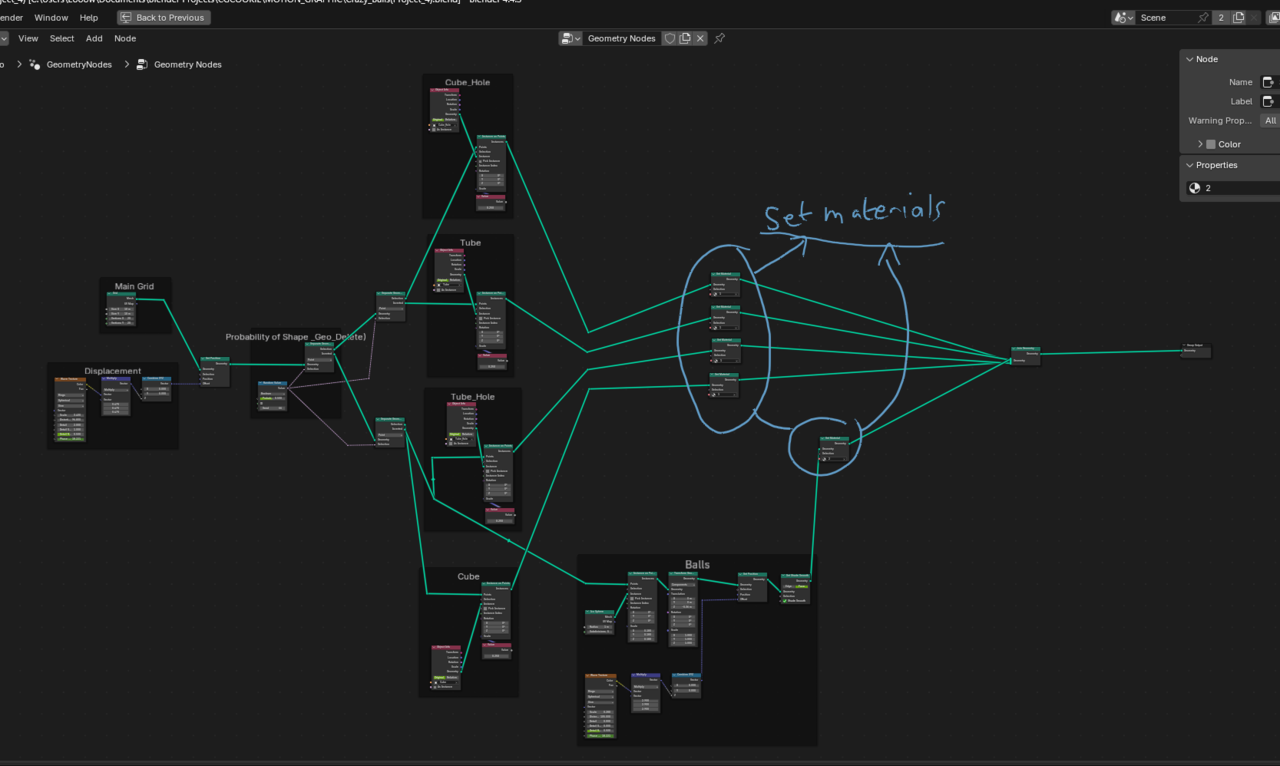
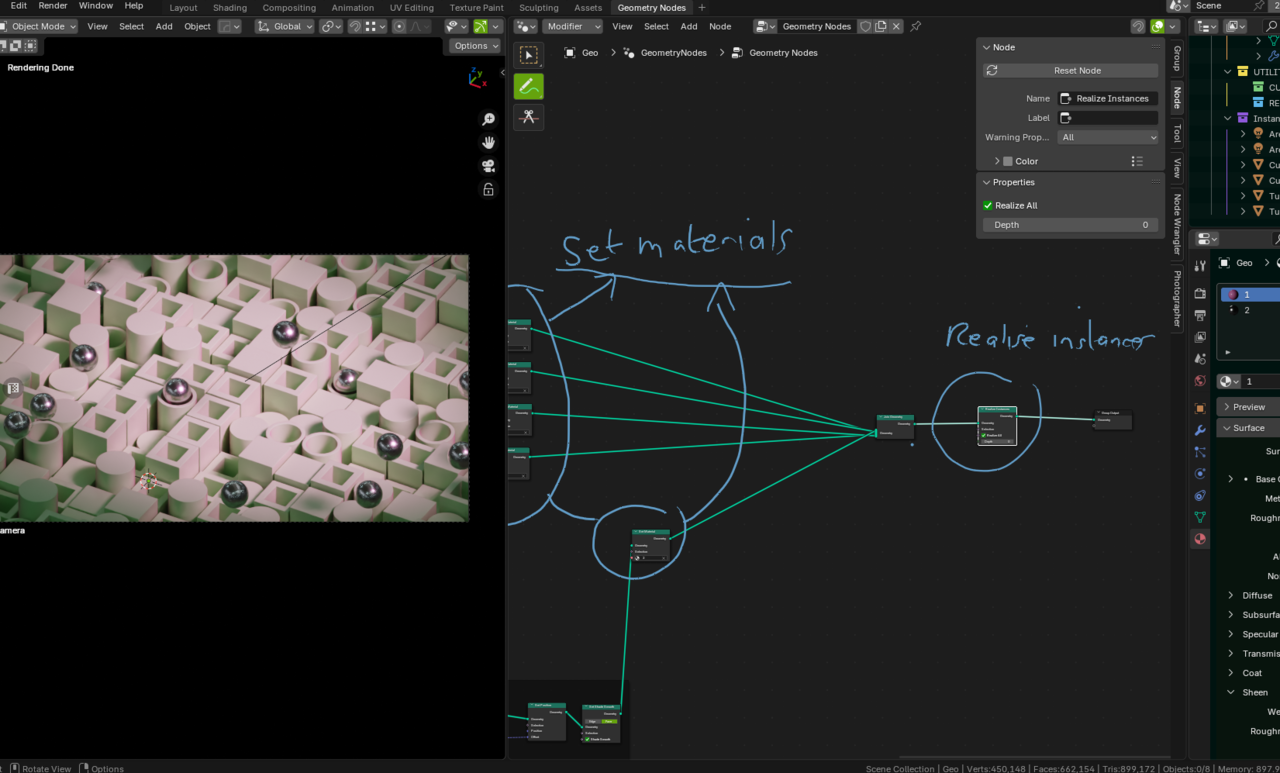
    Guys do any of you know how to retain assigned materials after realising instances? I want to do some compositing using render layers and need my GN converted to a mesh but of course on realising instances it messes with materials. I’ve scoured YouTube but can’t really find anything worthwhile. Any help would be greatly appreciated. Many thanks 

  • Omar Domenech replied

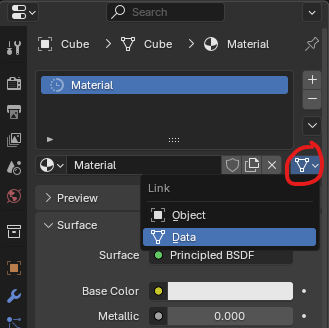
    I'm not exactly sure what you mean, but you can assign instances the material based on it's data or object:

    Materials.png

    2 loves
  • Martin Bergwerf replied

    Hi Christopher,

    Can you give a bit more context please?

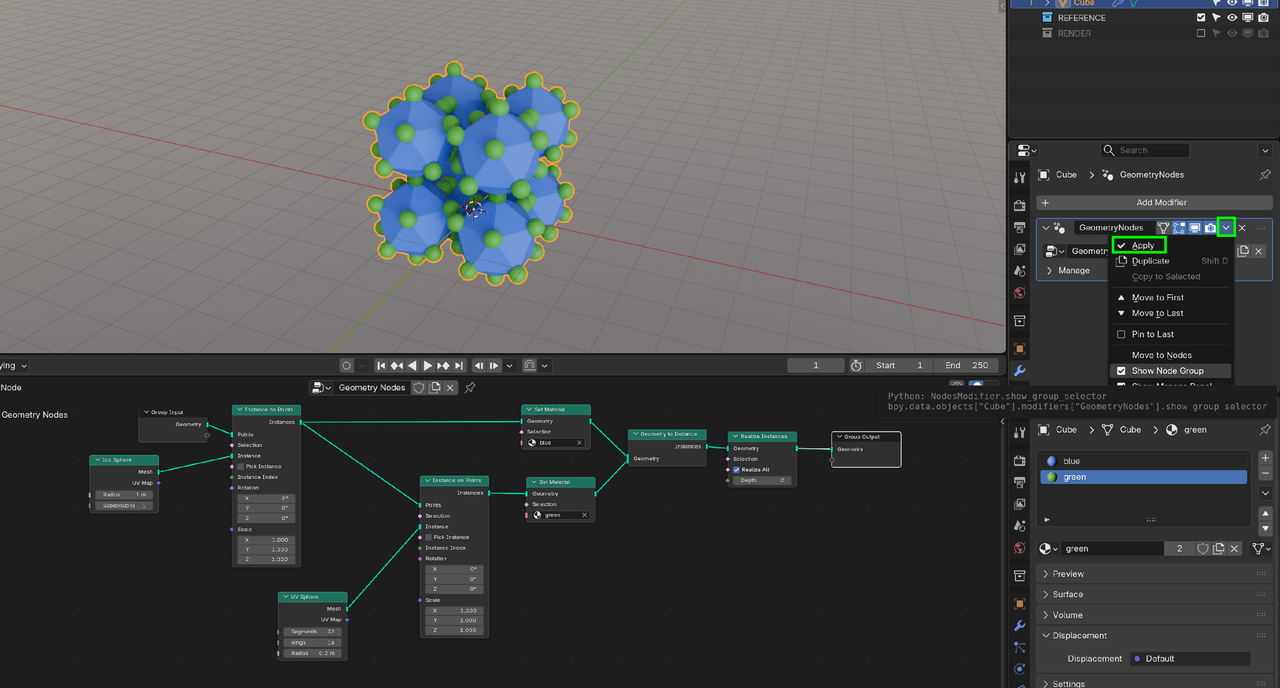
    Here is a very simple GN set-up and if you Apply the Modifer, visually nothing changes; the Asssigned Materials stay.

    Apply.png

    2 loves
  • Christopher Stevens(Sausau83) replied

    So I’ve set my materials as per the tutorial but as soon as I realise instances everything turns a weird greenish colour 

    1 love
  • Christopher Stevens(Sausau83) replied


    025-10-22 195333.png

    1 love
  • Christopher Stevens(Sausau83) replied

    025-10-22 195417.png

    1 love
  • Christopher Stevens(Sausau83) replied

    I basically lose all of my assigned materials upon realising instances 

    1 love
  • Martin Bergwerf replied

    HI Christopher, 

    Maybe try this:

    Insert a Realize Instances Node between the Join Geometry and the Group Output Node. Then you should be able to Apply the GN Modifer.

    2 loves
  • Christopher Stevens(Sausau83) replied

    Hi Martin I’ve already tried this as per my second photo 

    1 love
  • Martin Bergwerf replied

    Oh,

    What if you switch out the Join Geometry with a Geometry to Instances Node???

    Otherwise, if you can post a link to your .blend file, via Dropbox, GoogleDrive, or so, then I can have a look and see what works. It should be an easy fix.


    2 loves
  • Christopher Stevens(Sausau83) replied

    I’m not having trouble applying the modifier I’m having trouble retaining my assigned materials upon realising instances and applying the modifier 

    1 love
  • Christopher Stevens(Sausau83) replied

    Cheers Omar and Martin for your help…. Martin I will try your last suggestion but failing that I shall send my blend file. Thanks so much 

    • 👍
    1 love
  • Christopher Stevens(Sausau83) replied

    Where can I send the file please Martin? 

    1 love
  • Martin Bergwerf replied

    You can upload it to Dropbox or so and post a link here.


    1 love
  • Christopher Stevens(Sausau83) replied

    https://www.dropbox.com/scl/fi/tsx0lx1406l82g5jpuwmq/Crazy_Balls-Project_3.blend?rlkey=o4ca5dg7dk58rgvbj7wyjusm3&st=5y9t8bei&dl=0
    1 love