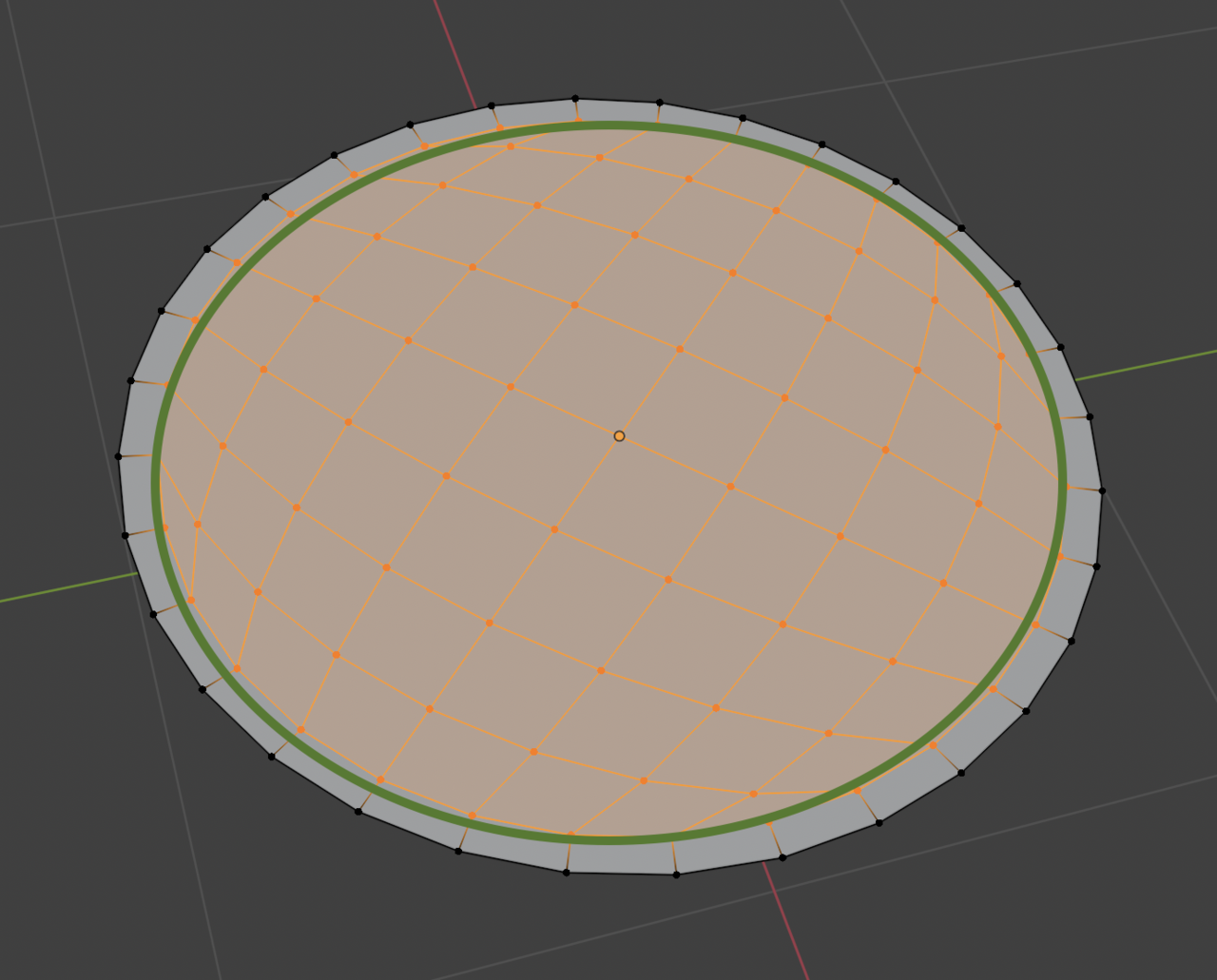
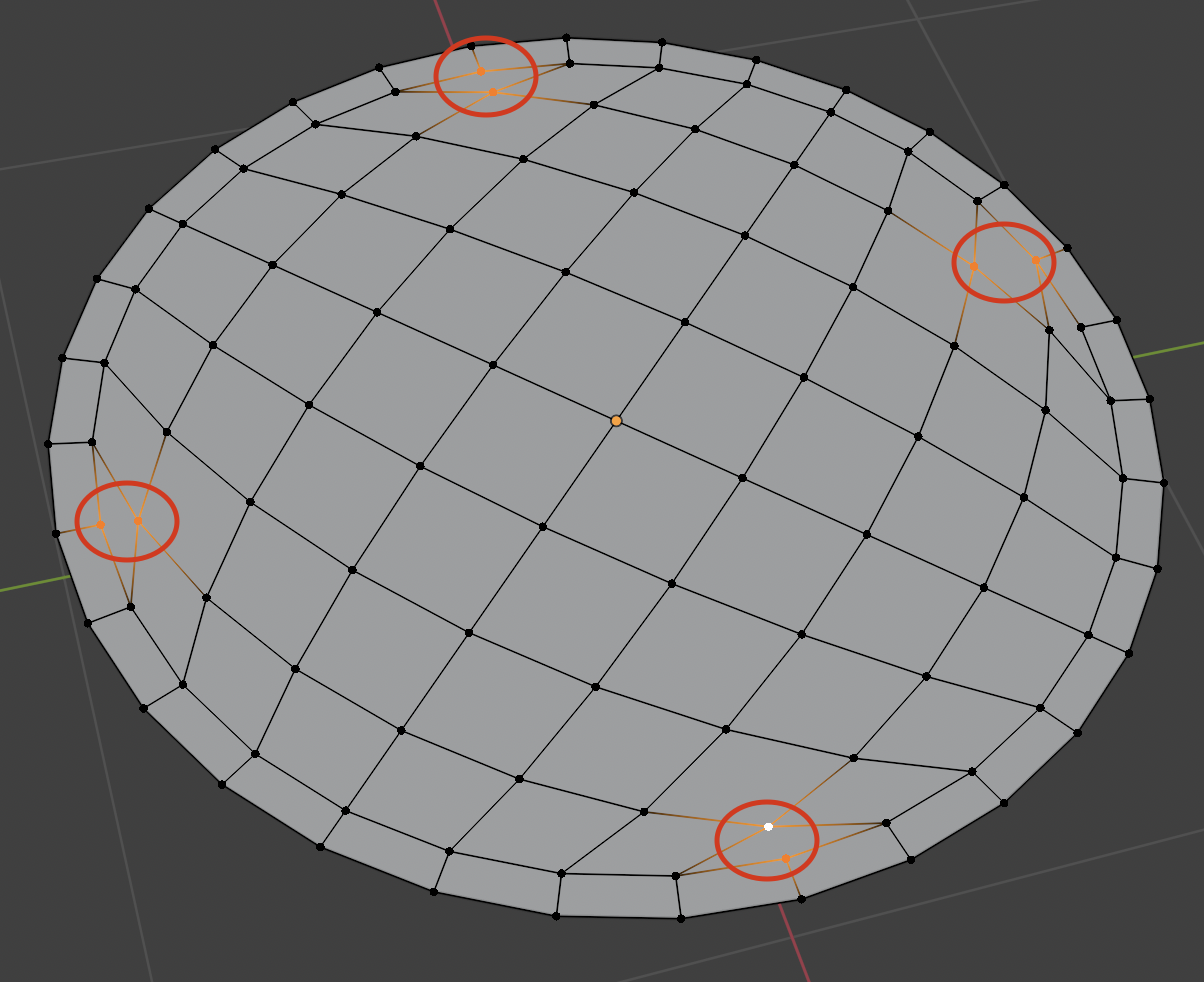
How do I fix this issue? After using Grid Fill I’m getting this bulge at the four corners. If you look carefully, you can see it, and even after applying subdivision it’s not getting fixed.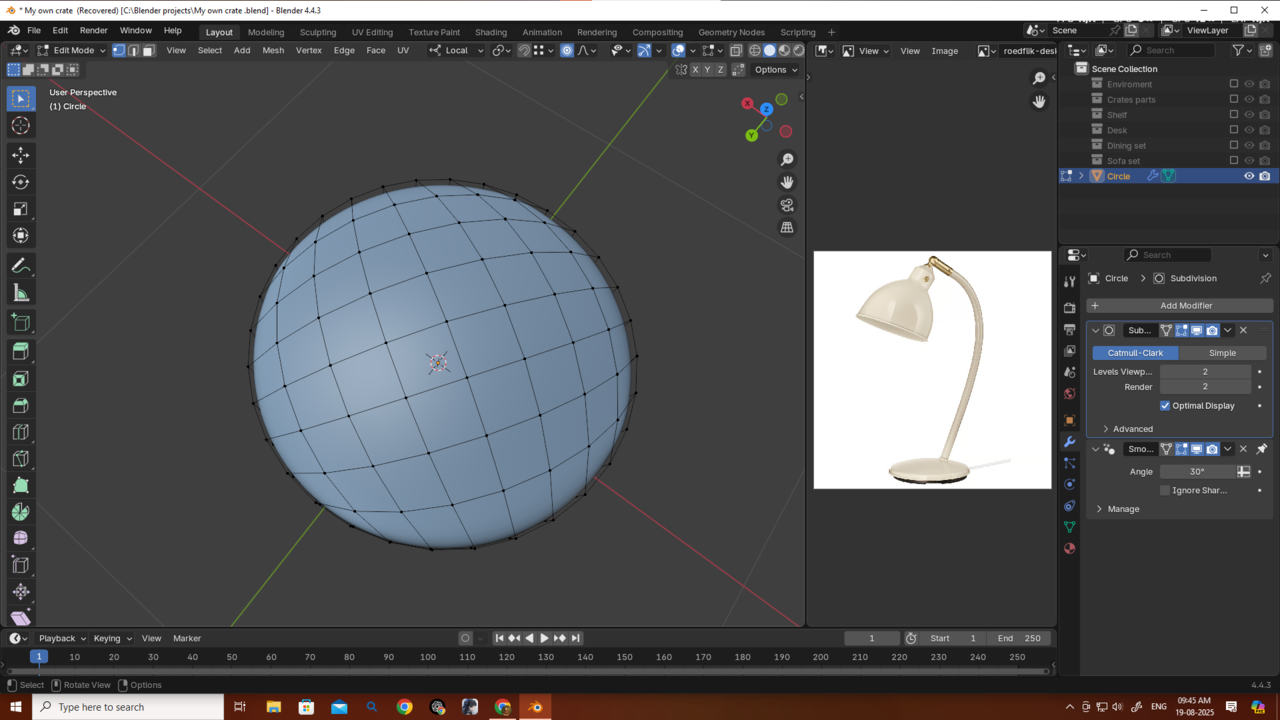
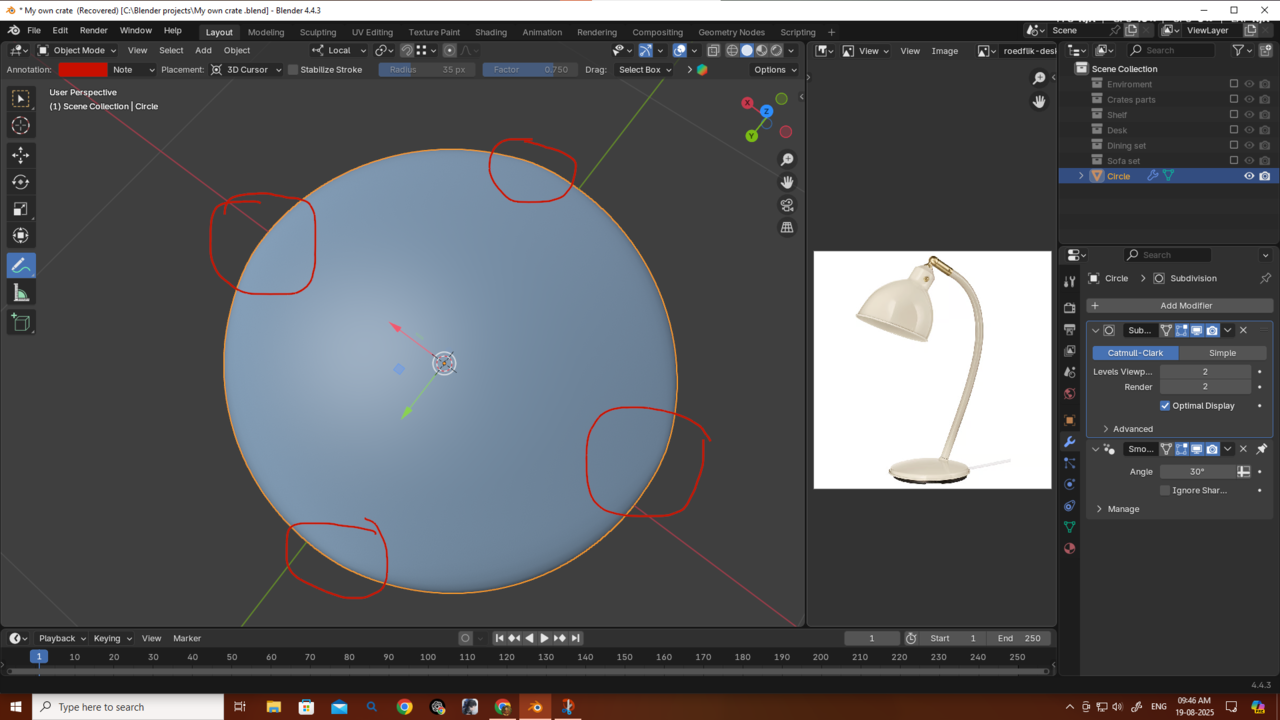

Hi Deb,
You can try this: in Edit Mode, SHIFT+ALT+S > To Sphere and then Move your Mouse to the right (or just press 1).
After that, you'll have to use Proportional Editing again, to get the 'bell' shape back.
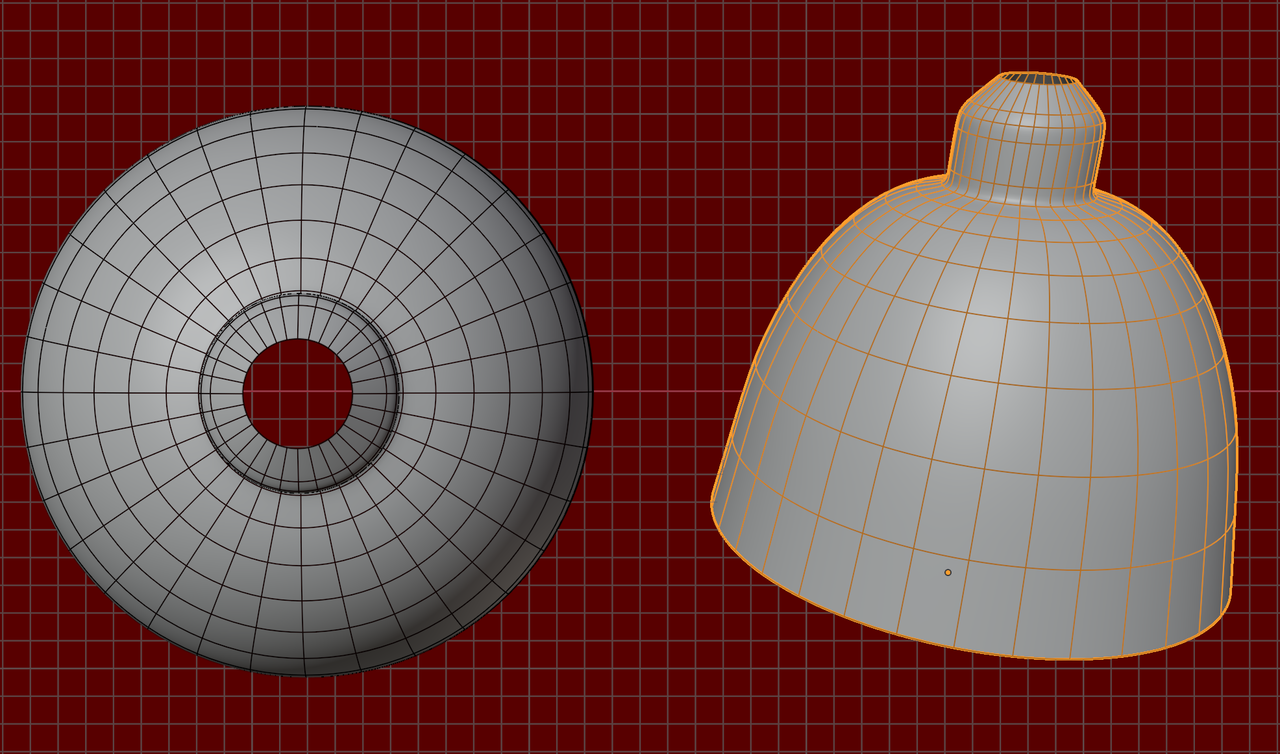
However, it is probably better to not use Grid Fill for this; Grid Fill works best for flat patches. Concentric rings will work better, something like this:
Ahh, I forgot about that… it was actually taught in the mesh modeling classes. Thank you, Omar, and also thank you, Martin.
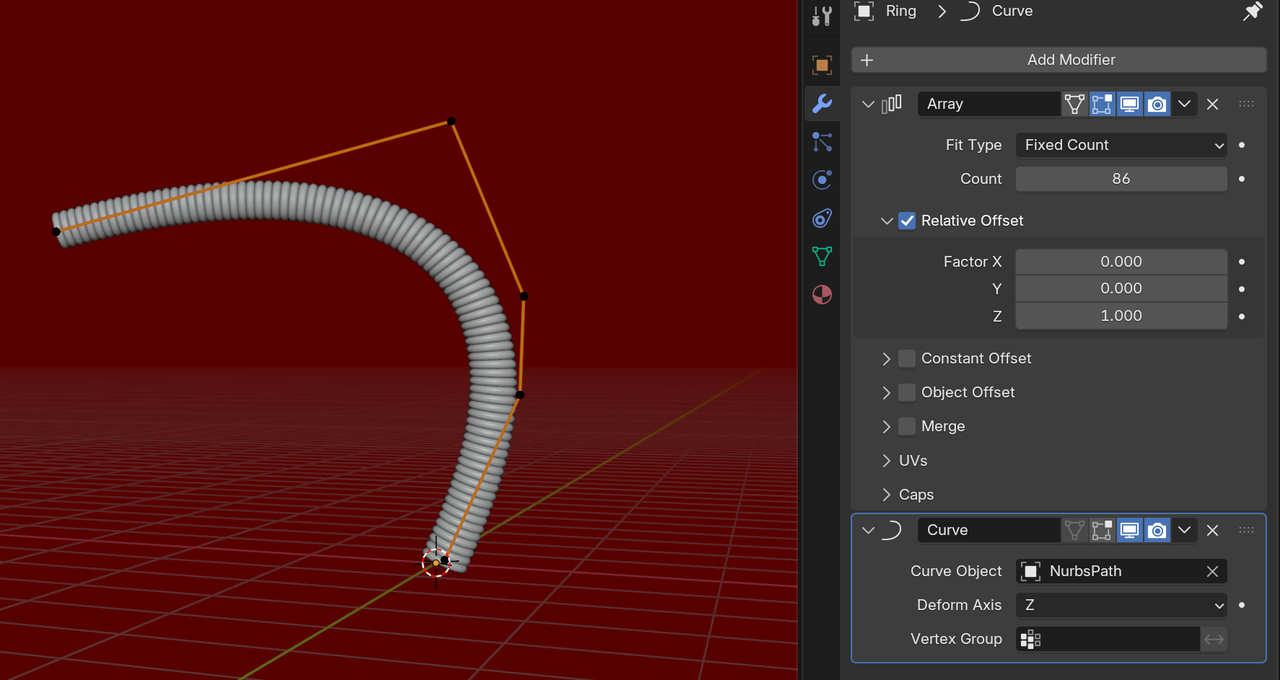
Can you help me with this curve? I’m not very fluent with curves, and the wire shape is getting broken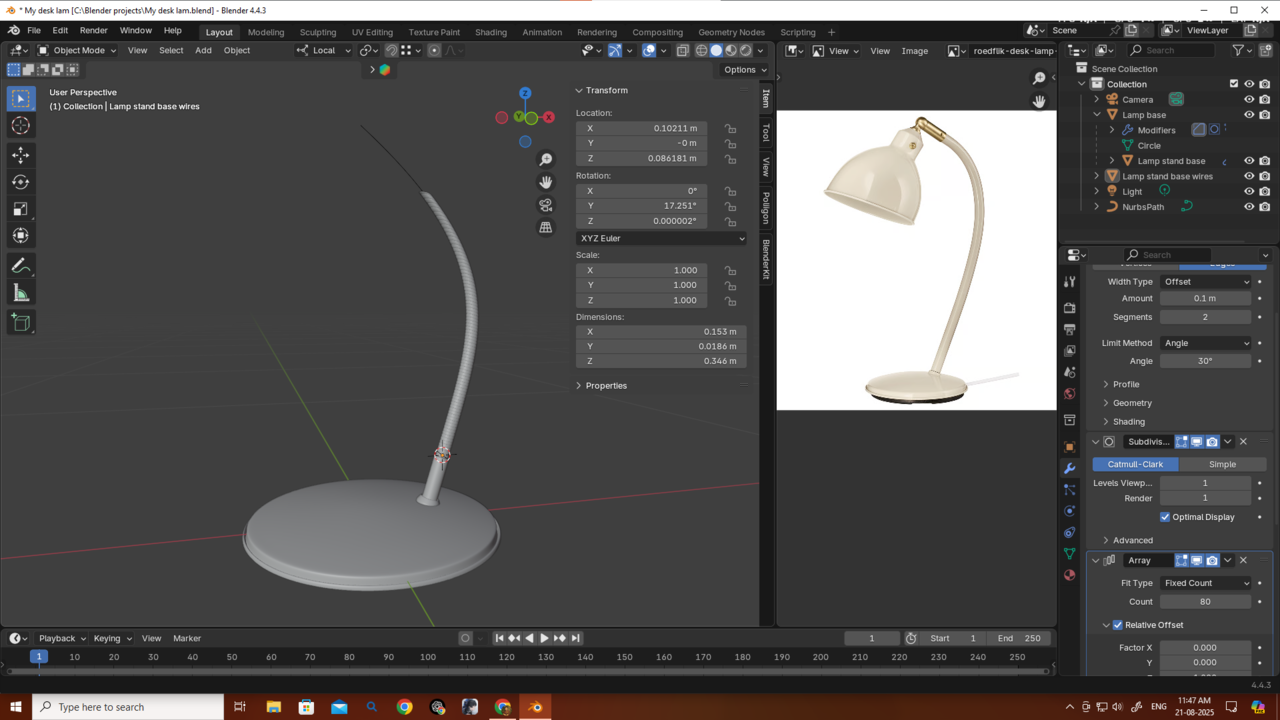
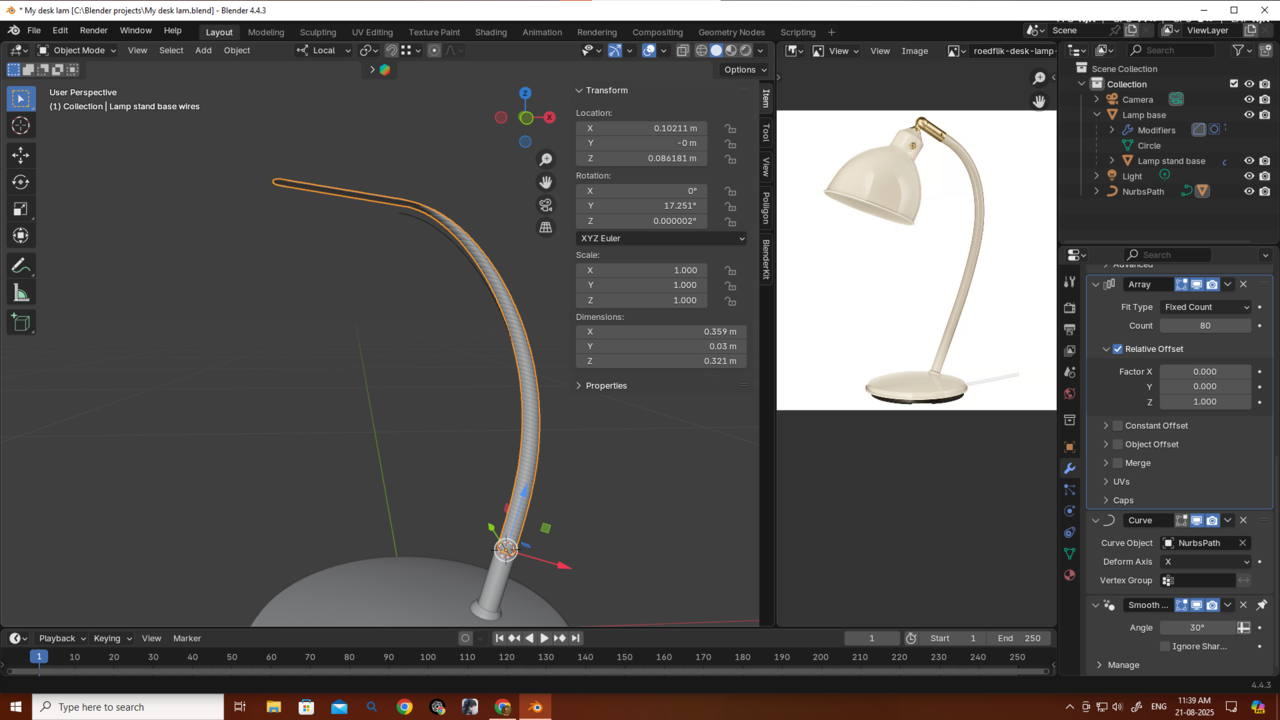
 spikeyxxx I just came back to say that I didn’t apply the scale. I actually didn’t know that it needed to be applied — I don’t think it was mentioned in the tutorial. Anyway, it’s better to discover some things on your own, because that way they stick in your mind forever. Thanks a lot for answering my question so quickly!
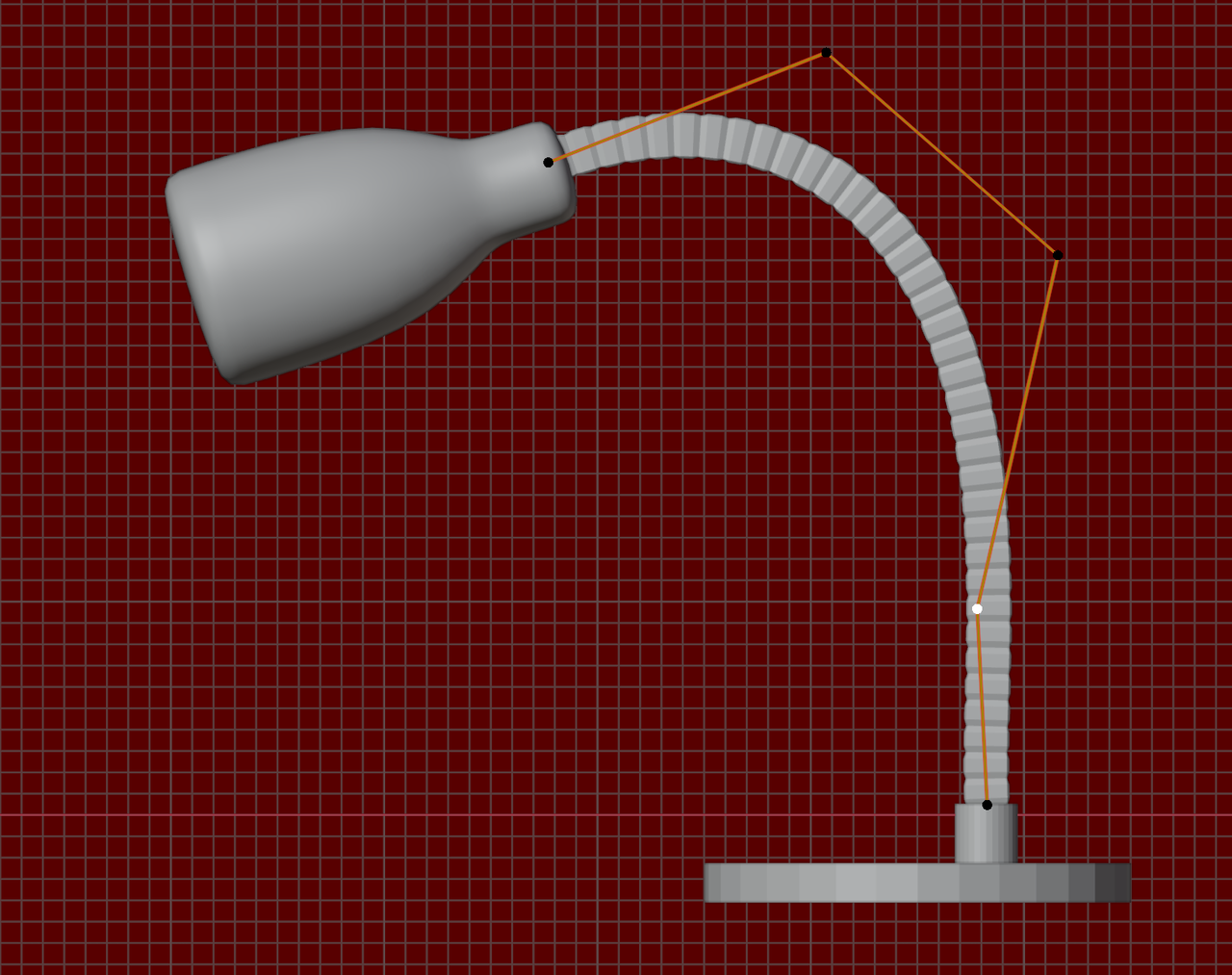
Is there any way to connect the wire and the lamp properly...because manually if i adjust the lamp and place it to connect the wire its not looking good.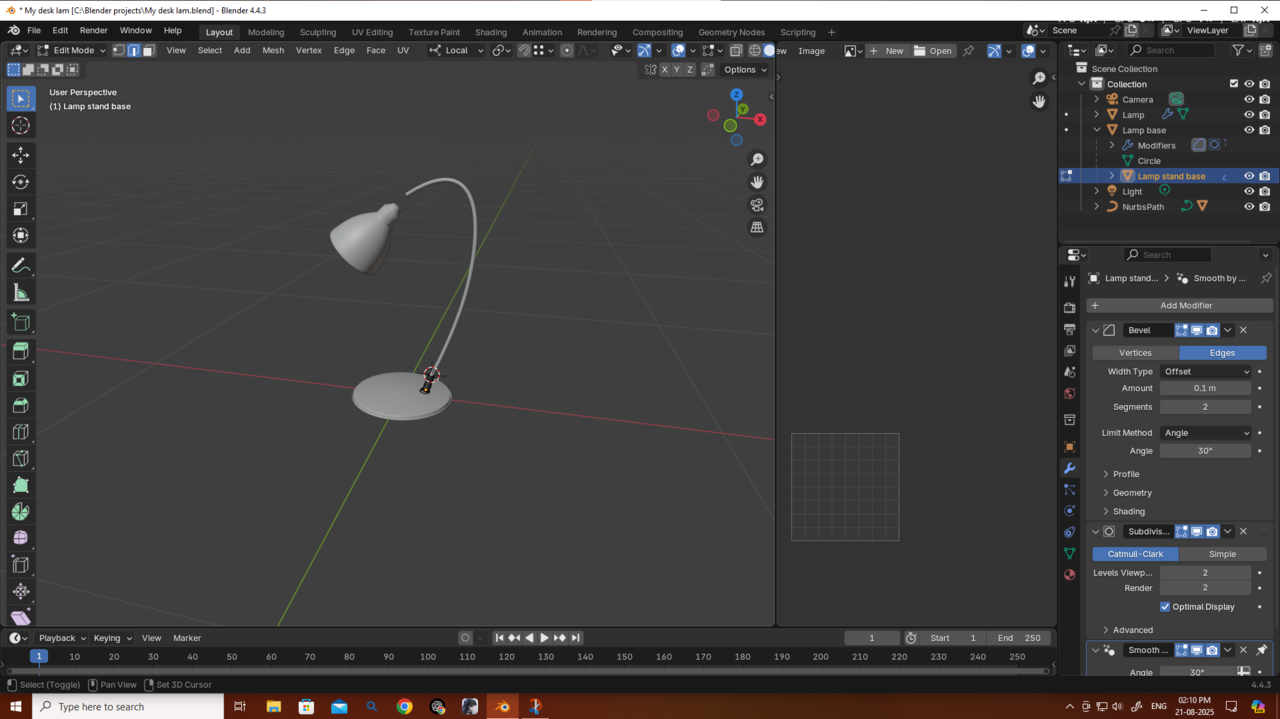
Hey spikeyxxx, I’m sharing my project URL — could you please check it? What I’m trying to do is make the objects watertight like the wire stand part connect with the base and the lamp, so they’re joined properly. But just pressing Ctrl+J doesn’t work. If you could help me with that, it would be really helpful and I’d learn something new. Thank you!
And also, thanks a bunch for the tips!
https://drive.google.com/file/d/1GsiifScvK0fZb-1o0MGkq2yfXlBiG_LR/view?usp=sharing
Yes you need to Apply all Modifiers, then you can Join them. If you try to Join them now, all Objects get the Modifers of the Active Object and thet is not what you want.
Easiest way, Select all the Meshes, then Object > Convert > Mesh to Apply all Modifiers. Then CTRL+J to Join them.
Thank you so much, both of you.
I totally get the point, and yes—I didn’t convert my curve to a mesh, but that’s not the problem I’m facing here. You see, I’m not just saying “join the objects,” but when I press Ctrl+J, it doesn’t actually look like it’s the same object. I want to blend them to look like it's a same obj.
I tried using the Bool Tool after watching a YouTube tutorial, but it’s not working properly—it doesn’t look very good. That’s why I’m requesting: could you please check it? I shared the link—just give it 2 minutes and please tell me what the problem is.
I really appreciate your help, Martin and Omar.
Okay i get it what u are saying martin. But is there any way to it without manual labor? and what should i delete the subdivs? but i get it the wire part
and omar by joining i am saying something like this.."One solid obj" i tried this but bool and remash and all but it wont work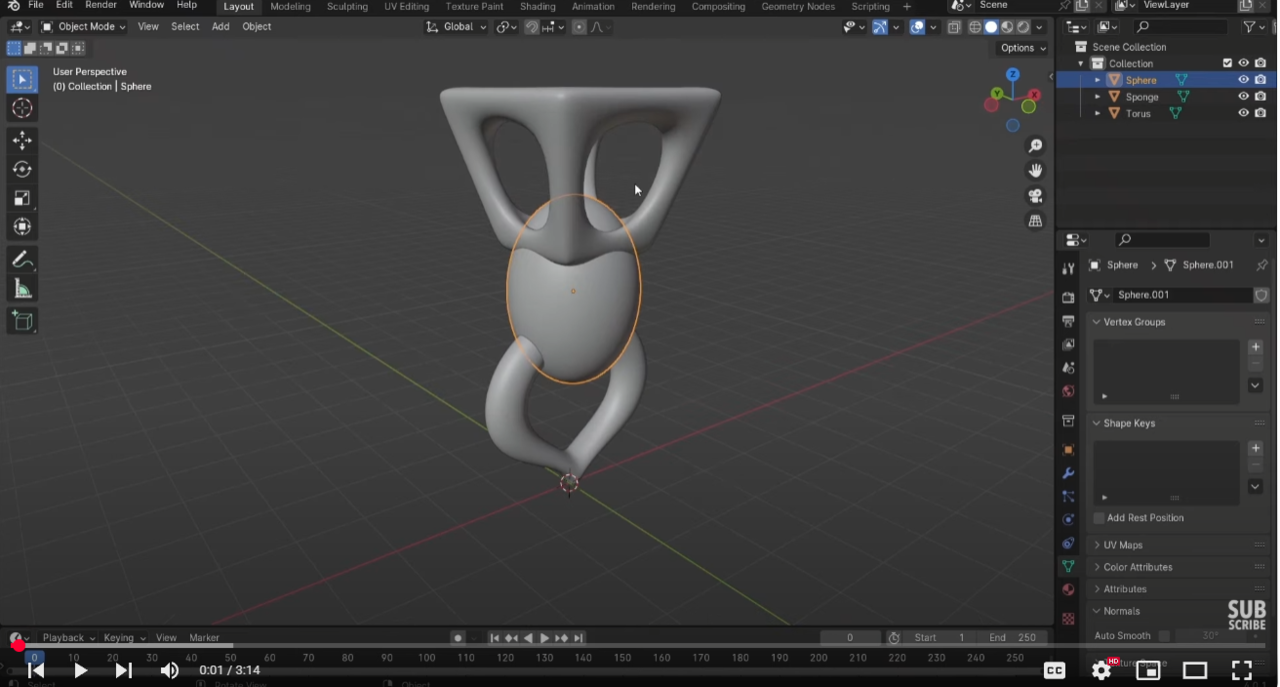
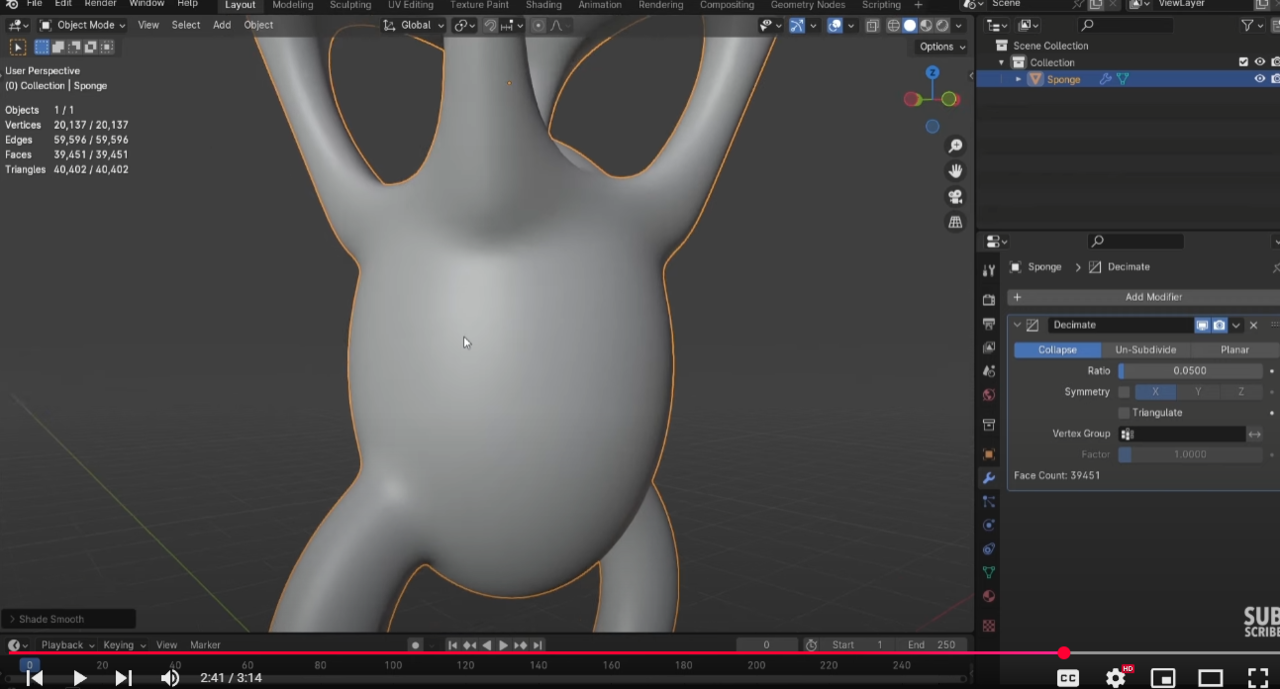
But thank u guys a lot
I'd recommend to Delete the Subdivs, before they get Applied (when you Convert to Mesh), because otherwise you have too much Geomtery to wrangle when you are going to manually connect the pieces.
The manual part is so little work, that, when you try to do this automatically with Booleans or so, you'll end up doing more manual work, cleaning up the mess.
But how to connect them properly? I am struggling with that..
It's basically connecting Cylinders together (Bridge Edge Loop). This only works well, if two Cylinders have the same amount of Vertices (and start with simple Geometry):
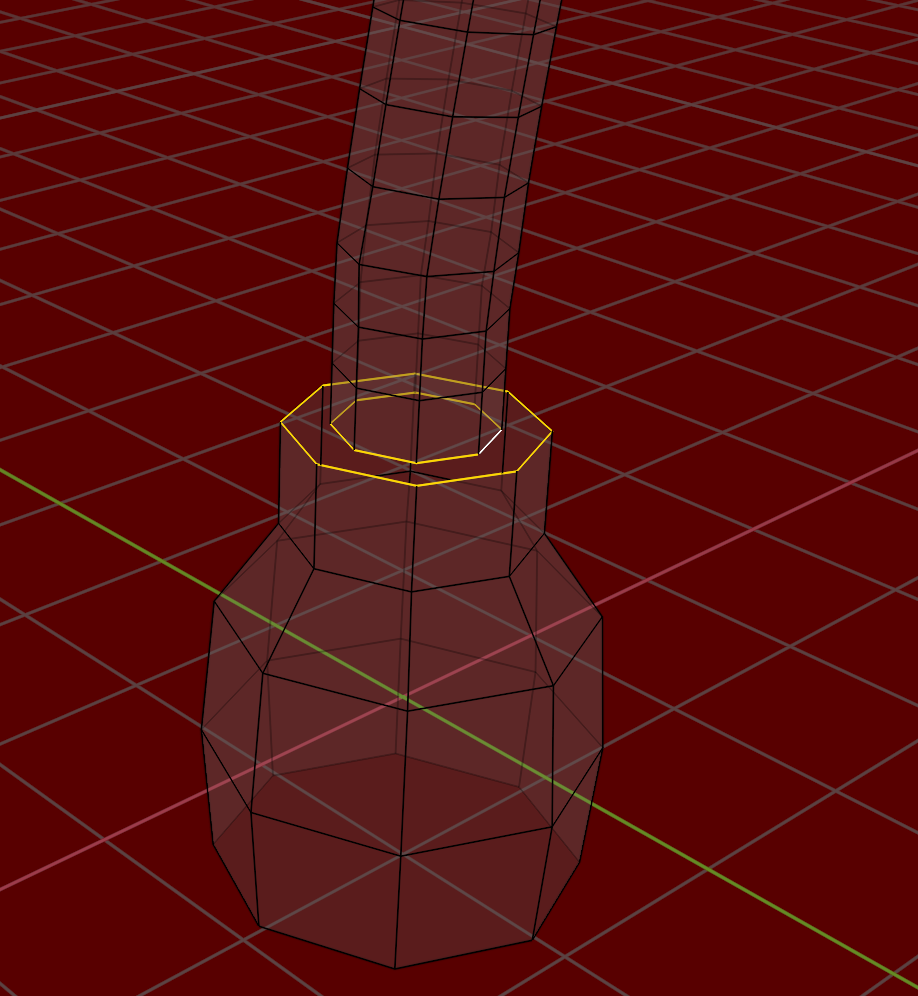
Now, with this knowledge, knowing what you'll need, you should start from scratch (yes, really!). The second time it'll go a lot faster!

It's normal you are struggling, you need quite a bunch of modeling knowledge to get around connecting parts into one sold mesh. That's where all the modeling rules come to be applied. In other words, you need a lot of practice still, 3D modeling is not easy. So don't feel like you need to know how to do it flawlessly at this point. In your case with the lamp, crashing the meshes into each other is no big deal, since they join at ends on the lamp where it's barely noticeable.
The challenge is always to know the exact loop count you need to define al the main shapes. A lot of times you have too much or too little. That is why Martin is saying to apply the SubD, because you'll have too much geometry and the mesh becomes uncontrollable.
So go ahead and practice, do it wrong and fail, it;s essential to fail, because your brain learns what not to do. You keep trying and make your brain start to get how to go about modeling, because it's one of those skills that you need to re-wire your brain so it becomes natural to you.