
This corner gets messed up by bevelling for some reason, after doing the steps at roughly minute 18 i think. The other side is completely fine tho... 

I checked both normals and vertices but nothing was wrong with that and i still have that problem.

It looks like you have Clamp overlap off, and the bevel amount is probably too high for the size of the object. Also, did you set the scale of the object? Just an observation from the screenshot.
Hi Max sspeedyzxr ,
Just change the permission on your link, then we can look at what's going on exactly. The Screenshot doesn't give us enough information.
Hi Max sspeedyzxr ,
Yes, the link now works, thanks!
The biggest problem is this Face on the right:
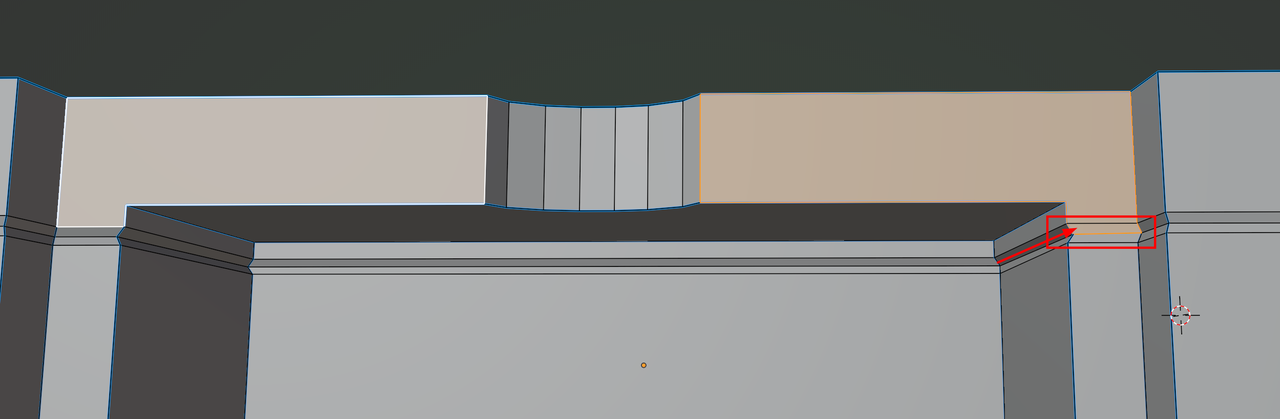
Delete that Face and Fill the 2 holes (with 2 Faces), so it's like on the left side.
Also, there are 2 Vertices that are misplaced, as is best visible from top view:
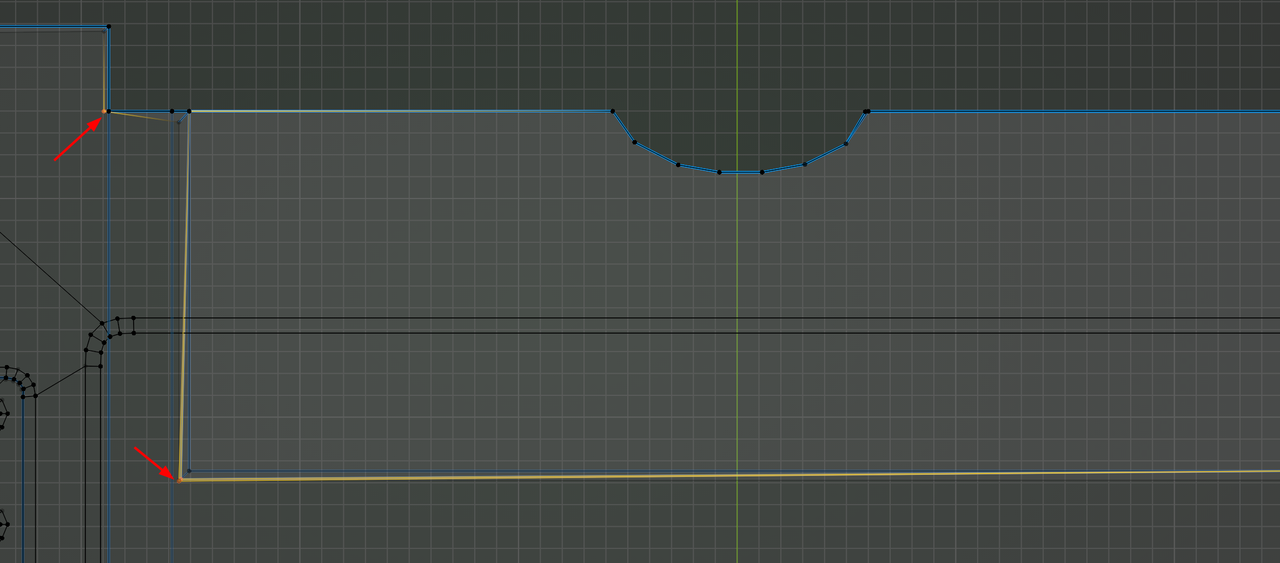
And just to be clear, that's these 2 Vertices:

Thanks for looking at it, I appreciate it. I will try to fix it right away!
