Hi all,
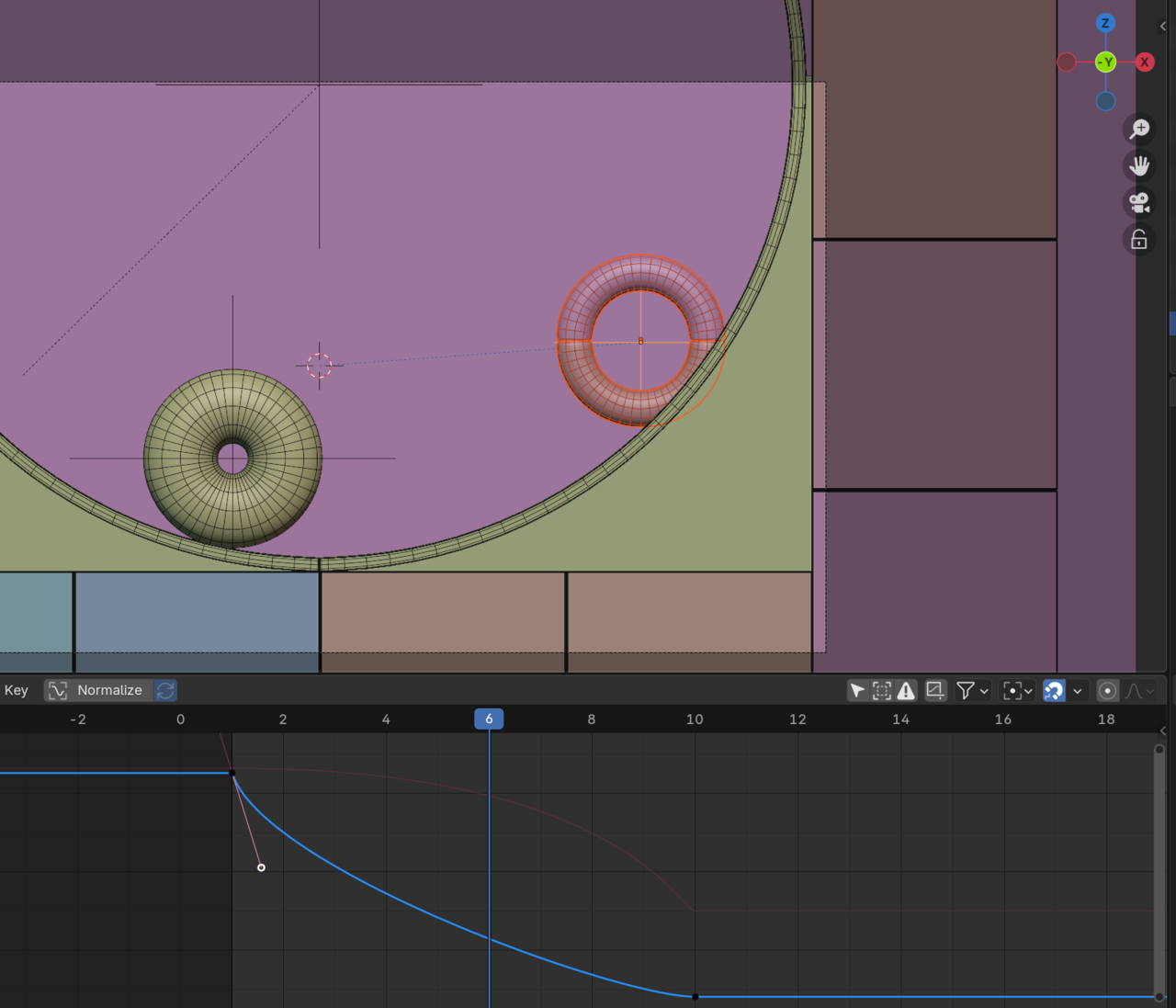
I need your help in this animation, I am trying to Keframes this Objects on a slope, but what ever I do the Object intersect with slope and tried to do tweeackes my Graph editor and its intersect in part and in other it looks grate, How to do this type of animation the right way and effectionte way.
* I am trying to make the objects rolling from the top and to hit the other object in the middel and to make something like a bouncing aniamtion. both object will be have the same animation and the same bouncing when they hit in the middle.
one more thing what is the best way to roll object like this!
Thank you,

Hi @Blendash ,
Maybe you should (re-)take the Animation Bootcamp: https://cgcookie.com/courses/animation-bootcamp
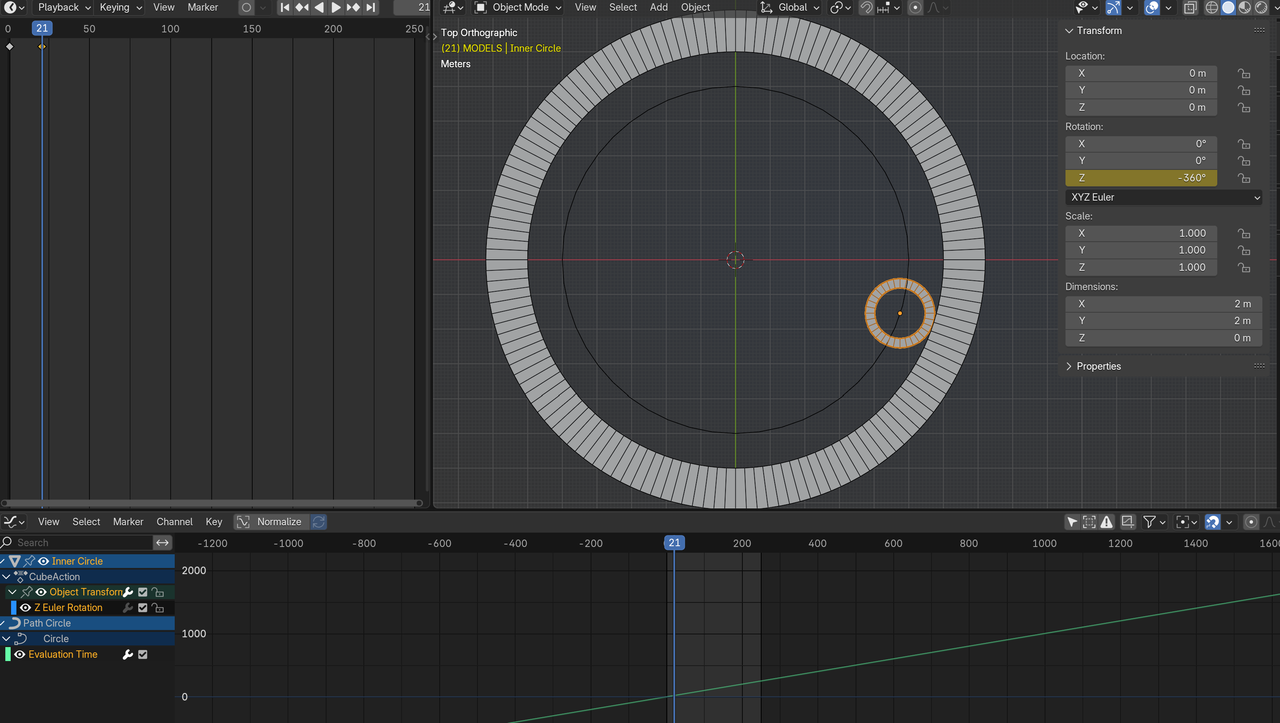
Those rolling circles inside a larger circle, is what a Spirograph does. Erindale covers the underlying math in some GN tutorials...this one, I think:
https://www.youtube.com/watch?v=caJEXmreLnM
or maybe the older one:
https://www.youtube.com/watch?v=JdkH9EkhEwQ&list=PLVm7O9OzjT6EIDtFGC67QxGsHkz3_RbIw&index=51

I think the most efficient way would be to take an edge loop or partial loop from the the sloping object and duplicate it. Then separate it(P) and scale/shrink it to where the center of your objects following the path should be. Next convert it to a curve and use a follow path constraint. If you want a detail explanation of follow path constraint then check out chapter 5: animate along a path 1 thru 4 in the Monster Truck Course. Lots of good advice to help you. If you want something more to the basics then check out: Pierrick Picaut https://www.youtube.com/watch?v=MXHW8nAURms
Thank you so much, everyone, for all your help and suggestions. I was wondering why there aren’t any tutorials or lessons that explain animation along a slope in Blender. Most of the available content focuses on bouncing balls or regular animations. After a lot of tweaking, I managed to create a better version of my animation, but I’m still not fully satisfied with it.
Animating on a slope is the same as the bouncing ball. First, figure out location and key poses(Also called golden keys or extremes). I proposed a cheat by using a path to follow instead of manually keying the following of the curved surface. Second, do scale AKA add physics. This is the squash and stretch. In your case you will probably want to do this as the third part since it looks like you aren't using a rig. Third, add rotation AKA spin. In your case you probably want to do this second. Fifth, clean up. This is where you make the adjustments to location for the squash and stretch. I skipped fourth, because it doesn't look like you have anything that needs secondary actions like follow thru and overlap. There's a common saying among animators: "Everything is a ball."