

I have an audio file that I am trying to play after 5 seconds has gone by. I have dragged the AudioSource containing the audio file into the variable speech1. Below is the code that tells the AudioSource to play after 5 seconds.
using System.Collections;
using System.Collections.Generic;
using UnityEngine;
public class mcsController : MonoBehaviour
{
public float speechTime = 0f;
public AudioSource speech1;
public AudioSource speech2;
public AudioSource speech3;
public AudioSource speech4;
public AudioSource speech5;
void Start()
{
}
void Update()
{
speechTime += Time.deltaTime;
Debug.Log(speechTime);
if (speechTime > 5)
{
speech1.Play();
}
}
}
But after 5 seconds goes by, I get this error. "UnassignedReferenceException: The variable speech1 of mcsController has not been assigned. You probably need to assign the speech1 variable of the mcsController script in the inspector" And this is where I get lost because I am certain that I have assigned it in the Inspector as you can see below.
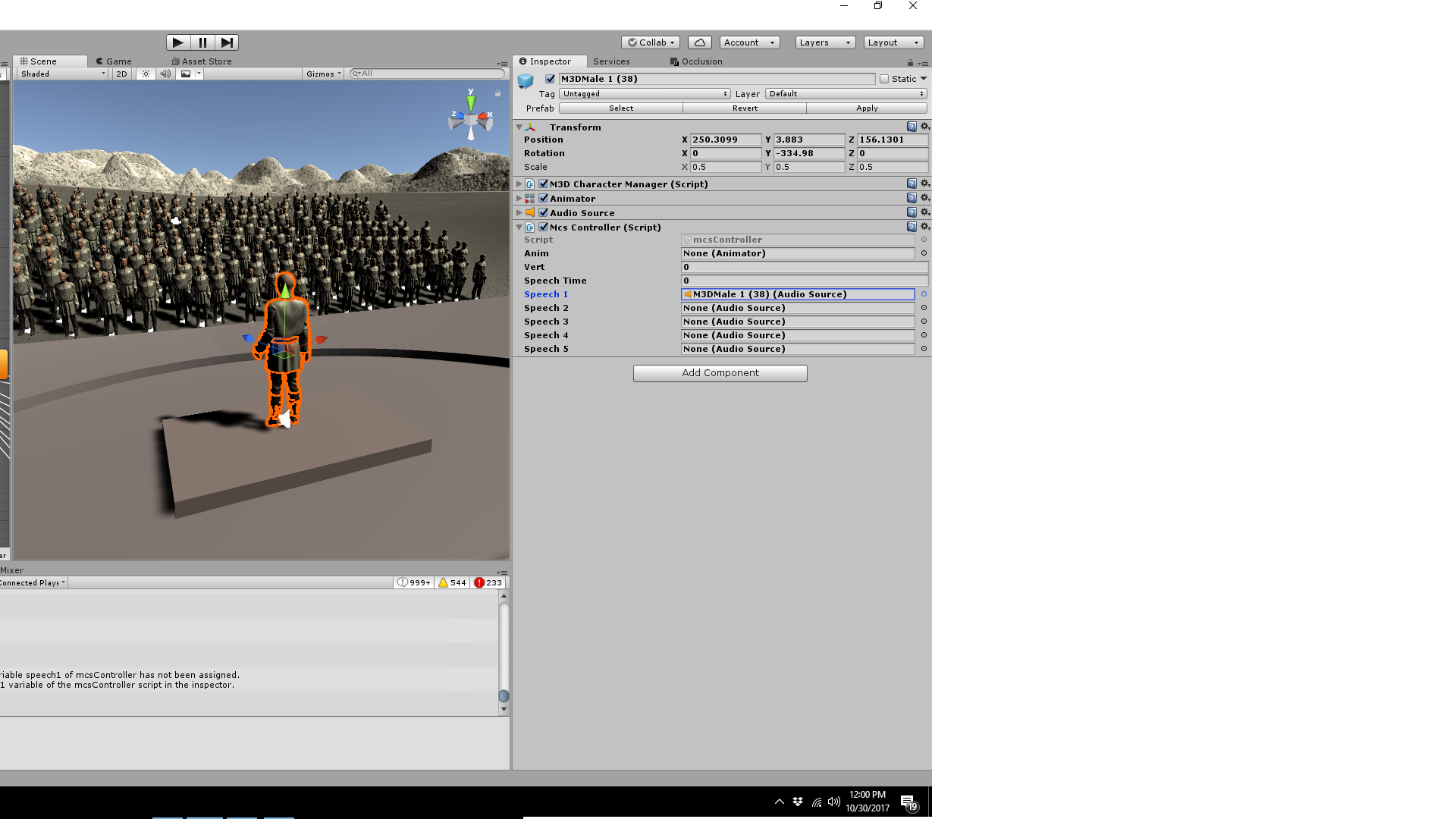
The reason I am assigning the AudioSource manually is because there are several AudioSources I will need to manipulate in the code and using the GetComponent only grabs the very first AudioSource by default. I figured the best way to get around this was to make a bunch of public variables and then assign the AudioSources to them all manually. Does anyone know what I am doing wrong here or if there is another way to go about doing this? Thanks!

Why do you have so many AudioSources? Are these all attached to different characters? If it's just one character then you can swap out the audio clips. That being said you can specify which component to use if you do want to use multiple types of the same component. In your case you'd write out:
public AudioSource speech1;
void Start ()
{
speech1 = speech1.GetComponent<AudioSource>();
}
When you add "speech1" in front of GetComponent you're saying that you want to grab the AudioSource from the object you assigned to speech1. Same would be true for all the others.
I would recommend you use one AudioSource and just have multiple clips. This is a script I used in the most recent live stream where I did something similar:
public AudioClip[] zombieClips;
public bool canPlay;
private AudioSource aud;
private int index;
// Use this for initialization
void Start () {
aud = GetComponent<AudioSource>();
StartCoroutine("ZombieSounds");
}
IEnumerator ZombieSounds ()
{
while(canPlay){
index = Random.Range(0, zombieClips.Length);
aud.clip = zombieClips[index];
aud.Play();
yield return new WaitForSeconds(aud.clip.length);
}
}
}
In this script I have a set of audio clips stored in the array at the top and one audio source. When the game starts it starts a coroutine that just loops through and plays the audio clips randomly. Every time an audio clip has finished playing another audio clip will start up. It'll continue doing that until "canPlay" is false. Hope that helps.