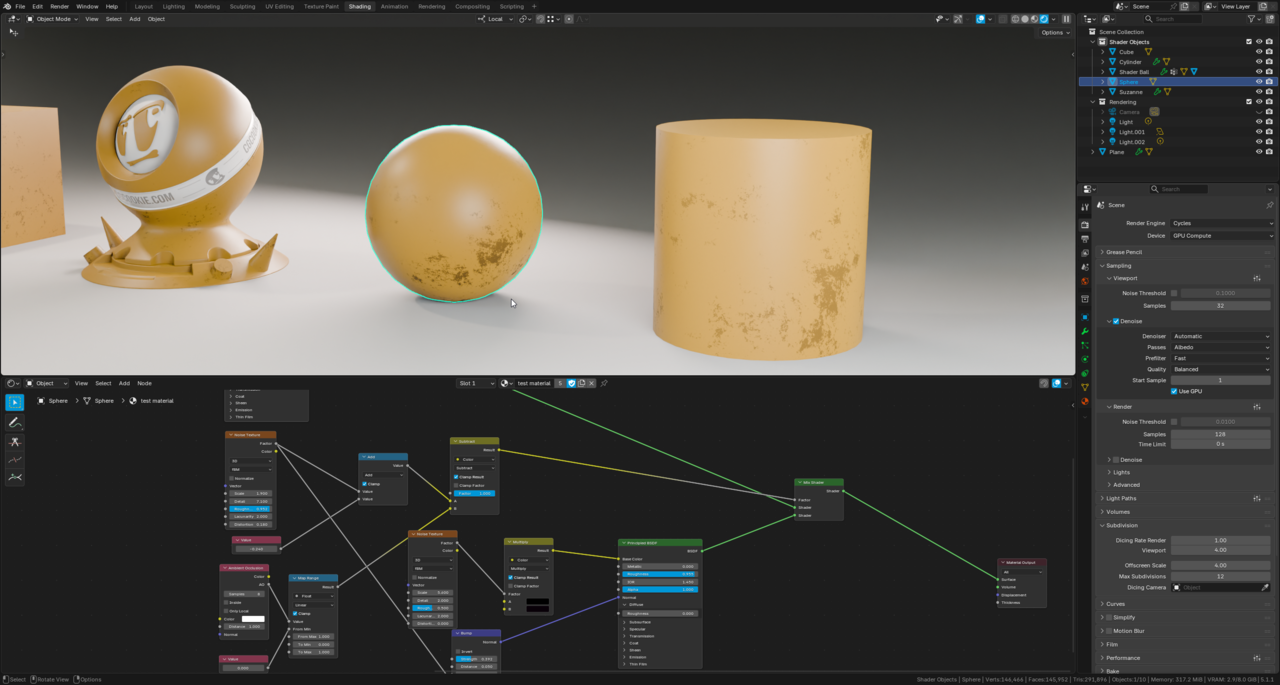
Why did he add a second Noise Texture? What is its purpose in this setup?
Also, if I wanted to make the grunge color fully black and saturated, how would I go about doing that?

Sometimes, even with a noise texture, if you just use a single one, it can still look CG, but if you take a second one with a different scale and maybe tweaking some of the other settings and/or offsetting position in some way, and then mixing the two together, it can look more natural.
As far as grunge color, you can always put it through a color ramp and crush the flags to get a sharper look if you're using the result as a mask, though if you're talking about the actual color of the grunge, typically, you want to avoid pure white and pure black to allow for more natural highlights and shadows (something I constantly have to remind myself about :D )
(It might have been explained like that in the previous video to this one.)
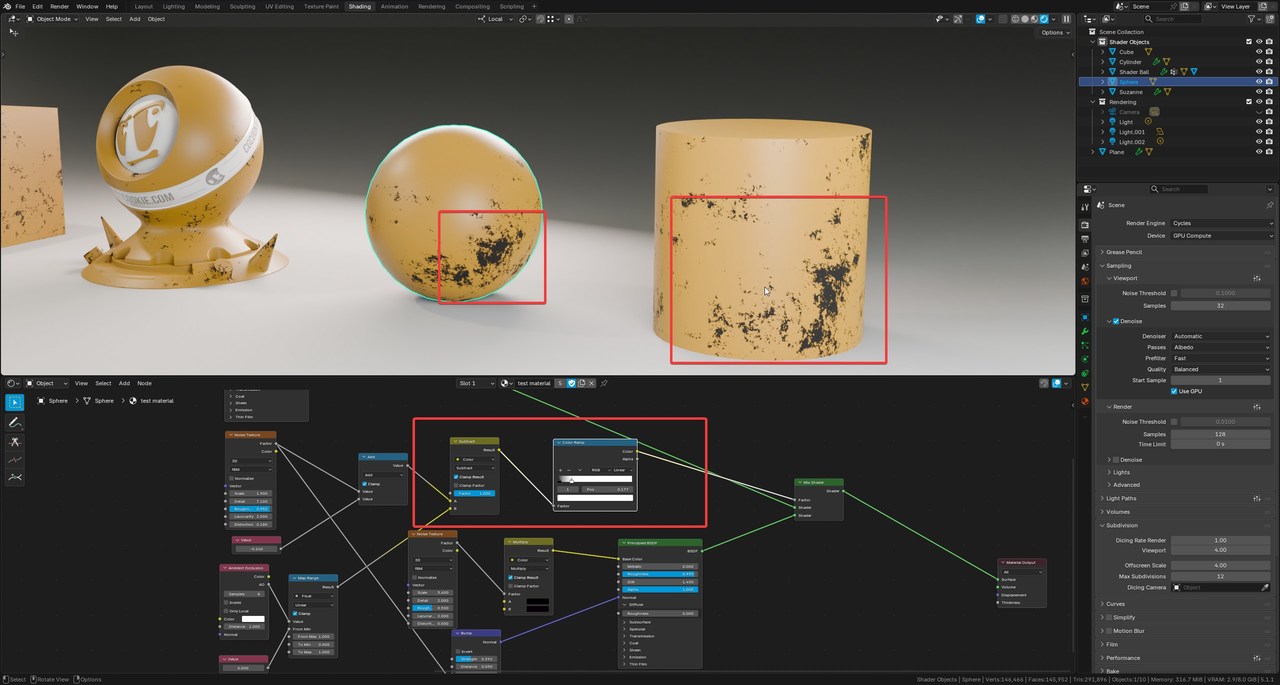
 I mean some parts look more grey than black, I get that you shouldn't overdo it but I'm just curious how to do it. tried adding a color ramp but nothing happened(it helped a little). I'm guessing the grey is probably coming from the AO?
Actually... looking at it again, they're controlling different things. The Musgrave is controlling the density and the 2nd noise is controlling the color of the grunge. The color mix it's going into is where you can control the color of the grunge. If you want to be able to control this color after turning it into the reuable group node, you would have to expose those colors to the outside by plugging them into the Group inputs.
Here's more of what I meant by adding a color ramp... the purpose of the ramp is to allow control of the mask, so it would go between the generation of the mask and whatever factor it's going to affect, allowing you to take the black and white and "crush" the values so that it has higher or sharper contrast. If you place it after the color mix, all you're doing is changing whatever you set the colors to in the mix to a black and white.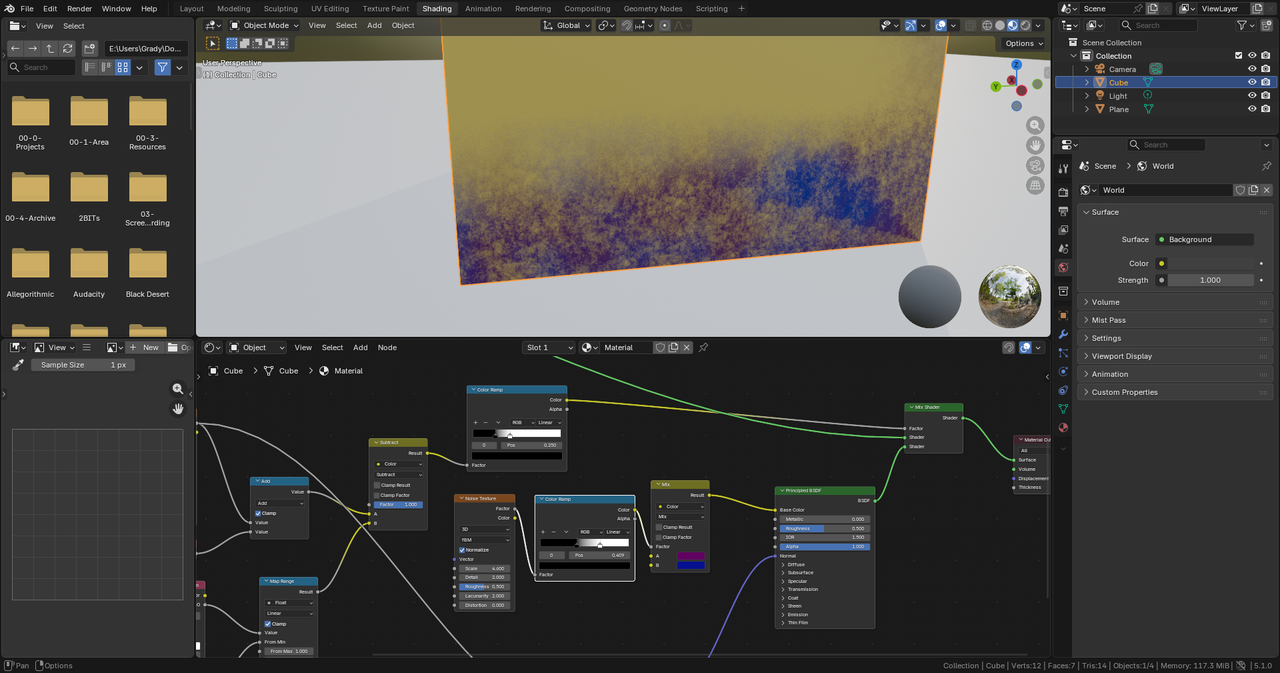

Hi Maks mmatz17 ,
"if I wanted to make the grunge color fully black and saturated, how would I go about doing that?"
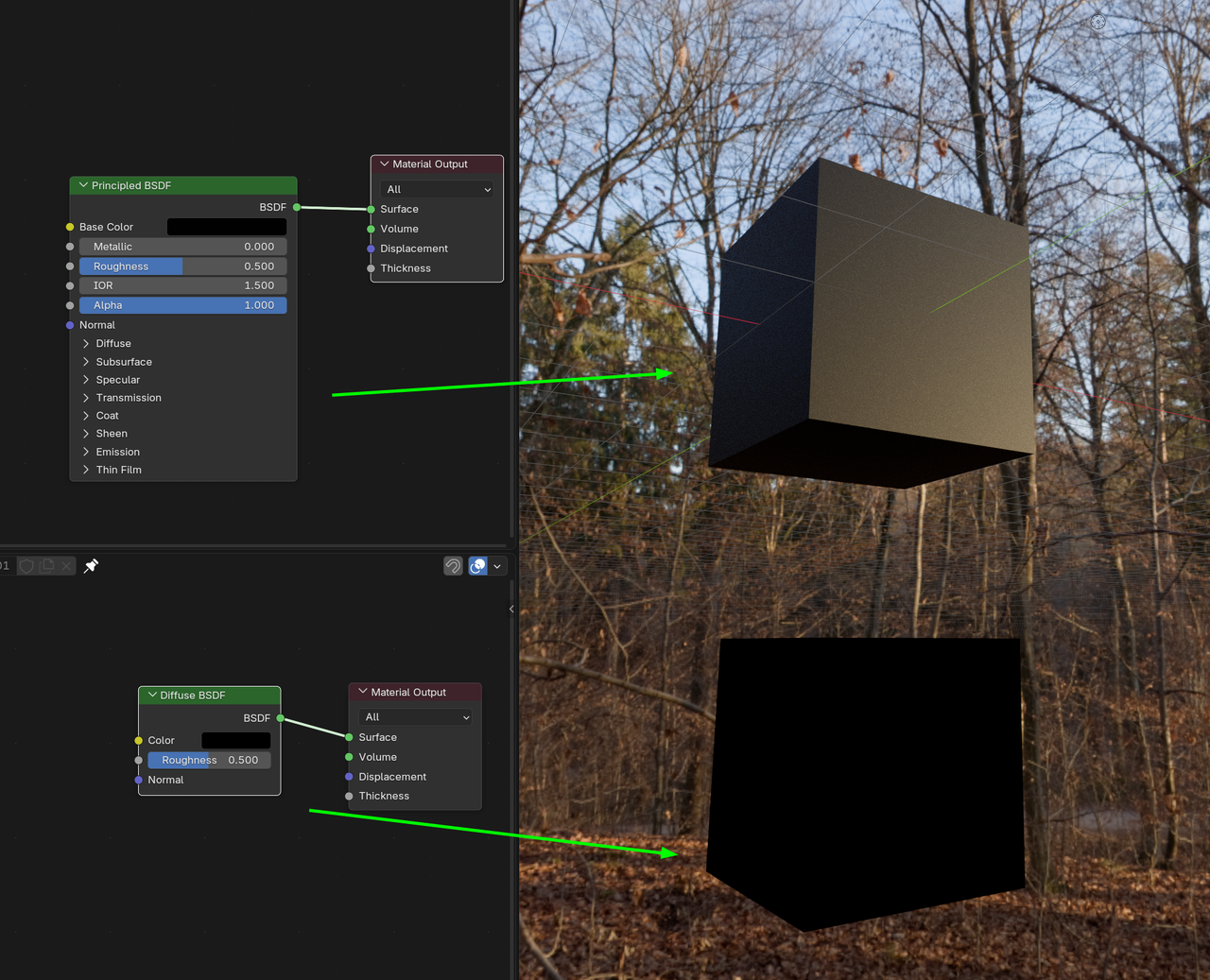
First, for pure black and white and all greys inbetween, the Saturation is always 0. (Actually, Saturation doesn't even make sense, with pure black.)
Second, the Principled BSDF won't give a black result, if you just make the Base Color black; some light will still get reflected:
I finally got the result I wanted after adding a Color Ramp to the Noise Texture mask for the grunge, but I don't quite understand why it works. As you can see in the screenshot, without the Color Ramp, the colors look much duller than with it. I also assumed this Color Ramp would affect the Ambient Occlusion (either toggling or masking the effect). Honestly, I'm struggling to wrap my head around this topic. Masks are a completely new concept for me since I've never used Photoshop or similar software. I’ve even started looking into the math behind these nodes to understand how they work; I’m really trying to grasp the logic behind Jonathan’s actions and the specific impact they have on the shader.