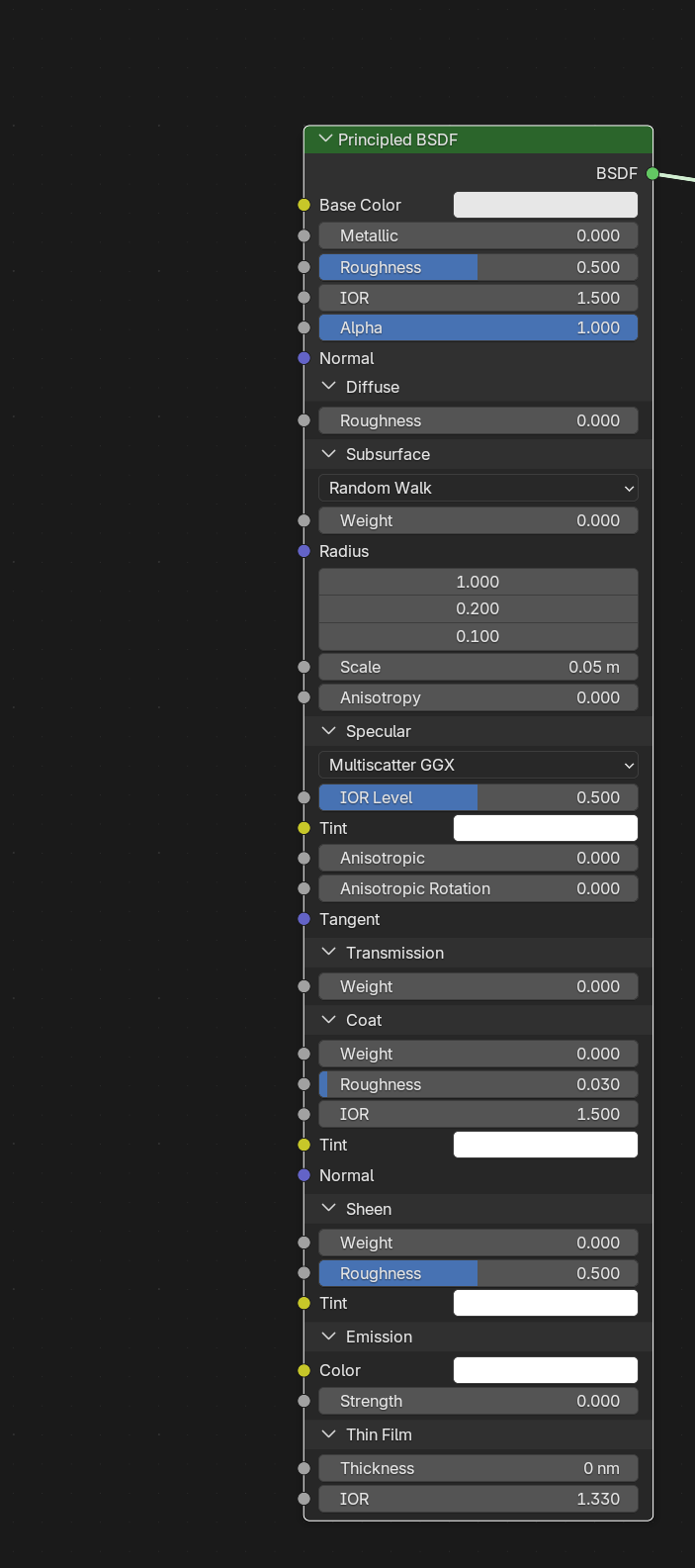
Hello! I hope all's well. I loved the "Blender Basic: Introduction to Blender 4.5 LTS." I think it will help me a lot. Thank you. I have a question to ask you: In PBR texturing, besides "Color Map, Roughness Map, Displacement Map, and Ambient Occlusion Map, which is a Normal Map", which other texture maps can be used on a particular object in the Shader editor in Blender? Thank you.
Hello! Received your response. Thank you. Now, what I meant to say was: in the Shader Editor, you have 4 Image Textures nodes, a Normal Map node, and a Displacement Map node.
Now, your 1st image texture will be a Color Texture Map. 2nd image texture will be the Roughness Map. 3rd image texture will be your Displacement Map. And the 4th will be your Ambient Occlusion Map, which connects to your Normal Map with Principled BSDF.
Then, by pressing CTRL+T, you bring up Texture Coordinates and Mapping for your Dynamic Context Menu, which you can activate in your preferences, right? Those 4 image textures will have "Color Map, Roughness Map, Displacement Map, and Ambient Occlusion Map, which is a Normal Map" work as a PBR Texturing, right? I hope this explains PBR Texturing. Thank you.

Not exactly, no.
The Ambient Occlusion Map, is usually being Multiplied by the Base Color.
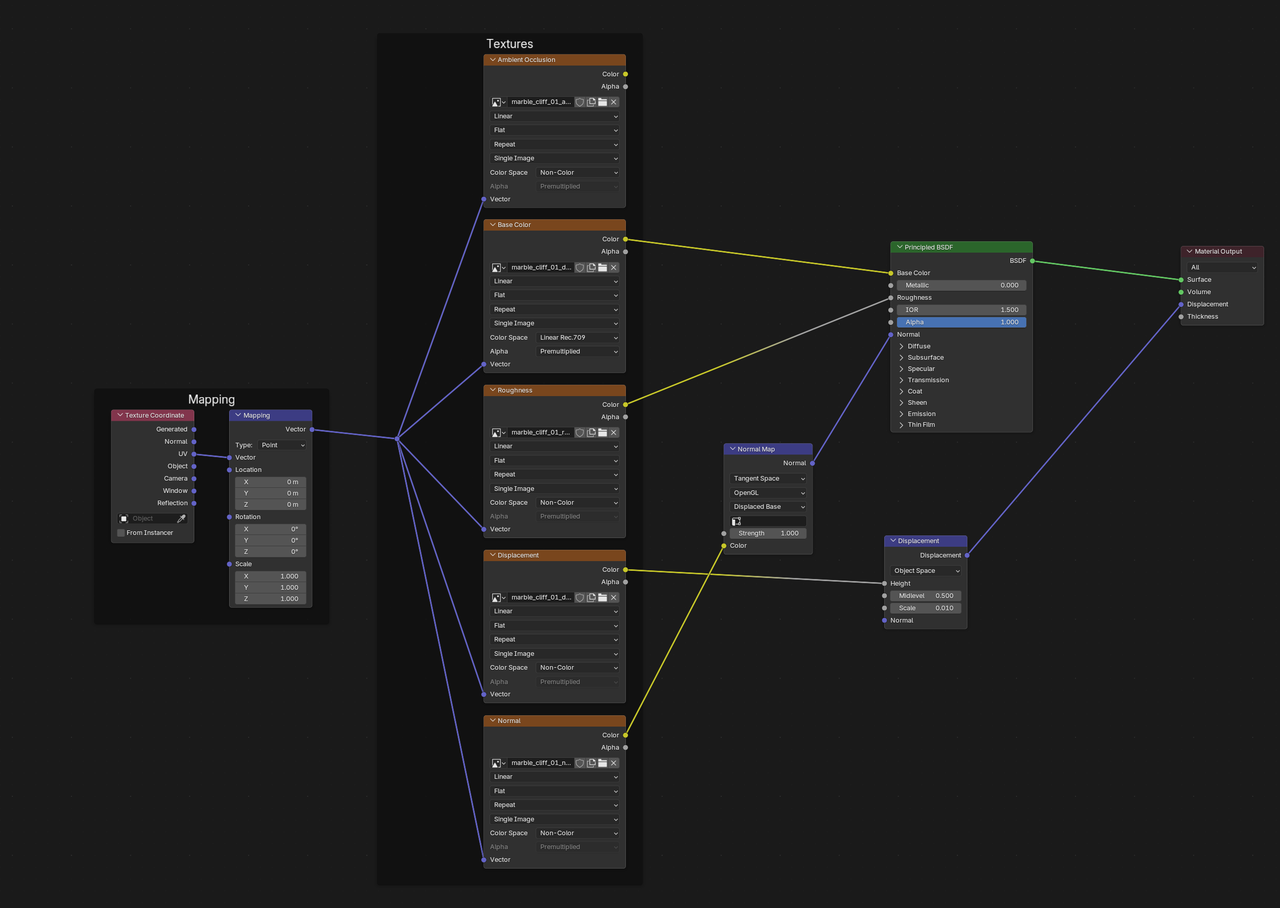
So, if you use (Node Wrangler) SHIFT+CTRL+T, you can get the maps connected, like this:
The AO is not really physically based, but can be multiplied like this:
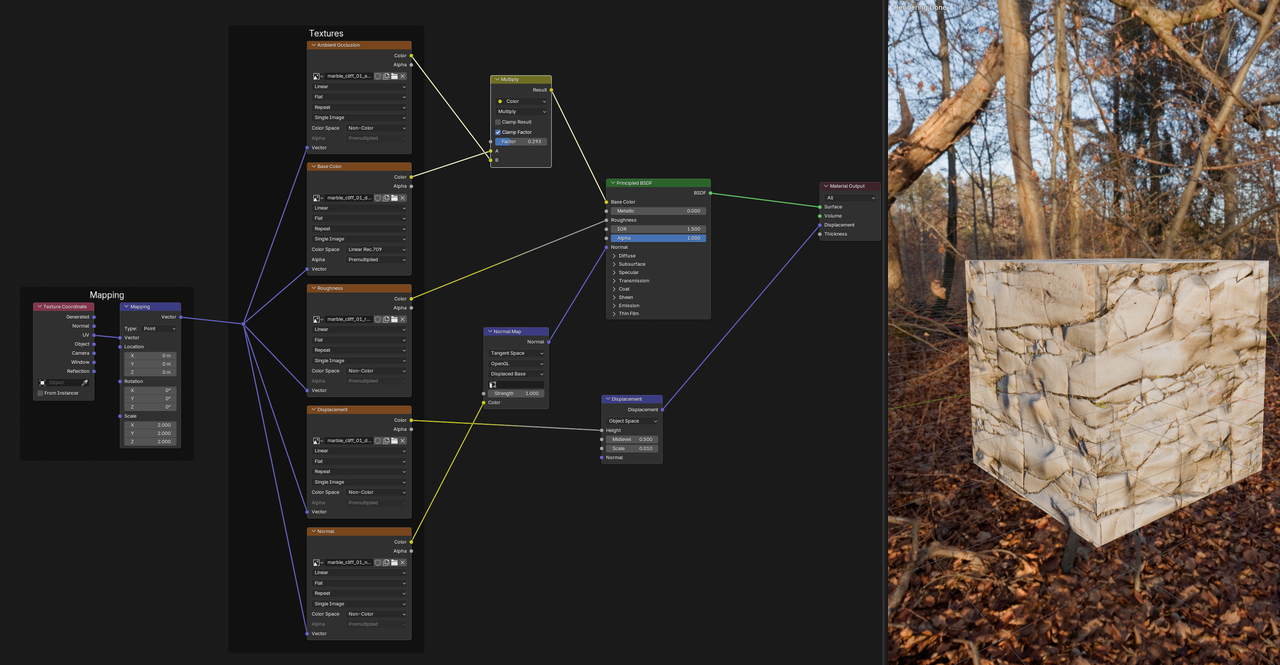
making crevices darker.

First, PBR has to do with a render engine's lighting calculation.
Second, Blender is geared towards Metalness/roughness workflow. If you are using a Metalness/roughness image texture set you need an albedo(color), Metalness, and roughness maps(AKA images). Additional texture maps you may want to use are, normal, height(AKA bump), opacity, AO, and/or emission. Displacement has nothing to do with PBR. It is used to alter the geometry of the mesh. Displacement maps can be used as height maps. Also normally you use either height maps or a normal map. So, artist do mix them, but this is more the exception. You can also use a diffuse map(color) in place of an albedo. Diffuse is used in the specular/glossy PBR workflow. Glossy is the inverted version of the roughness map. AO is not the same as a normal map. Martin already explained that.
Hello! Thank you for your feedback. If you like, I have posted two 3D images with the description on each. (1) Is Modeling of a Computer Room in Blender version 2.83.3, (2) Medieval Tool Anvil Modeled in Blender version 3.1.2. For the Anvil tool, I used PBR (Physically Based Rendering) Texturing.
So, if you click on the gallery on top, you will see my name under Bhuvnesh Rawal, and click the Greetings image. While you are looking at my post, you can tell me whether, in lighting, texturing, or modeling, I need some improvement in using Blender; it would be very helpful. Also, I am trying my level best to keep improving my skills in Blender. Thank you.