

HI Eden,
I will try.
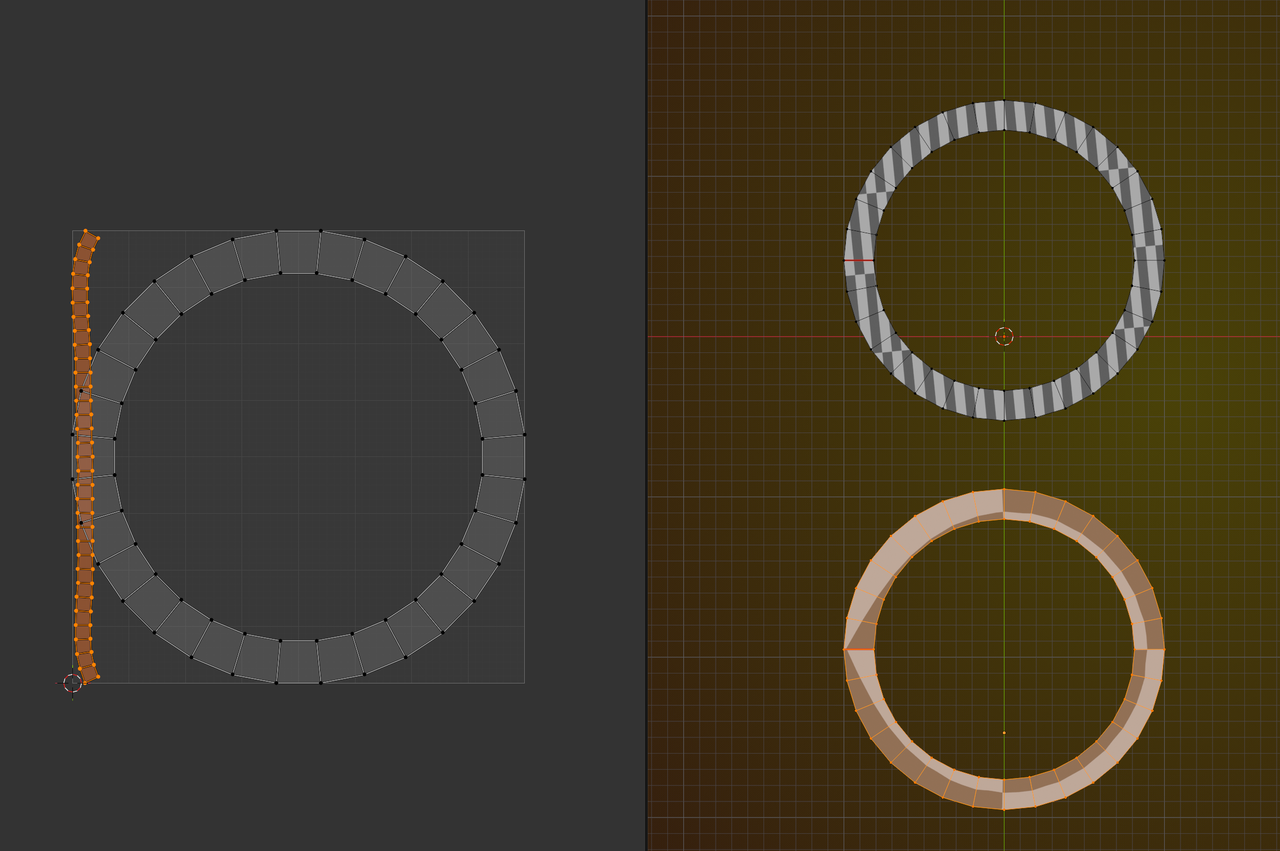
As far as the UV's are concerned, an Extruded Mesh Circle needs to be Unwrapped and results in UV Maps like this
(Unwrap Angle Based and Minimum Stretch shown here):
A Curve Circle (whether Bezier or NURBS) has the U going along the length of the Curve and when Extruded, the V is perpendicular to the U:
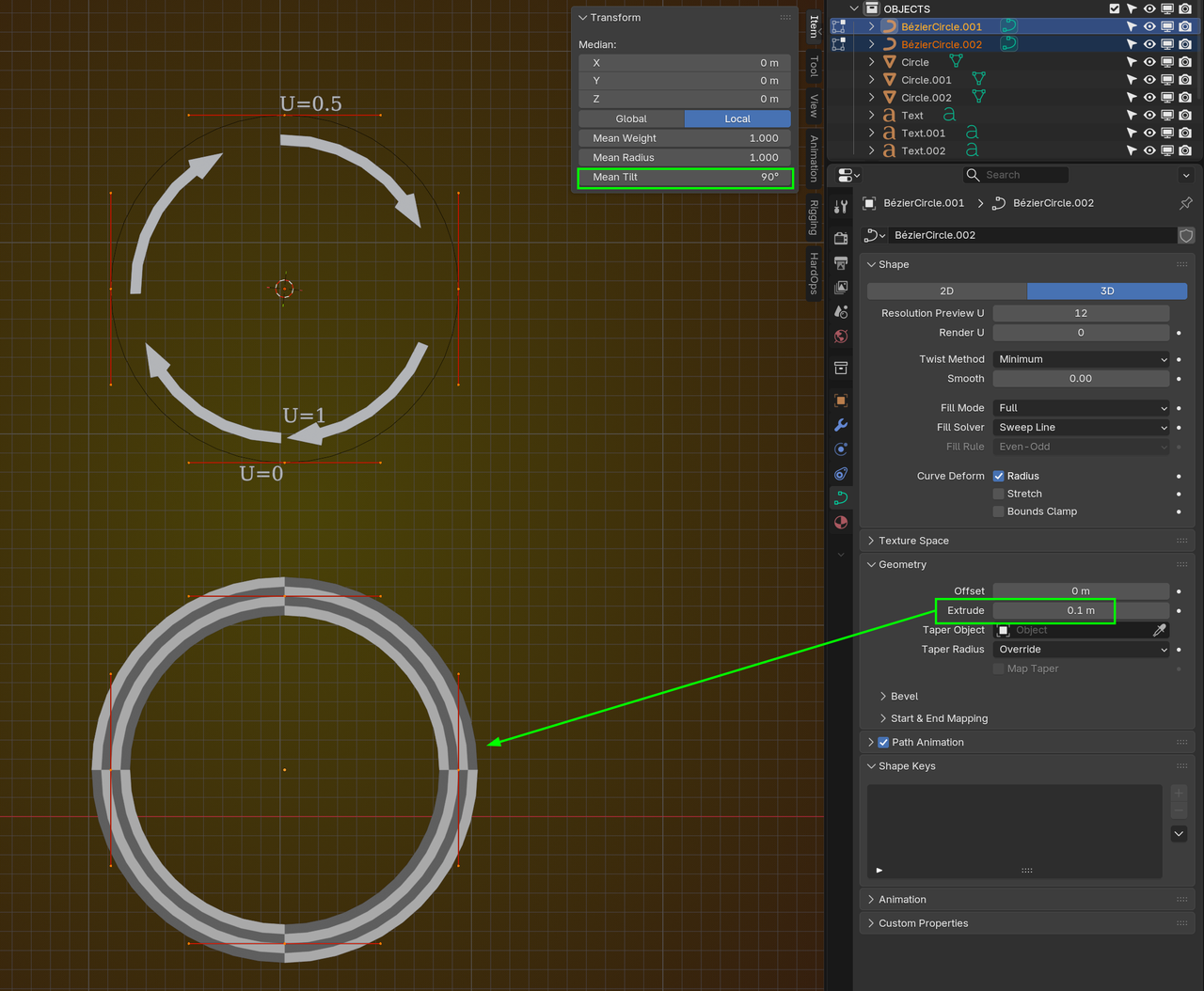
This is useful in many cases, specifically in the case of the rings around the planet.
You can get the same UV's, with a Mesh Circle, but that'll be a lot more work.
Is this what you wanted to know?
Yes, that what I wanted to understand that is more understandable!
Can you explain in U axis little bit more?
I didn't quite understand what's going on on the U axis.
how we handle the middle stretch's in every 45 degrees?
how we make it 1 smooth UVs?
Thanks!
HI Eden,
You can think of a Curve (in its simples form, without any Extrusion or Bevel) as a bent line segment and there is a 1 to 1 mapping between that line segment and the U-'axis' of the (2 dimensional) UV 'space'. The U and V both go from 0 to 1 and the beginning of the Curve is being mapped to point (0, 0.5) of the UV 'space' and the end to (1, 0.5) and one-eigth of the length of the Curve is mapped to (0.125, 0.5), etc.
So basically, a Curve becomes un-bent in the UV 'space'. A Curve Circle is being mapped to a straight line.
Meshes are discreet and each Vertex (or actually each Face Corner) is being mapped to a point in the UV space and then everything between those points is being interpolated, so a Mesh with more Vertices will give a better (more accurate) UV Mapping.
Curves are mathematical objects, but in Computer Graphics, not all points of a Curve are being calculated; the Resolution (default is 12), tells Blender how many points of the Curve, between each Control Point (which is sort of like a Vertex for Curves) are being calculated.
Thank you Martin,
I get it now!
thank you very much for the explanation.