
Exhibit A:
Someone call the police DX
The creepiest expression ever, it's so terrible it makes me laugh every time I look at it lmao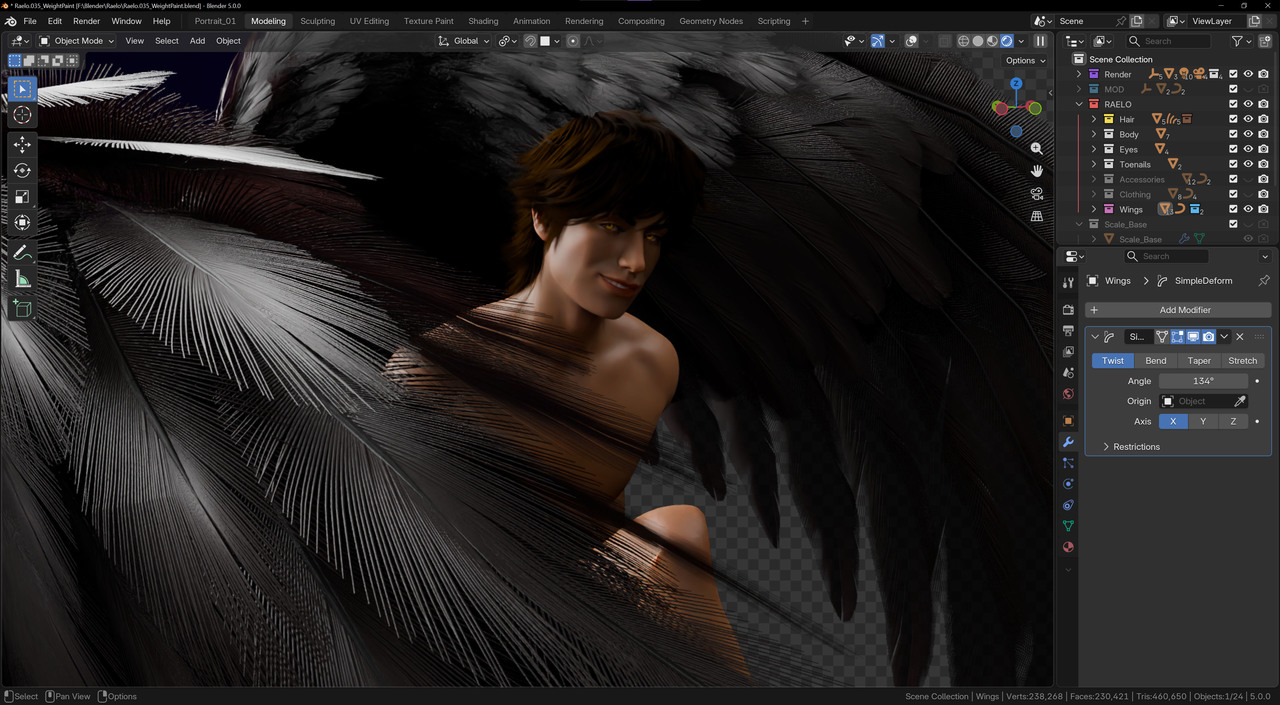

Hi Elouan,
That's an interesting question, I haven't actually used shape keys in conjunction with Multi-Res - I think it could be possible if you understand how each of the processes work.
Shape Keys will work on the Base Mesh only. You won't be able to add shape keys to any of the vertices that the modifier generates. So depending the shape that is sculpted all you would be able to do with the shape keys is move them around similar to the proportional editing. (not fine detail but larger changes)
This probably won't achieve the outcome you are going for.
As for the Rigify mouth, in my experience their isn't enough controls on the lips, especially towards the mouth corners that allow you to shape the mouth.
But looking at your pose, I think you can improve it by pulling the corner out and up. If you can get more of a curve it would look nicer (not a big curve, just slightly more curved)
And then with the teeth it's probably mostly the lighting and shading that is making it feel like he has a under bite or that he is biting his lip. You can move the teeth around to get a nice pose, or even adjust the bottom lip to either show more or less teeth (whatever is less weird)
You can totally animate the teeth too, just as long as you don't notice them move it's all good.
Some of the issue is that it looks like his 2 front teeth are actually his canine and the outer incisor (ie - it looks a bit like his teeth are rotated towards the camera)
As for the eyes, they are feeling a little sleepy because the lids are cutting off a little too much of the pupil (especially his left eye). Although this is also probably a shading/lighting issue because the lashes are so dark that they are cutting off that pupil into sleepy mode.
And I don't think you have finished the weight painting on the knees yet right?
<if I knew how to insert memes.....here would be the star wars Anikan meme>
Anyway, hope that helps.
Thank you, Wayne!
I will have to do some more testing and research, but I will definitely try making the changes you have suggested to the mouth/eyes/lighting.
And yes, I did finish weight-painting the knee, actually --it's just bad haha! I worked in that area for a while because I was getting really bad deformation there, but I think it needs a combination of revised topology and revised rig. I used the realistic human base mesh from here, but the legs are not facing straight forward completely, so I think that's contributing to the awkwardness.