Hi guys, hope you are all doing well.
I am creating some real life objects as entertainment and to practice, right now I was creating this Bambu Smooth PEI Plate:

Which is a simple plane with some cutouts and some seams for UV unwrapping:

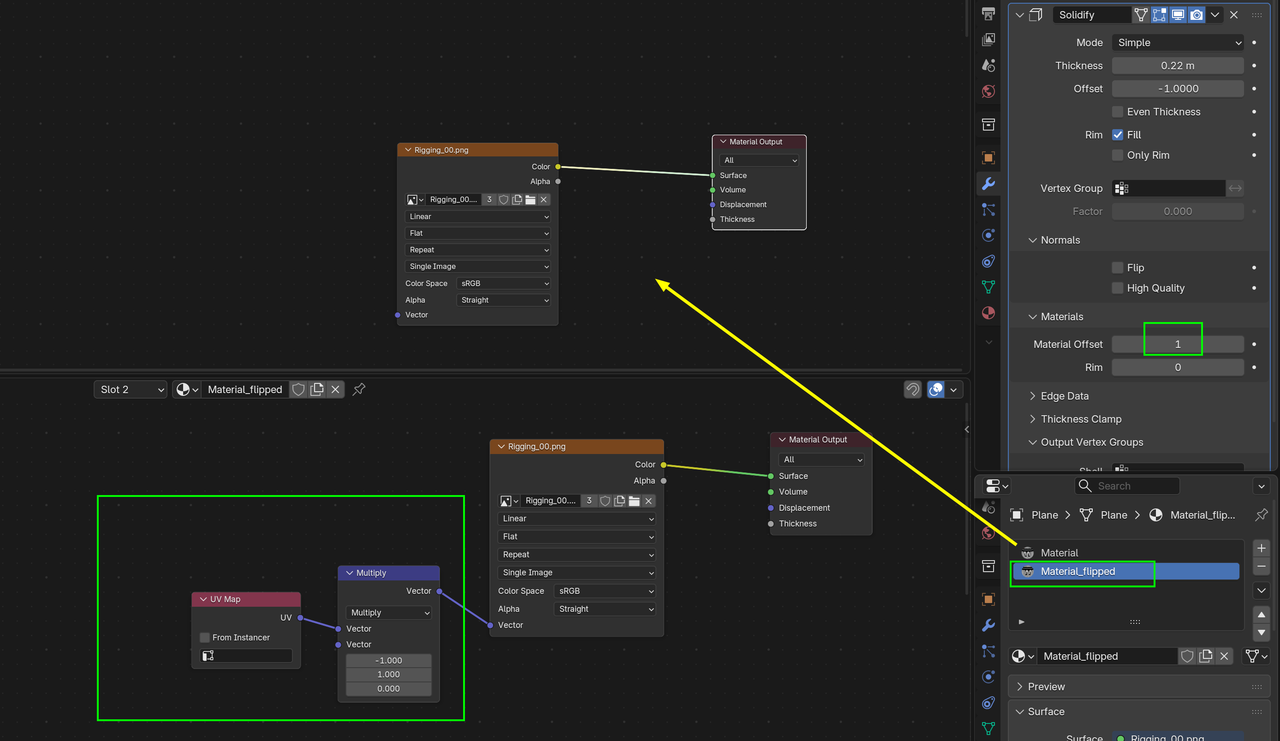
On the modifiers I have:
The Image texture I am using is:

Now the issue, if I flip the model, the other side of the plate looks like this :)

The text is wrong.
My question: Is it possible to make it work without having to apply the modifiers and move/flip the bottom faces in the UV editor?
I googled a bit and found a cool thing in the shader editor:

However, this doesn't seem to work if I have the solidify modifier active:

I tried using the normal/true normal of the geometry and comparing if the Z is greater than .5, but this breaks as soon as I rotate the object. I thought, maybe if I make it a child of an empty, the normal will stay fixed (using the local axis?? IDK), but it didn't work, as soon as I rotate the empty the same issue happens.
Any tip would be welcome, If there's no workaround I'll just apply the modifiers.
Thanks in advance.
Thank you both, I am going to try these out right now.
Have a great weekend!


Done :) thx again.

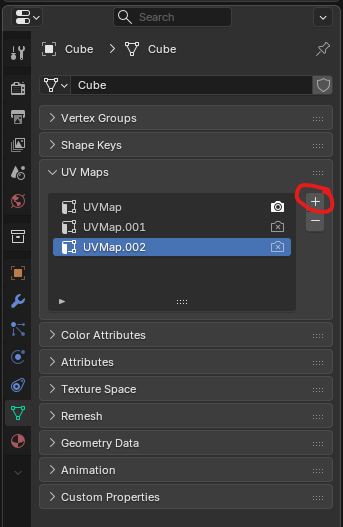
First time using multiple UV Maps, had to use the UV Map in the shader node editor to pick each one for each material.
I had no idea about the options that the solidify modifier offers, with this other one "output vertex groups" I can do it with 1 material: