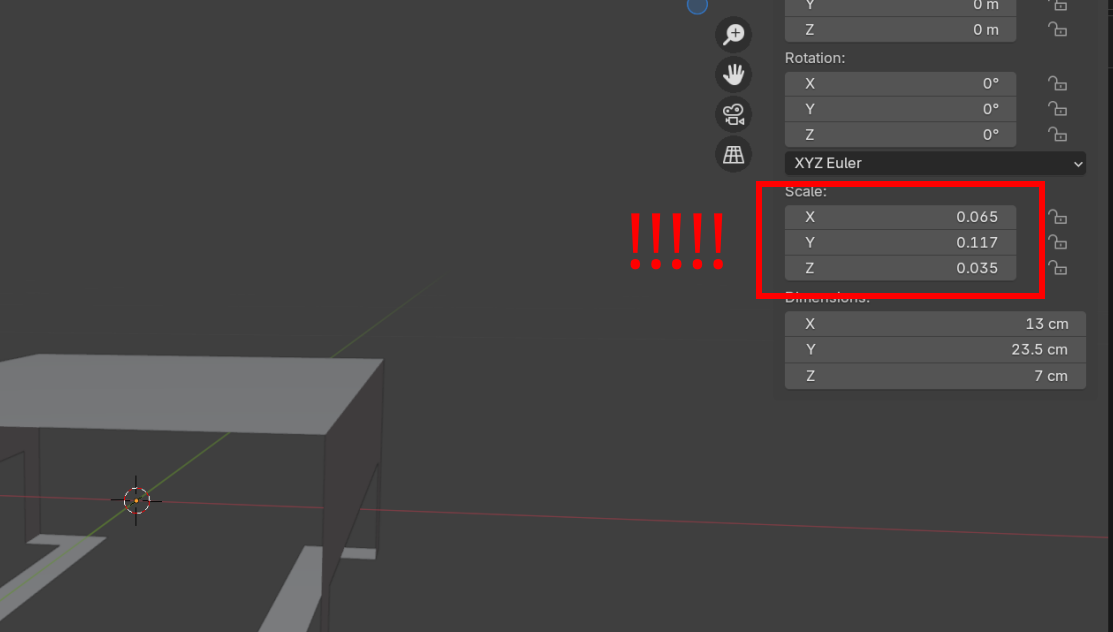
It doesn't make any changes to the object. If I add bevel in edit mode with the left menu, it does work but why is the modifier not working? 

There's lots of things you have to be sure to check in Blender or things act up. In the beginning it feels like a lot, but the more you make mistakes and the more you have to find a solution, your brain will go through things to check like a checklist and it'll feel normal. And also, half of our work in Blender is troubleshooting, people that have decades using 3D software also have to troubleshoot a lot, so don't be afraid to get stuck and fiddle around.

Always check scale before bevelling. In this case the problem was obvious but If you have just 1 or 2 axis scaled relative to the others then the bevel might look like it's working but will be skewed based on non uniform scale. There are other situations e.g. mirror modifier where you'll want to apply rotation to make sure the modifier behaves as expected

Okay Emma mmartinezcorno ,
So you've Applied the Scale, but it's still not working.
This is probably because you also have so-called 'double Vertices' in your Mesh. That would explain the difference in behavior of the Bevel Tool vs the Modifier. by default, Clamp Overlap is enabled in the Modifier, but disabled in the Bevel Tool:
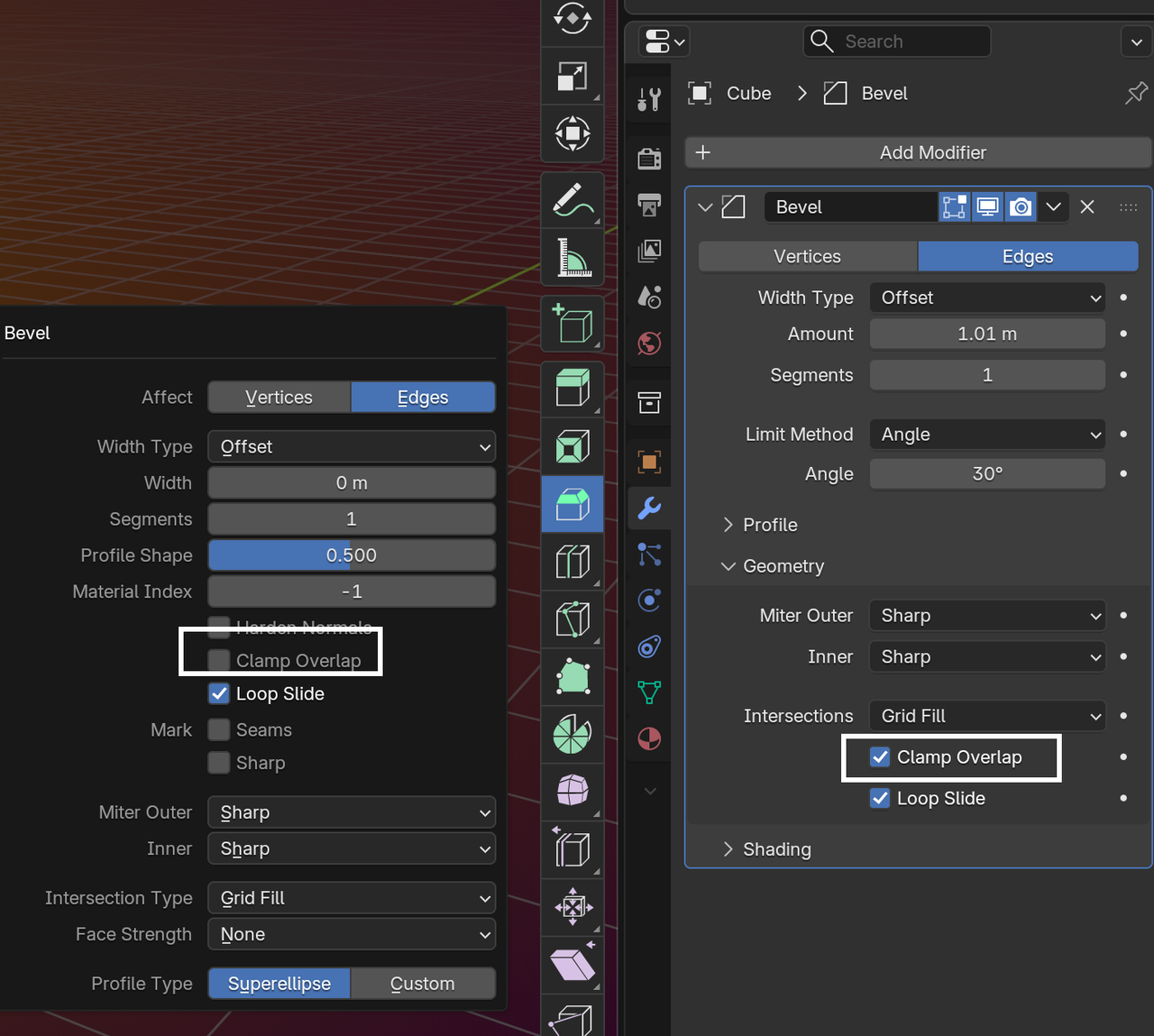
Solution (after Applying the Scale), in Edit Mode, Select all (with A) and then M > Merge > By Distance.
And after that, you can disable Clamp Overlap from the Bevel Modifier if you want.
I'm having trouble with the bevel modifier as well. I don't know how to get red of the clipping. Could someone help me out? Thank you!
Hi Brennan BBrennanS ,
It's hard to tell from that Screnshot alone, but it looks like part of the Vertex Bevel of the yellow Corner crosses over the Bevel of the white corner (if that makes sense):
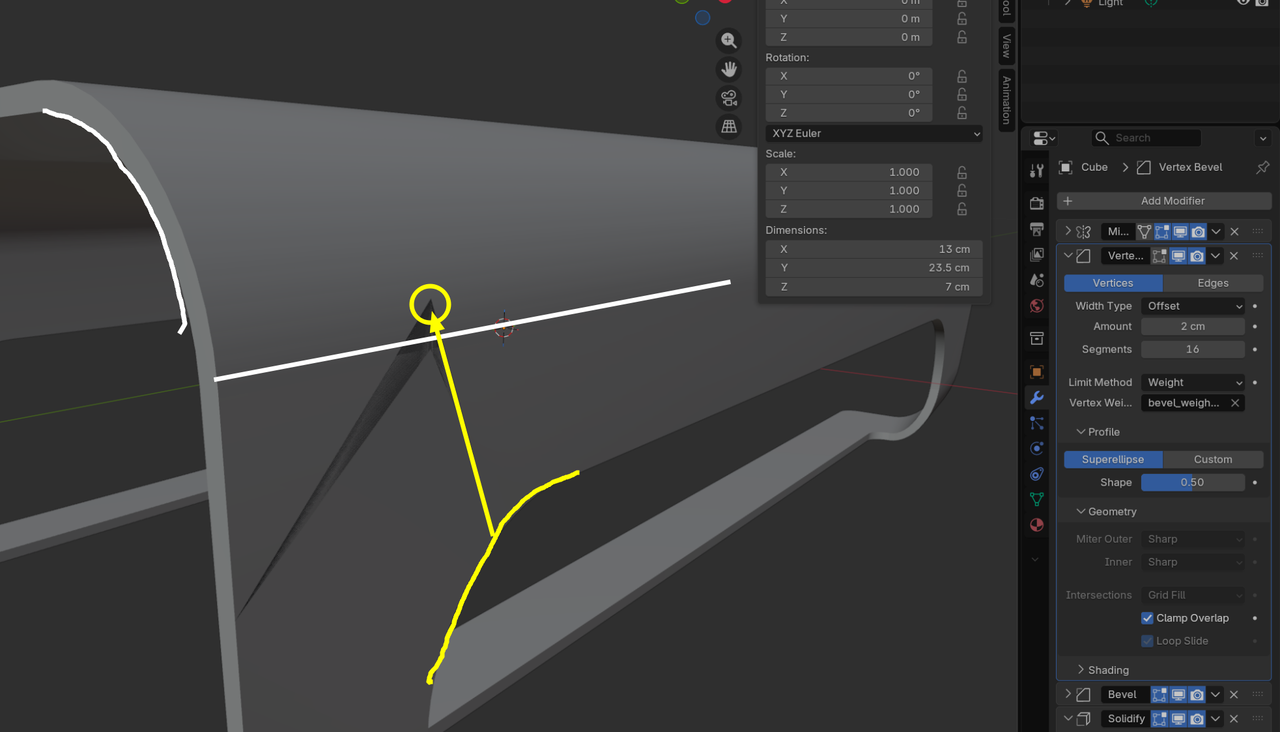
The yellow Bevel goes straight up in the Z direction, but the white Bevel bends surface.
So, basically, the Vertex Bevels of those corners are a bit too large.
Might be something else, but that's what it looks like to me.