This is proving to be very hard and I'm wondering if there's a better way
tldr
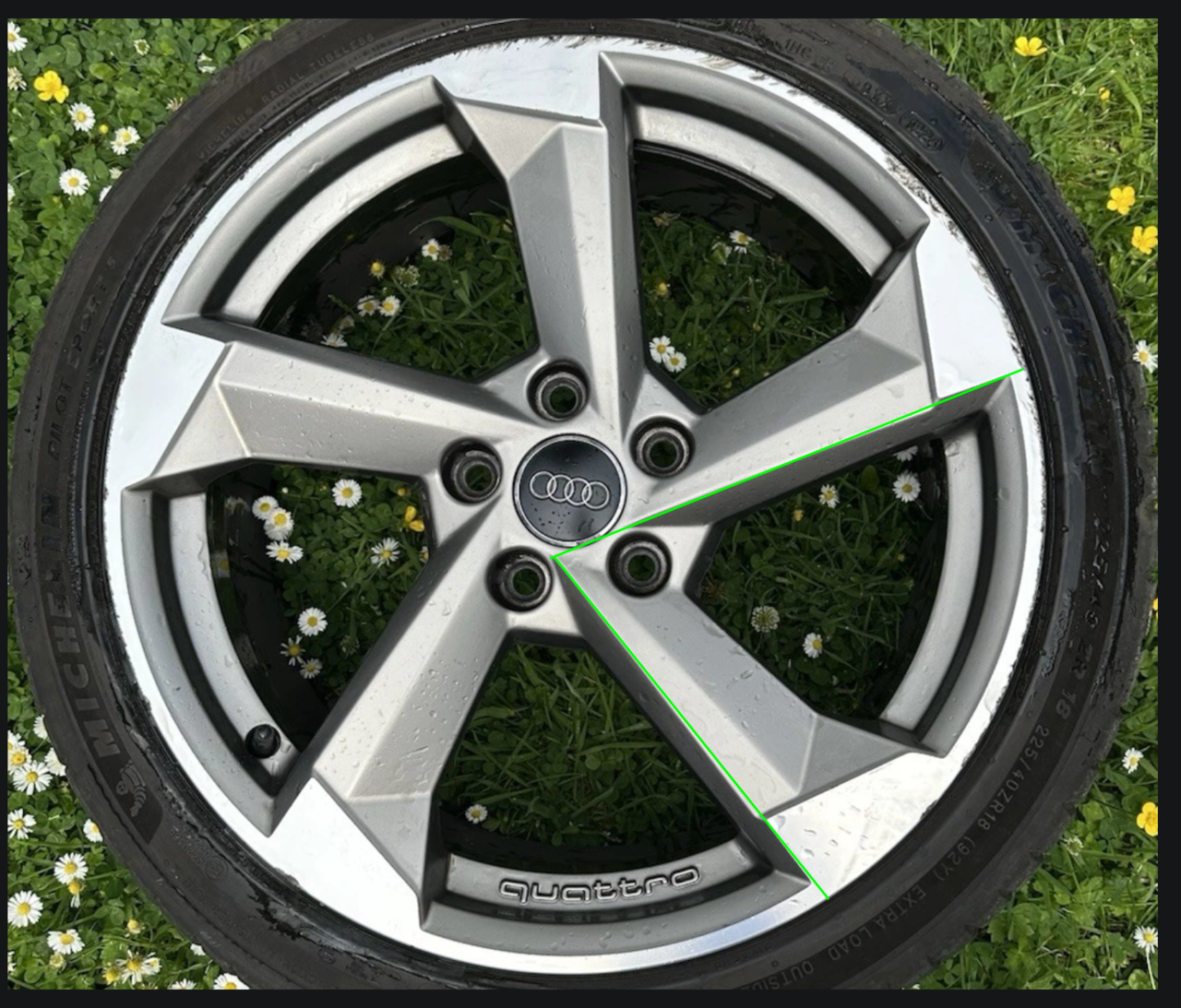
Have tried to model this tyre rim
But the issue I have is that a 72 degree segment that contains 1 of 5 spokes loses symmetry at the centre hub.


First attempt I started at the centre, traced all the shapes and then started extruding down but it was very hard resolving all the edges and while it would probably pass it doesn't match the reference with the sharp edges around the spoke.

So in time honoured tradition I started again from scratch - this time I started at the outside and started pulling edges down as I developed the shape. This has now got the sharper edges of the reference but I've yet to do the hub. I was planning on applying the radial array and then doing a new radial array for the hub and then hope I can hack the parts together. I feel am sure I'm doing something 'wrong' as I'm basically just brute forcing it.
I'd love to know if this is as hard as I'm finding it or if it's a lack of skill and/or the wrong approach
Looking at attempt 1 again it doesn't seem as bad as it did yesterday. Maybe I should just cut my losses and go with it as is?

Attempt 1 looks perfectly fine, I'm not sure what the issue is, looks exactly as the reference. But the reality is that you can't always keep the symmetry, sometimes is not possible and you have to apply the array and go destructive from then one, always saving a copy of course. That's some great modeling by the way, those shares are not easy to model.

Maybe the screenshots don't show the details well. Honestly it's a 6/10 at best and probably less than that if you factor in the topology.
This is an example of where I wonder if it's me or if this is just part of modelling with an array
As there's no neat symmetry when I've added geo to sharpen the edge corner on the right it doesn't match the array on the left of the red line. The maddening thing is that I can't manipulate this geo as if it was actually there e.g. I can't use the knife tool or join these vertex together. When I move the one that's not there it moves awkwardly to where I want it cos I'm actually moving a point off screen to the right. I can make it work but it's incredibly fiddly and takes 3 times longer than it would do.
So the question is... is there a better way / tool / something to help in this situation.
Martin... I did look at this but primarily a) I wasn't confident I could match the shape on the symmetry given above issue and secondary b) I wasn't sure it would array ok around the centre point and I didn't know how to measure the angle so I'd know the angle to rotate the array on so it fitted perfectly
Another example
The curve is a bit off after merge. 
I can't select the points and slide them up cos 2 of the 4 points (to the right of the red line) don't exist at this spot
Slide gives this.
So I either
1. Need to plan ahead better so this doesn't happen
2. Spend ages moving points and try and brute force it better
3. Live with it like it is.
I'm hoping there's some technique I don't know that reduces the time needed for option 2
Don't worry, usually planing ahead leads to the same result of getting yourself trapped into a corner and feeling you made a mess out of everything. This is why you have to start over and over again, because as you say, then you spend ages pushing and pulling vertices getting nowhere.
One thing I like to do is start over of course, but using the mangled mesh as a base for kind of retopology, that way I don't have to box model out of thin air again. I now have a basis and can plan my loops much better seeing what's underneath. It now becomes a jigsaw puzzle and I can relax.

Hi Charles,
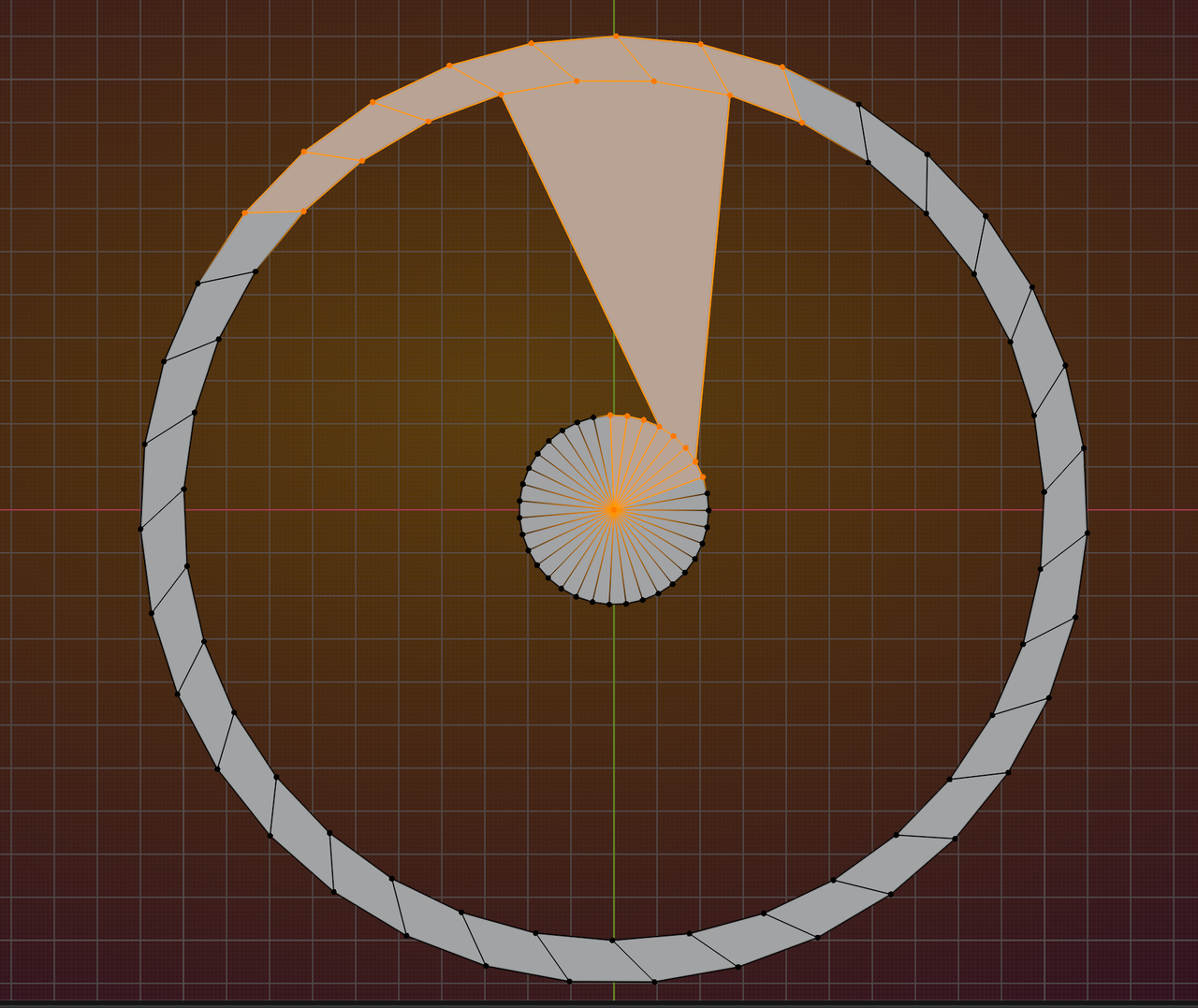
The angle in my example is still 72°, 360/5 to make a full circle, just the Pivot Point is not inside that segment.
Part of the problem is, that the reference is not Orthographic and 'dead on'.
Here's what I mean (using 5.0, but the legacy Array Modifier can get the same result);
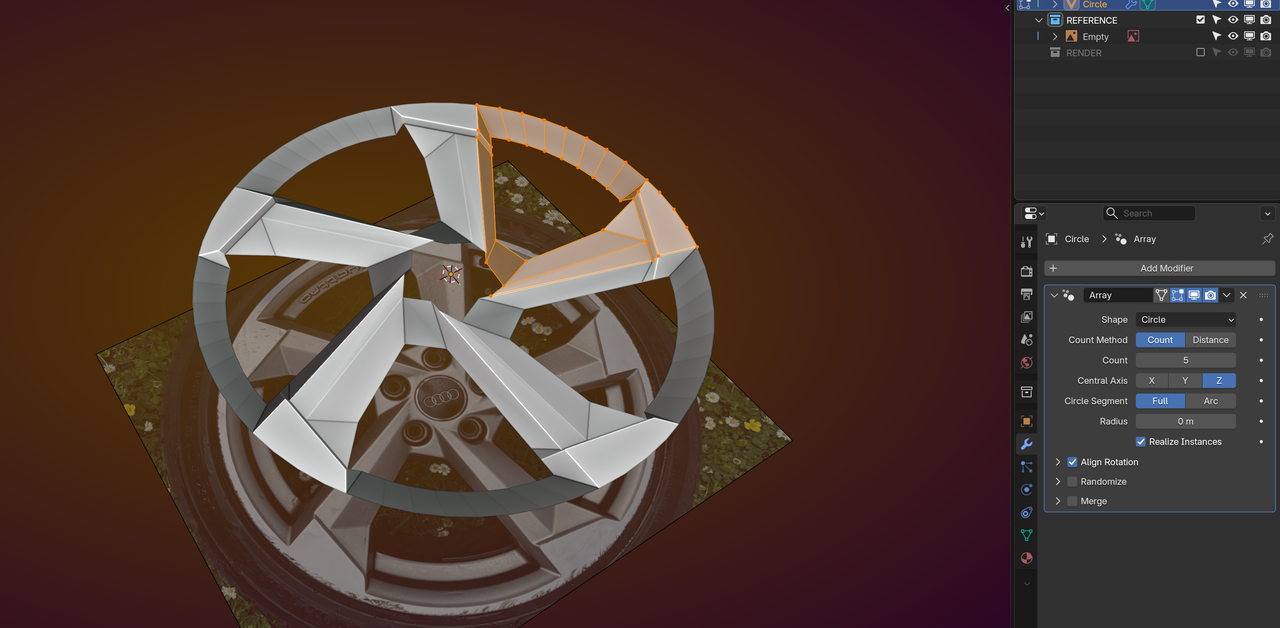
Yes the ref is obviously not a perfect top down angle and add in lens distortion etc I know my model can't match the ref perfectly
Using a 360 point circle with a fan fill is a good idea! I can't believe you've box modelled this as a nothing just to demo here!
So you get a 72 degree slice from the 360 fan and move/ rotate that till it's over the section you will model and then still set the radial array at 0,0,0 and deal with the overlapping parts from your slice once modelled?