
Hi Tian,
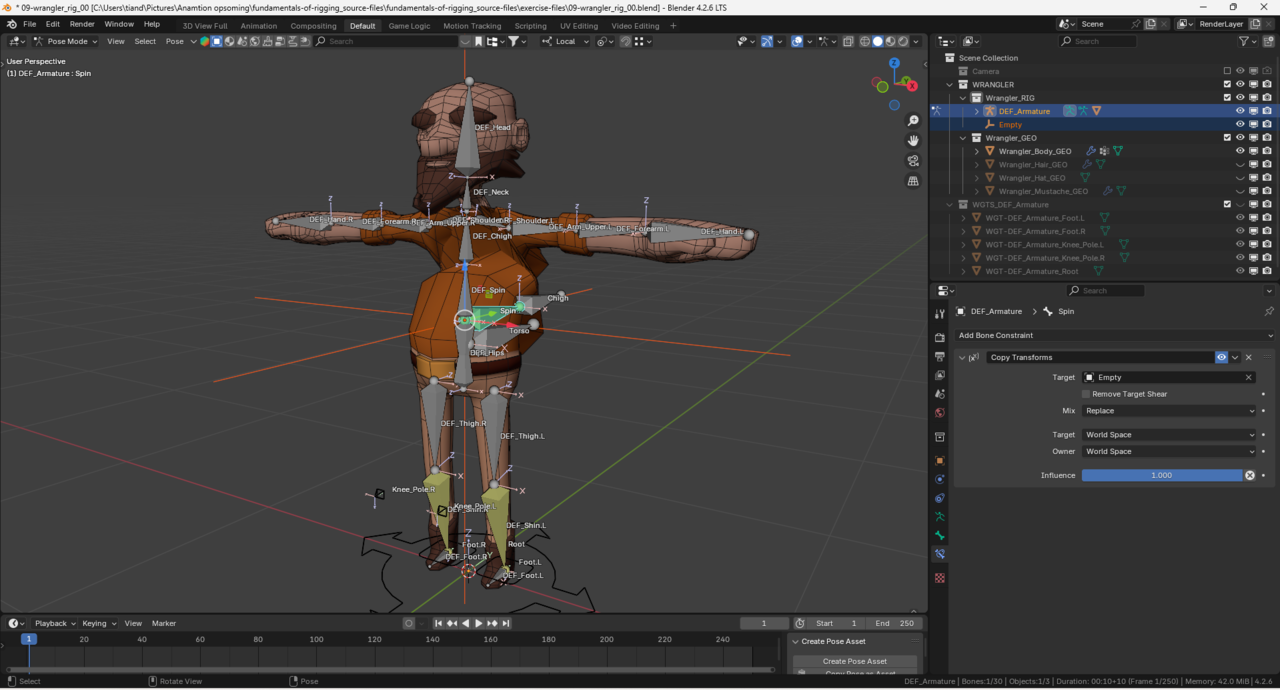
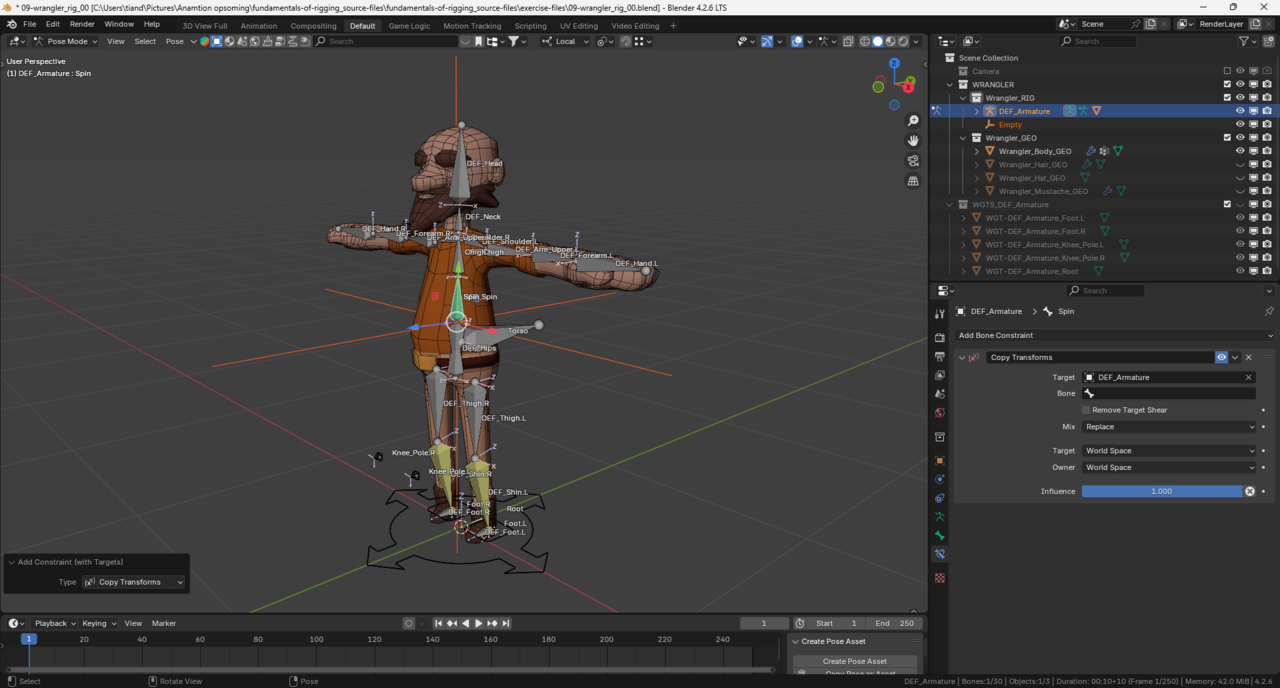
The bone is flipping and Blender is adding an Empty because it 'thinks' it's helping.
This happens when you add a constraint with the hot-key but you don't have the target bone selected.
Blender says "Oh you want a constraint, I'll give you a constraint, and an Empty as a target".
The bones are reorienting to match the rotation of the Empty (that's why they are flipping)
Try to select the Target bone - "Who want's a constraint?"
Then select to owner - "I do!"
You can delete that empty, (and the constraint) and try it again.
I can also see that you have called your Armature "DEF_Armature".
This can happen when you try to rename a bone but you accidental have it set to Object.
Believe it or not, all these "mistakes" are actually normal and expected. It's part of your learning ;)
Keep going!

I can also see that you have called your Armature "DEF_Armature".
This can happen when you try to rename a bone but you accidental have it set to Object. -- Wayne
---
Can confirm... I think I remember doing this myself when doing the RIG course. Thought I was renaming the bone but I was renaming the armature :D
I had the same issue, but the outcome looked a bit... weirder... Selecting the bones in proper order seemed to be the solution. Iv tried to add a constraint first, and then selecting the bones manually, but it didnt help. You have to select them both in proper order and then add a constraint.