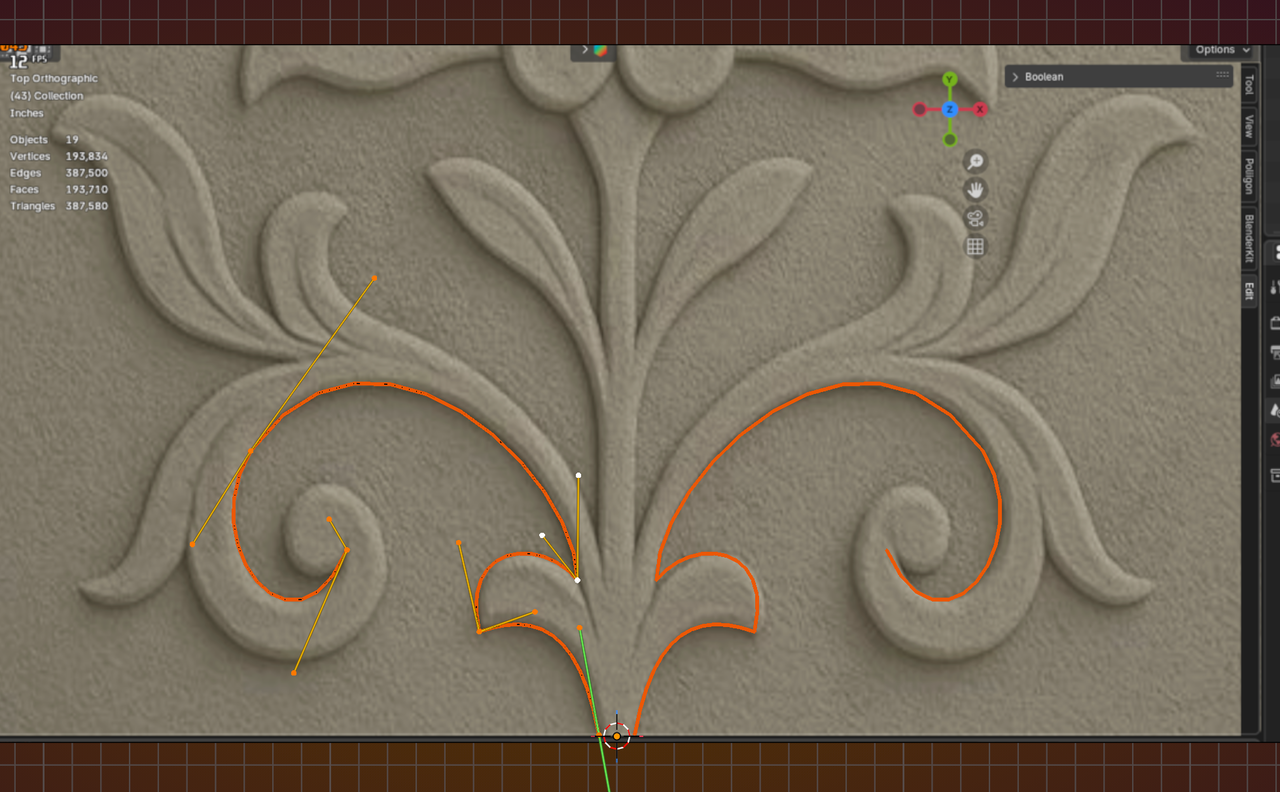
I want to create this through modeling only, and I’m also trying to model all the inner carvings. However, I always struggle when it comes to creating ornaments and decorative details, so I thought this was the right time to ask proper questions.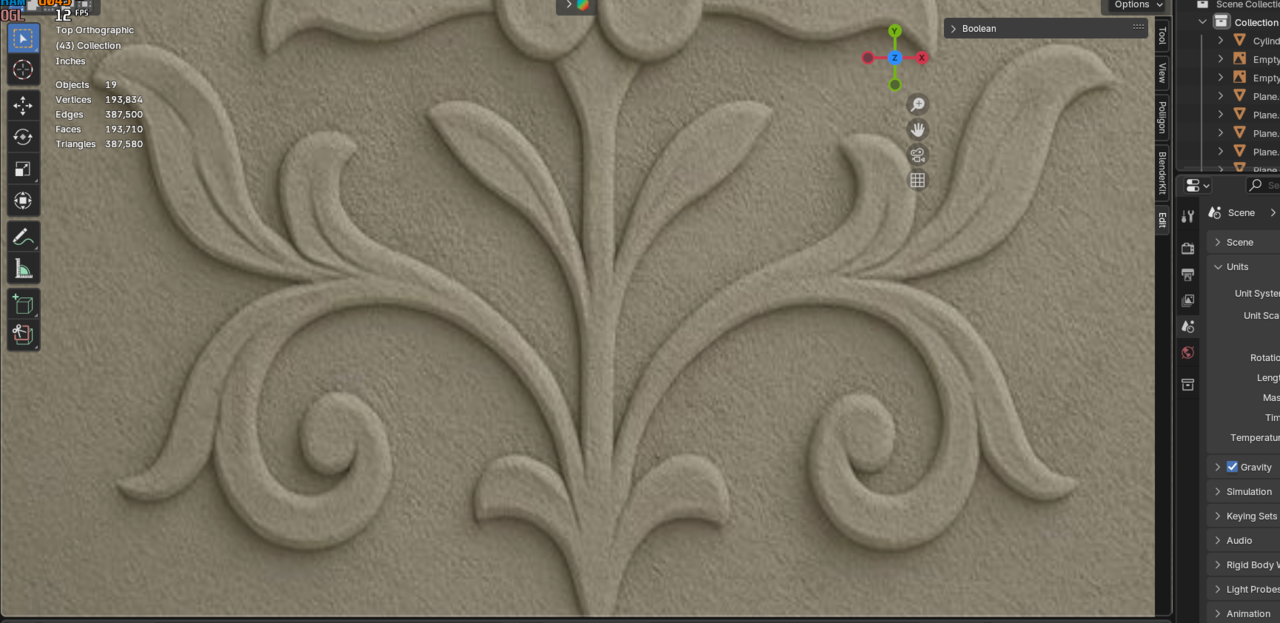
I can’t clearly recognize which parts are separate and which are part of the same mesh.
I don’t understand how to create those inner carvings.
I’m also confused about how to even start the modeling process.
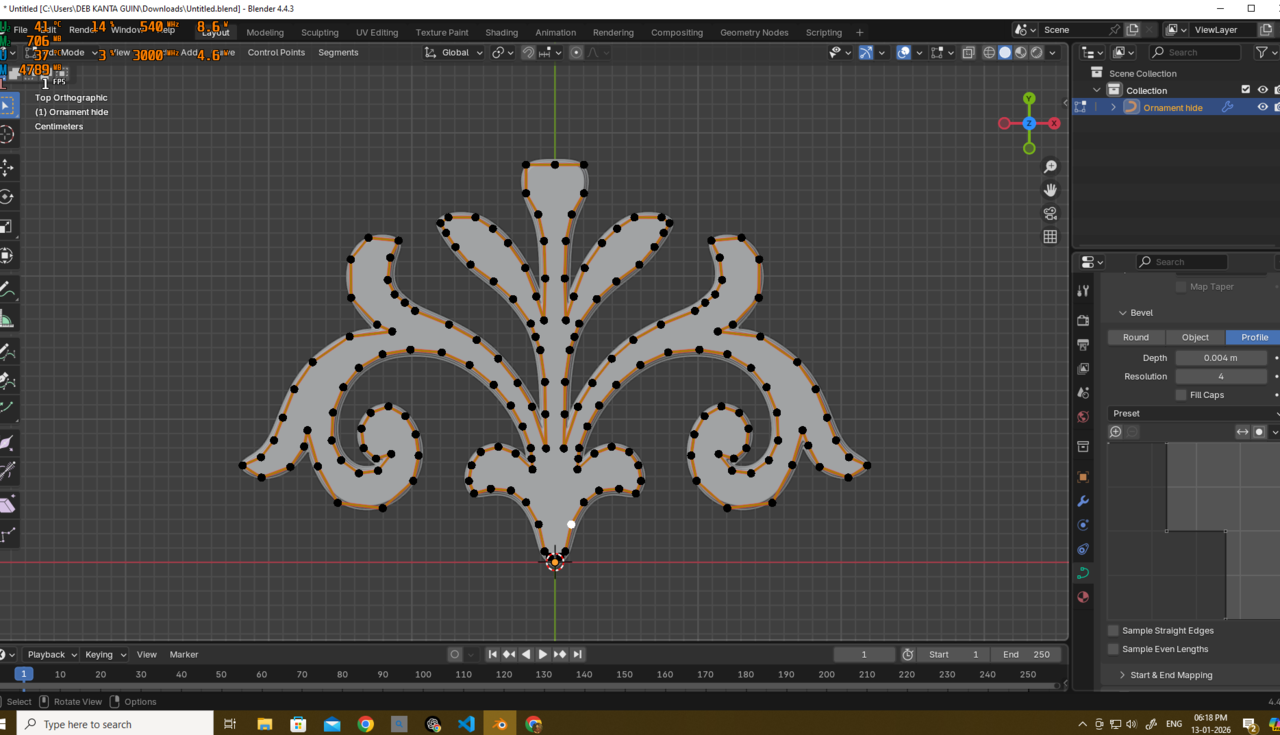
I am also sharing my initial topology (it’s not very clean yet). If you have time, please check it and tell me what is wrong with it and how I can improve it.
Link - https://drive.google.com/file/d/11SfxWdmfKlFK_JLFy0xVJLLS0NYO1qTL/view?usp=drive_link

This is much easier than you think. All you need to do is draw over this with quads in an orthographic view establishing edge flow around the outside for the shape as well as inside for the inner debossed elements. Then just extrude and move the faces. It also looks like it’s mirrored but just shifted up slightly so only need to do one side

Hi Deb,
There are many ways (again) to approach this.
My first attempt would be to use Curves for this. There used to be an old Logo Modeling with Curves Tutorial here, but I can't find it anymore. This is a good watch though (by Christopher 3D): https://www.youtube.com/watch?v=f53GvpTIO2w
It appears to me, that the ornaments ar completely separate from the 'background', so that should make things easier.

The approach I would take is like thehomme describes it. I bet there are tons of tutorials on YouTube with people following this process. There used to be a guy on CG Cookie who modeled a guitar and I remember him tracing the shape and doing some stuff that would help with this ornament. Perhaps you can search for guitar modeling tuts as well.
Thank you all.
Omar and thehomme, I already have the topology, but the problem is that it becomes very messy if I don’t separate the parts. When I look at this ornament, I can’t clearly understand which parts are actually separate. To me, it looks like some elements—such as the leaf shapes and the lower grass details—are not fully separated.
If I try to make everything as a single mesh, it becomes very hard for me to properly control the geometry. It’s not that I can’t do it, but I’m not confident that my approach is correct and omtimized.
Because of this, I’m also struggling with the inner leaf curves you can see in the reference. These details seem to require an edge running through the middle of the leaf. I am placing that edge, but I don’t understand how to actually use it to create those inner carved marks. I can model the overall shape, but I can’t create those specific internal patterns.
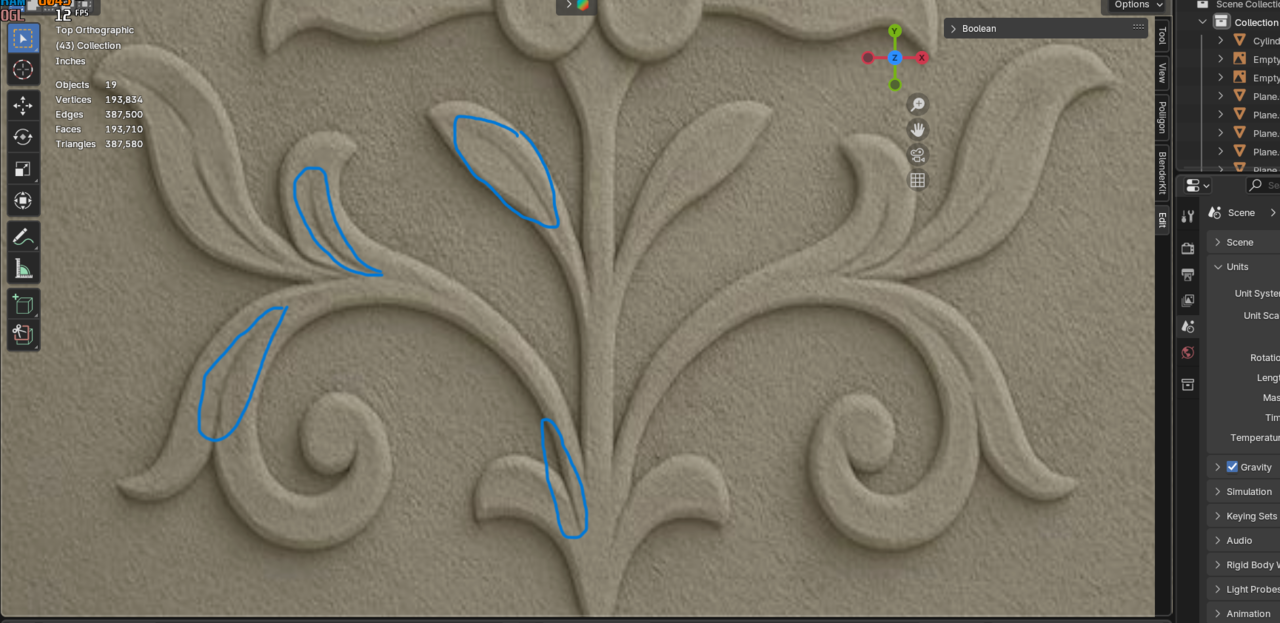
What I’m really confused about is which elements should be separated and which should stay connected.
If you have time, I’ve already uploaded my topology link in my post. It’s a bit messy, but I would really appreciate it if you could take a quick look and point out what’s wrong.
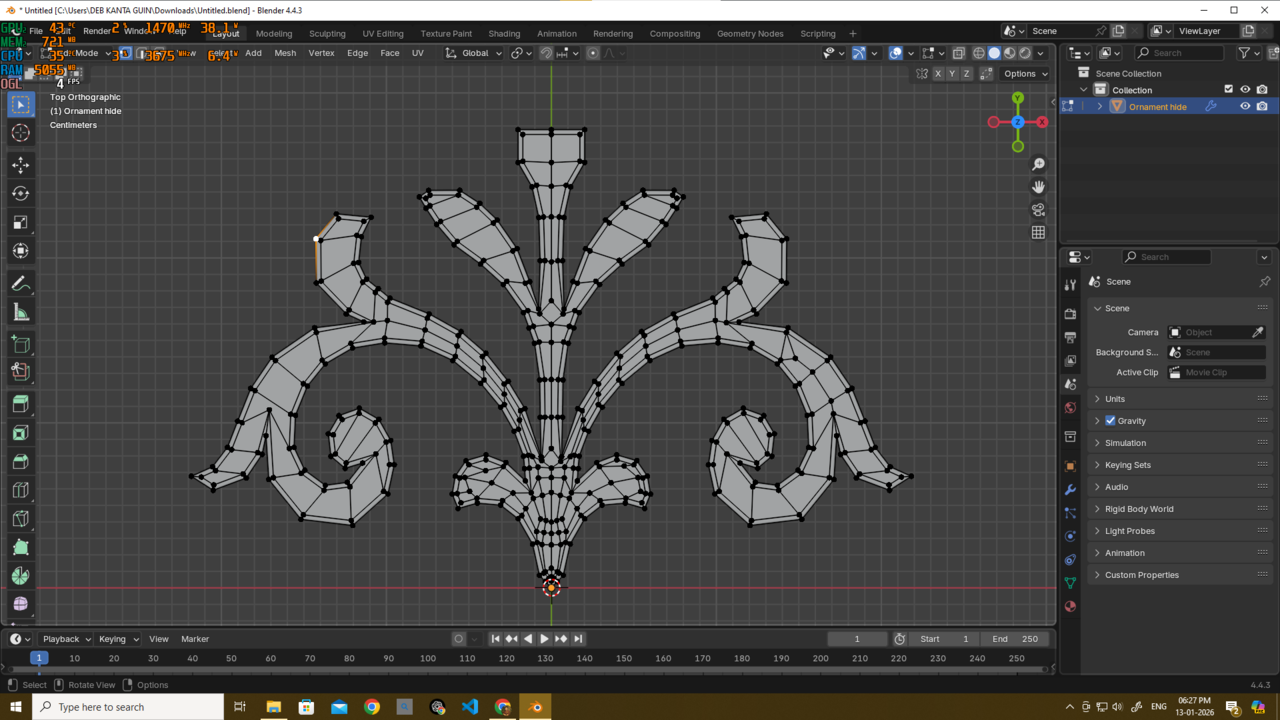
I did not add those middle edges for the inner curves in this topo yet so u cant see that but it can be added easily
Martin, I could easily convert my topology into curves and work from there, but I still face the same problem—I don’t know how to create those inner curves or carved patterns.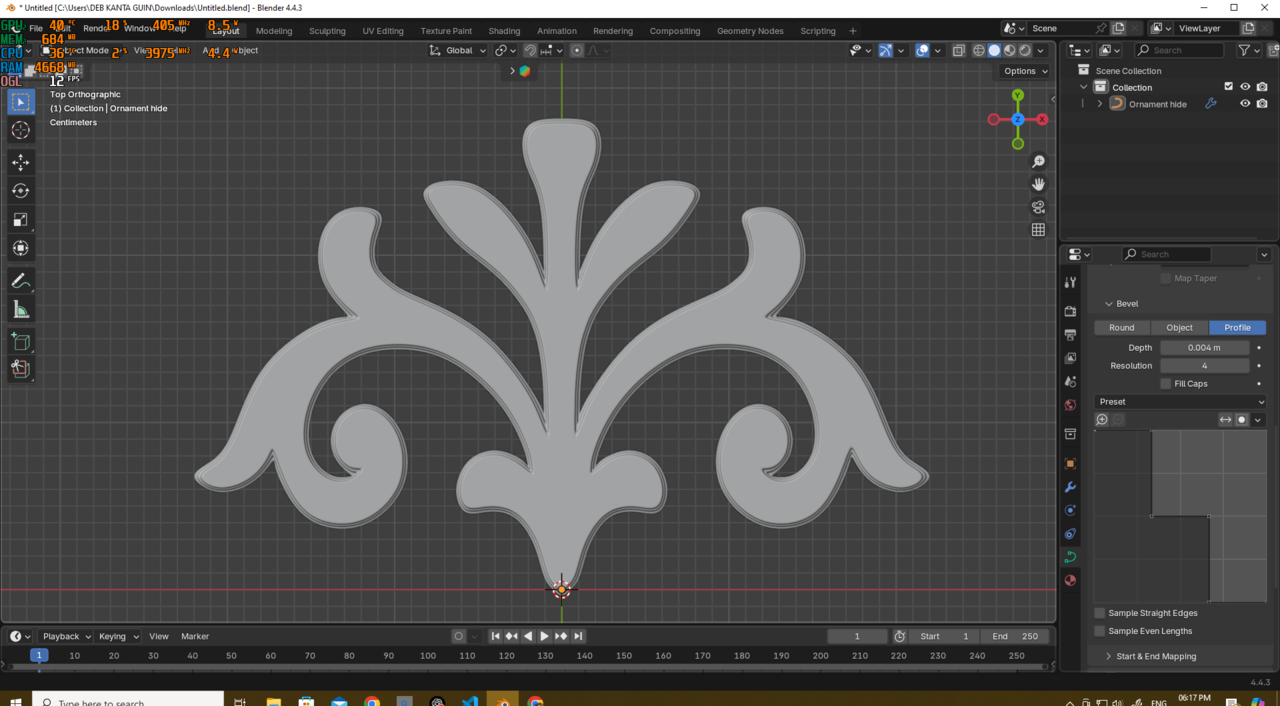
Thank you, I really appreciate the help.
Here is the updated link if u wana see the topo - https://drive.google.com/file/d/1VVrEO1ljyUJACDVcPi4y1a6Bf_JsNvw8/view?usp=sharing
You can and should cheat. Use triangles where necessary and Ngons, to terminate loops so they don't go all the way everywhere at once. You can also start with the inner shapes and details and forget about the contour, since it'll come about by itself as you go from the inside to the outside.
I don’t think any of it needs to be “separate”. The inner leaf folds just need to be small faces you can lower once you’ve extruded the overall shape. What you’re missing here is an inner set of quads that defines these inner parts. If you’ve look at JL modelling the CG cookie logo in Core he does something similar conceptually for the mouth. Not at my PC atm so can’t open .blend. Will post a demo screenshot later
You can also, switch to Sculpting, when you have the main shape and then (with Dynamic Topology) Sculpt thoes creases and other details.
If you want/need, you can then Retopologize to get a better looking Topology.
The Course Omar was referring to (the guitar), can be found on CGCookie Classic. Part 1 is here: https://www.youtube.com/watch?v=tjx6Tar_7gM&list=PL3GeP3YLZn5hCYXZp2yACPZWn-wQik6fD&index=59
Definitely worth a watch!
Quick and rough but this is how I'd do it. Does this help? Hopefully to can see edge flow around the outer edge and also the inner crease. Use the edge spacing/extrusion depth to make the leaf crease are sharp or gentle as you want.
Faces selected extruded down and then middle edge selected and moved down.
Here only the middle edge moved down - no extrusion

Looking at the reference again some don't seem flat so I added another edge loop and pulled that up while pulling the middle leaf fold down. The outer edge loop then pulled down. No extrusions on this one.

I'm not exactly sure what you mean by "separate" in this case. The reference image you have is of a bas relief (or something intended to look like a bas relief). This means the design is either carved or molded into the surface itself. For instance, the raised designs on coins would be a form of bas relief. In some cases the design might be significantly undercut to make it appear separate but it's still part of the main surface.
thehomme is on the right track with the solution. Here is my quick attempt where I used bevels and insets to start roughing out the look of a bas relief sculpture. To take this further you could use mean crease and/or holding edges to sharpen up details as well as pushing some of the edge loops around the design in or out to create a deeper undercut.


For stuff like this I'd highly recommend checking out hbit project on YT, he's a master of stuff like this.
I too would start with tracing it with a little plane and extruding quads. And of course make use of the mirror modifier.
It's how I made this quite some time ago (yes, the middle is a bit too dense):
Thank you all very much—Omar, Martin, thehomme, and coyohti. You guys really made my day. Thank you so much, honestly.
Martin, as you know, I know nothing about sculpting at the moment 😄. I’ve only finished the core modeling fundamentals, and I want to push my modeling skills to the limit and get fully comfortable with them before learning anything else. That’s why I wanted to create this purely through modeling. I completely understand that sculpting would make this easier, but for now, I want to stick to modeling. Anyway, thank you, Martin, for always helping me out.
Omar, thank you, mate. I did try using triangles, then converted them to quads where possible. That approach actually helped a lot. Thanks again for always supporting and guiding me.
thehomme — wow, what timing, my friend. I had that exact idea for the inner curves of the leaves but was confused about it. Then you replied and confirmed that the idea would work. I was finally able to sleep peacefully after that 😄. Thank you, as always.
coyohti, thank you, new friend. I didn’t know the term “bas-relief” before—now I do. You see I don’t need the full relief, just that flower-like ornament structure, which is why I asked specifically about that part.
Thanks to all of you, I was finally able to create this part of the ornament. It’s about 95% accurate, probably 😄, but it works perfectly fine for my needs.
Thank you all very much!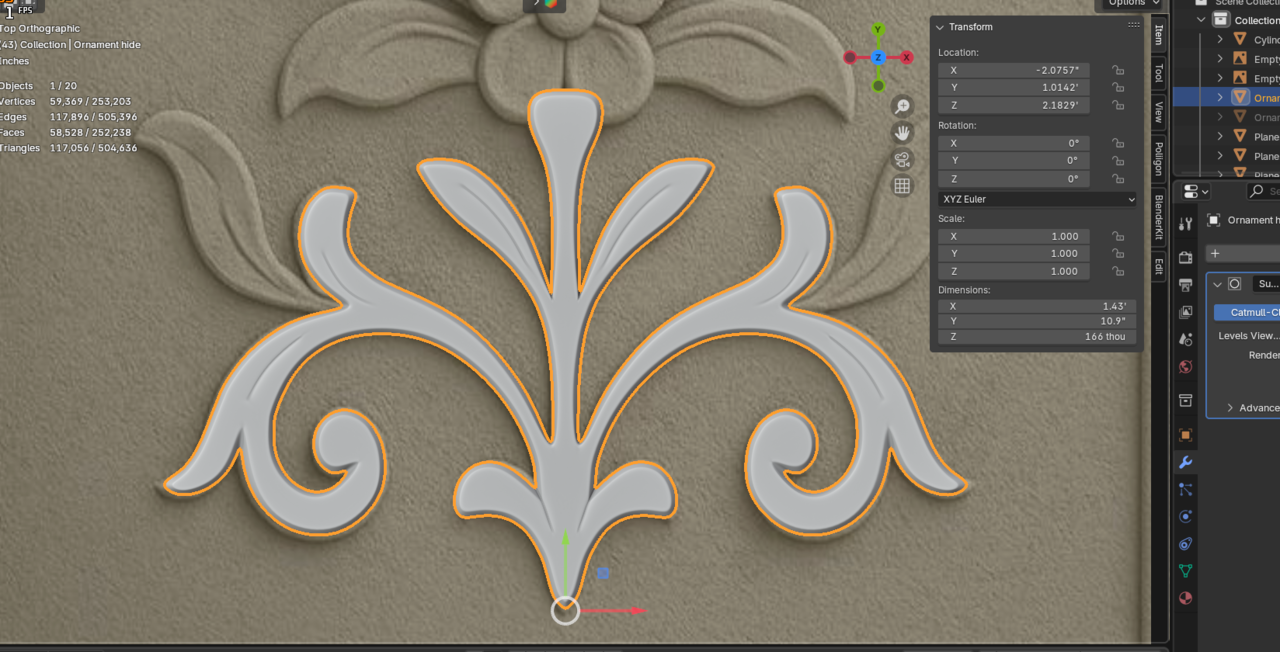
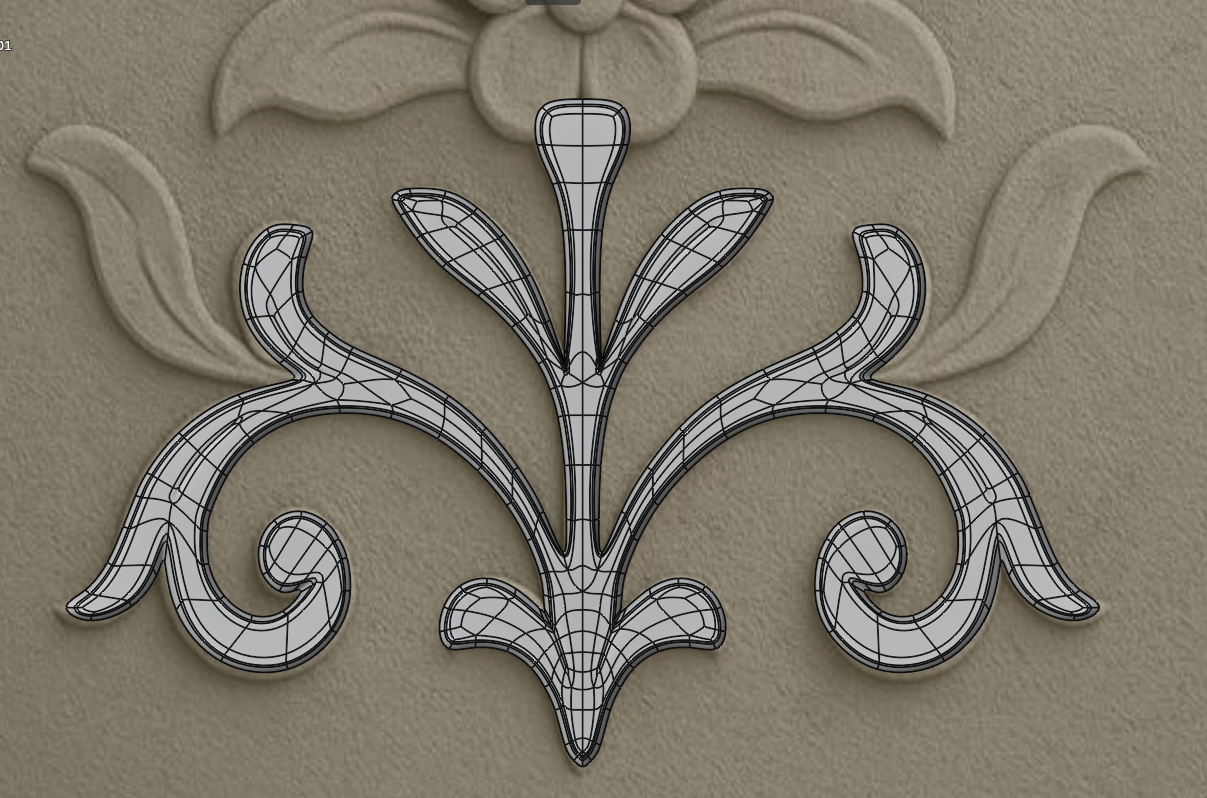
Is there anything else I need to do now, or is the topology good enough for a static object? I just want to make sure I’m not picking up any bad practices.
No visible shading issues at all
Yay! You got it! It looks good and most importantly it works for your purpose!
SFE-Viz Thank u mate....thats gonna help me a lot for my future projects...i really appreciate it...Looks good. What Id do is quickly check the shading in render. Sometimes I’ve modelled stuff in solid mode and have it looks fine only for me to realise something was off to cause issues when rendered. The red glossy mat cap is good for a quick check but a render is needed for belt and braces.