
I’m having a bit of trouble describing this clearly, but I’ll try my best.
In these two images, you can see two different approaches:
In the first one, I’m using a Bevel modifier with Profile = 1 and Outer Miter = Arc.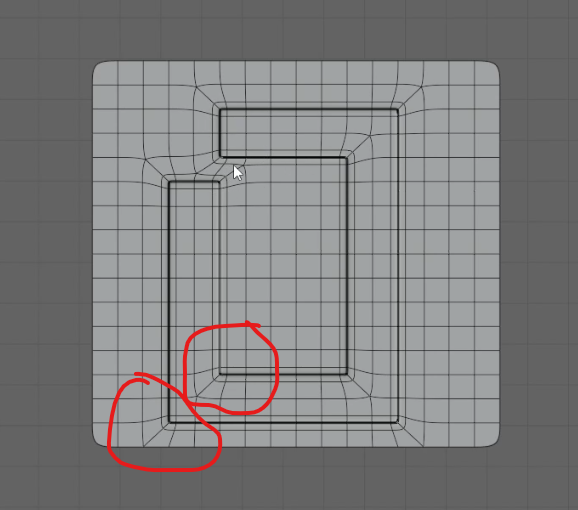
In the second one, I achieved a similar result by manually adding edge loops.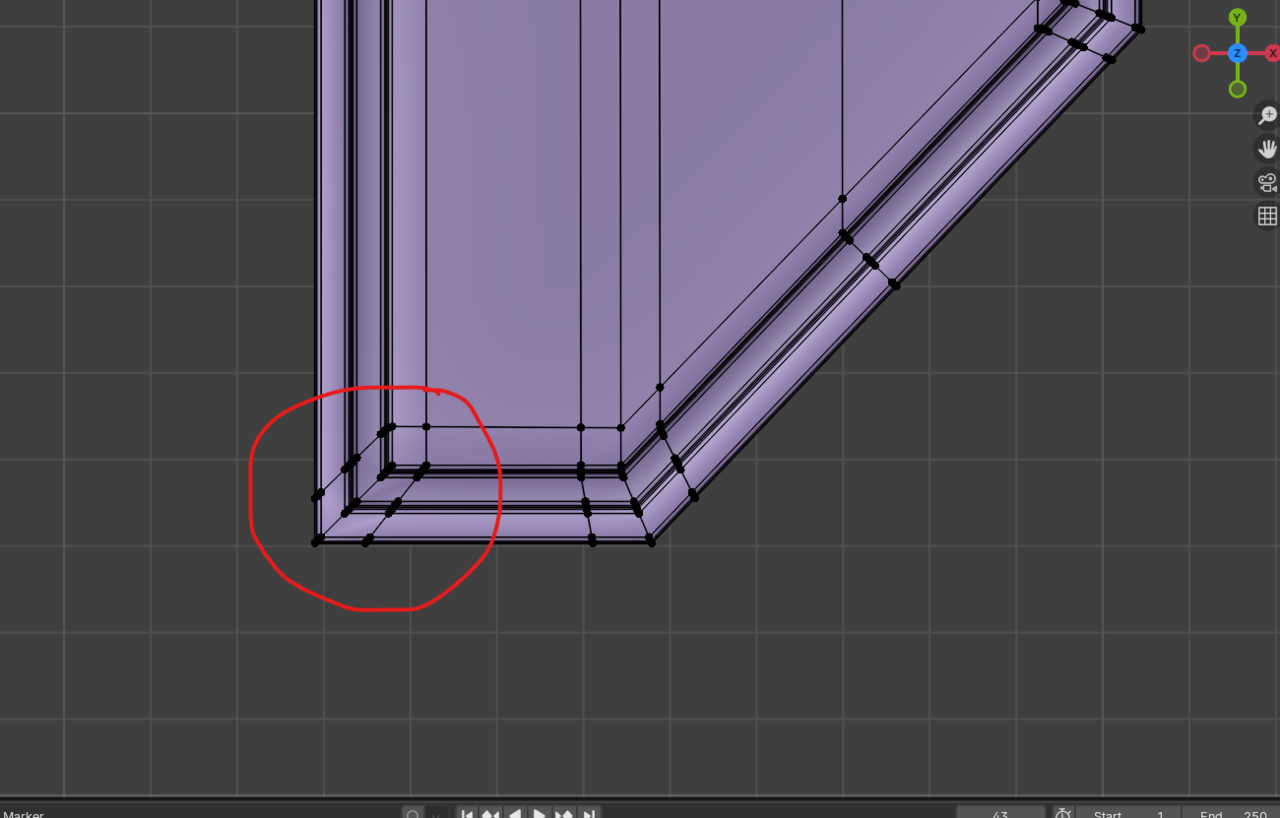
Visually, both methods sometimes look the same and seem to work fine. However, in some situations the manual edge loop method doesn’t work correctly, or it doesn’t feel like the most optimized workflow.
So my questions are:
Why does this happen?
When should we specifically use the Bevel modifier (Profile 1 + Outer Miter Arc) instead of adding edge loops manually?
How do you identify which method is better for a given situation?
For example, in one case the manual edge loops worked fine not the best,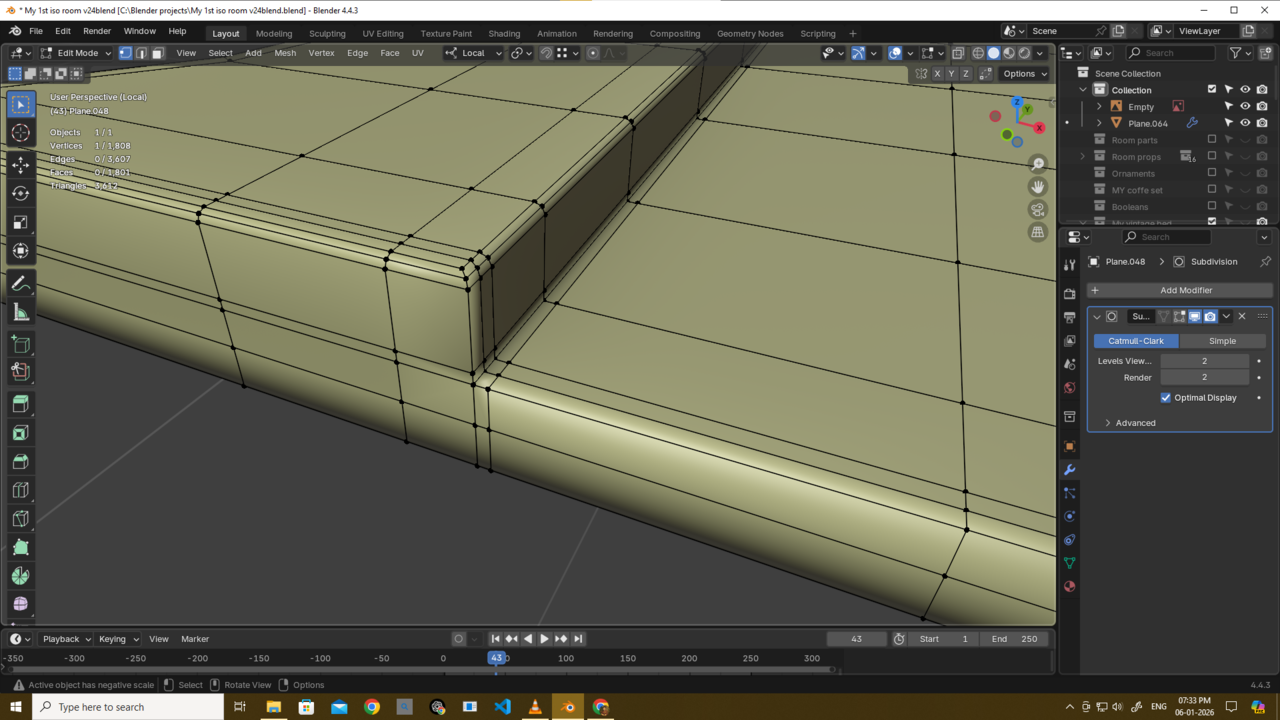
but I was later told that it wasn’t the most optimized approach and that using the Bevel modifier with those settings would be better. That’s where I get confused.
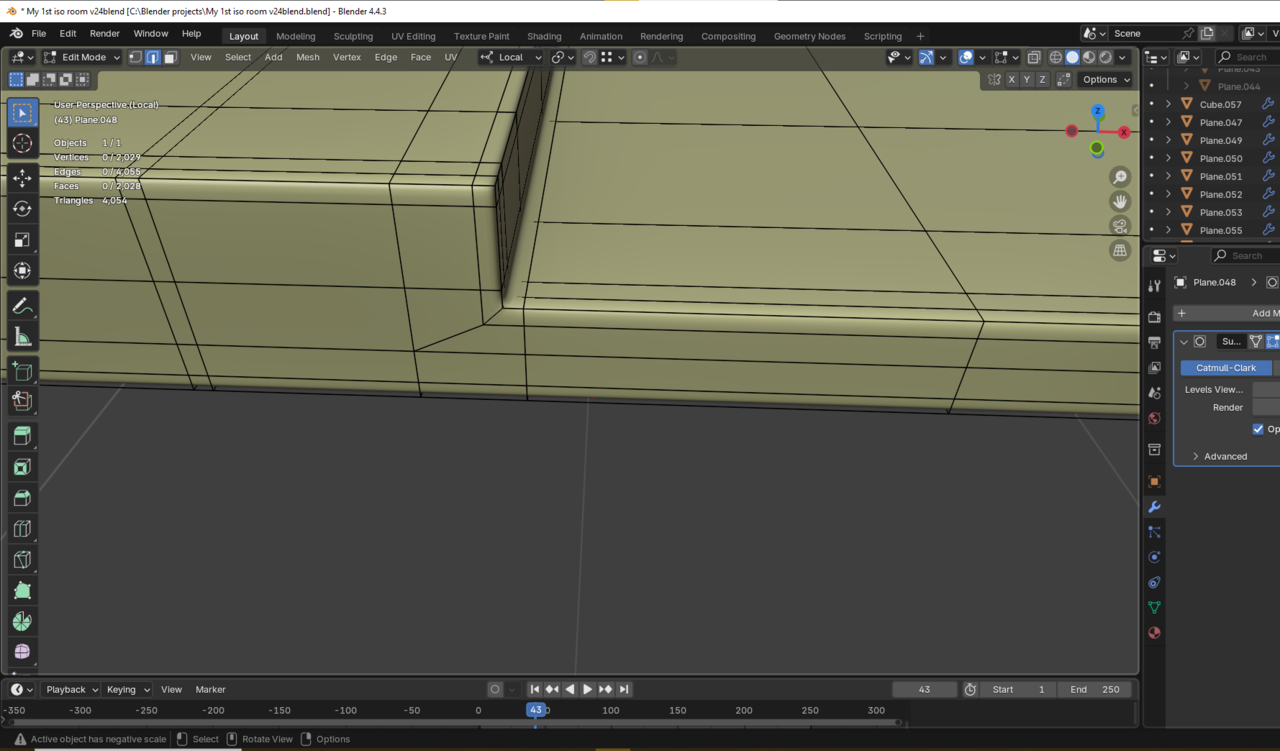
I’m struggling to understand when to rely on manual edge loops and when to use this bevel technique instead, and how to decide between the two in a practical way.
Please also look at the 1st two images too. I am kinda confused

Hi Deb,
Maybe it's preference/
Beveling can create Triangles and NGons, which is not always ideal. (Talking about Subdiv Modeling here.)
What I do is using a combination of Edge Loops and Inset.
In the case of a default Cube, Beveling would certainly ne a lot faster and easier than adding Edlge Loops, but in real models, it rarely gives me an advantage. Also, manually placed Edge Loops are easier to control for me (mainly because I am used to them.)
For instance: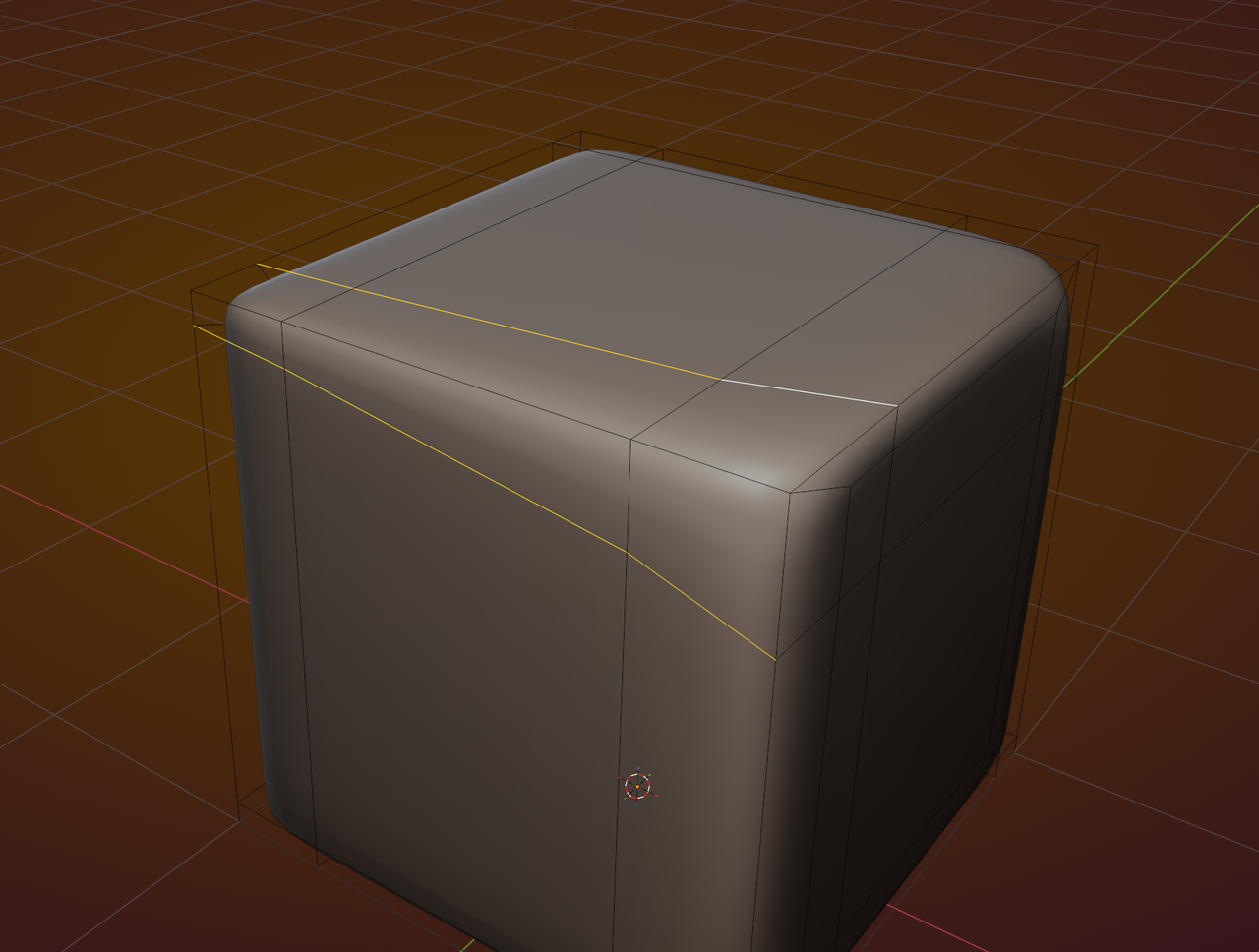
Beveling on the other hand, can be done with a Modifier. Whether you prefer to adjust Weights of Edges or Vertices, or to slide Edge Loops around, is up to you.
There are situations where Beveling is easier, but I tend to stick with Edge Loops.
I have never been in a situation, where manually placing Edge Loops didn't work. (Especially when used in combination with Inset.)
So, I'd recommend, when in doubt, try out both methods ad see what you like better, feel more comfortable with. After some time, you'll be able to just look at a model and know which method to use in that situation.
There are no hard rules.
uhh i understand it now guys...Thanks a lot omar and martin.

Until recently I was always pretty skeptical of bevels... esp the destructive type - I thought they were more trouble than they were worth.
However after doing the Luminor course I'm seen the value in combining weighted bevel modifiers with sub-d on a recent model.
Here's my example - this might be incorrect advice as I'm still learning but hopefully you can see why it's helpful in certain contexts
To create this I initially destructively bevelled a single edge with no segments and did an extrusion down on the Z to create the cut but visually it's quite weakly defined but I didn't want to add more edges I'd have to resolve.

So I selected these edges and added weight and then a bevel modifier

This gave me better edge definition without having to add more edges

That's a complicated model Charles thehomme ,
Looking reaaly good, apart from what looks to be a bit of a Shading issue, probaly because of that Pole on a curved Surface:
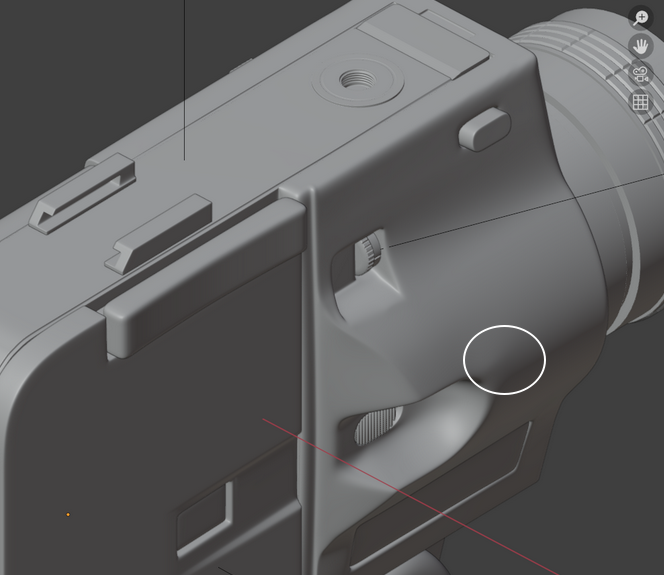
Sorry, I couldn't help noticing it😉
Thank you. I've been chipping away at it day by day. There are lots of mistakes, or more accurately, places where I couldn't resolve the edges. Ideally I'd redo it but I'd I think it's better to accept it as is and try and texture it as best I can and just move on. Texturing feels more intimidating than the modelling at the moment. 
Thank u thehomme...i will try to use bavel modifer from now and lets see what happen.....
