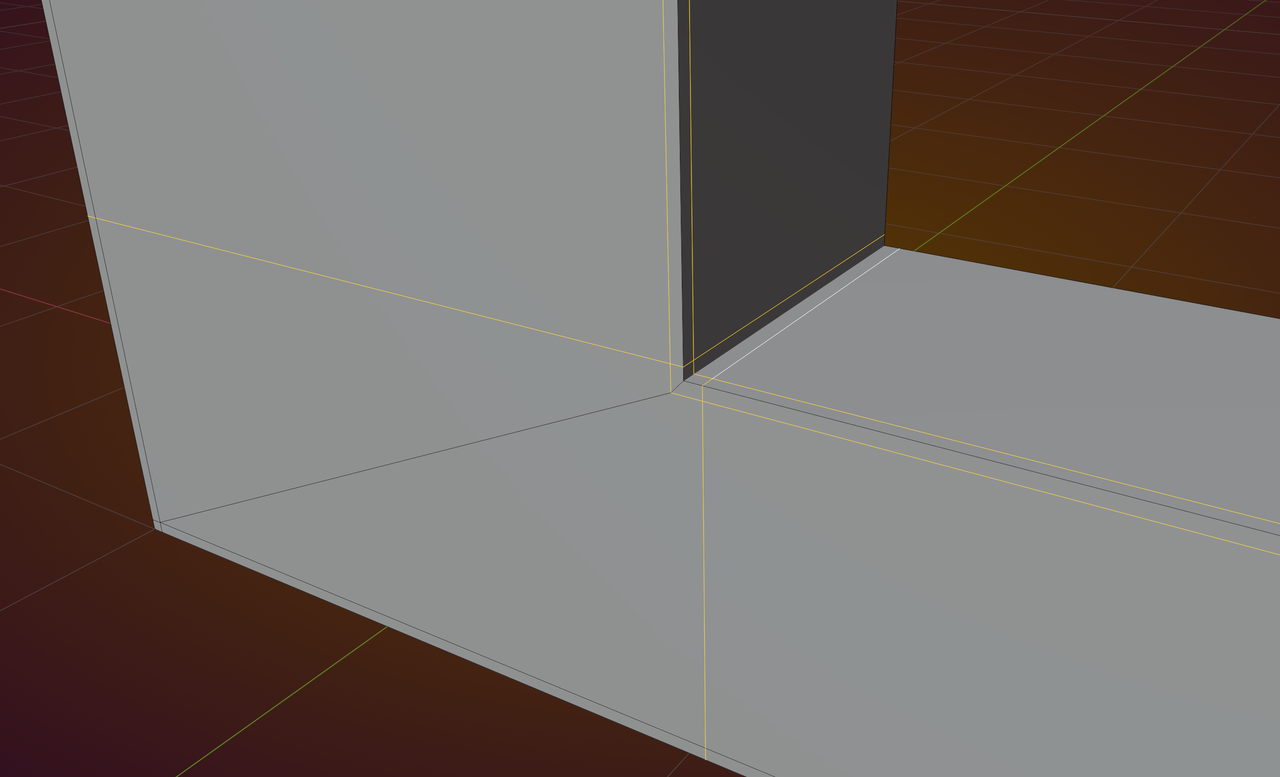
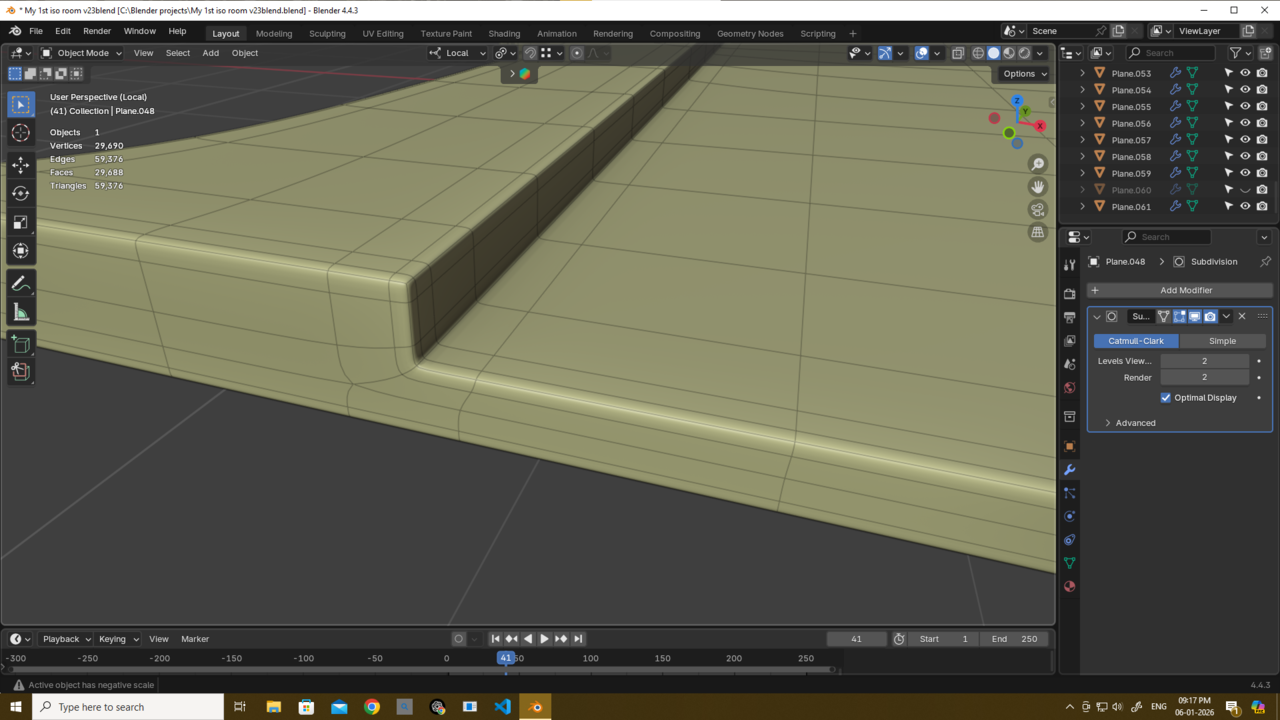
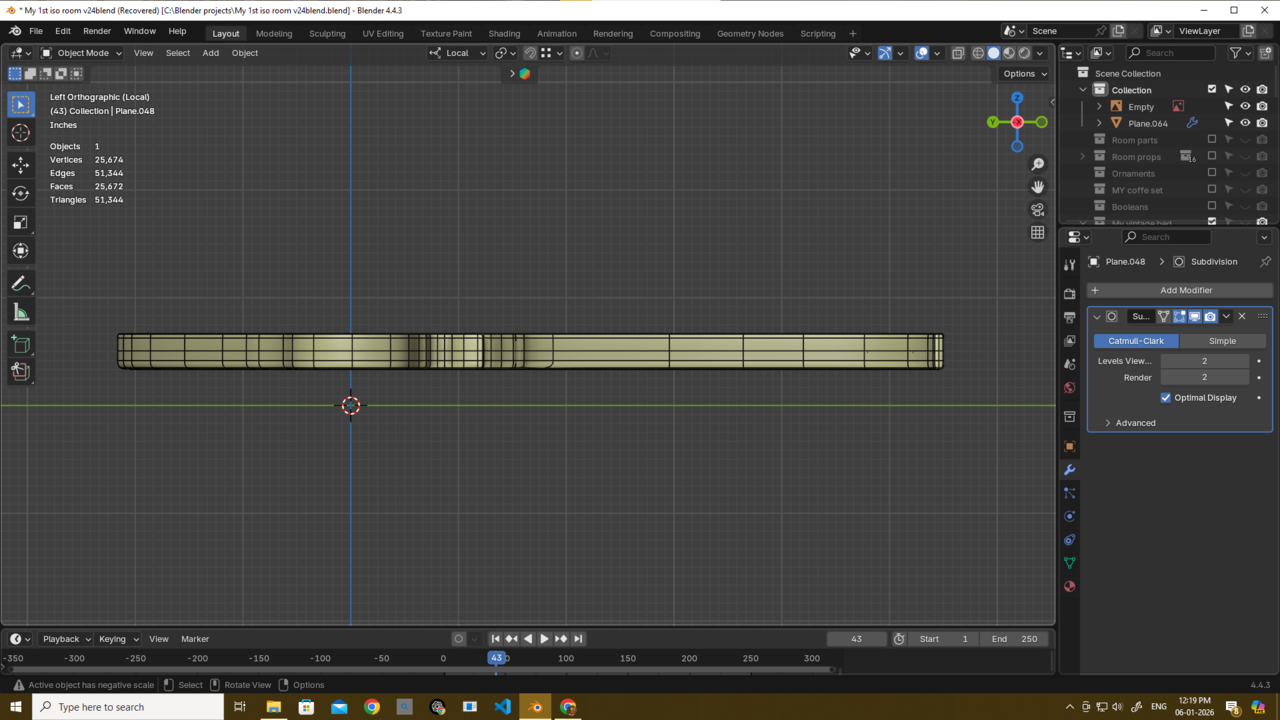
U will notice the geometry is kinda not tight....🤔 idk what is called exactly..but u will understand after seeing this.
The problem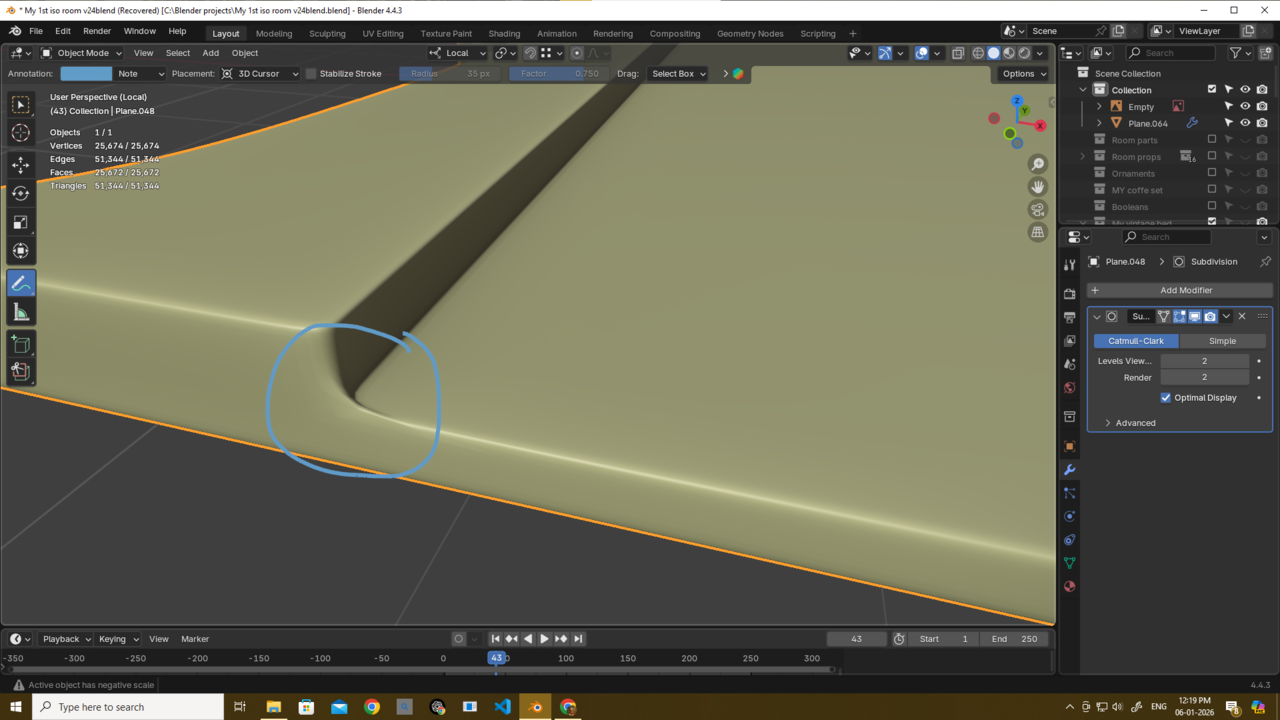
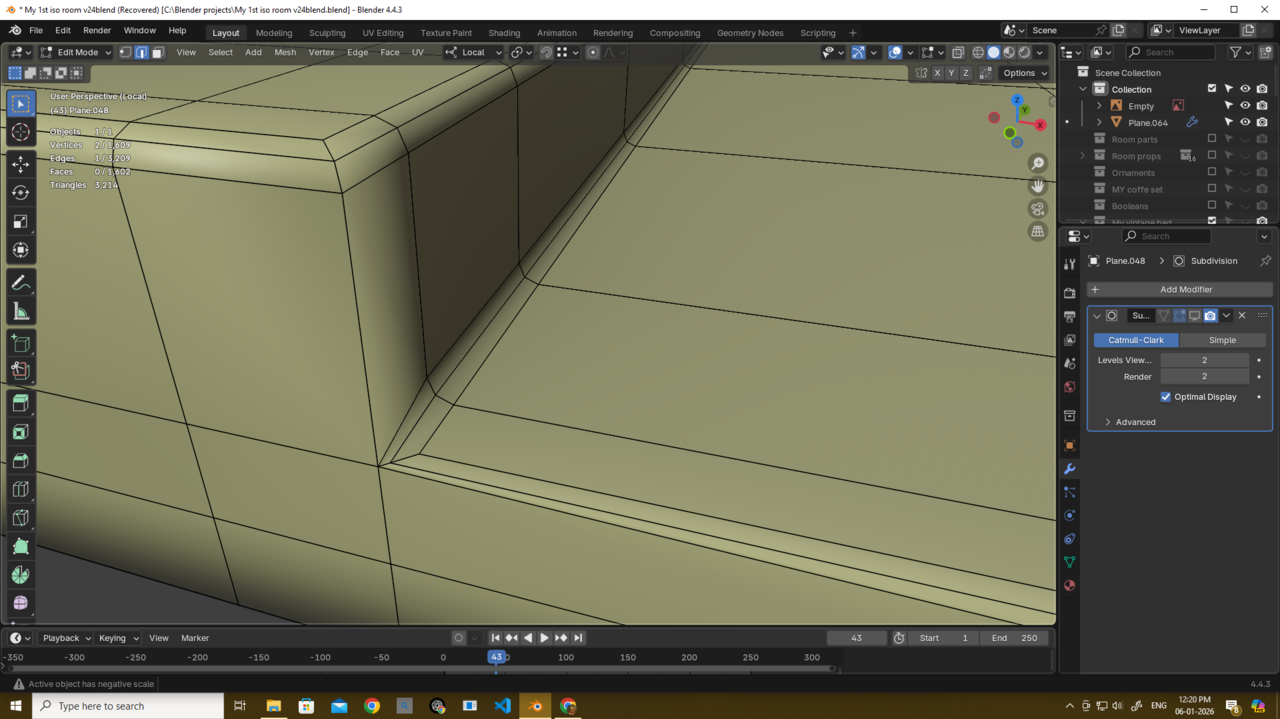
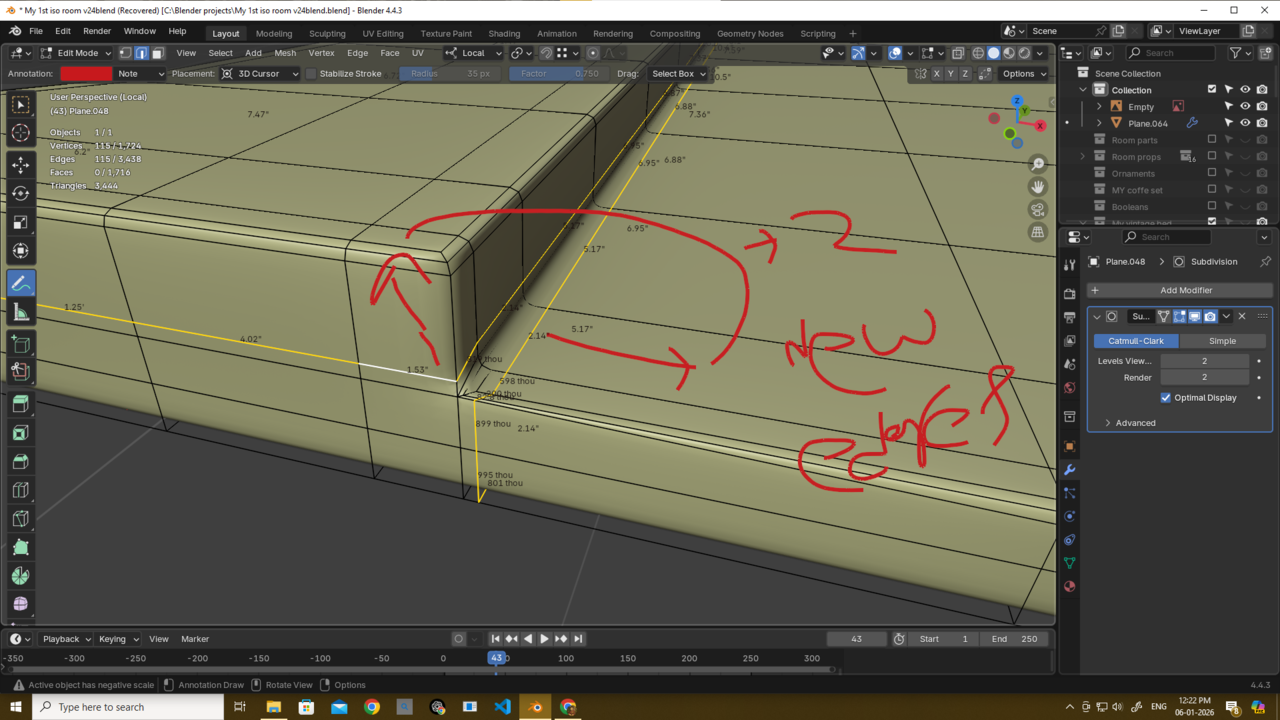
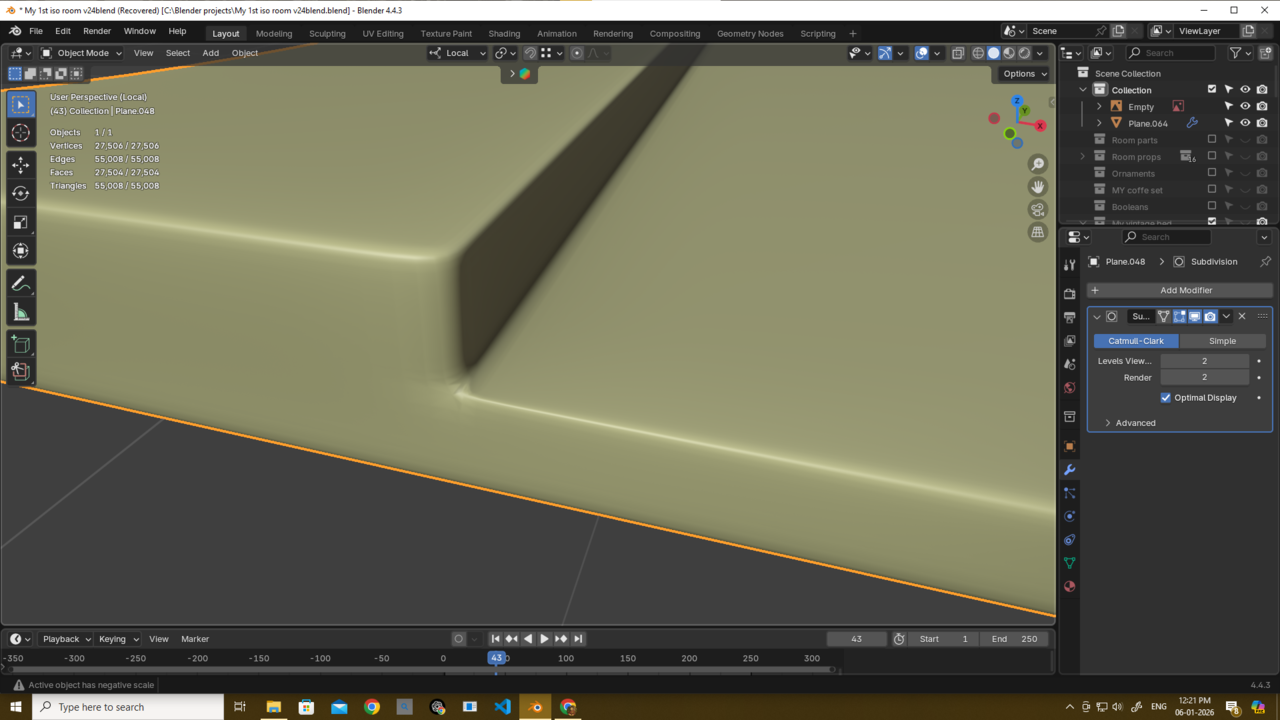
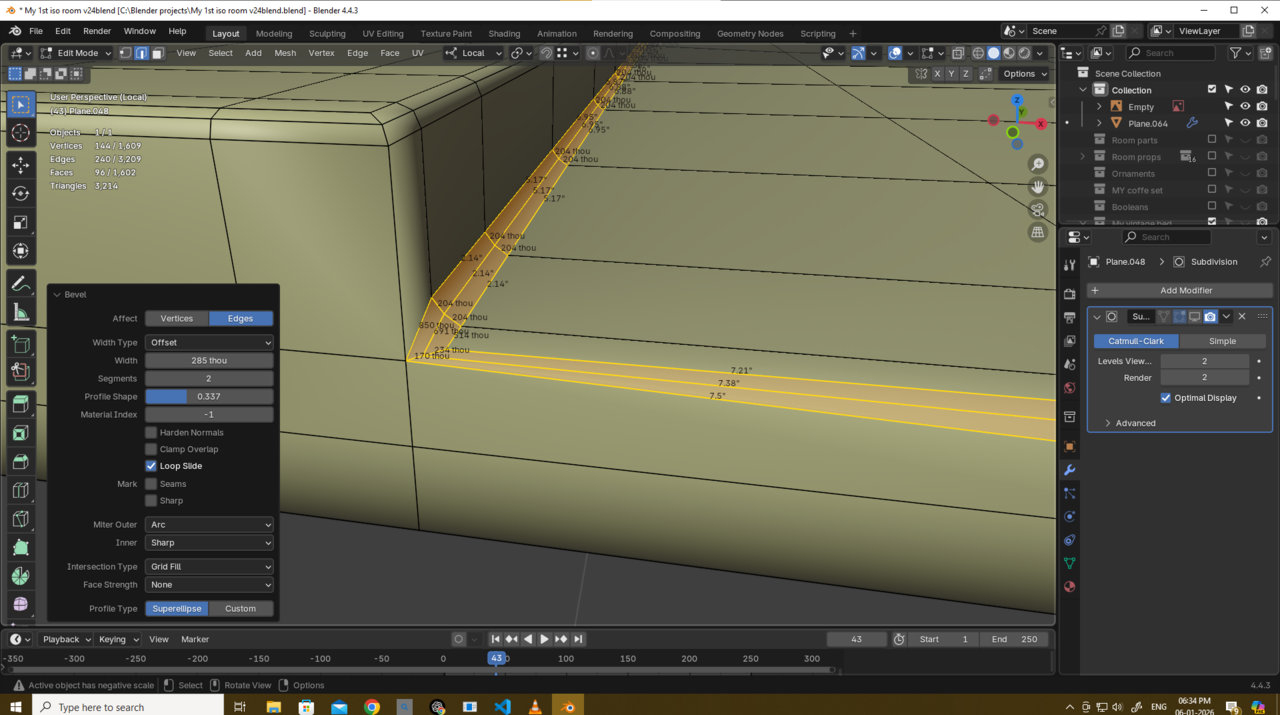
Aftter adding the two edges some pinching issues..
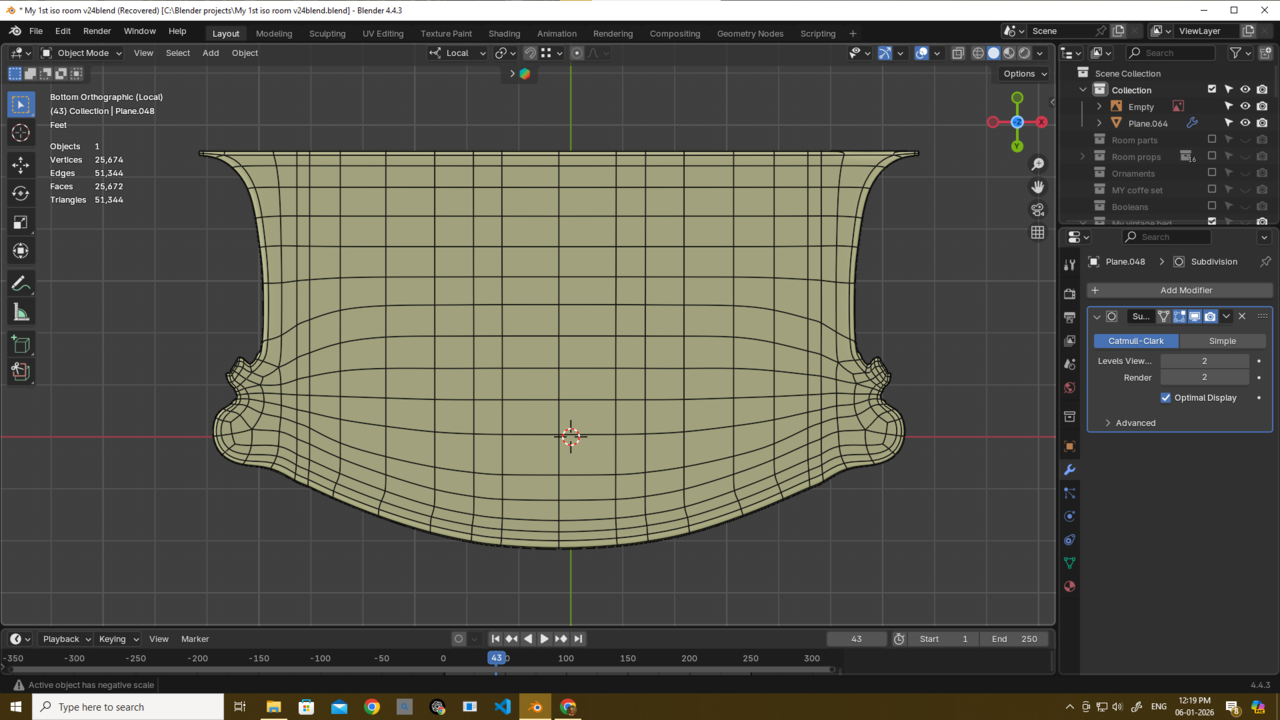
Also what could have i done better in terms of topology?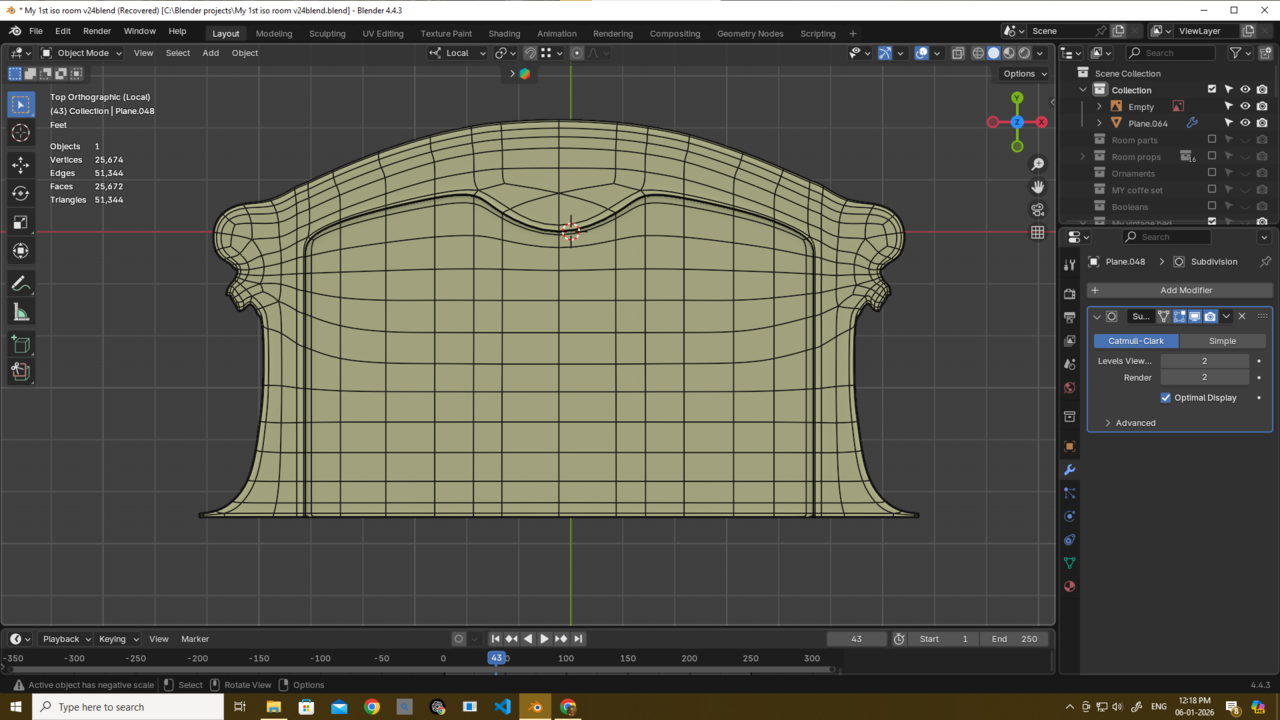

The original problem is caused by the geo that creates a pole on the edge of the right angle.
Adding the loop cuts but leaving the original bevel geo in place doesn’t resolve the pole. So the angle is tighter but you still have pinching.
What you need to do is have 3 edges for your right angle and ideally resolve the extra edge loops to the next corner quads so they don’t propagate around your model. For your model here it’s not essential but if you had a more complicated shape it would be essential.
Does this make sense? Not at PC so can’t add screenshot but I’m sure Martin or Omar will be able to add more detail.
Thnak U guys thehomme, martin and omar..
But my profile changing for bavel is not working idk what to anymore...probably have to restart..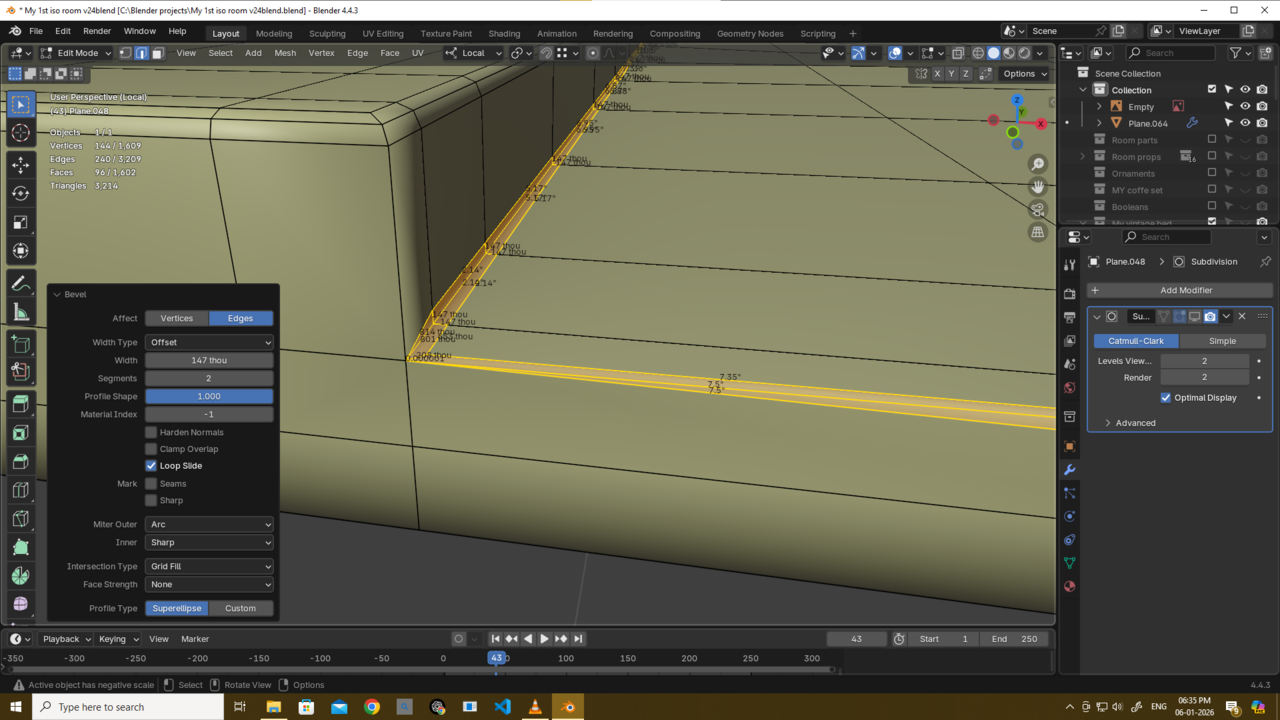

Yeah,
I wouldn't use Bevel together with Subdiv Modeling, or at least sparingly. A continuous Bevel going from concave (yellow) to convex (blue), like you have here, will cause problems:

Also, watch that Pole in the corner, that one is causing havoc when using a Subdivision Surface Modifier.
Sorry martin and thehomme i did not actually understand ur method i thought ur method involve changing the profile like outer miter arc sorry...i get it now and its working....sometimes i could not even try the easiest method or completely ignore or forget about it damn...i need to think more..Thank u martin as allways i really mean it and thank u too thehomme really....omar i will not hesitate to try from the very start thank u for allways helping us out guys..see ya very soon guys haha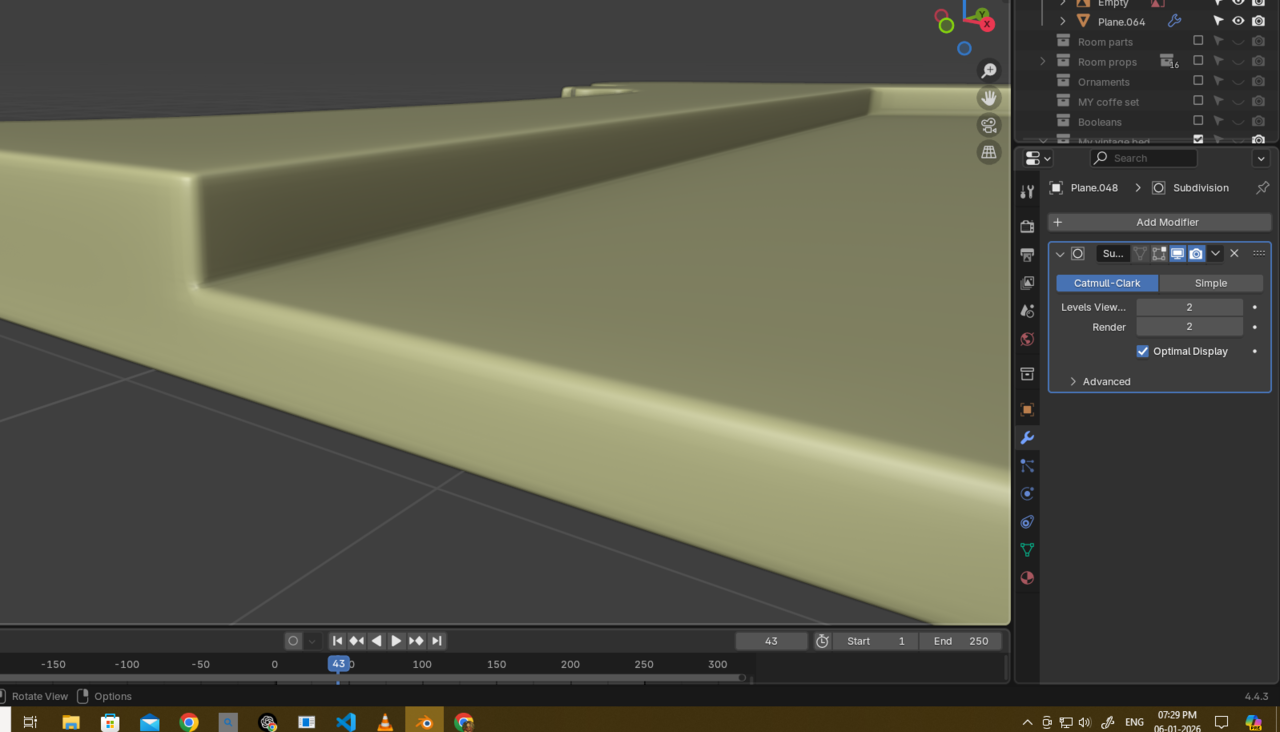
[edit: while I was writing this I didn't see your replies]
I don't think you HAVE TO restart as it's a flat shape and you only have a 2 segment bevel. However it does look like you've applied destructive bevels not through the modifier? Def learn how to use bevel modifier with edges and weights
You could just dissolve the edges causing problems. But in this case you'd need to do quite a lot of clean up and redoing it might be quicker. I'm still learning but the biggest thing I've learnt is how much start, fail, try again there is. It's frustrating but it seems like this is the way.
A good idea would be to practice on a separate simple shape to properly understand what's required and if it's worth it vs starting again


2. This could potentially take some time as you'll need to snap vertices back from where the bevel moved them and you'll need to be methodical about the approach to make sure you're snapping back to the original positions

With 3 ideally you'd resolve the loops where needed and not let them run across the whole of the model

thehomme Thank u friend again for this explanation i actually get it and i already applied what u said thank u...
and yes using bavel modifier with weight i really need use that..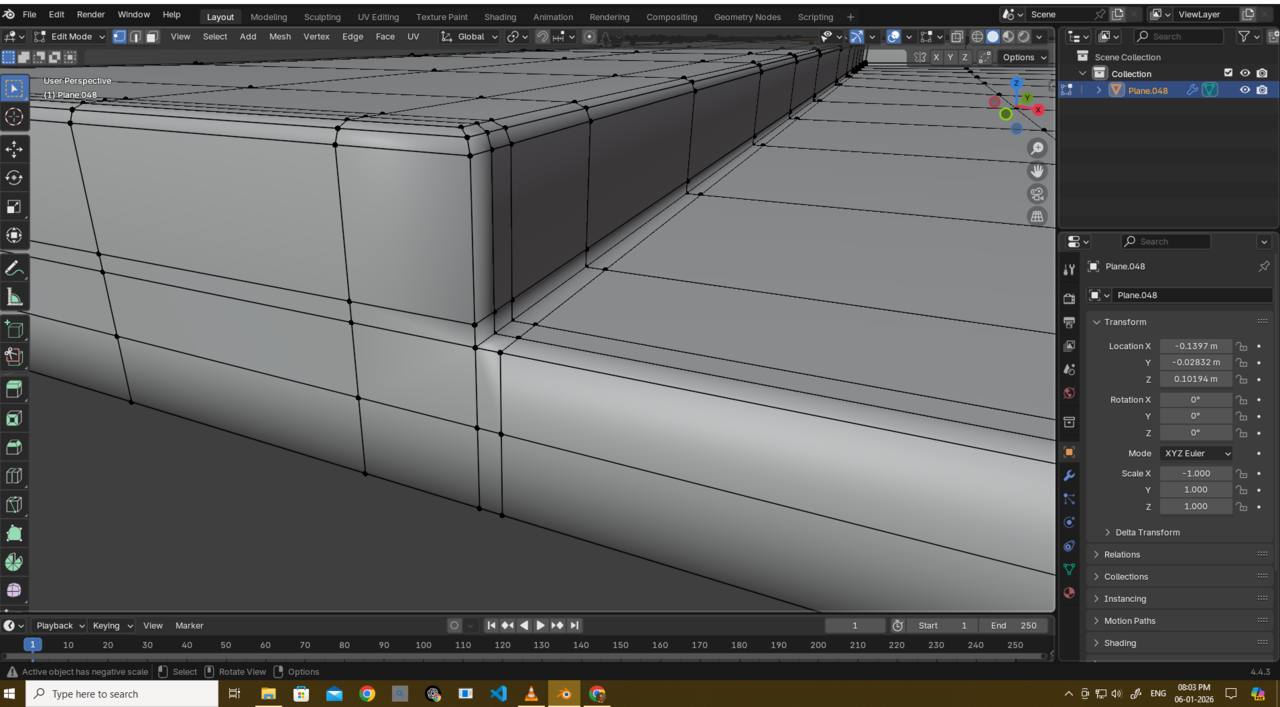
also shoud i just merge these edge loops it will create triangle but it will end exrta geometry too and this a hard surface so if that not causing any pinching issues i can safely merge it 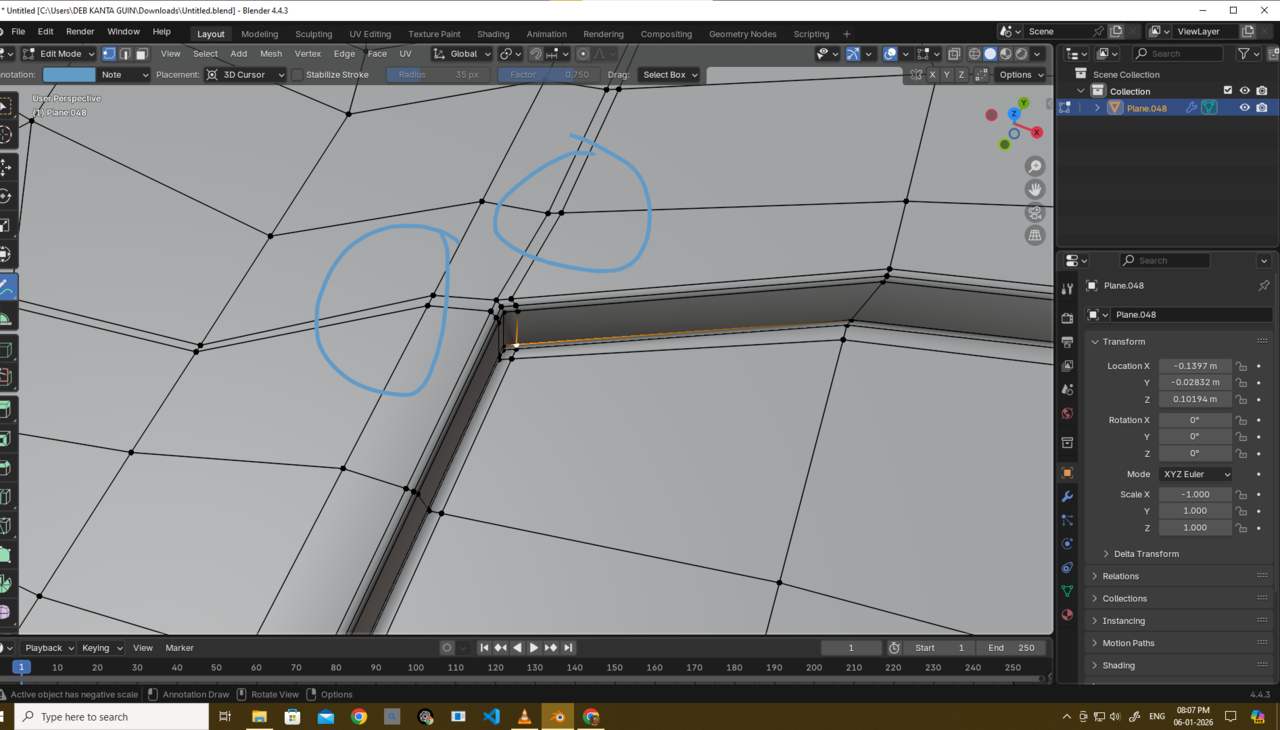 right?
Edit - lol i did not notice ur "Edit" section while replying haha...
If it's flat and not causing an issue then yes merge and have triangles. However if there's also no issue with the extra cuts and verts why bother?
The 'better' option for learning is this
1. Select the red edge and slide down (This gives you the solid green line edges)
2. Join the 2 outer green verts for a new edge (dotted green)
3. Dissolve the redundant yellow edges

This still isn't quite 'correct' (unless you're happy with it as is of course)
The red edge is what you want to bevel
You have the supporting (green) loop cuts in place but not not the ones (dotted yellow) needed for a uniform bevel. 
thehomme Friend thank u thank u...thaths the missing puzzle for me...i really thank u..i was trying to create that shape with bavel profile - 1 and outer miter arc...but it was not doing anything cuz i was selecting some worng edges...and i finally able to figure it out because of u...it was confusing for me because i never use bavel profile and outer miter arc like this way....thank u friend really