

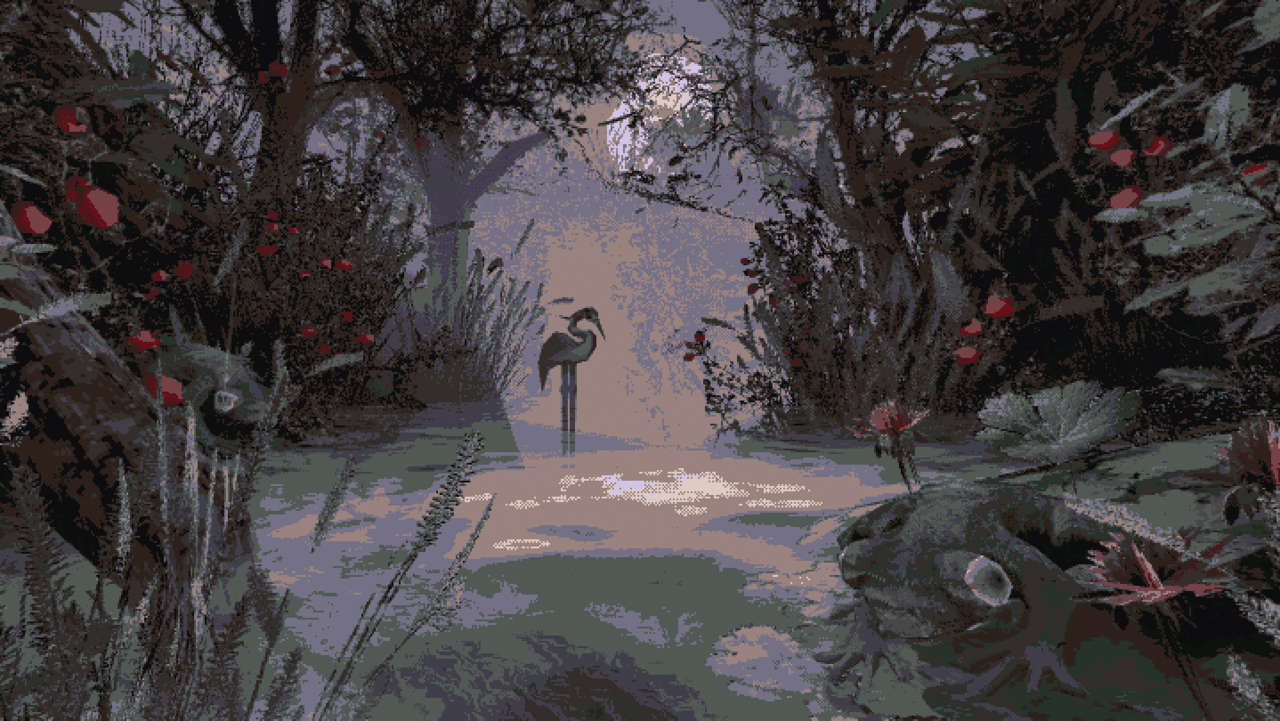
I love the PS1 look. I see examples of how the style has been developed in indie titles, like Signalis & Mouthwashing. One of the most beautiful examples of what I wish to emulate is displayed in CARIMARA: Beneath the forlorn limbs. These titles do not restrict themselves to the technical limitations of the platforms they aesthetically mirror, but they are undoubtedly a reflection of the past: more beautifully detailed with dense collections of assets; they gesture at low polygon counts, but the total in scene would far surpass anything possible back then; they at times use texture resolutions that were technically possible on the console, but were practically unfeasible for development.
& It's absolutely gorgeous.
Lots of tutorials all across the internet are about making highly realistic or overly stylized models, textures, and animations. Those that are explicitly intended on creating PS1-style assets are no where near as in-depth or thoughtfully designed as the tutorials I've went through here.
"Well, why don't you learn what you can from what is available, and then use those skills you developed to make the thing you actually want to make."
Ya know what, you're as smart as you are correct, my imaginary interlocutor. But my brain is smooth, and my desire to find excuses is strong. I want to know how to make the thing I want to make, and really that's it. Really, making 3D art is secondary. I want to tell a story I have written. Learning these separate technical skills is already a means to an end in itself. I don't want to learn about how to make other things. So when I finish a tutorial, it's hard to feel like I'm progressing, because I still haven't made my own Jill Valentine. I feel that if I had someone hold my hand as we went through each element in the process of making assets in a relatively accurate PS1-style, I'd feel much more confident. I'd have made a character, and I can play around with the steps I've already stepped to make my own thing!
My dream tutorial series would cover:
There are tons of "low poly" tutorials on YouTube, but they are all heavily stylized. I wish to learn how to make basic characters like Solid Snake in Metal Gear Solid, as well as more complex creatures like Resident Evil 3's Nemesis in his final form. Coincidentally, MGS & RE3 are great examples of the two distinct ways in which environments and cutscenes were rendered on the PS1.
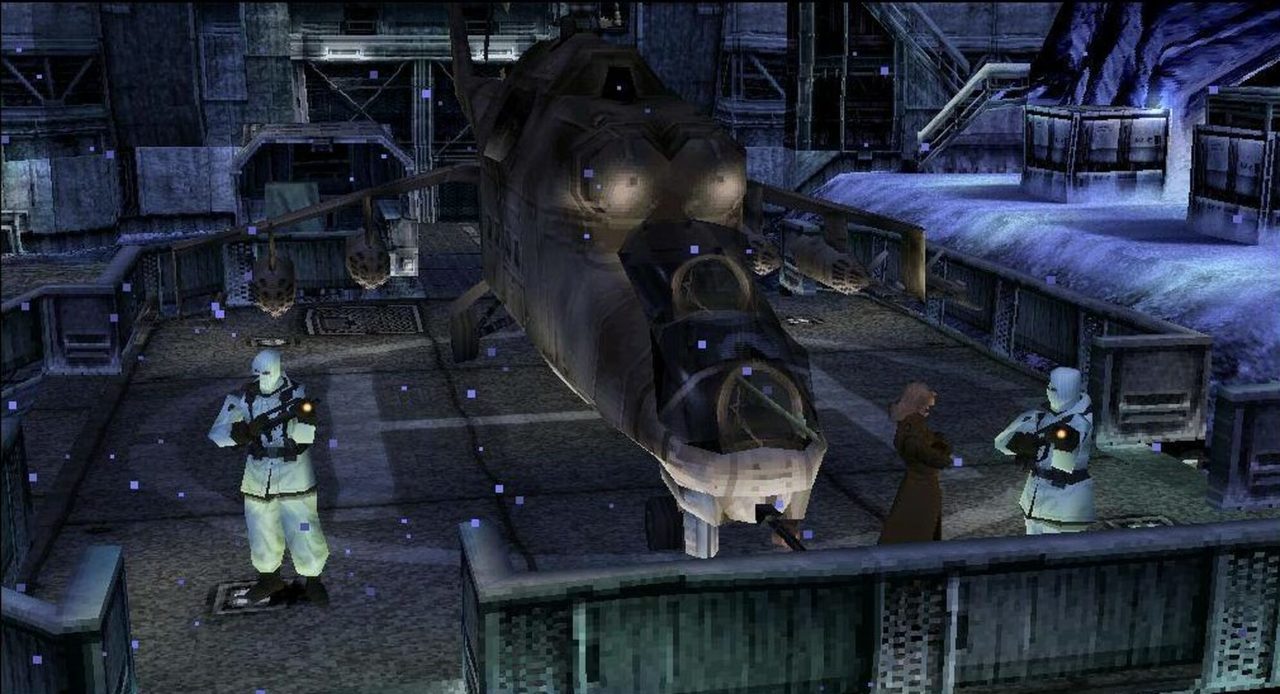
MGS uses real-time rendering for both. Likewise, it would be nice to get some overview on how to model buildings, doors, vehicles, and smaller props—with the intention that eventually these assets will be ported into Unity or Unreal or Godot, etc. Some of the tutorials that do manage to create PS1 environments, make them entirely in Blender so that they can serve as backgrounds for animations. From what I understand from the tutorials on these game engines, it is preferable to have assets made singularly so that they may placed freely, as the map design should be completed in engine for testing and iteration purposes.
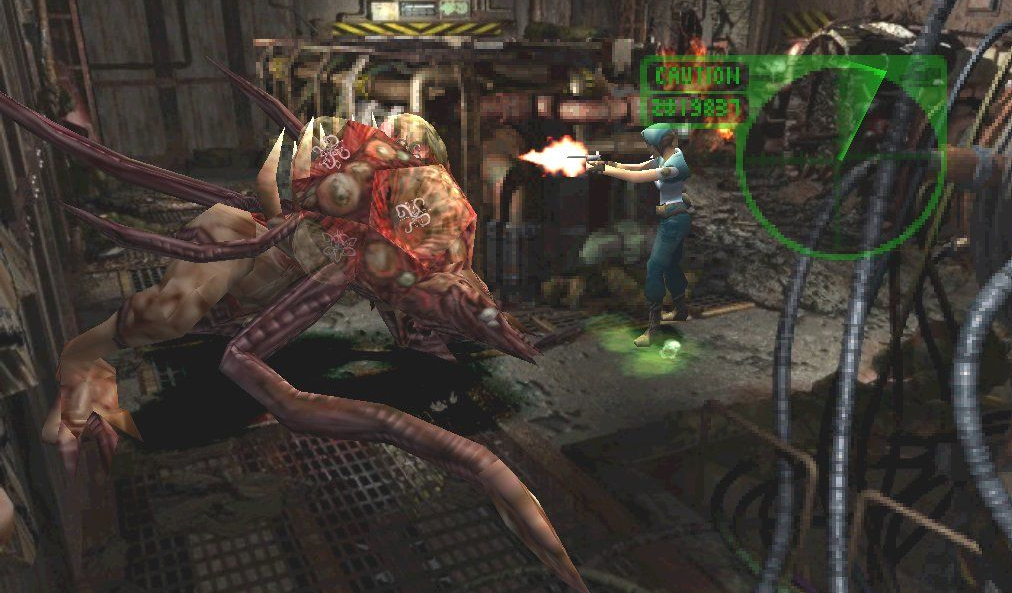
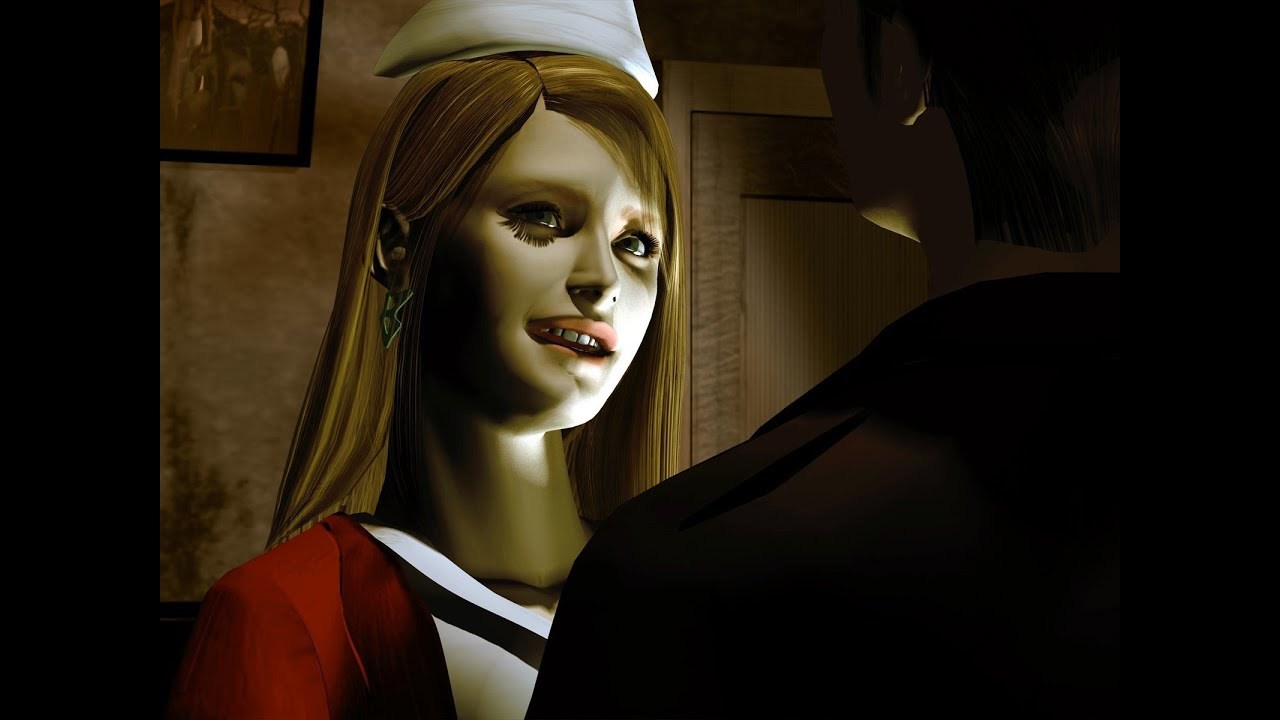
RE3 uses pre-rendered backgrounds and cutscenes, and this style in particular has never been covered in a tutorial, as far as I'm aware; It is interestingly hyper detailed, yet obviously dated. Silent Hill's creep factor was massively heightened by Takayoshi Sato's iconic cutscenes; the uncanny valley effect that the playstation's limitations require makes horror uniquely suited to the console. There is something that's just... off with the look of pre-rendered characters and environments. It's unnerving, and I love it for that. Modern software, like Blender, does so much work in the background to ensure that rendered scenes look absolutely not like those on the PS1. So much so that I have in the past tried to research if there are any old pieces of software I could use to ensure that I could only ever make the thing I intend to.
How to combine real-world photography and pixel-art to create appealing character models and environments. While pixel art is another skill in itself, it was quite common in the era. Seemingly every pixel-art tutorial I come across, however, is made with the intention of creating, would ya believe, pixel-art! Booooo! Like, I love The Legend of Zelda: A Link to the Past, but that's not where I wanna go with art. As a consequence, there's not really a consideration of how to make pixel art that looks good on a 3D model.
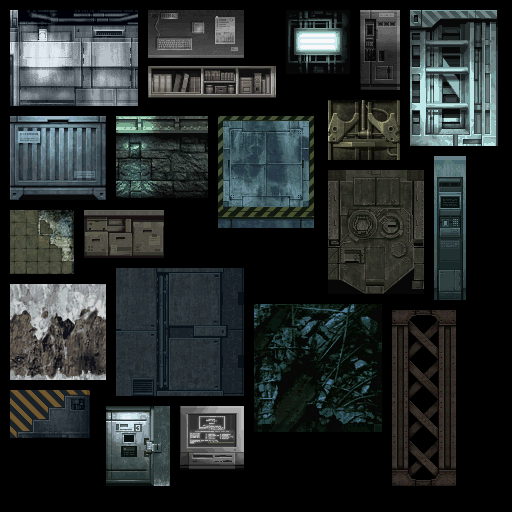
And actually, looking closer at these texture rips of MGS,
it seems these are way more than just pixel art...
I know even less about how to make these than I thought :'(
An issue I see with some modern indie games that attempt to ape the PS1 aesthetic is total reliance on low poly models and low resolution textures to do everything, while fully embracing mocap animations and modern light simulations because it's convenient. This irks me.
I'd love to see how someone more adept at replicating a PS1 aesthetic would animate characters and props. In this example of a real-time cutscene from RE3 is using generic animations that are used again and again throughout the game (Waving their hands around to indicate who is speaking and before returning them to their hip for a neutral pose). However, there are certainly ways to evolve this to look better, while not adopting overtly modern techniques that run completely counter to the rest of the game's style.
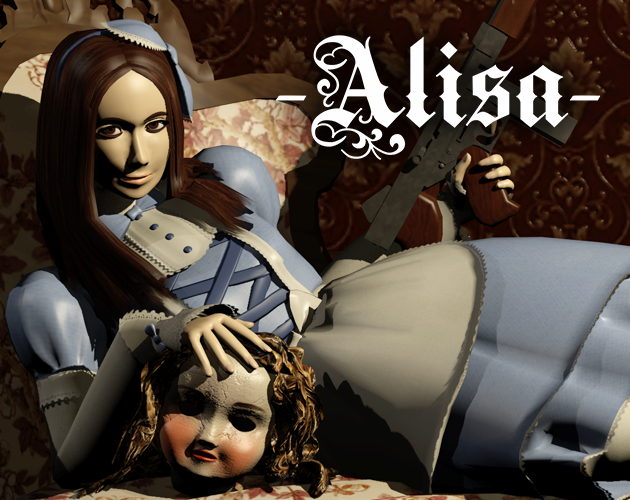
Lighting is another beast. Games like MGS used baked vertex lighting for gameplay, and since this aspect of the aesthetic is typically handled by game engines I'd like to see a focus more on how lighting is used in games like RE3 and Silent Hill, and how those games managed lighting for their cutscenes and when rendering angles of environments. Alisa is a modern survival horror that manages to be phenomenally faithful to the PS1 aesthetic.
I don't know why I'm writing this up. Just venting, partially. I don't think I am alone in desiring something like I am describing. I guess also I hope someone will be inspired enough to make a such a tutorial series. Then there's a slim hope that someone knows of a series of tutorials just as I describe.

I've not worked on console games but in terms of texturing I suspect the " these are way more than just pixel art..." comes from having a high res image/painting and applying an 8 bit dithered palette. I spent about a year of my working life creating 8 bit palettes for CD-Rom assets / movies where you needed to optimise a single 8 bit palette such that it could work across a range of assets. The aesthetic of the first image you posted to me looks like it comes from using a custom 8bit palette. I can't see obvious dithering - it's more like it's been posterised.
I might be wrong but isn't the look of PS1 basically driven not by the models/textures but by the capabilities of the hardware... the models/textures started out higher res but got crushed down by what the hardware could render.

Cool post Delilah. It would be cool to see such a tutorial for sure, I'm also a fan of all those games, played them all back in the day. It would have to be out of passion for sure, since as you pointed out, stuff that sells is all high poly, SubD, realistic, hard surface content.

It's not Pixel art. For the textures to get the real feel you will want to use 256 by 256 pixel single image textures. This is what caused the blocky look. You will also want to use indexed color(4, 8, or 16 bits per pixel). Most images today are RGB or RGBA mix at 8bits per channel. Thus making RGB 24bit per pixel and RGBA 32bits per pixel. Index color comes in at 4bit or 16 colors, 8Bit is 256 color(Most common on PS1), and 16 bit is around 65.5 thousand colors. GIMP supports these index color modes. Note: These are integer based. Some Software use floating point versions of these.
***Edit*** 16bit index is also known as 4bit RGB. Just thought I'd point that out since some software label it as that instead of 16bit index.
On rigging, you will want to use Envelope weights or segmented rigging instead of weighted rigging. Segmented is breaking each moving piece to a separate object then parent it to a bone. Envelope weights uses the area around the bone and where the bones connect to deform the mesh. it's not as smooth or clean as the weighted system we use today.

also keep in mind that in that era, models were low poly while a lot of the details they did have were in the textures. even with the lower color range and pixel size, they crammed a lot of detail into them, even doing some of the shadowing in the texture rather than relying on the lighting to do them. (Not in every single detail on this last bit, but for sure on things like belts and other details that are close to the model that would have contatct shadowing.) And a lot of that "stylization" actually fits into either the texturing or the low poly nature -- or even affected by both. A lot depends on how much time you want to spend on each individual part.
Even a lot of games today still use relatively low poly modeling, just might have a larger texture with a higher color range and even more detailing in the texturing.

This is a really great post, Delilah! You have really analyzed a lot about what makes those old games stand out and why they still appeal to a lot of people even today.
Look for "PS1 low poly modeling" on Youtube and filter by videos. There are some decent looking videos available - some might be older but the general information should still be good.
Check sites like models.spriters-resource.com for PS1 models that you might be able to load up into Blender to see how they are constructed. Places like Sketchfab might also have PS1-inspired models to look at or even download. Just seeing how they were modeled can help a lot!
If your end goal is to recreate the PS1 look in a game there are shader/lighting/etc assets available for UE and Unity. These are the ones I know of but I haven't tried them and don't know how good they are.
PSXFX for UE: https://marcis.itch.io/psxfx
PSXEffects for Unity: https://assetstore.unity.com/packages/vfx/shaders/psxeffects-132368
Regarding animation, you've made an excellent point about how part of the look/feel of the old games are those repeated animations. One thing to keep in mind is WHY the developers did that. Animation is "expensive" so being able to make fairly generic motions that can be reused in different situations was ideal. Each animation had to be considered for its importance. Can it be reused? Is it a defining character or gameplay trait? Would putting a unique animation in at an important point in the story call attention to the importance of that moment?
I've seen at least a couple of PS1-style horror shorts that lean into the repetitiveness of the old style animations and then "breaking" style into smooth or otherwise unexpected animation for the scare shots. It can be very eye-catching!
I know this isn't promising a PS1 course but hopefully it gives you some information you weren't already aware of and maybe gives you a starting point.