
When I am following along at around the 5:20-5:30 mark and i make a sphere and then try to snap it to the edge vertices of the original cube, it isn't putting the sphere right on the vertices. It seems to be snapping it to a defined distance but I can't tell what is controlling this. Same for if i set it to "closest" or "center". Any ideas?


Hi Matt MMarxistfenix ,
In Object Mode, the Bounding Box of the Sphere is used to Snap with, so Snap Base set to Closest, gives something like this:
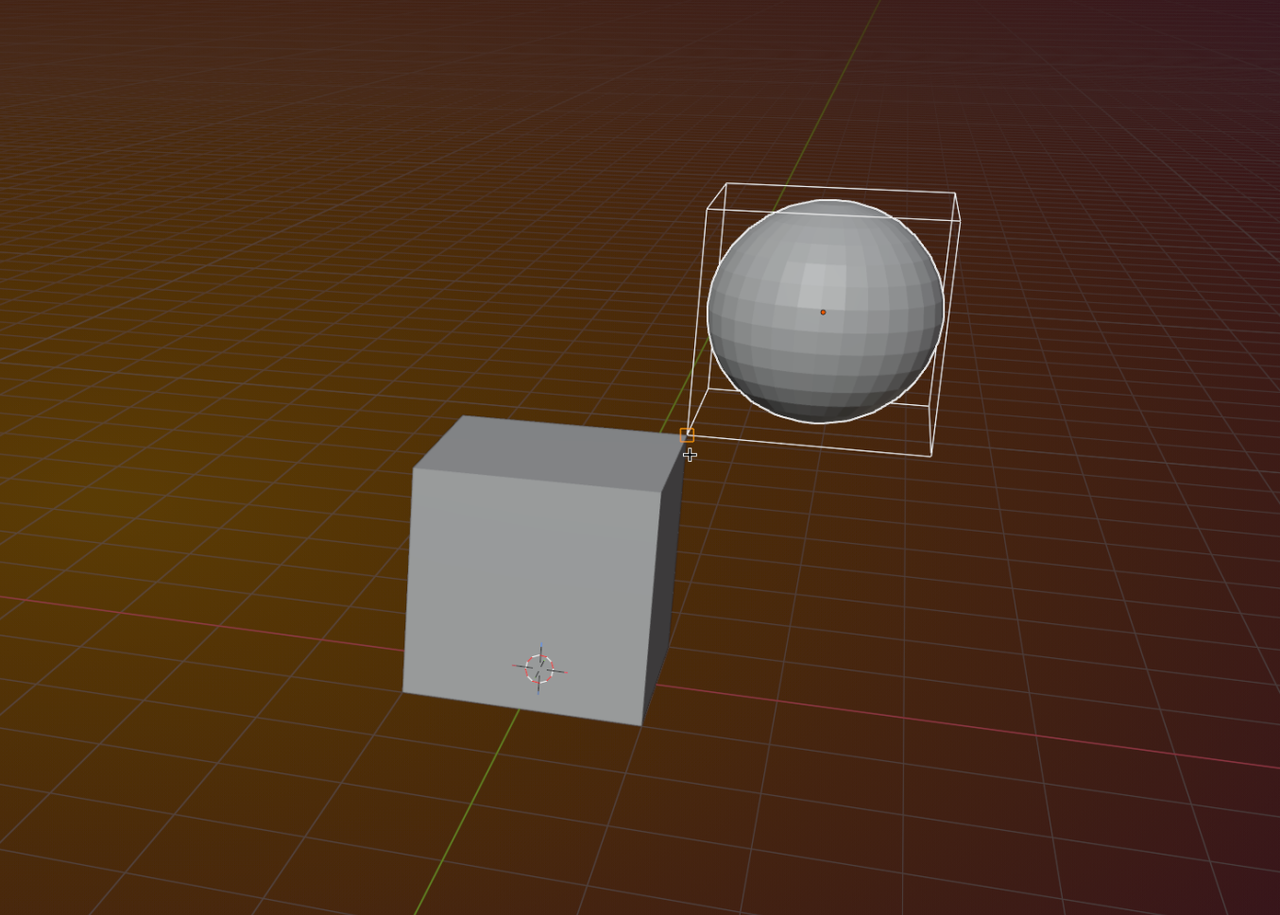
What you can do (since Blender 4.0), is to set the Base with which to Snap manually with B (this will override what is selected in the Snap Base Settings).
To do this (and it might take some practice), G to Move the Sphere, then B, to set the Snap Base (choose a Vertex on the Sphere):
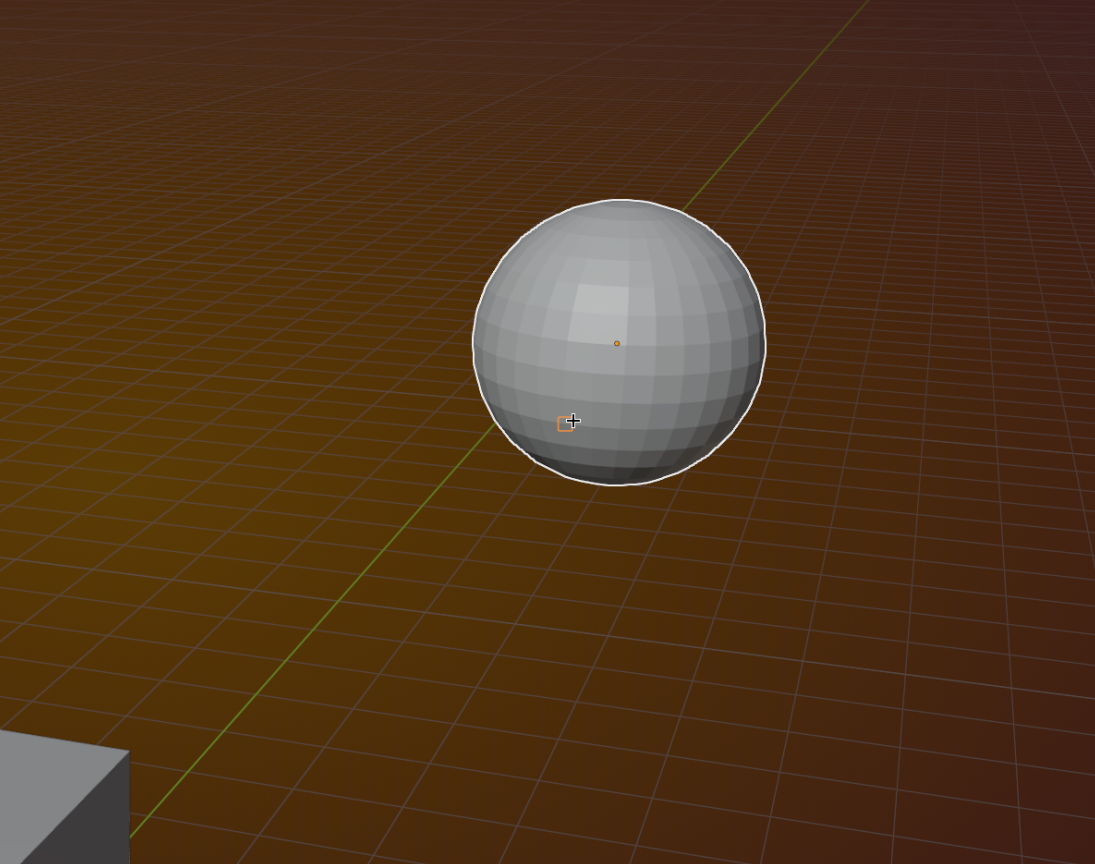
Then Left-Click (or ENTER) to confirm and Snap by moving your Mouse Pointer to the Vertex you want to Snap to:
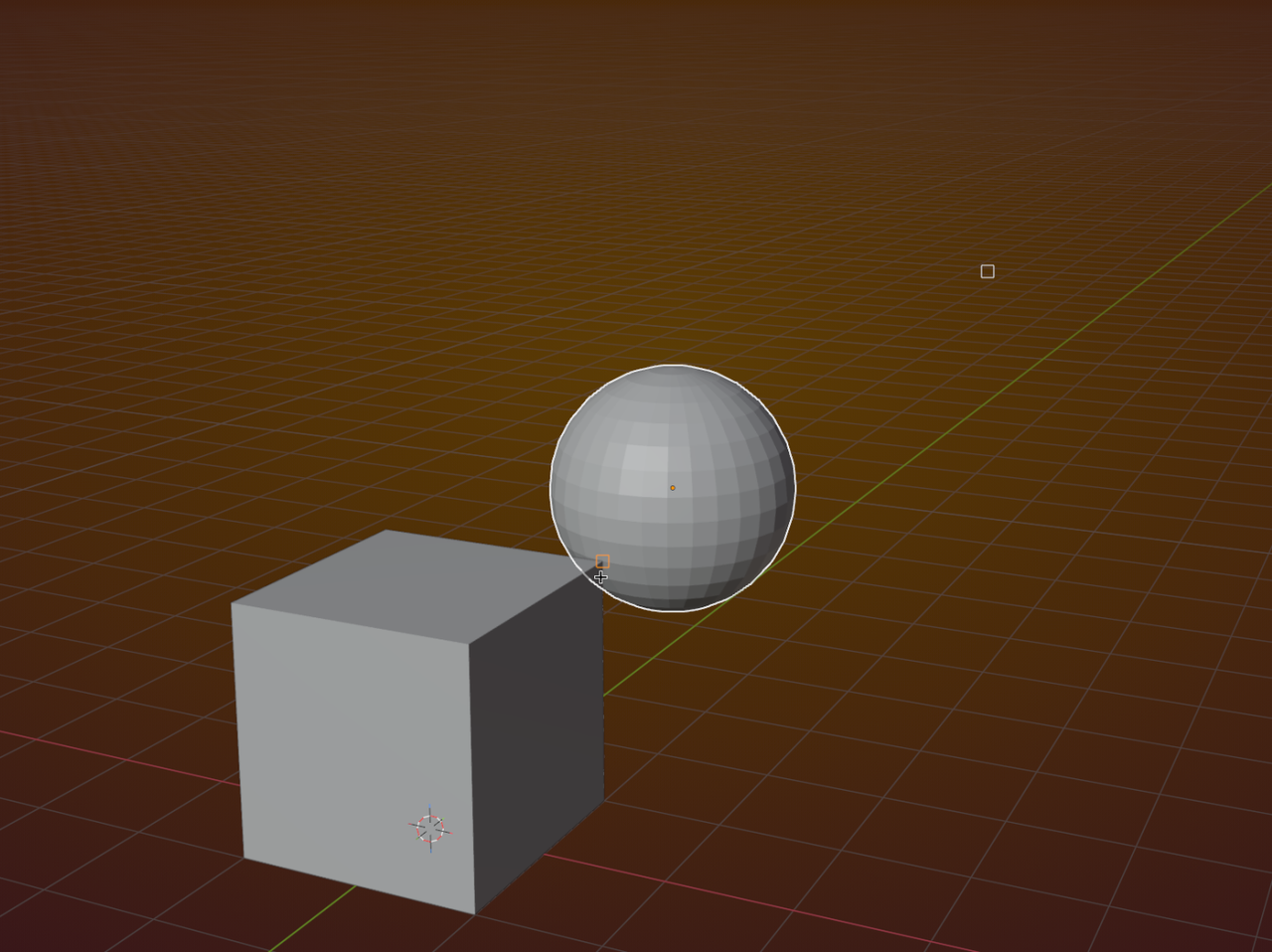
Like I said, it takes some practice, but it is super handy and takes Blender's Snapping to a whole new level.

Also snapping is always tricky, it sometimes misbehaves, sometimes it does stuff that you have to do a workaround. So don't worry if it's not doing what you expect it to do right out of the bat, you'll slowly get used to it and its gotcha's. Luckily the Blender devs have integrated stuff like what Martin said with B to set the snapping point.