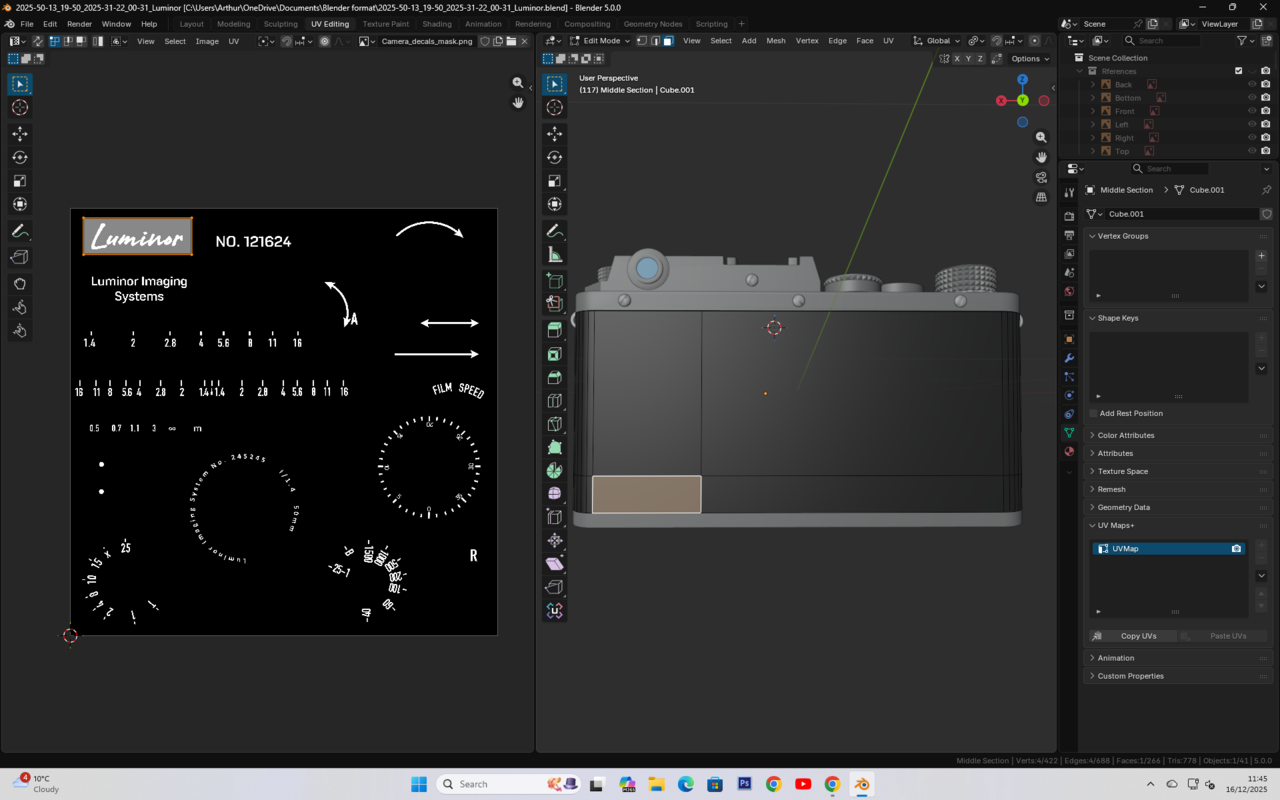
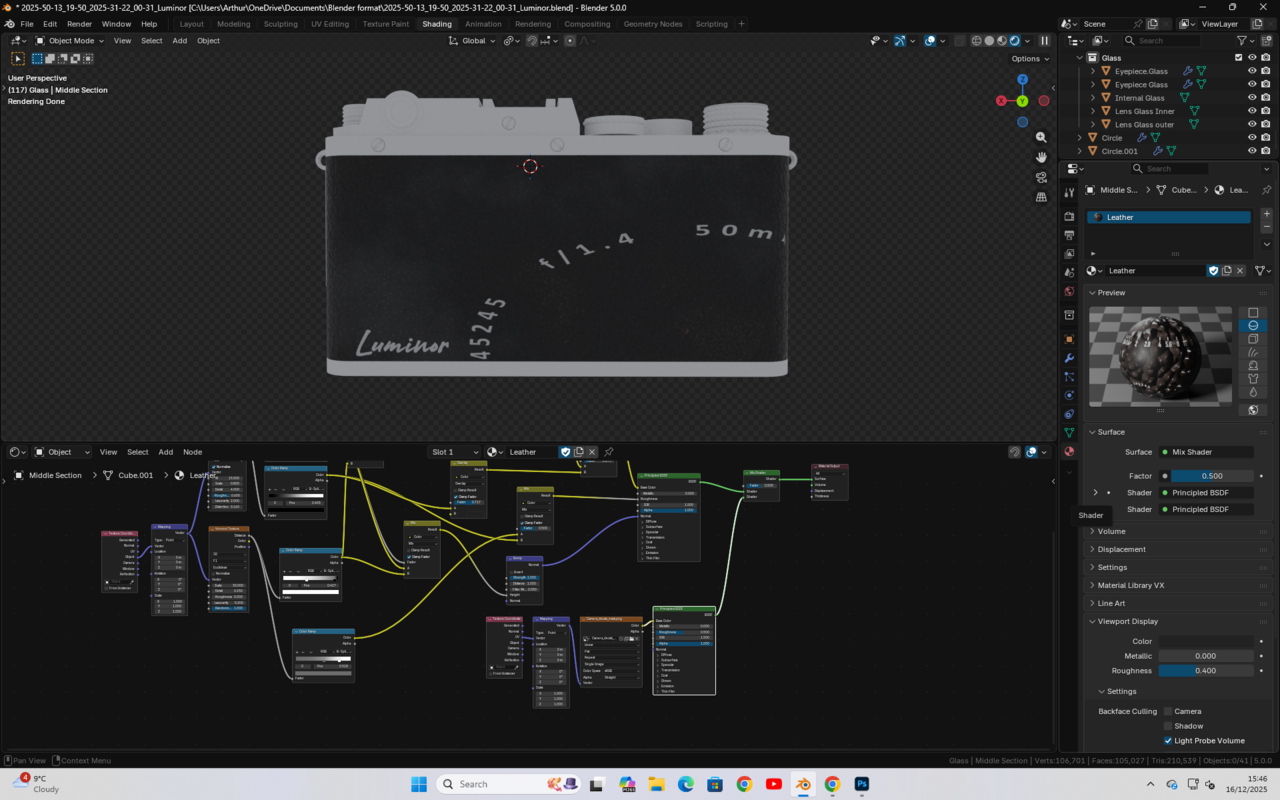
I'm sure I followed exactly the steps in the 'Luminor Logo video', having done this at least twice now, creating the strip bottom left of the camera rear for the text placing, 'unwrap angle-based' to load it onto the UV image square: scale, rotate etc. to position the strip over the Luminor text part of the 'camera decals mask' image. However, after creating the nodes I find the rest of the 'camera decals mask' image also appears on the camera model and not just the 'Luminor' text. I'm very puzzled by this as only the Luminor text is selected under the unwrapped area, as shown in the tutorial. Can anyone please advise why this is? I've not really had much practical experience with texturing yet or else I might have figured it out.
Thanks for any assistance.

Hi aaww167 ,
A bit hard to tell without some screenshots (UV Editor, Shader Editor, Viepwort), but did you perhaps miss the part at ~0:53 where the UV's get Scaled down to 0?
Problem solved, and thanks to Omar Domenech and Martin Bergwerf . Your advice did produce the solution. My mistake was to think that because the rest of the unwrapped body UVs were hidden, they weren't there. In fact I hadn't scaled them as I should have done. Geometry now looking great! Thanks to all who responded.