
Hi! :) I'm new on this site, and I've got some issue in blender while editing my camera. When I go to in the selected 'Camera view' and hit the shortcuts to edit it (G or R), nothing happens so I can't move my camera while I'm in 'Camera view'. I can only edit it with the gizmos (so the camera isn't locked), but I should exit the 'Camera view' first in order to do that. I can't find out what might be the reason for that. I'm using Blender 4.3.2. (I'm usually having issue with shortcuts not working exactly the same way as in the video). I also tried to change the keymap to make my shortcuts work, but haven't succeed with that either. What might be the issue here? Thank you for your answer in advance:)


Hi Nagy Klementina (not sure how to adress you, sorry) kleminagy ,
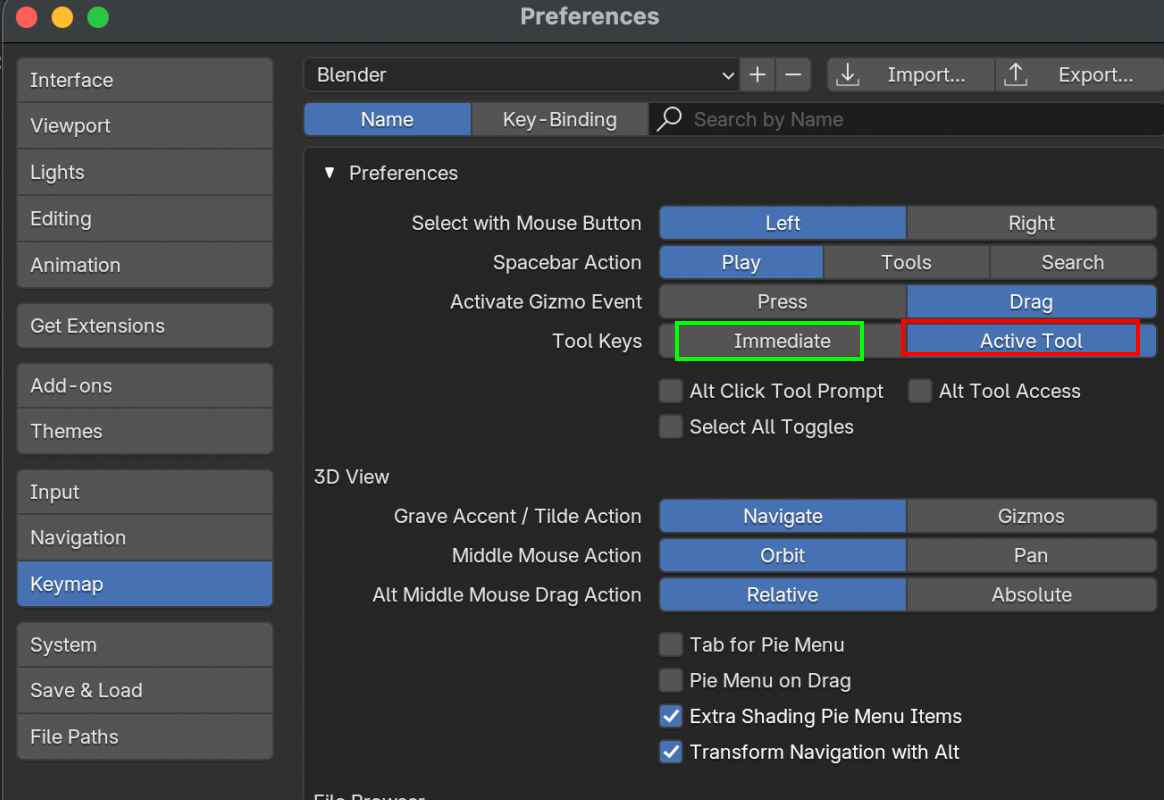
My guess is, that that's because you have set your Shortcuts to Active Tool:

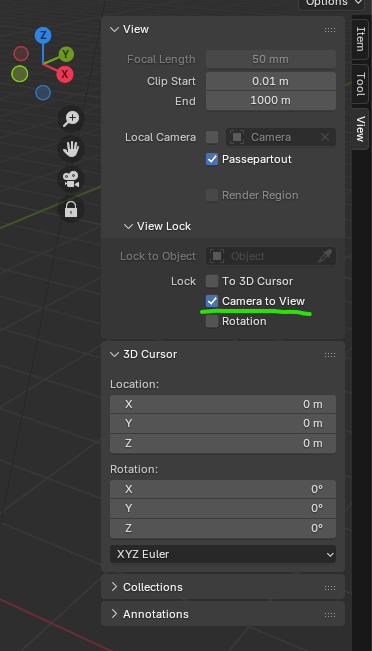
It might be as simple as you not having your camera selected or as your active object. Also don't worry too much, because no one moves their camera like that. What you usually do is to lock the camera to the view:
And also just in case, here's the link to this course but more updated to latest Blender versions:
https://cgcookie.mavenseed.com/courses/blender-basics-an-introduction-to-blender-3d-4-5-lts

It's just like Martin points out. the Active Tools setting makes the tool activate when you press G, R, or S instead of going directly into Grab/move, Rotate, or Scale.