Hello everyone!
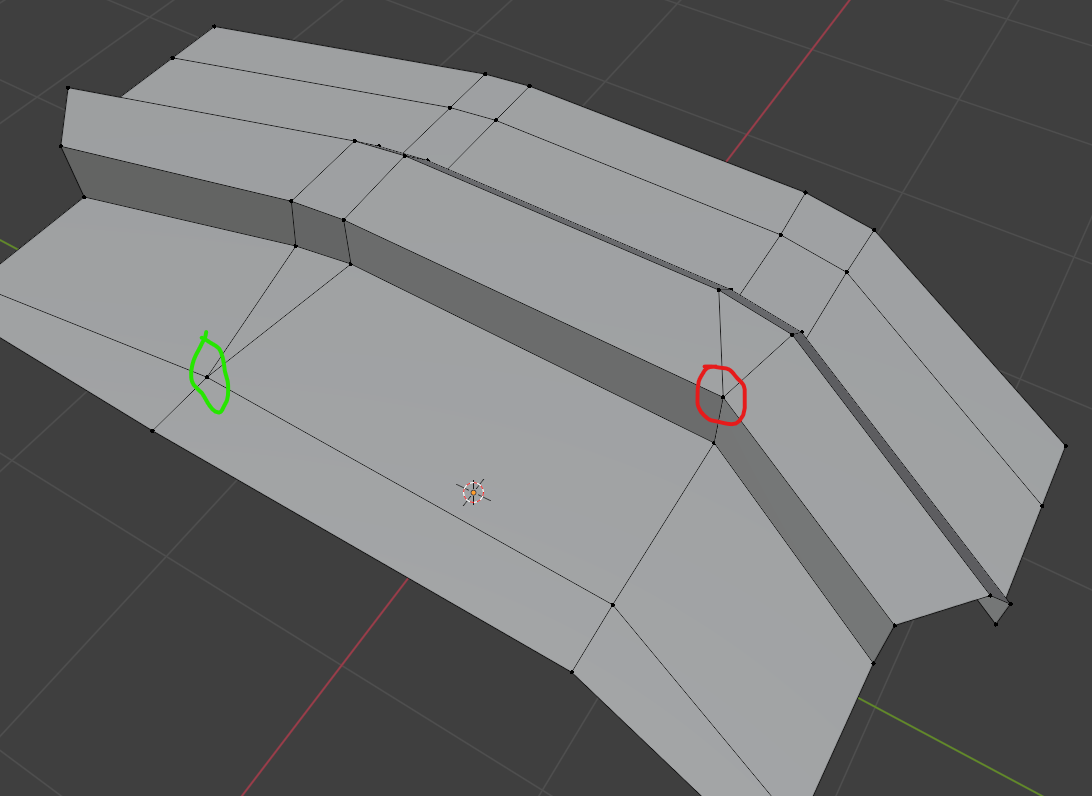
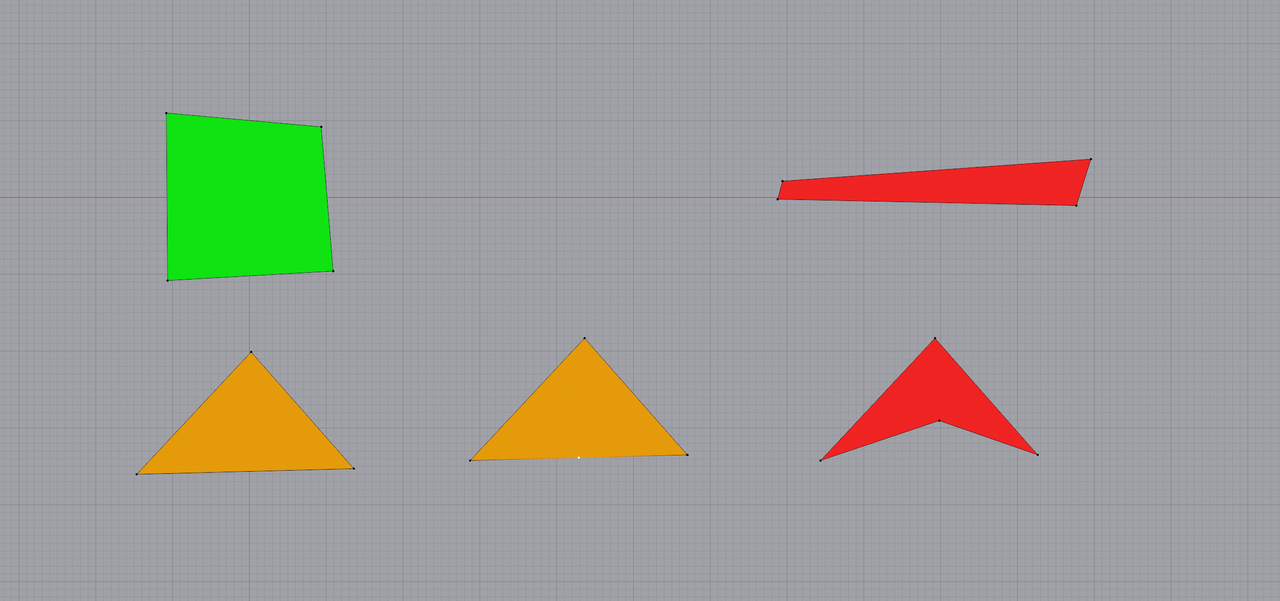
In the context of subdivision modelling, I know it's important to keep quads everywhere (there are apparently some exceptions) so that it subdivides nicely without causing pinching. With that in mind, beveling edges can quickly cause a triangle or n-gon to appear. My question can be summarized with this picture:

Adding the loop cut in the Quad? corner technically creates a shape with 4 sides. Does that mean it's a quad that supports subdivision modelling?
The reason I question it, is on this helmet model I made a while back, I used a similar trick on the corners of his visor:
With these "quads" on the corner, the subdivision modifier that comes afterward results in pinching, easiest to see when we add the visor material:
How do I properly layout a bevel like this to make it look nice without adding a hundred loop cuts around the model?

Actually, the fact that you have a 7-sided Pole, is more of a problem for the Subdiv Modeling, especially on a curved Surface:
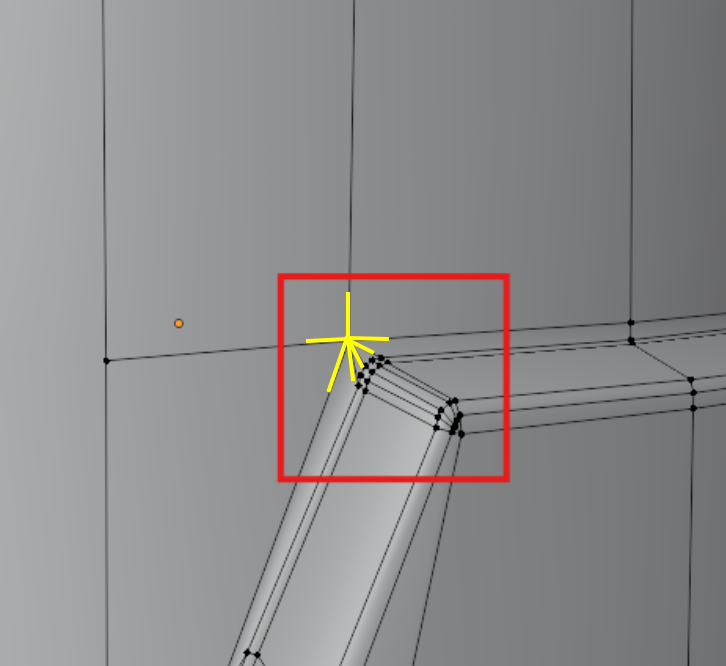
For Subdiv, you will need more or less regular (not stretched) Faces (mostly Quads) and the occasional 3-, or 5-sided Pole are acceptable (in the correct places), if they can't be avoided, but 6- and more-sided Poles should (and always can) be avoided at all costs.

Yes it's still a quad as long as it has 4 vertices, even if it looks like a triangle. Be careful doing this on the edges of things tho.
As above the pinching is simply down to too many vertices and the corresponding pole that's formed. You only need the centre and outer edges on the corner in the last screenshot. You'd be left with triangles but on the flat parts and can probably get away with them there if you don't want or don't know how to resolve them further. The other thing to experiment with is using weighted bevels and bevel modifier as part of your Sub-D model workflow.