
For some reason, the boolean modifier seems to be leaving a couple of the cylinder instances in place after I hide them. It's like it applies a union boolean instead of a difference. And they're visible in the render, too, so it's not just a glitch in the viewport. For some reason, I'm not able to add images to this post. I hope I've described the problem well.
Got it, thanks. Moving them around a little made them disappear. I tried to add some screen shots, but they wouldn't show up. I'm not sure what the problem is.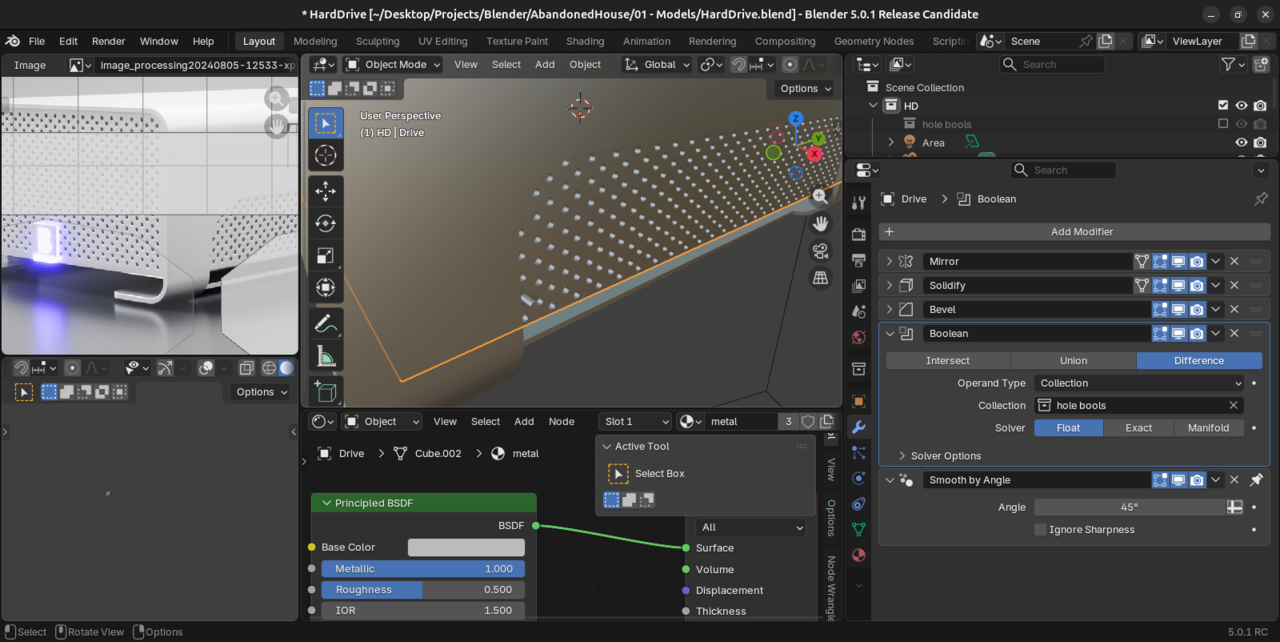
Works fine here, though. Thanks.

I seem to remember JL discusses this in the video. If you switch to Exact instead of float it fixes the issue although it will slow your viewport down a little as there's more maths for the computer to complete

As far as the "cut" object being in the render, it's very easy to "turn off" the visibility in the viewport, but forget to do so for the render. One thing that you could do is create a collection for the helper objects. Then you can "enable" and Disable" the collection. It will still work for the modifier, but will not be displayed if the collection is disabled.
(Hiding in the viewport and hiding from render are two different icons on the outliner, and hiding it in one doesn't automatically hide it from the other.)

