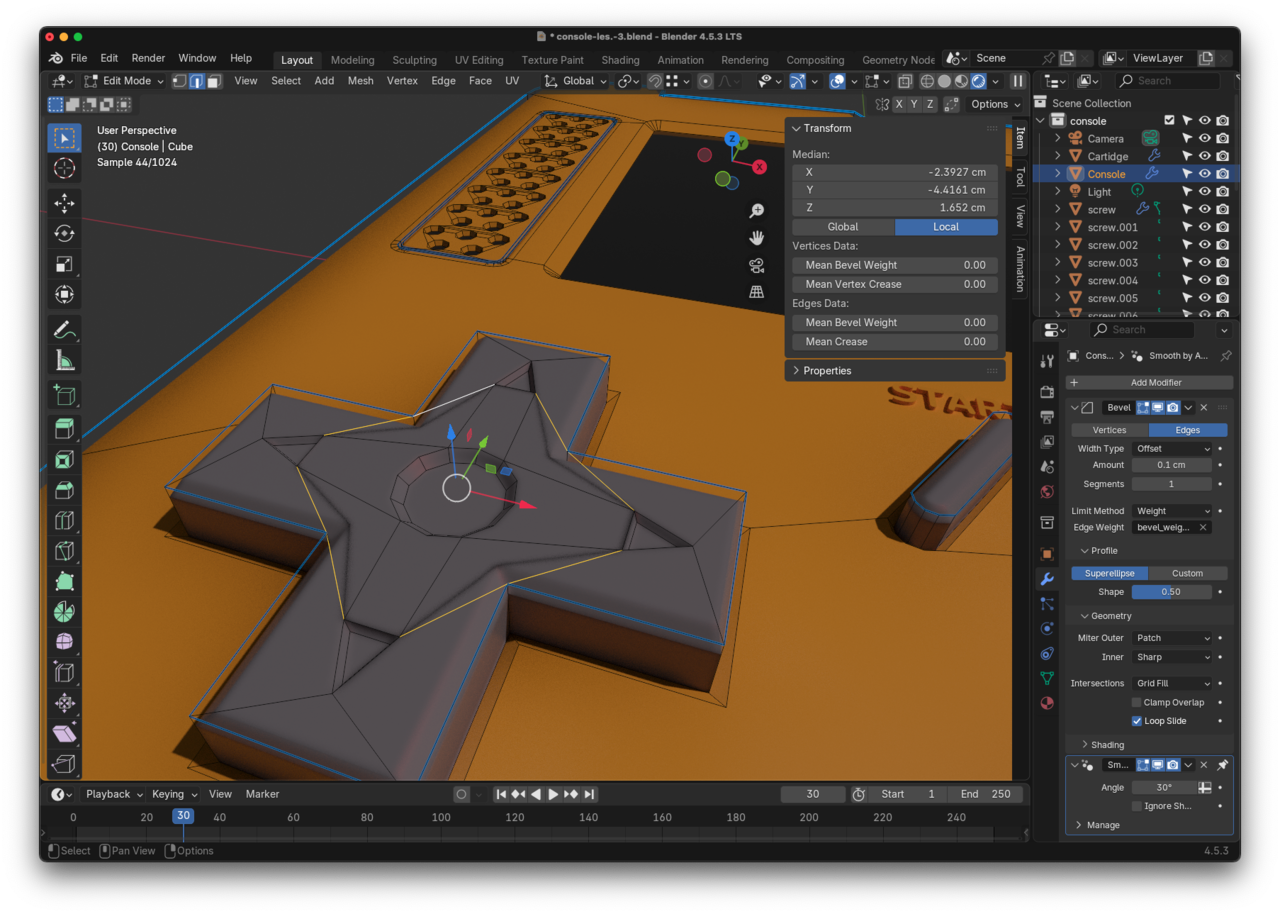
Vertices are making a shade when adding node to grey plastic

Hi, when I add this node with a slight bevel to "grey plastic" all of a sudden I get this shade to the grey arrows-selection-thing? I can't dissolve any of those edges, they are not marked sharp, the vertices are all in the same plane, I can't change the bevel in the modifier because it would effect the whole console... what to do?

1 love
Reply
  • Erik Vos(erikvos) replied

    Dont know why the image wasn't showing in the first place:
    2-03 om 11.40.36.png

    1 love
  • Martin Bergwerf replied

    HI Erik,

    Make sure your Normals are all correct (enable Face Orientation in the Overlays Dropdown).

    Also, for clarity, you are talking about the Bevel Node in the Shader, right?

    2 loves
  • Erik Vos(erikvos) replied

    Thanks! That was the problem! And yes, I was talking about the Bevel Node in the Shader

    • 👍
    1 love