
Hi from timeframe 3.20 min when doing the first insert then the second insert then blue arrow down and then extrude up I did all those things but when I go to object mode and turn off x-ray mode mine shows only a solid object there is no cut all the way around I made sure that i'm on plane mode not vertex or edge mode when doing the first and second insert. So what am I doing wrong? Also, I am using Blender 4.5, so I have already found the right shortcut keys instead of Ctrl+B, and then b again, it's Ctrl+Shift+B for vertex bevel.

Hi Daniel,
So you are doing something wrong, but I don't know what exactly.
Basically, what is happening is this:
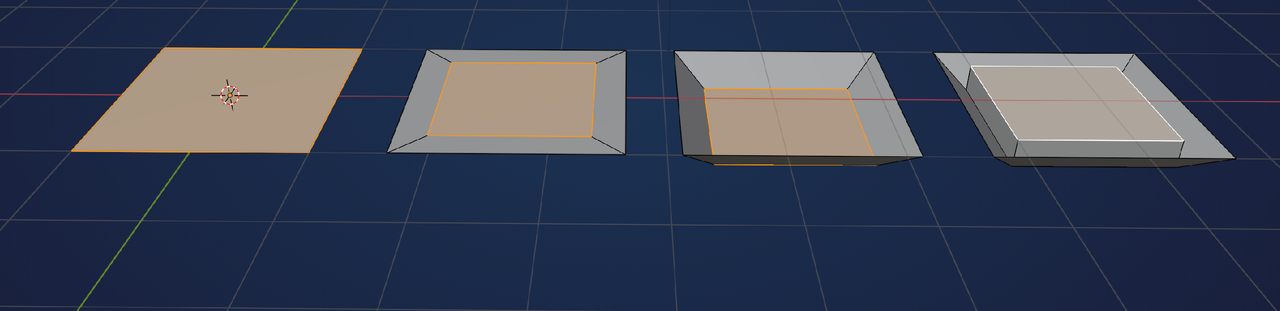
From left to right, I to Inset, G,Z (blue arrow, if you want) to bring the smaller part doiwn and then E to Extrude that smaller part up again.
Practice that in a fresh Blender File with a simple Plane like this and when you got it working and understand what's happening, Open your Press Start file and try it with the speakers.
Thanks, I will try tomorrow. I made a save on this problem so I can continue on the point I was stuck, but this was the problem I was stuck on, and I thought it was best to simply ask what the problem could be.

I always say the usual disclaimer, Press Start is more of a tech demo and not so much a beginners course. So if you haven't seen it, you should definitely start with the Blender Basics:
https://cgcookie.com/courses/blender-basics-an-introduction-to-blender-3d-4-5-lts
And then Core Mesh Modeling:
Well, I tried your practice idea, and I created a plane, made sure to press 3, then I and enter, then I again and enter, then G and Z, and then E to extrude, then I toggled object mode, and it worked there was a cut between the inner extruded part and the rest of the plane just like the speaker but again when I tried it on my console in object mode and x-ray off it only shows a solid plane?
Also, I did the Blender 4.5 basic course, then suggested at the end to do this Press Start after my plan was first to do the Core Modeling course, and choose my own project that is not part of the courses to test what I learned, then after the next Core course etc.
There might just be a large Face covering the speaker area and that's what you see when going into Solid Mode.
Personally, I never Model in X-Ray Mode. I do most of my Modeling in Solid Mode and only shortly switch to Wireframe, if necessary.
Also, when you Hide something in Edit Mode, it won't be Hidden in Object Mode; that can trip you up sometimes, if you're not aware of it.
Thanks for the options. Is it maybe better to send my save file, and if yes, how do I send my save file?
Here is the link https://drive.google.com/file/d/1QcrV4BYoiVb2qqjOGyZqBJx6eQ3XlMr4/view?usp=sharing , and now time for bed :D
Hi Daniel, good morning.
As soon as you switch to Solid Mode, you can see what's going on; your speaker is too low and hiding under the top Face of the console:
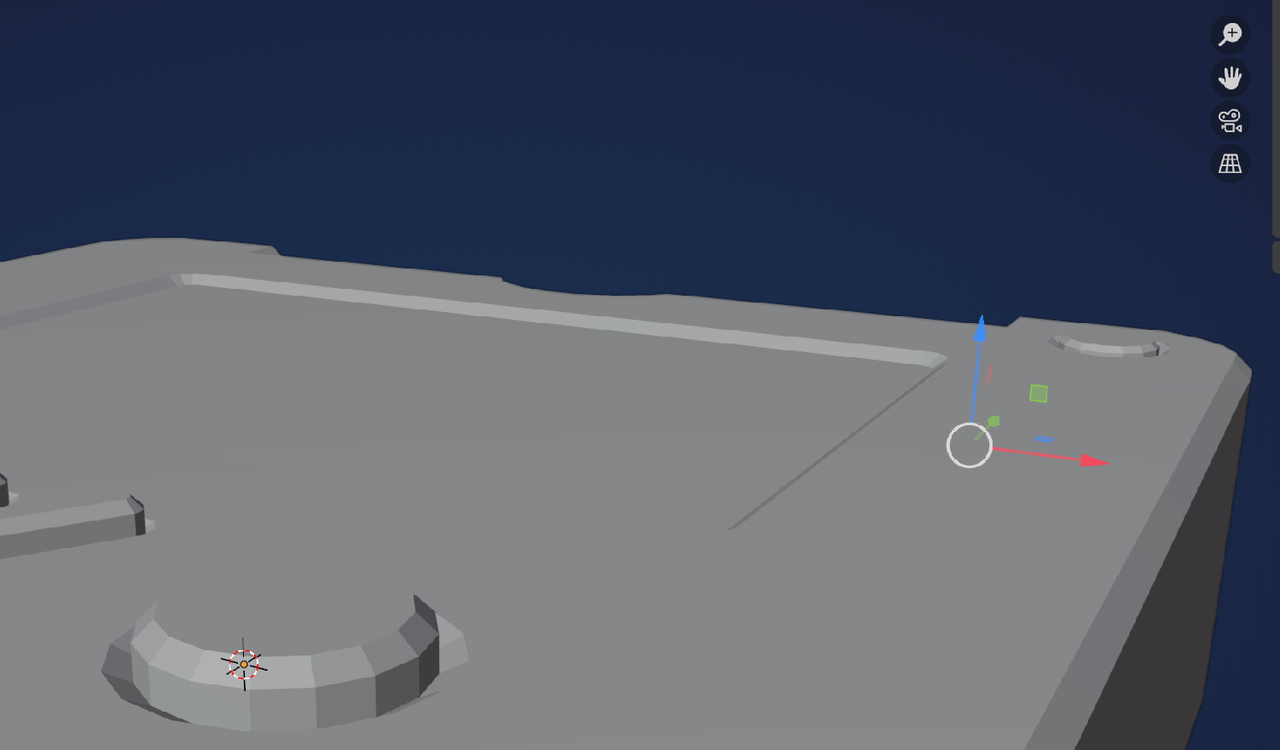
This one:
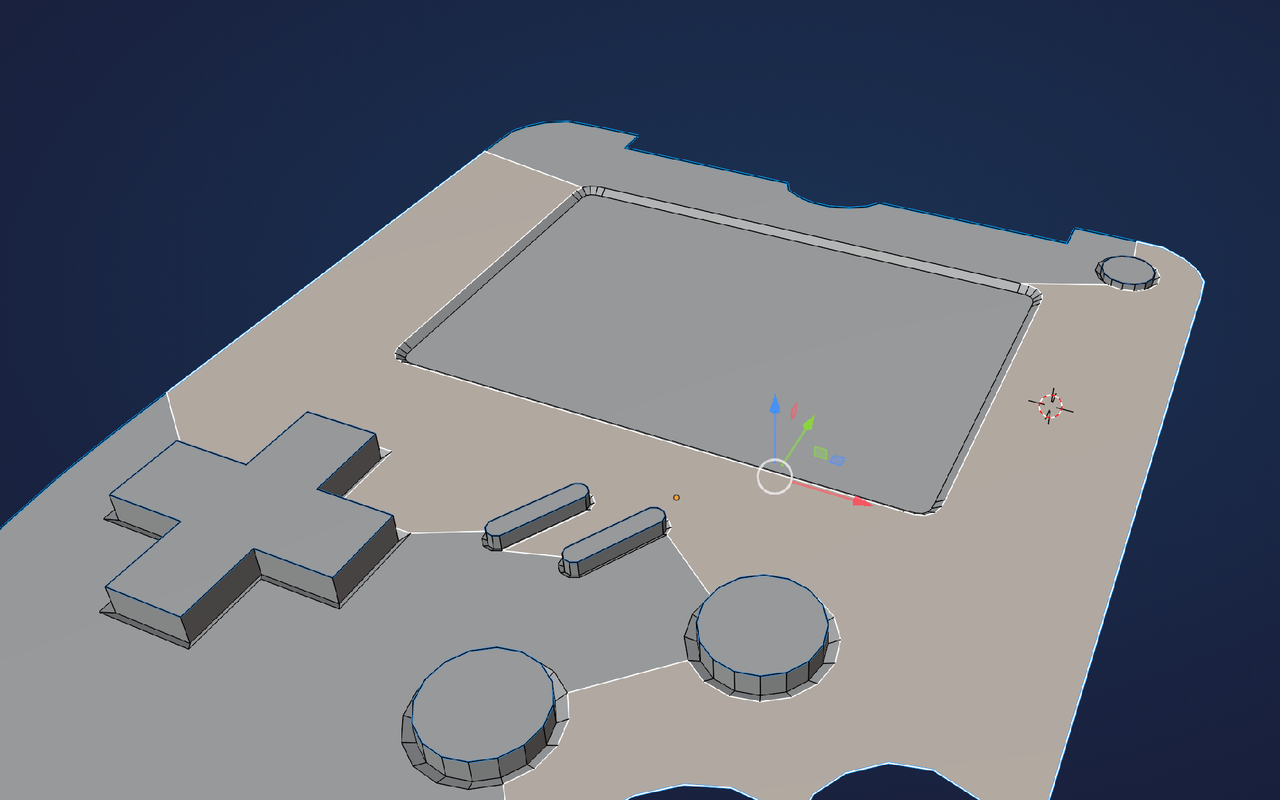
And that speaker from Side View in Wireframe:
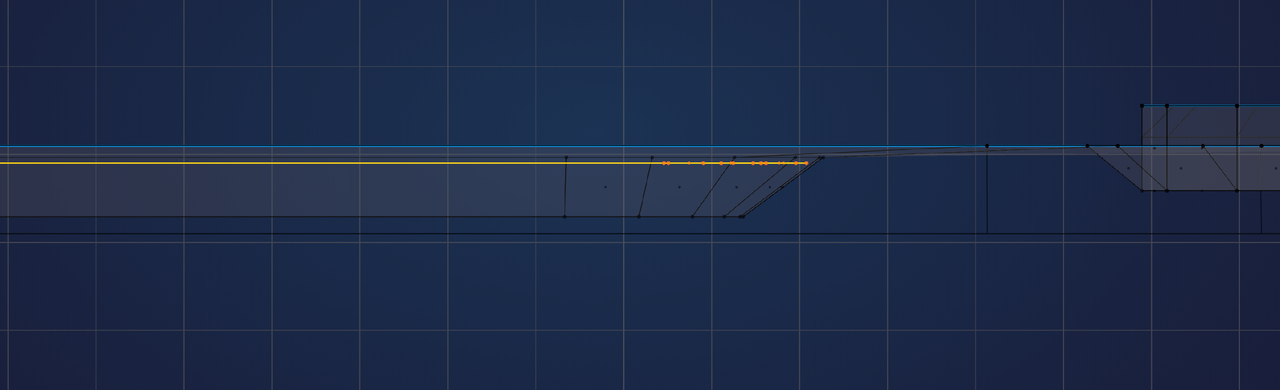
And your screen is also too low, as can be seen even more clearly, if we temporarily Hide the speaker:
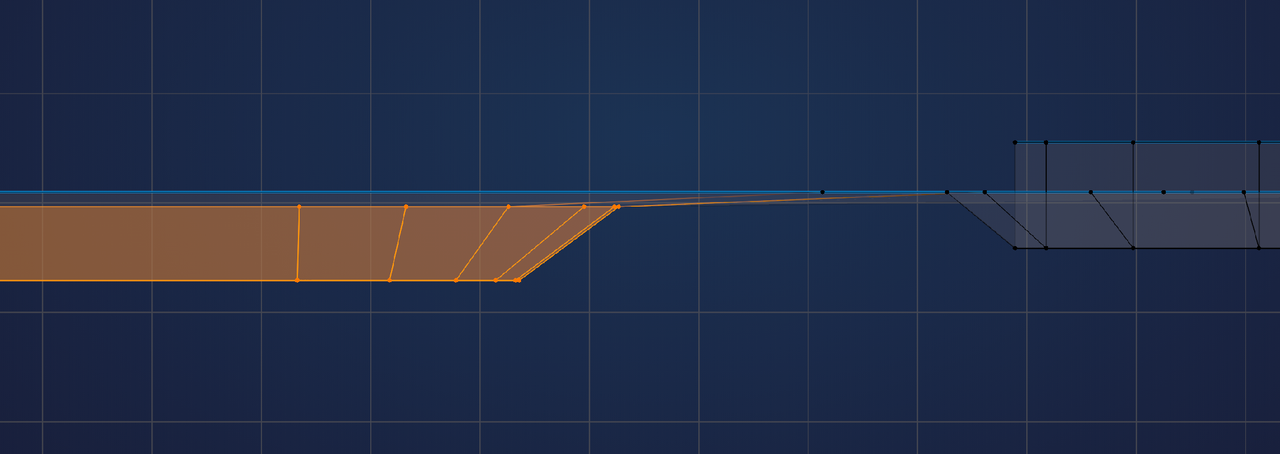
First Snap the screen up (G, Z, hold CTRL):
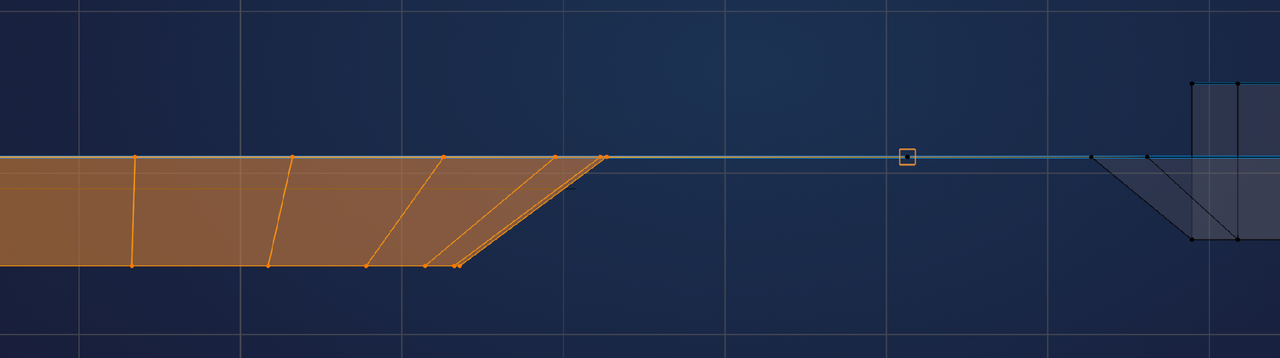
Then Snap the speaker (not just the Inset):
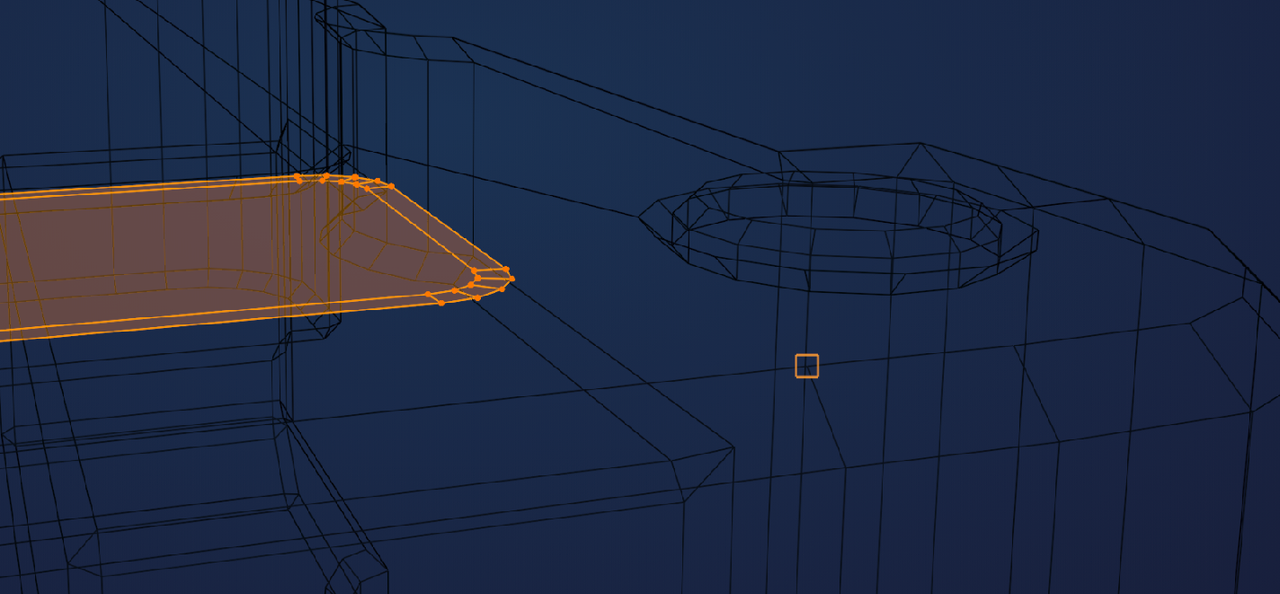
That Face from my second screenshot will stilll be in the way, but that shall be fixed in the Course.
Sorry for my late answer, I just got my computer fixed with the replacement parts that I finally got after a week of delays from DHL, using the excuse that it's because of black friday and holidays, that delivery will be a little slower, they call a week a little slower but with some hard work and a little luck then I can finish all the work I could not do because I did not have a working computer and will allow me to continue work on this console model and finish it but I atleast wanted to explain I did not answer sooner and I want to say thank you for the solution to my speaker problem so thank you.