

I'm trying to picture how blender maps things from a node perspective. For example, just using a Principled Shader and a single color node input for the base color. I assume the Shader sees only a single value and decides "I only have one value, so I will apply it to every part of the object." If the values but whenever the value(s) have texture or I guess just coordinate info attached, then it consults that info for what color a particular fragment or area should be, and that map is explicitly defined by the texture supplied or whatever is generated when a texture file isn't supplied.
My question is, if the shader already knows how to map a color texture, or roughness or whatever, why does the normal "texture" need a normal map node before it goes to the shader? My best guess is that it has something to do with calculating a vector based on the color of a point on the texture before it gets sent to the shader, but I recall in an earlier lesson that the Non-Color designation is the equivalent of making the image B/W. So that color info would be lost before reaching the map, no? Or is it the input of the next node that decides what Non-Color data means and it converts it to whatever it is expecting? If this is the case, isn't the "Normal Map" less of a map and more of a converter? The map itself would be the same system that is used for all the other texture maps.
I may be answering my own question as I think about it and type it out here, but some better insight into how it all works would be nice. I always want to understand the inner workings of things, probably a bit too much lol.

Yes, you got it exactly! The Normal Map node is just a converter so that Cycles or EEVEE can read all of the normal related info in the same format in the shader. The menu on the node defines what space the input map is read in (tangent space, object space, world space, etc.), and once in the same format you can combine any type of normal map together. The other types are far less common these days but can still be helpful on rare occasions.

Non-Color means that Blender doesn't interpret the colors of the Texture as Colors, not that it converts the colors to BW.
Colors that are Colors are interpreted as if they have a Color Transform applied to them (which they usually do):
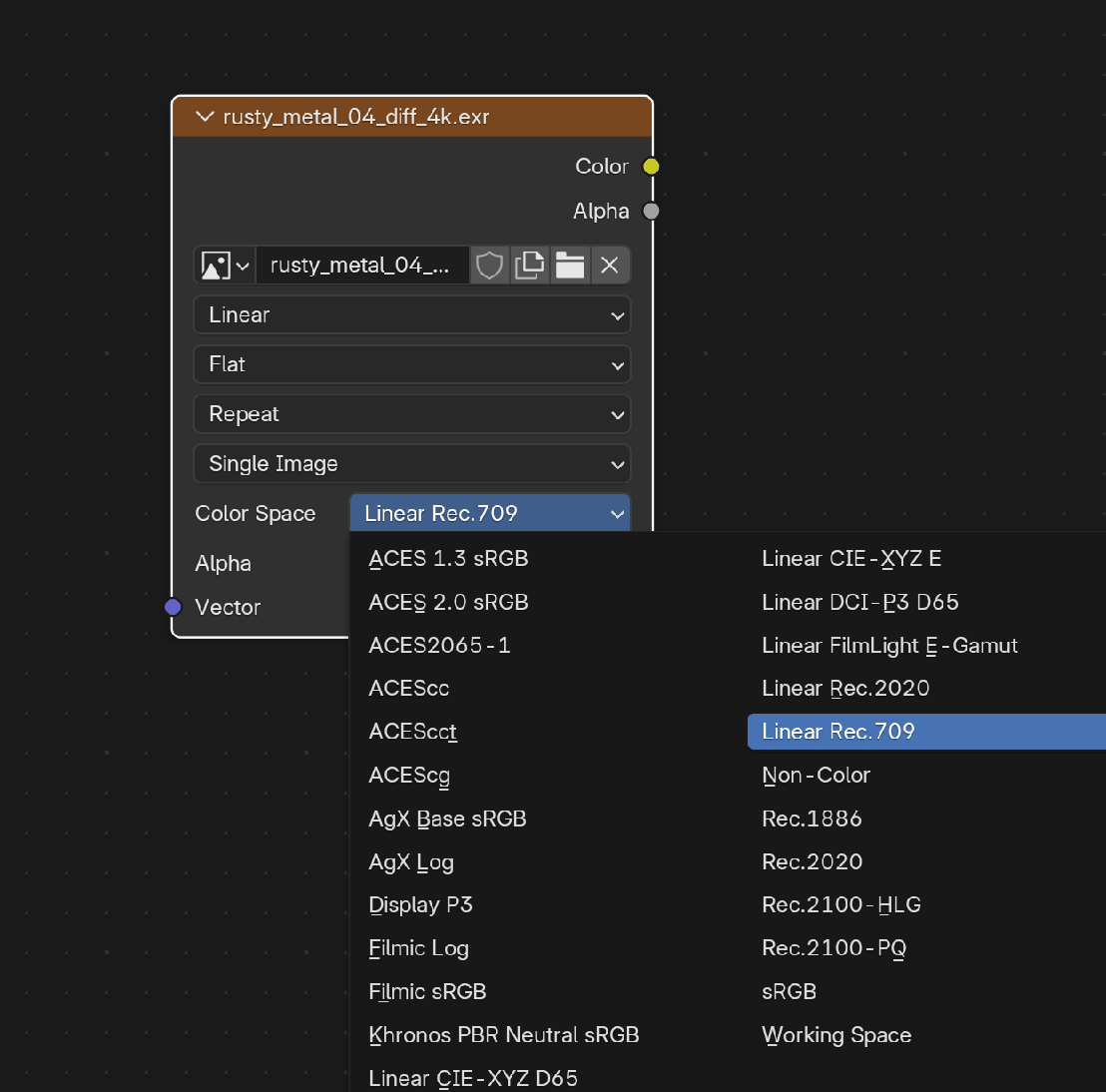
This (Color in general, but in Computer Graphics specifically) is quite a rabbit hole, be carefull or you'll get lost and never get to making any 'art' whatsoever.

Just additional information. So normals input can do many things. There are 3 common ways of manipulating the normals. Height map, Bump map(Technically straight bumb), and Normal map. Blender uses Height and Normals or Bump node and Normal Map node. You can also use the uniformed Normal node. So, yes Blender needs to convert the texture based on the method(Node) selected. As for the Non-color, it doesn't convert it to anything. It just provides the numbers as they are. The best way to think of it, is that it treats it as vectors XYZ instead of color RGB. That's why most of the maps need to be set to Non-Color. So that their information doesn't get manipulated(Processed)