Hi,
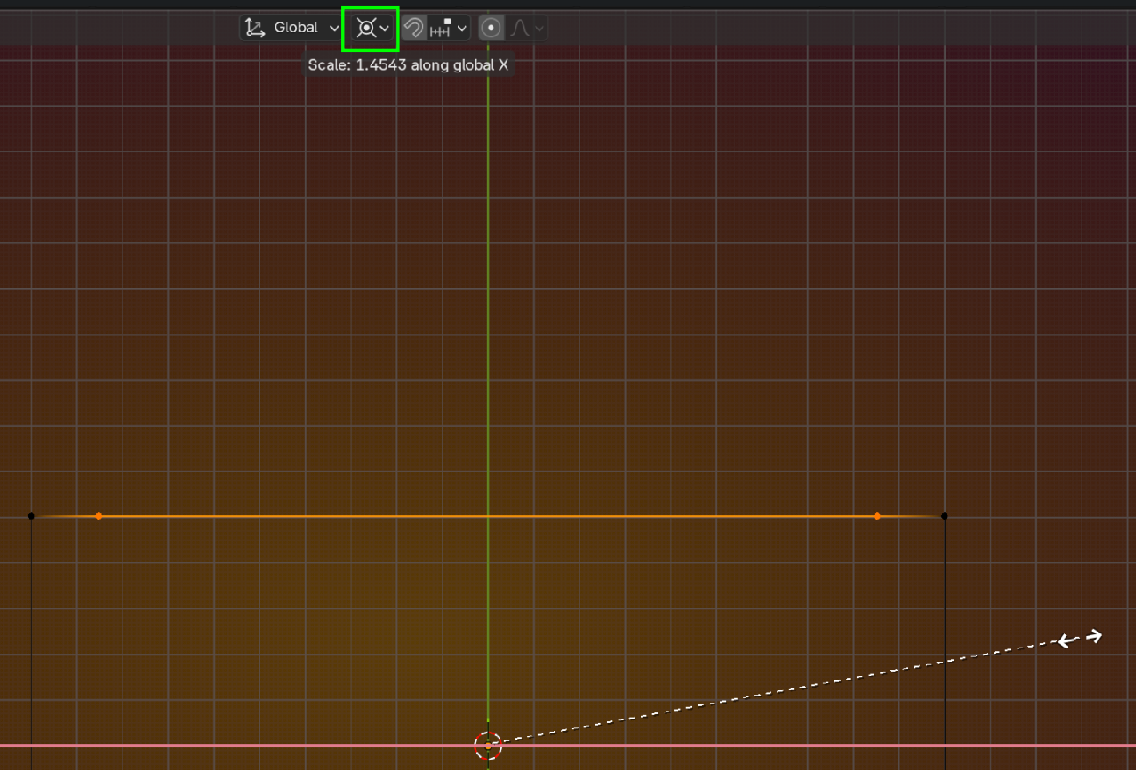
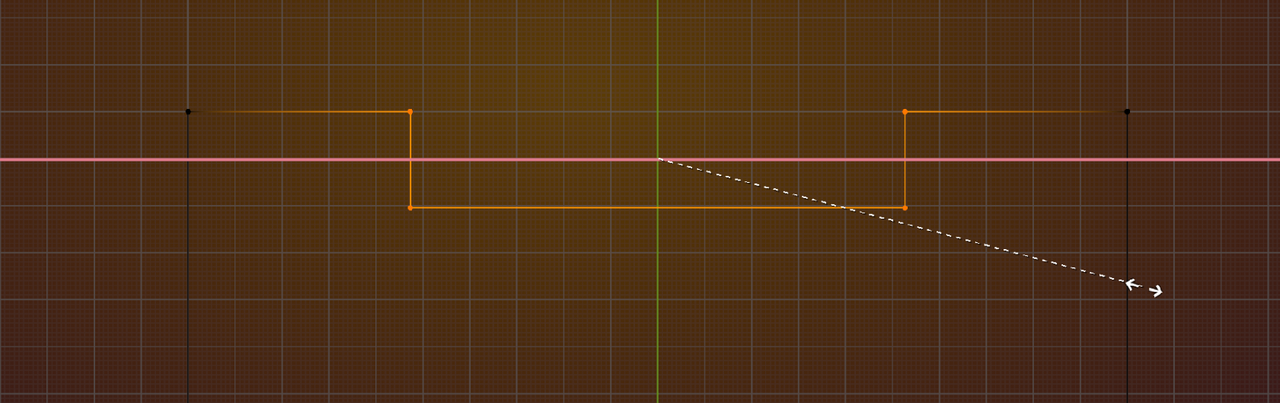
At around 1.34 I resize the edge loops in vertex mode, but when I constrain around the x axis the red guide becomes thick, and I can't see the vertices at all, so I have to iterate resizing blindly until I dial it in, and eventually get it to work. I'm in top view.
Is there a setting to adjust the opacity of the red line or to increase the visual size of the vertices? I'm using 5.0.0.
Thanks!

Hi David!
You can increase the size of the vertices by going to Edit> Preferences> Themes> 3D Viewport then scroll down past the bands of colors. You'll see customizable settings for edges, vertices, etc where you can increase their scale. Hope this helps!

Also, make sure you're in Vertex or Edge mode. If you're in face mode, you wont actually be able to see the individual edges or vertices.
(And when I did mine, I used 5.1, so it should be possible with 5.0 :D )

Hi David RRavenMenace ,
You can also move the "X-Axis Scaling Guide Line" (this is probably not what it is called officially) out of the way, by Changing your Transform Pivot Point to the 3D Cursor:
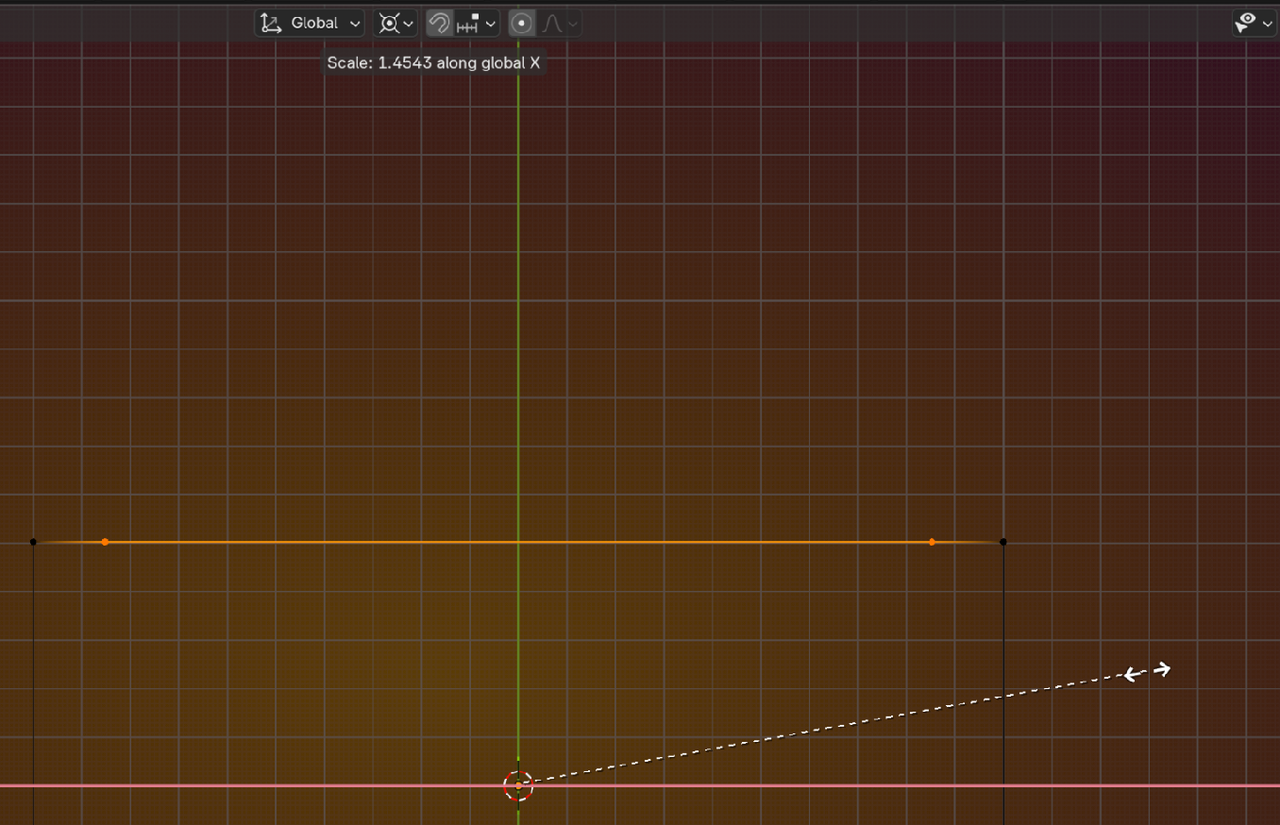
That is less 'destructive' than making the Vertices larger, which can get problematic, when your model gets denser:
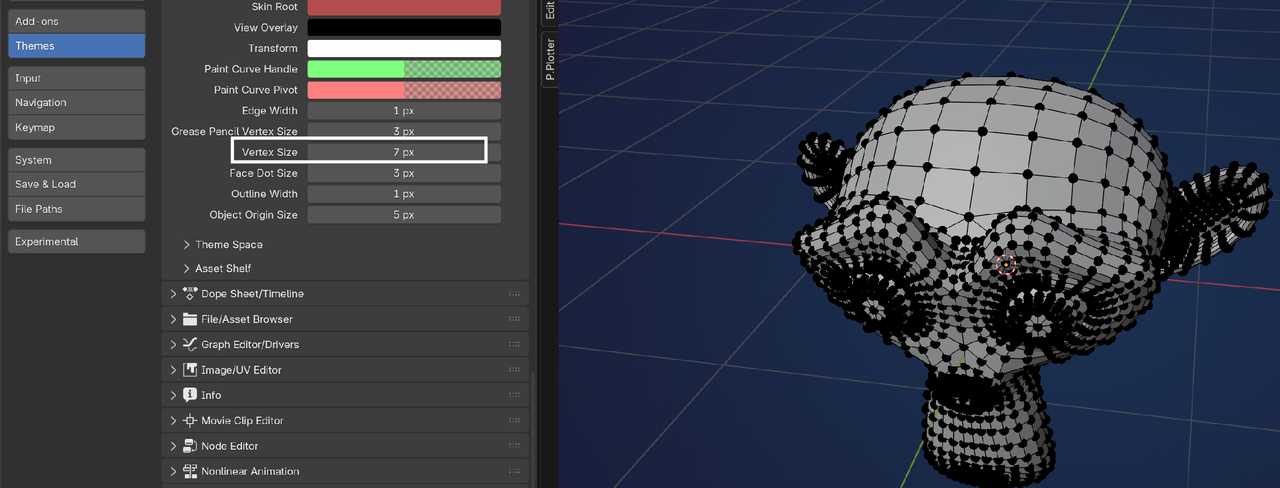
Then you'll have to change it back and changing a Preferences Setting back and forth is not ideal😉

Never had that happen to me before in all this years, where an axis line occludes the vertices. There's all sorts of situations in the world. This is why simulations are a thing and you have to do it over and over, at one point so many paths would have been explored that an unique situation will arise inevitably. I sounds like The Architect in The Matrix.