
So i had it where i was running into this issue when i exported my fbx my uv island would grow bigger. Have doing process of elimination, i found it it was this one object I had. It seem to have it when it in blender it normal and fits in it place on uv island. Then when I export it and import it to blender or substance painter, it has it where the uv comes out much bigger. Now here is the picture with the top one being how it looks before i export it and bottom one is how it comes out bigger when i bring import it. I check and it was only this one object that was causing this issue.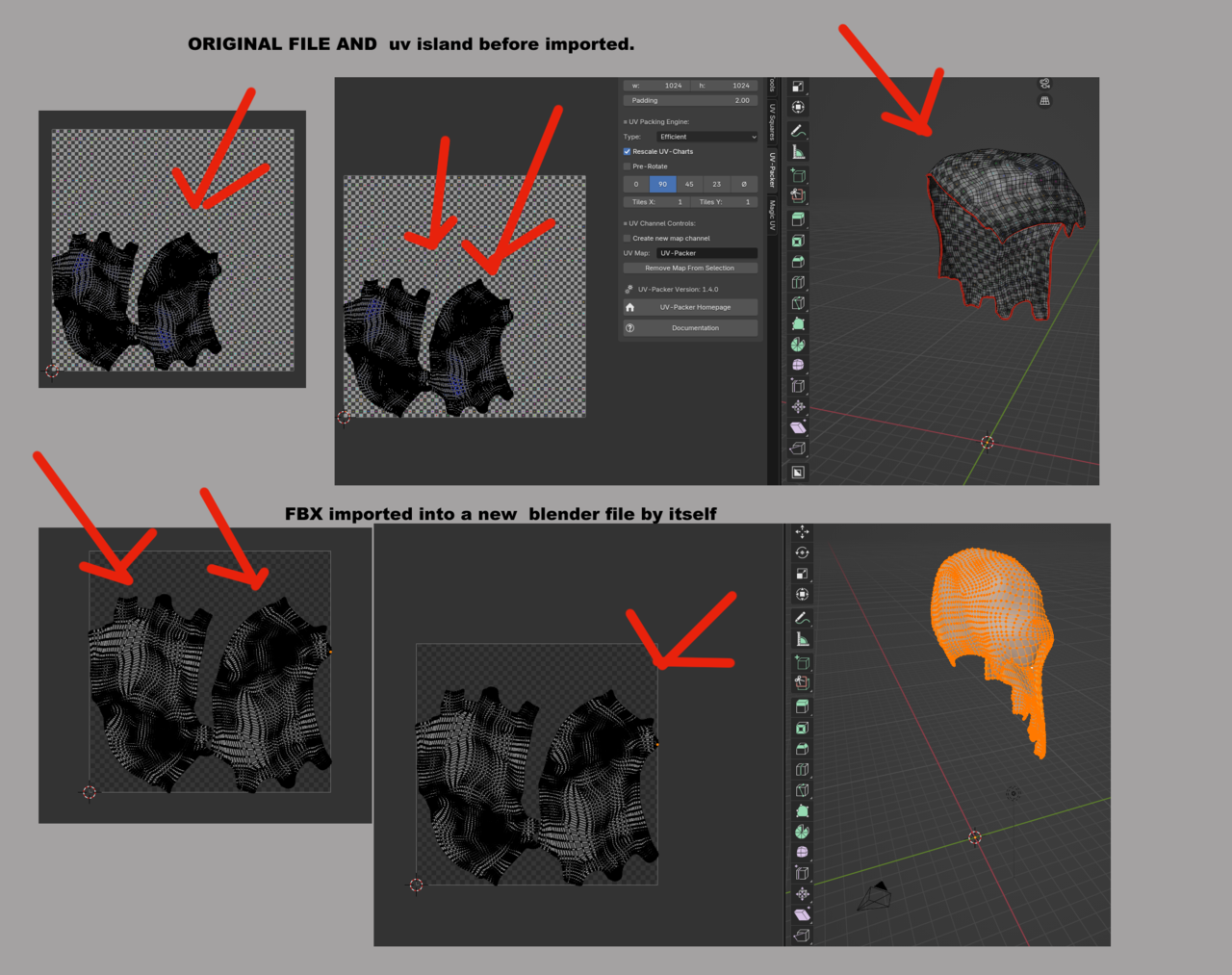

HI wwolfer ,
My first guess would be, thaat it has something to do with your Addon (maybe it re-packs the UV Islands when re-Importing, or so).
Perhaps it could also have something to do with the Scale of your Object not being Aplied before Unwrapping.
Anyway, they haven't actually changed, they're just Scaled up, so you can simply Scale them down again (with the 2D Cursor as Pivot Point).

Perhaps there is an option at the right window in the export menu that is making the size adjustable? There's always collapsed windows you have to open up and see a bunch of options. I haven't seen this issue before, so I'm not sure. But as Martin said, it could also be a addon. Maybe start with a brand new fresh Blender that doesn't have any addons installed and try the process there.
