

Hi everyone!
I'm having trouble copying materials from one obj to another in blender.
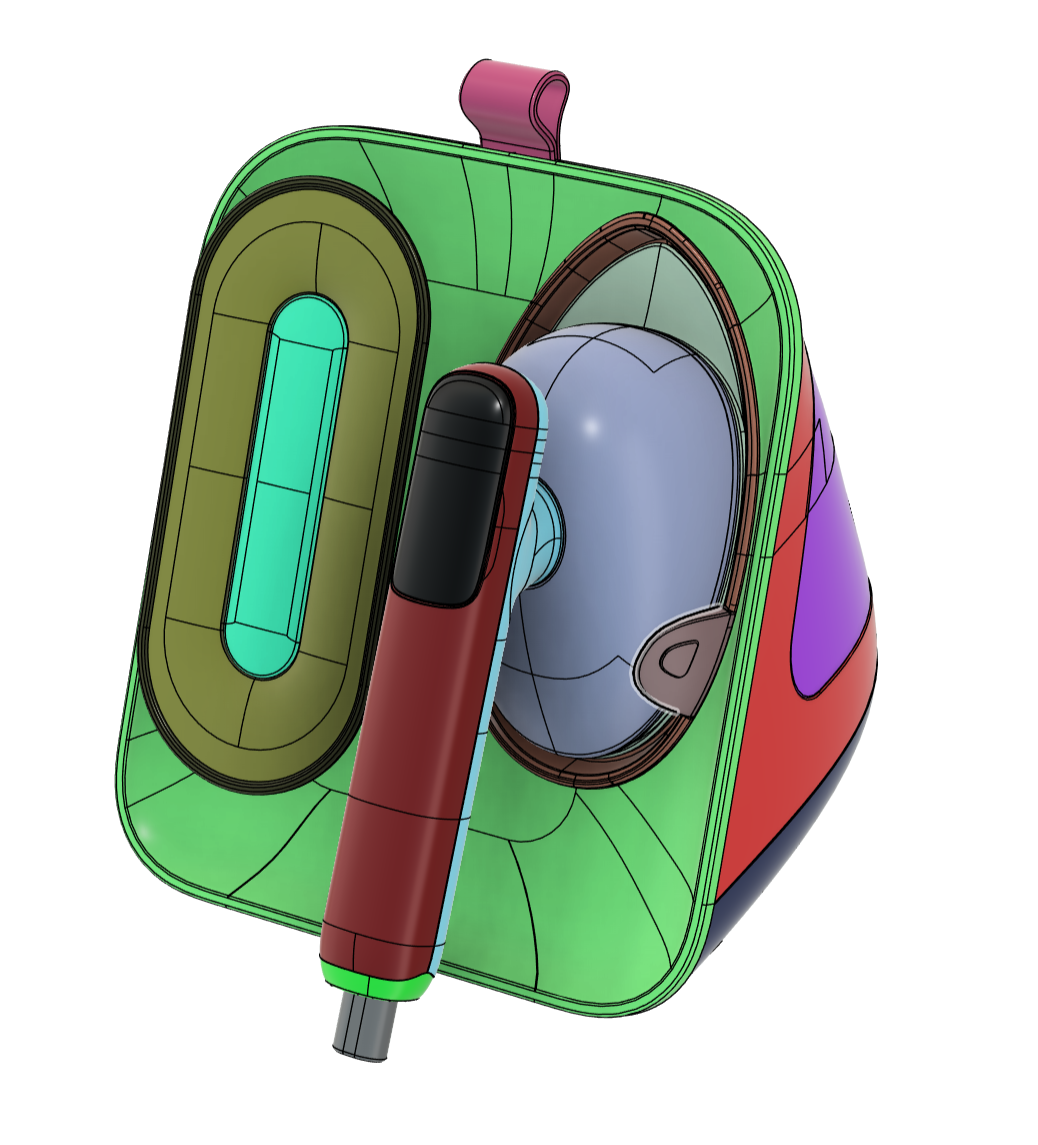
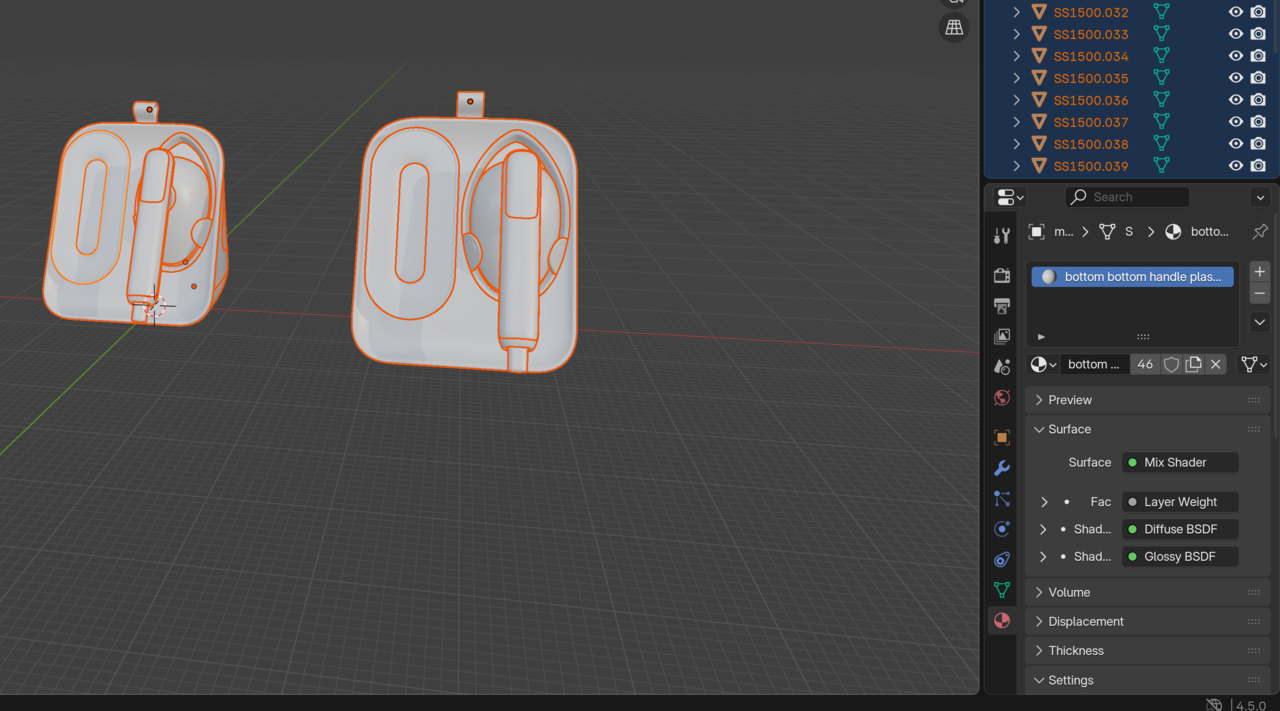
I have a model in fusion 360, I assigned the different parts of the model different colored materials so that when I export it as an obj, I can open it in blender and then separate the parts by different materials. Here's the model in Fusion with different colored materials to separate the different parts.
Here's what the model looks like in blender after being separated by material
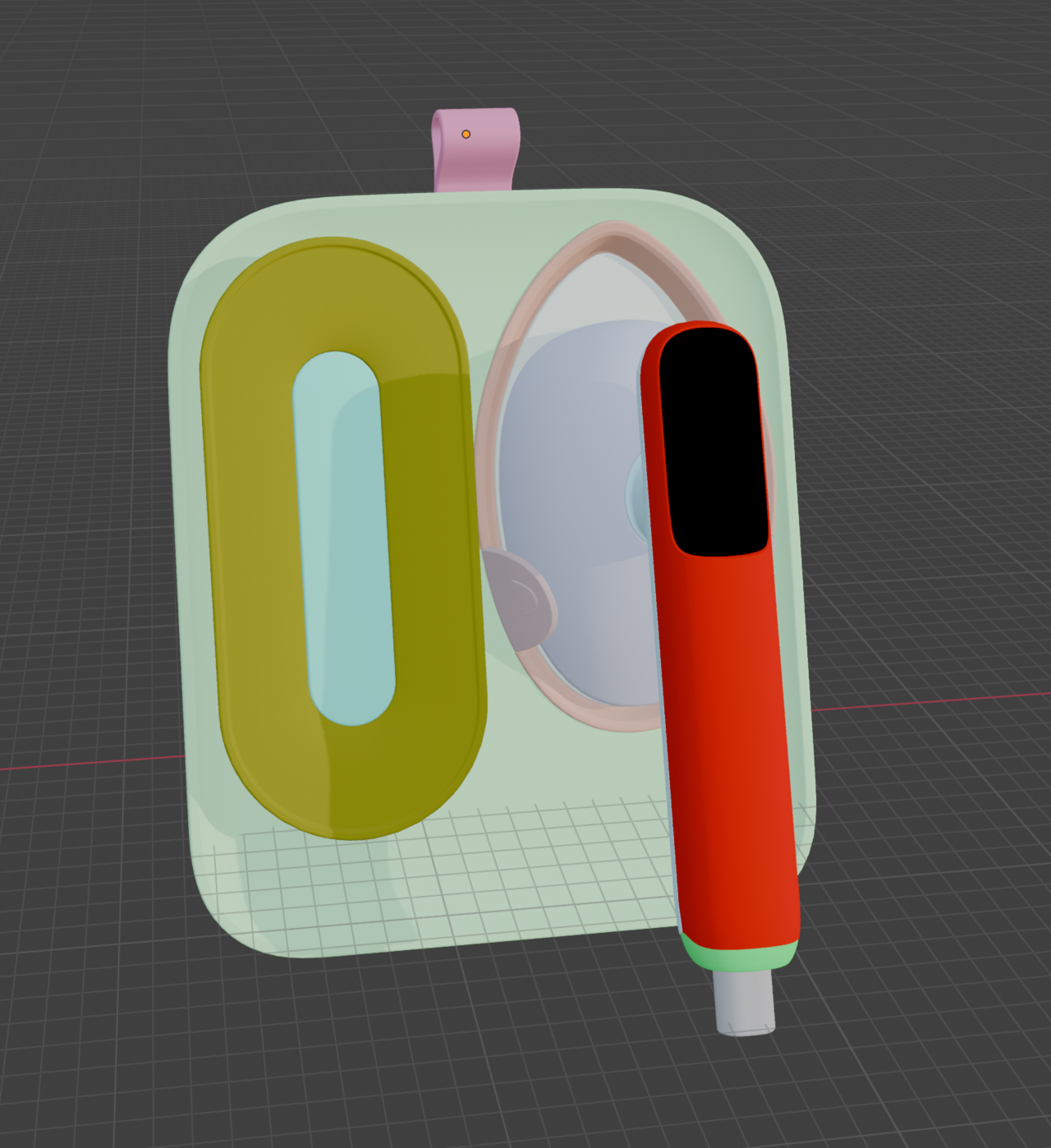
I then start assigning materials to the model in blender so that I can render it.
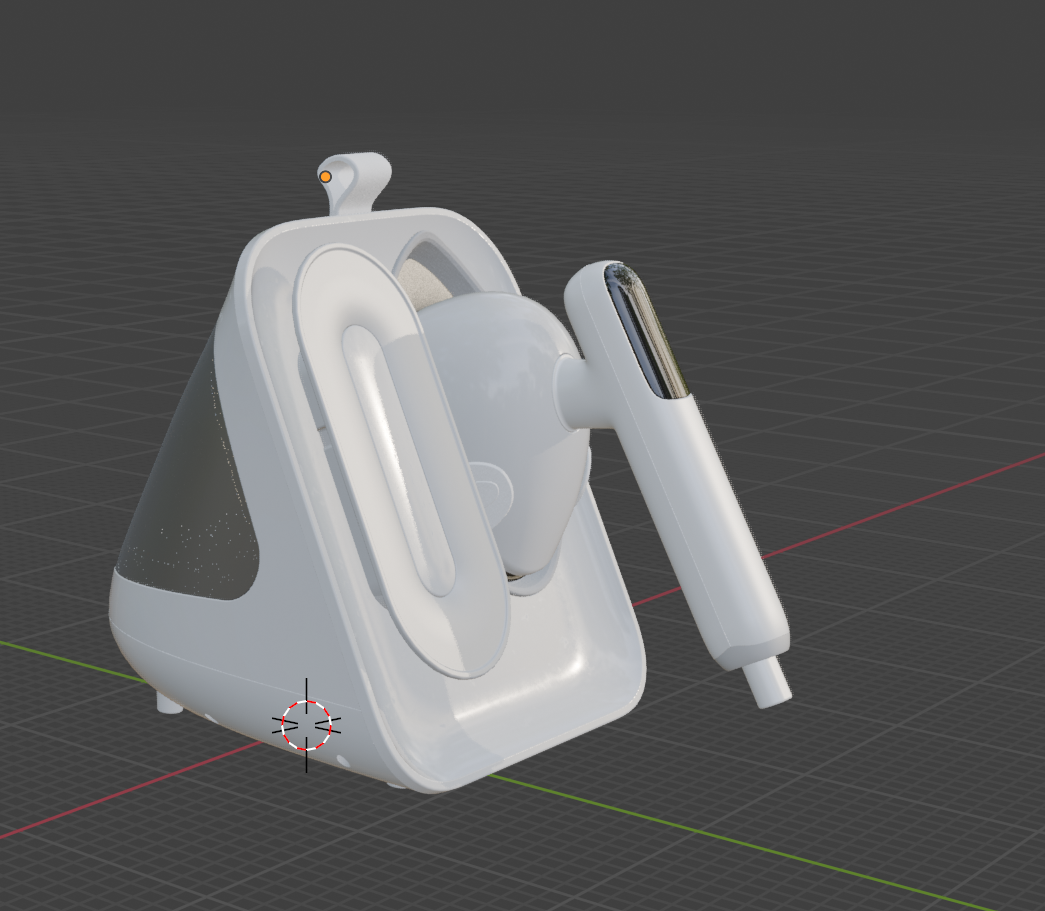
My issue is, I assigned all these materials to the model but I realized I need to make a small update to it. When I was assigning materials to the different parts back in fusion, I missed one. I went back and saved the updated fusion obj and then imported it into blender again.
I thought i would be able to simply copy or link the materials from my old obj to the new one but whenever I try, it just makes both models the same material all over. I don't want to go through and re assign all the materials to the different parts again, hoping there's a quicker way!
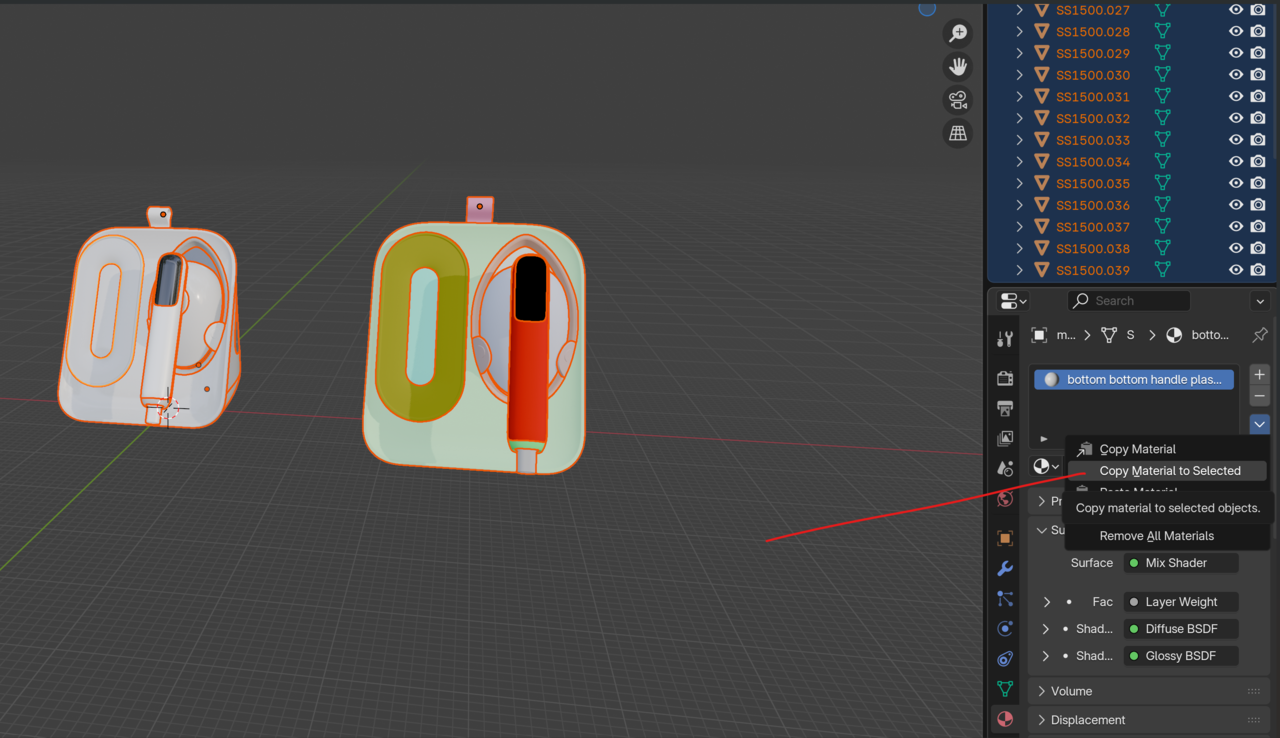
If anyone knows how I can easily copy materials over to this updated OBJ or a better fusion to blender workflow all together, please help your girl out :)

Hi Shelby,
I don't know Fusion, but why don't you simply update that Material directly in Blender (why not do all the Material making and assigning in Blender for that matter)?
In Edit Mode Select the Faces you want to have that new Material and Assign that updated Material to those Faces.
It is normal to do the Modeling in the program you are more comfortable with and the Shading in the program you are Rendering in.
It is also highly recommended, that you know at least a bit about Modeling (and Texturing and Shading and Lighting) in Blender, to be able to fix things that might go wrong (because things going wrong is not uncommon when Importing/Exporting).

I agree with Martin, you can just work the material in Blender, since it's just one material. There's the Control + L to link materials, you'd have to do it one by one. The node setup isn't going to come arranged from Fusion, and probably you're just getting the materials assigned from Fusion, but it's sch a simple task in Blender, I think you are better off just doing it in Blender anyways.
Thank you so much for replying Martin and Omar!
I receive the model as a solidworks file (asm). I use fusion to export it as an OBJ since Blender can not take the asm file types. I really only use fusion to assign random materials to parts so that I can "separate parts by material" when I import into Blender, I suppose I could also "separate by loose parts". But sometimes that results in giving me too many separate parts.
I do work with materials in Blender, the fusion materials are only assigned to designate which parts are separate from which.
I think my issue would be solved if I could easily update the geometry and mesh of the product within blender. But since it imports as an OBJ from a solidworks file, the mesh is often really messy.
Hmnn I'll have to look into how to clean the mesh up or import it differently. I appreciate your help, maybe i can find a Blender addon out there for this issue :)
Hi Shelby,
Maybe now I sorta halfway understand what you are trying to do.
What I don't know, is how messy the Geometry actually is, and how assigning different Materials in Fusion would be easier than in Blender (due to my lack of knowledge of Fusion). You also don't need to Separate parts to give them different Materials; that might be part of the problem why Copy Materials to Selected doesn't work.
What I do, when a Mesh is messy, is to re-Topologize it. That saves me so much trouble, whenever I need to do anything at all with the model. But I gather you don't want to do that (a lot of people don't like re-Topologizing).

Instead of "seperating by loose parts", you can select the parts you want to seperate and seperate by selection. That way, the things you want ot keep in will stay and the parts you want to separate will seperate. You'll have to do this for all the pieces you want seperate.
The other thing you could do if you did seperate by loose parts but you still wanted some of the piece together is you could select the pieces you want to put together and rejoin them with a CTRL-J.
either way would get the parts together you want together and the stuff you want apart would be apart.
also.. You don't even have to seperate them to assign them different materials in blender... you can create multiple material slots and assign which parts of the mesh you want to assign to which matieral slot.

I can't add anything helpful but I am super curious about what that product is and what it does
HI Hi!
Hope everyone's having a good Thursday, it's Friday eve!
Martin, I suppose the geometry in this model isn't too messy. When I get the files, they are always solidwork files. Hence why I use Fusion 360 to export the file as an OBJ so I may import it to blender. This model's mesh is pretty good, some solidwork files I get...the mesh is a mess haha
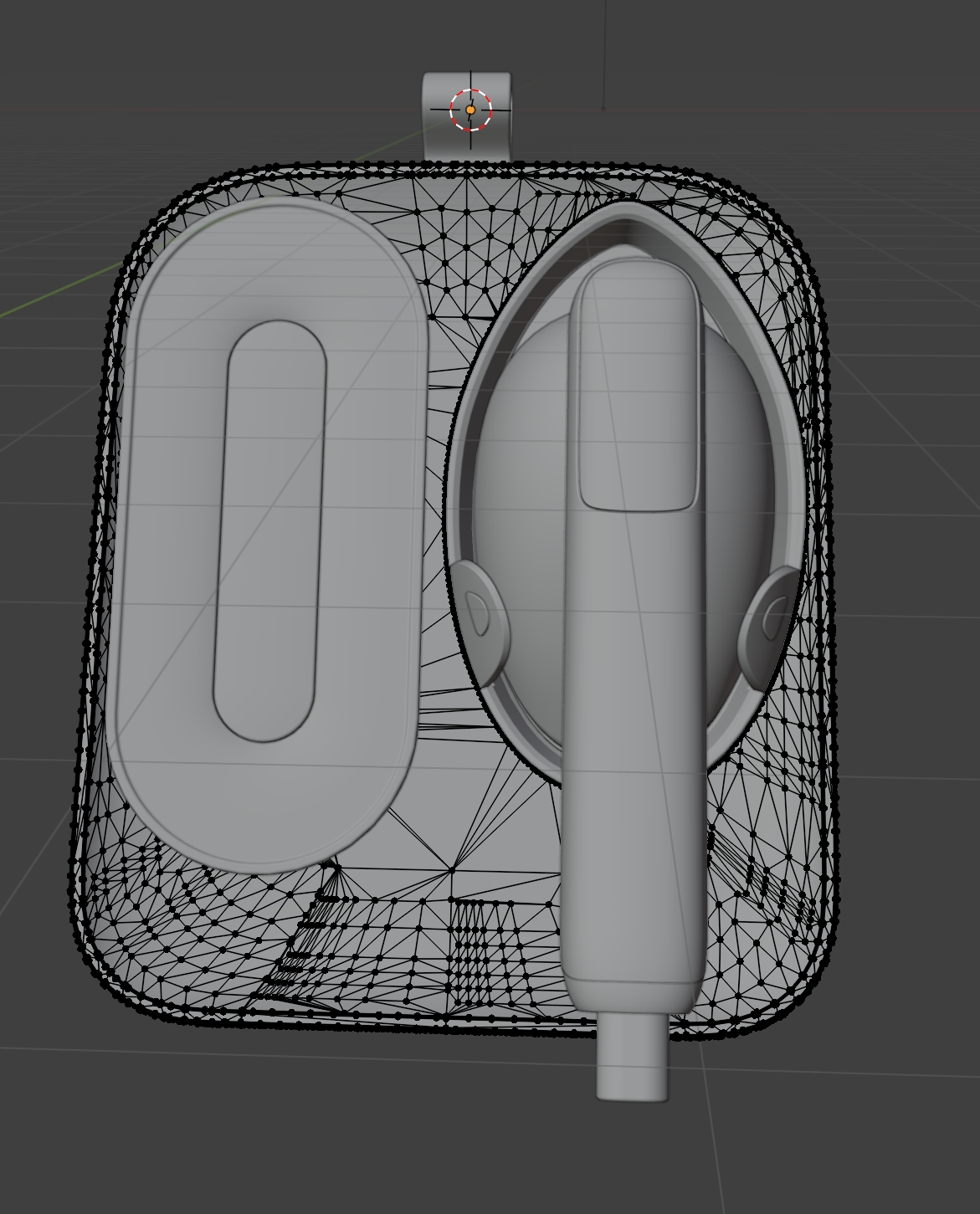
But I only assign materials to the different parts in Fusion so that I can separate by materials in Blender. When I assign materials in fusion, I simply assign everything as plastic and change the color, so that parts I want together as one part will all be the same color. For example, if I do not assign materials in fusion, it will import into blender as all on piece like this.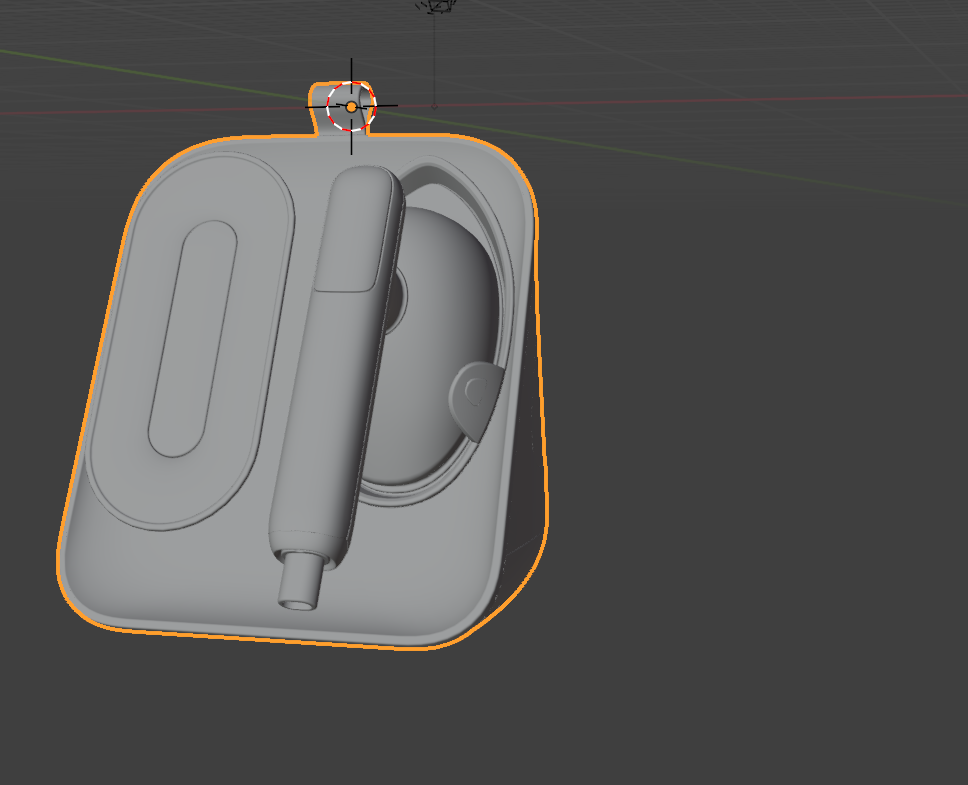
It would be a nightmare to try and select all the mesh and separate all the different parts out by selection on this thing
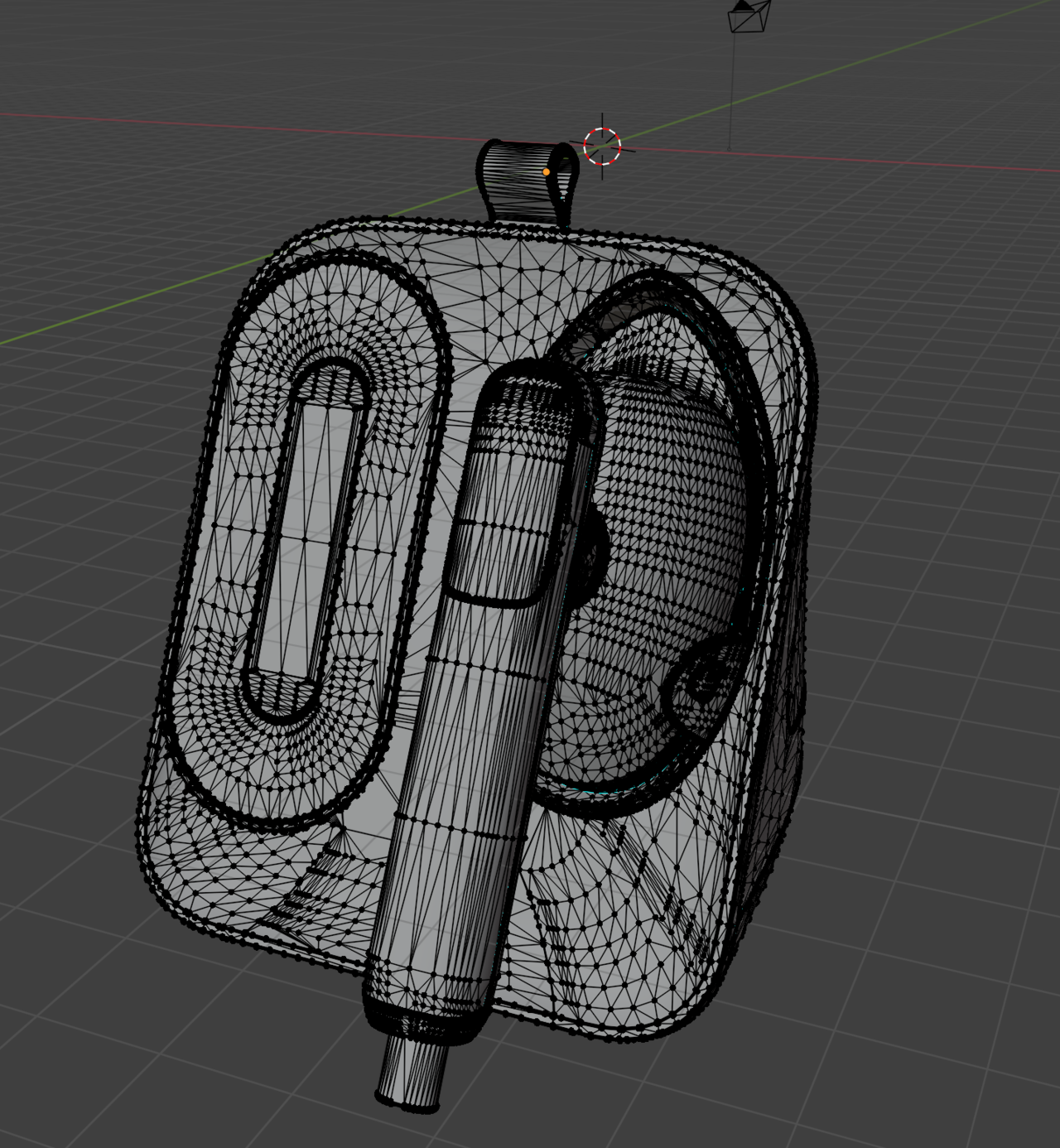
I could separate by loose parts, but sometimes it separates things into too many little pieces. I could join them together in blender but that still takes a little more time then me assigning materials in Fusion and then separating them by material in blender.
Grady, thanks for that note! I actually forgot I can assign materials without them being separate parts....that actually will help me with what Ive been struggling with! I don't have to update my model to make the part I want 2 different materials. Thank you for that!
I do separate most things because I plan to animate this thing, but your advice still solves my problem.
thehomme, This is a garment iron and steamer hat sits on the counter top. I did not make this model, just rendering it and animating it in blender for a project :)
Hi Shelby,
Things are starting to clear up.
What I still don't know, is how Assigning different Colors in Fusion is easier than assigning different Materials in Blender...
My guess is, that that comes down to the fact that you don't know how to efficiently Select Vertices, Edges and Faces in Blender.
Like Grady and I have already mentioned above, you could (and probably should) simply use diferent Materials on 1 Object. Then you can always (make a backup copy and) Seperate By Material after that.
...
Personal opinion:
Importing something like this, instead of modeling it yourself, seems to be a lot more trouble than it's worth. Apart from a messy Mesh (which should be cleaned up), look at what a horrible Outliner you get. If you want to have Separate Objects for Animation, then you should reallly rename all the different parts.
Oh no, that geometry is terrible. Imports never work well, though one day AI might just import things with perfect topology, but it seems we're long was off still. You can select meshes by hovering your mouse on top of a piece and then L on your keyboard to select linked. Then P and separate by selection. I guess what we're all trying to do is to get you to stick with Blender for the process since it would be much more efficient.
I suspect classic situation where client speaks to the account manager and agrees the job based on ' the model is already done' and Shelby had no input. Cos client and often AM don't understand the process it's harder to push back than you'd think. No one expects or understands why they need to pay to re model the product. Back in the day clients used to send me company logos as tiny jpgs they'd got from their website. More than once I was sent the logo as a word file with the logo inserted as an image.
Hey All- Happy Friday!
Martin, yes, selecting faces and such in blender is a pain with my imports. Maybe Im not doing it right, Im pretty new to blender but not totally brand new. Ill have to put some more research into this. For now dividing up the components in Fusion I've found easiest.
Omar, I wish I could remodel this thing in blender quickly, I'm not that skilled yet. I def going through all the videos I can to get there though!
thehomme hit it right on the head! I was given this model from a factor, they won't give me any other file type or rework anything for me. So when they give me this solidworks file, I just have to work with what I have haha. I have heard such stores of clients sending logos as word files, I'm happy I haven't ran into that yet lol
Ill post progress on the animation in blender soon, I would love feedback on that as well.
Thanks all for helping out!

Quick questions have you tried checking split by group on the import? If I remember correctly Fusion exports part ids as groups. I could be wrong about that.
As a rigger, just a side note: you don't have to have separate objects to animate if you're using a rig. As a matter of fact having the separate color materials coming from Fusion or even assigning them manually in blender makes it easy to assign to bones quickly. Select object, shift+select armature, ctrl+p with empty groups. Then select the object and tab into edit mode.
1. while in edit mode press ctrl+g->set active group->Then select the bone name you want to assign the faces to.
2. Select a face that has the material of the piece you want to assign to the bone and press shift+g->Material.(This selects all faces with the same material).
3. Then press ctrl+g->Assign to active group.
Repeat 1 thru 3 for the next bone.