

I've been trying to create this shape in a sphere but can't seem to get it to where I want it..
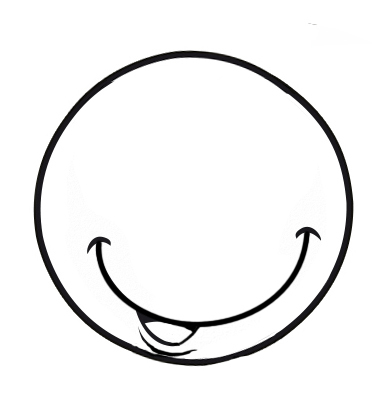
Normally I would just use textures to get this to work but I would like to be able to 3D print this and have a small indent where the lines of the mouth are, this would be necessary to get the paint to stay inside the lines..
I tried with normal modelling, but can't seem to find the correct cutting lines to not destroy the shape of the sphere or I don't get the correct curve of the smile..
I also tried with sculpting but can't get the line of the mouth to be "perfect".. it's always to organic and wobbly or when I tried with a nurbs path to cut into the shape it's like the polygon count isn't high enough or I can't manipulate the rest of the mouth without messing up the original lines..
Any pointers on how I can achieve this?
I’d go with a curve-based boolean or knife workflow instead of purely sculpting. It gives you precision, symmetry if you need it, and a result that prints well without losing the original sphere shape.

HI Dieter,
Modeling this would be really hard (but possible).
What you could try, as this is for printing, is to use Sculpting, with the Stroke set to Curve:
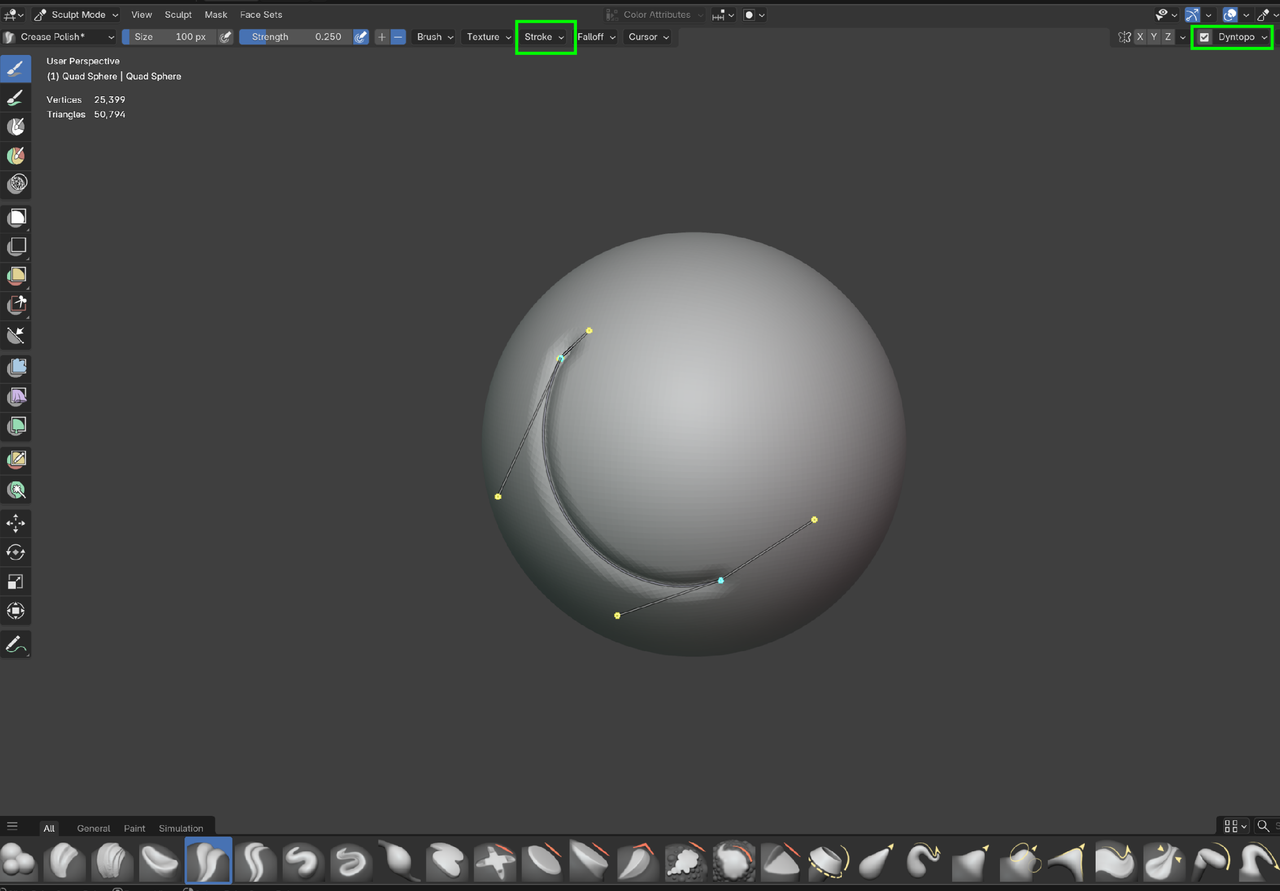
Kent demonstrates this method in the Core Fundamentals of Sculpting in Chapter 1 Lesson: Stroke Methods from ~3:38.
Of course, the Boolean workflow that Steven suggests is also an option.

I agree with Martin. For as long as I can remember, Kent has taught the sculpt it and then modeling approach, and this is one of those instances where this would be the best way to achieve what you want. You try sculpting it and if you can't quite get the result, then you start over and try again and you'll have a better result. If the second time you don't get it, then you try a third time, then a forth, until you are happy with your sculpt. Remember, you're learning, but even Kent has to trash his sculpt the first time while he gets the hang of hat he is sculpting.
After you have a sculpt you are satisfied with, you have a base model which you can retopo and it makes the modeling process so much easier, because you're not pushing in pulling verts into thin air, you actually have a guide mesh underneath and it takes away the guessing game. Not your only job is to trace the shape and it becomes super fun, like a puzzle almost. So try this approach and see.
Wow thank you Martin, I just went back and checked the lesson and I completely forgot about that one.. Tried it immediately but guess I need to practise some more with the curves to get it perfect