

Am now realising that I never thought to model beetle to scale as I'm only now thinking about it's size relative to a plant/background. Surely it's wrong to scale up the plant (which presumably is at real world scale) so the 1m beetle looks tiny on it. And scaling down the bug now sends all the textures off so they have to be re-done. I guess a beetle robot isn't 'real world' so you could argue it's 1m but if that's the case then shouldn't the background elements be selected based on a suitable scale relative to the 1m beetle?

Hi Charles,
You are absolutely right, the beetle should have been modeled in real world size (like 'all' 3D models).
At this point (I wrote this before seeing the .blend file; this doesn't Apply here)), the easiest thing to do, would be to Scale up the plant, but it would be better to Scale down the bug bot.
This could potentially mess up some of the Textures, but only the parts that use Object Coordinates. So, you can switch them to use Generated Coordinates instead, with some 'conversion' math:
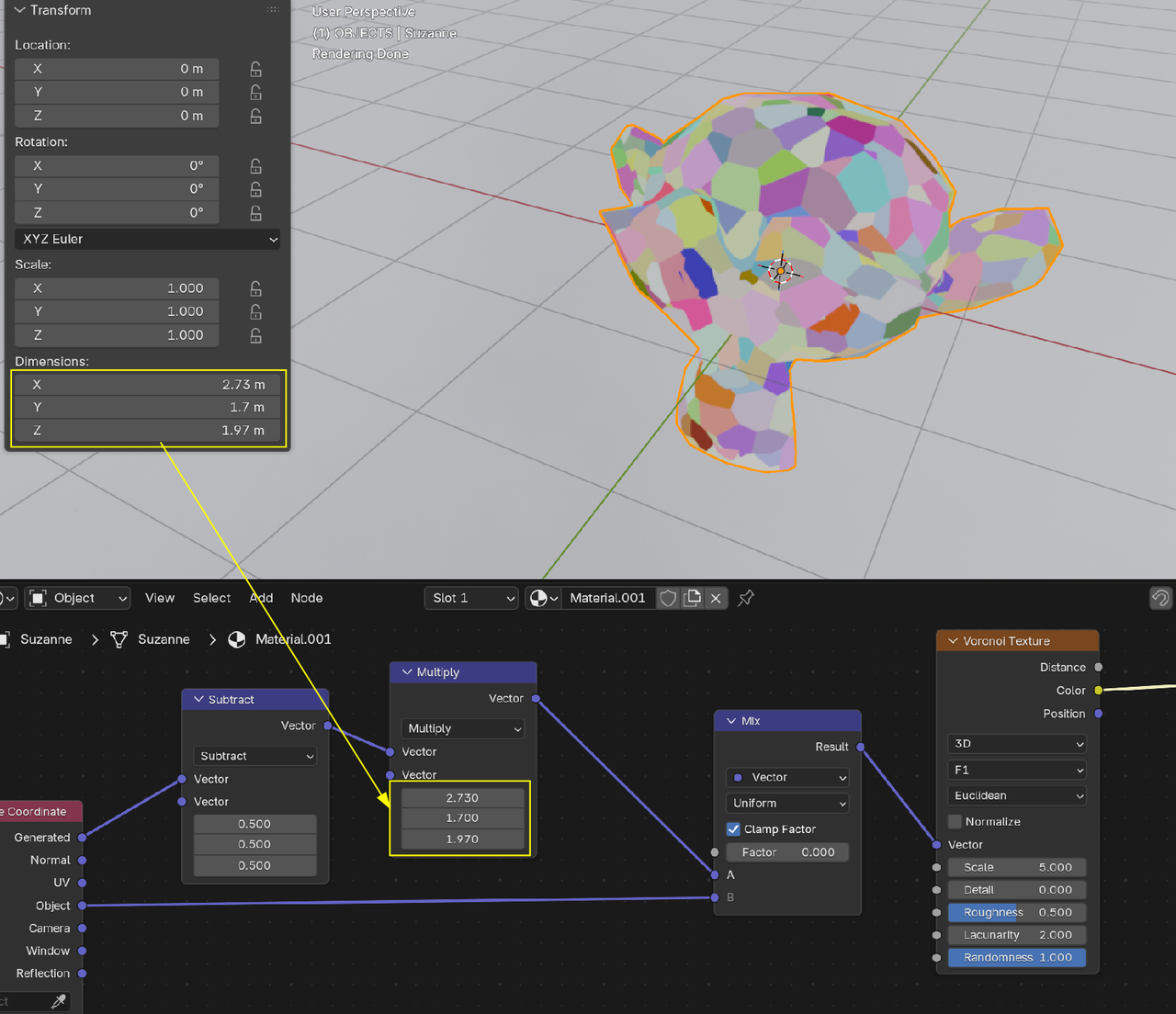
Switch the Object Coordinates out like this, before you start Scaling.. Also make sure that the Object's Origin is set to the Geometry (for all parts using a Shader with Object Coordinates).
In this case however Chris has Parented everything to an Empty, so he can simply Scale Down the Empty and no Texture would be affected.

I guess the lesson here is, it's ok to work dirty from time to time. Chris payed no attention to scales and got a good result. Kent also does that from time to time, he doesn't mind the scale and just makes huge size of building heads. If making the bug smaller messes things up, you can leave the scale as is and not re-scale anything and you'd be good.
Well, as it is Nodevember, a small reminder of how Generated Coordinates work:
They take the Bounding Box (with its sides aligned with the Object's (AKA Local) Coordinate System) of the Mesh and consider each side to have a length of 1, with (0, 0, 0) in the minimum corner:
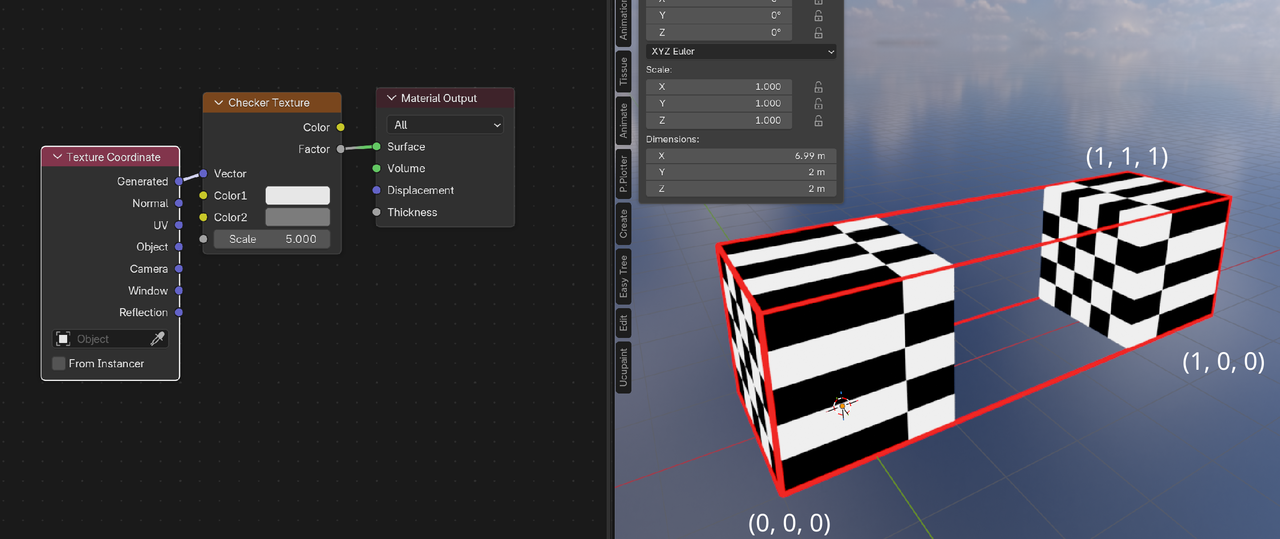
So, if you Scale your Object, the Texture will look the same on the Object.
If you Move some Vertices, warping of the Texture might happen.
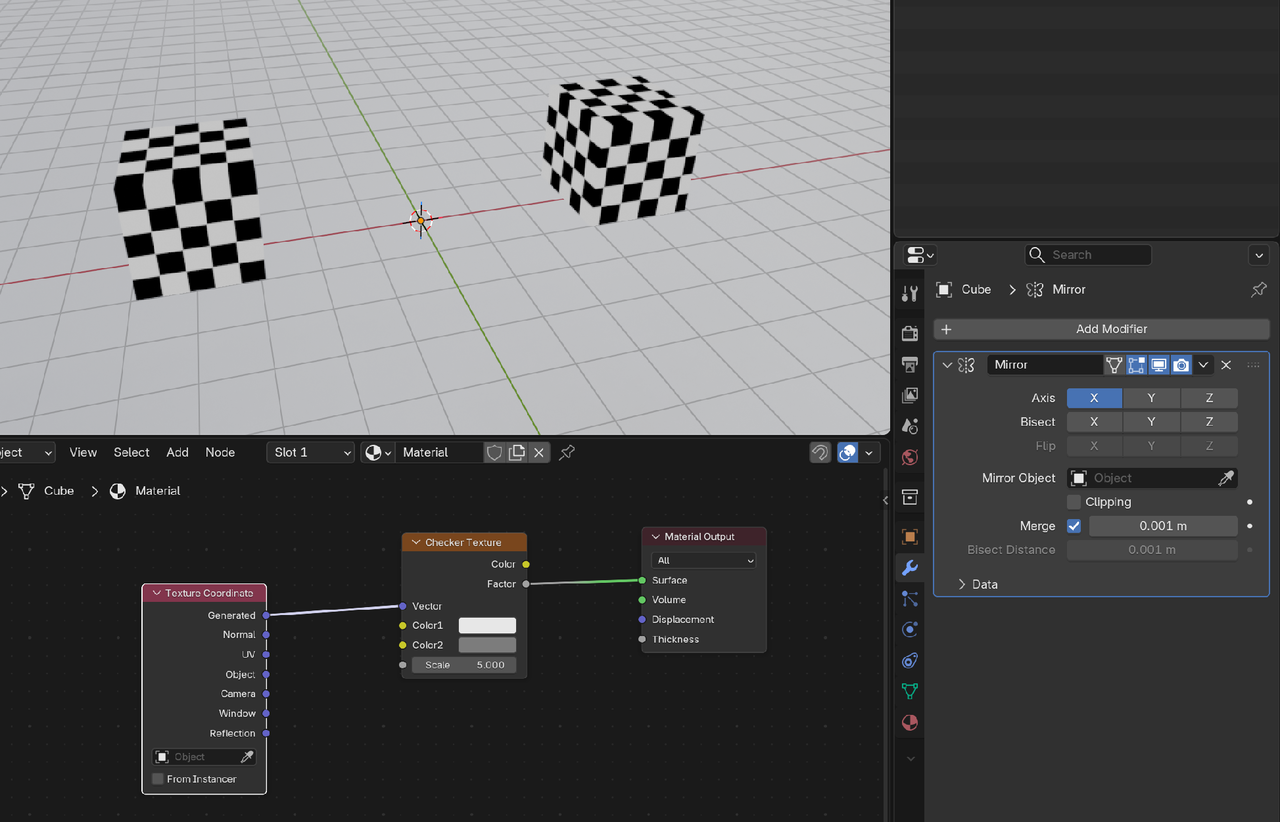
Fun fact; if you have a Mirror Modifier and use Generated Coordinates, the Bounding Box only uses the original Mesh:
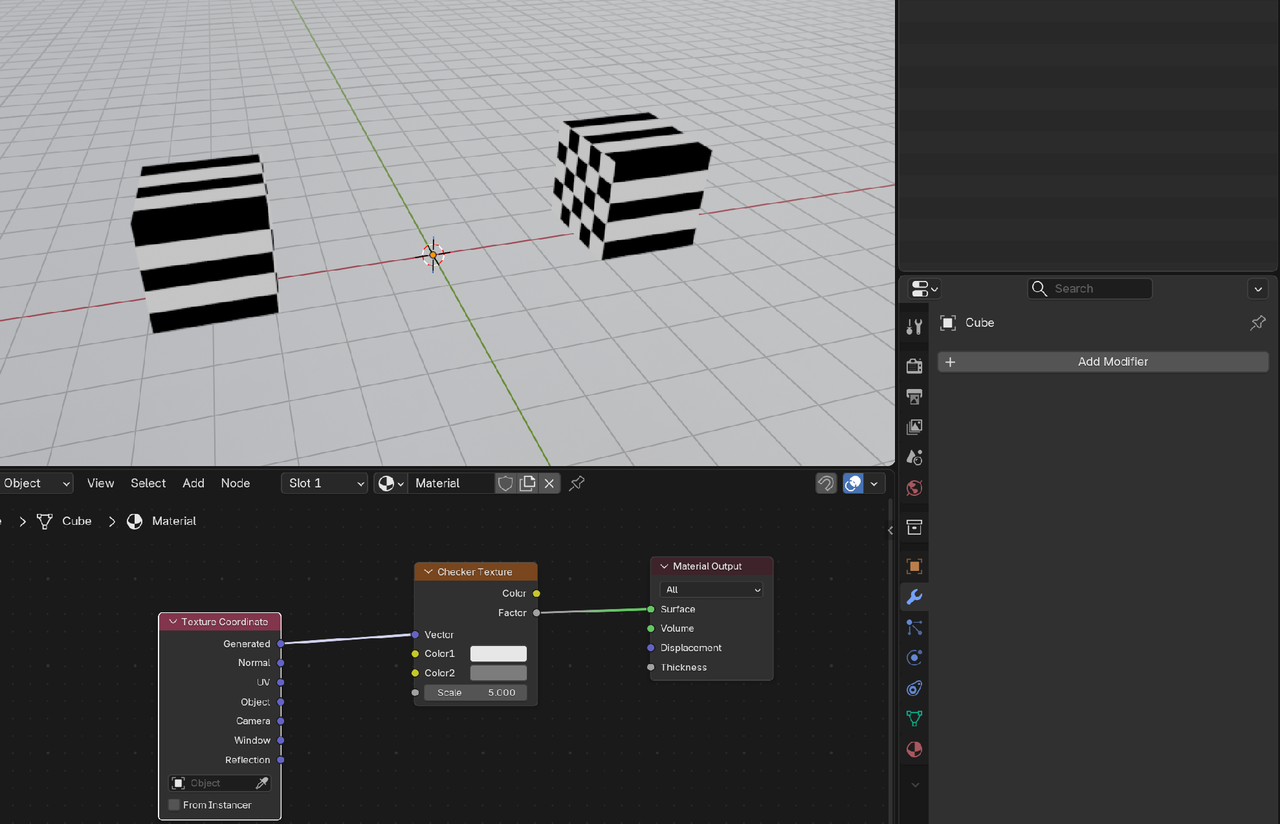
This means, that if you Apply the Modifier, (you guessed it) this will happen:
Object Coordinates, simply use the Object's Coordinate System.