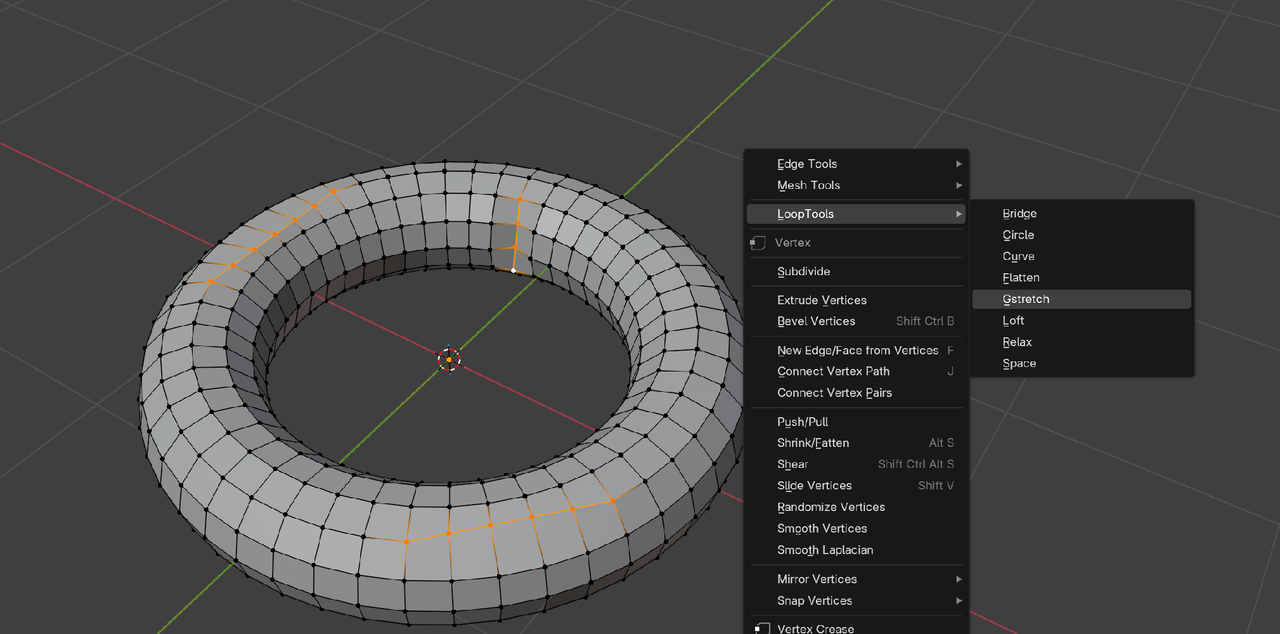
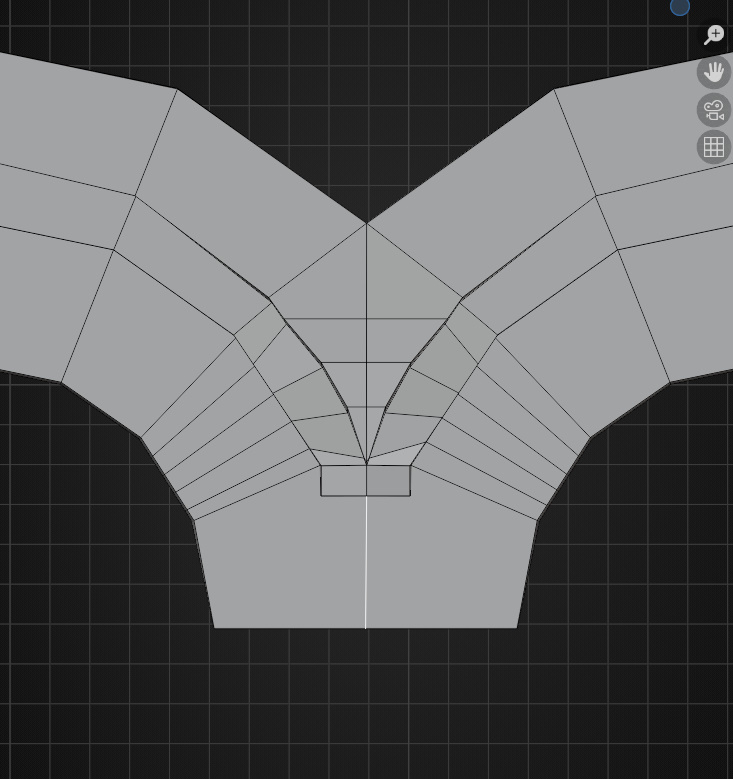
For example, if I wanted to straighten these edge loops based on the direction of a specific edge loop. I did Scale + X/Y/Z + 0 but it always straightens according to Global Axis mode. I thought maybe changing my Transformation Orientation in the dropdown above to Local or Normal will change it, but it hasn't. Thank you.

That's exactly how you do it, it's just that sometimes things don't line up. It's trickier that it seems. You scale to zero, but things don't always follow the normal you want. But also when it works, it can cause a mess and pinching.
You know, there's so ugly poles there that will give you problems. I'm not sure if that's your topology you're going to go with, but that middle one seems to have 8 edges connected to it. A pole has maximum 5, when you go up to 6 that is bad news. Also the one at the top that is open, if you extend it upwards, it'll become a six sided pole.
Maybe watching this video of JL working on Pothead will give you an idea how to go about it. At around 17:54 in the video:

HI Kimberly,
I don't know what you want to do exactly (there is no general solution, but there might be an easy way to do what you want).
Setting the Transform Orientation to Normal, takes the Average Normal of your Selection. That is why it most likely won't work as you would like.
Oh, maybe you mean straighten Edge Loops in the direction of a specific Edge.
That could be done by Selecting that specific Edge and then click on the plus in the Transform Orientations to make a Custom Transform Orientation:
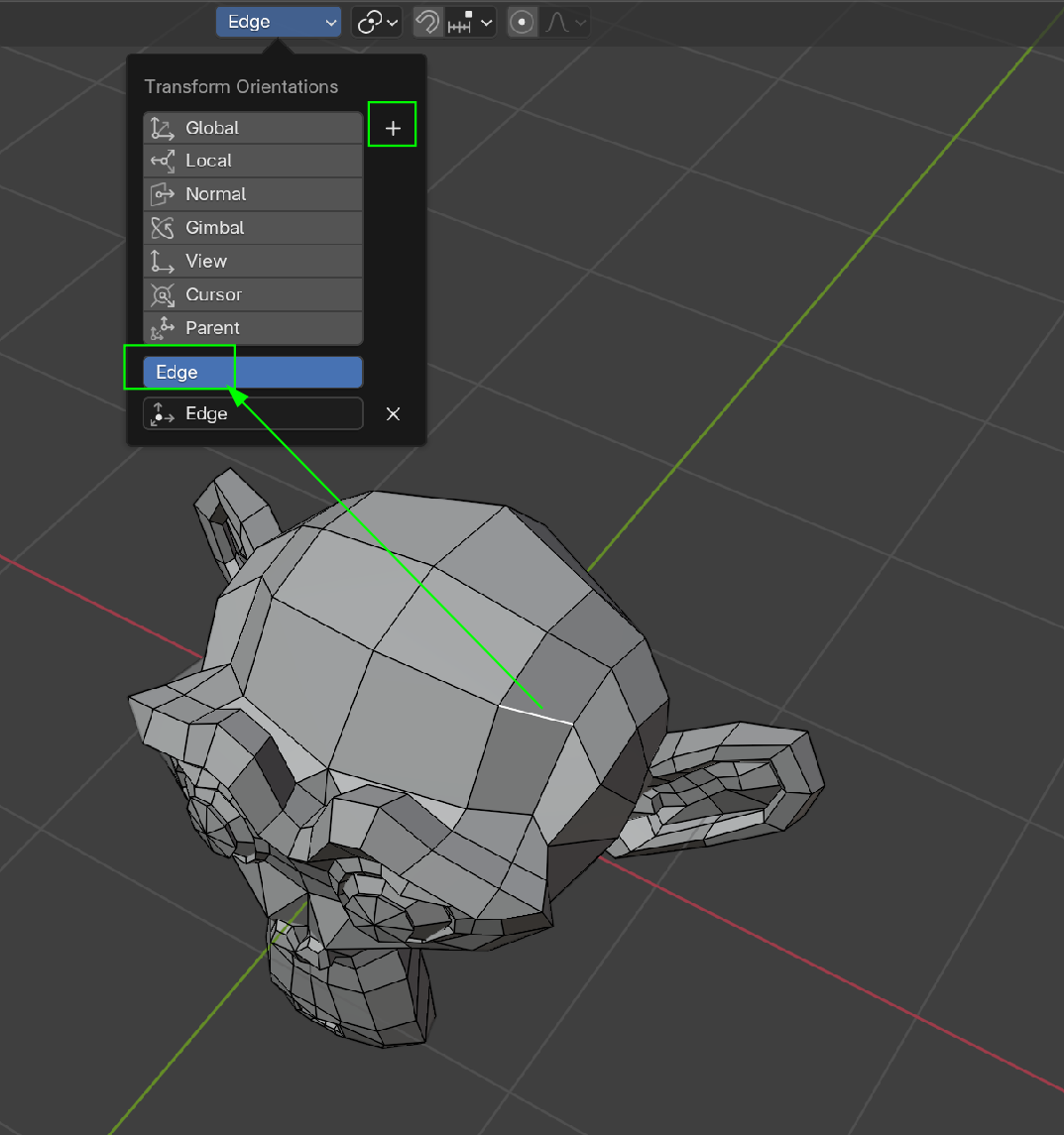
Then you can Select the Edge Loop that you want to straighten and Scale: S, SHIFT Y, 0.
A completely different straightening tool is to use Loop Tools (you need to enable the Addon if you haven't already).
Gstretch straightens Selected (partial) Edge Loops between their end Vertices. Also works on more than 1 Edge Loop at the same time;
For instance:
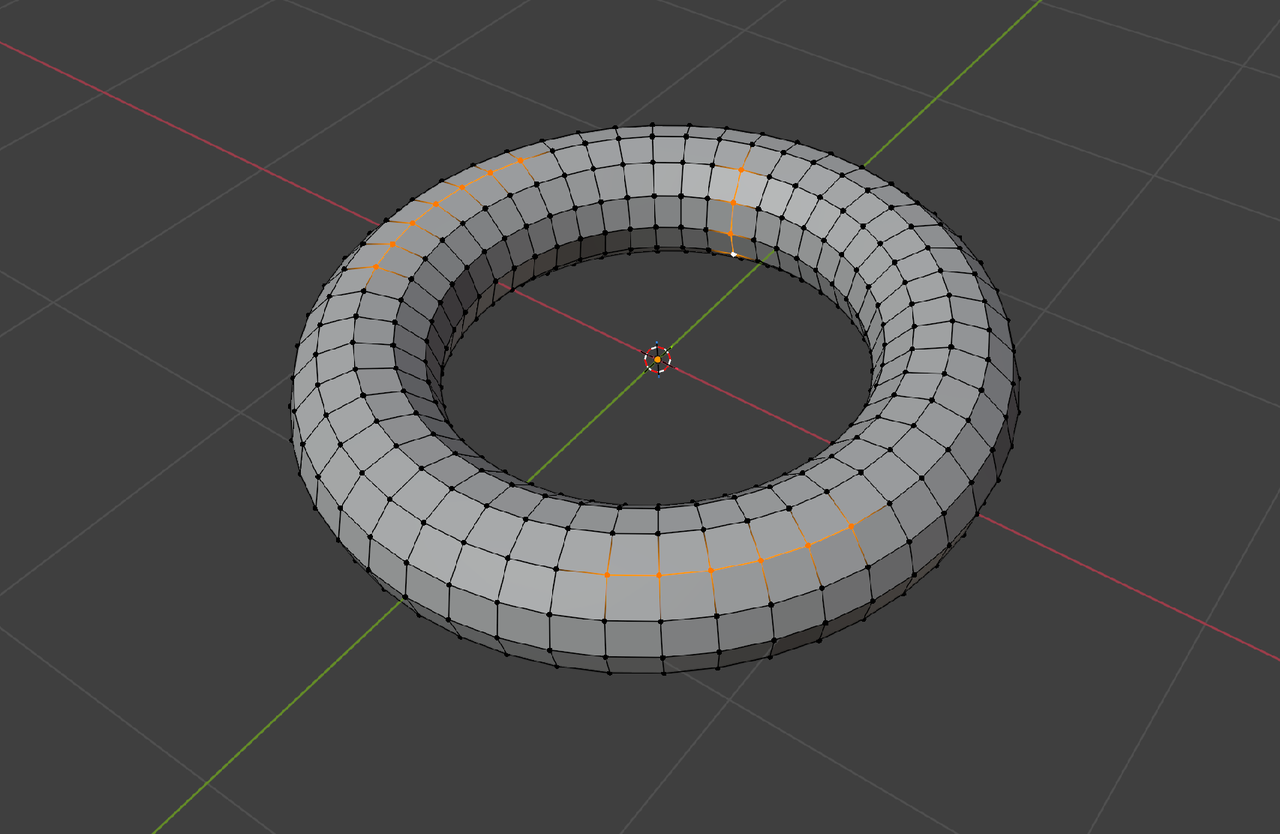
would result in this: