


I have been using it for so long, I often forget that it isn't default Blender functionality!
It is an addon called F2, which comes with Blender but is not enabled by default. You should be able to find it in the Addons part of your preferences. I would highly recommend enabling this, as it will increase your modeling speed exponentially. In the video, you will actually be able to see that I have pressed the "F" key to create faces with just one vertex selected. It also requires context of your mouse position to know where to create that face, and will require a bit of trial and error to get a feel for how to use it. I guarantee that once you get comfortable with it, however, you won't know how you modeled in Blender without it!


Hi Wyatt Horriblypink ,
He used the F shortcut, but you need to have the F2 Addon enabled for this to work:
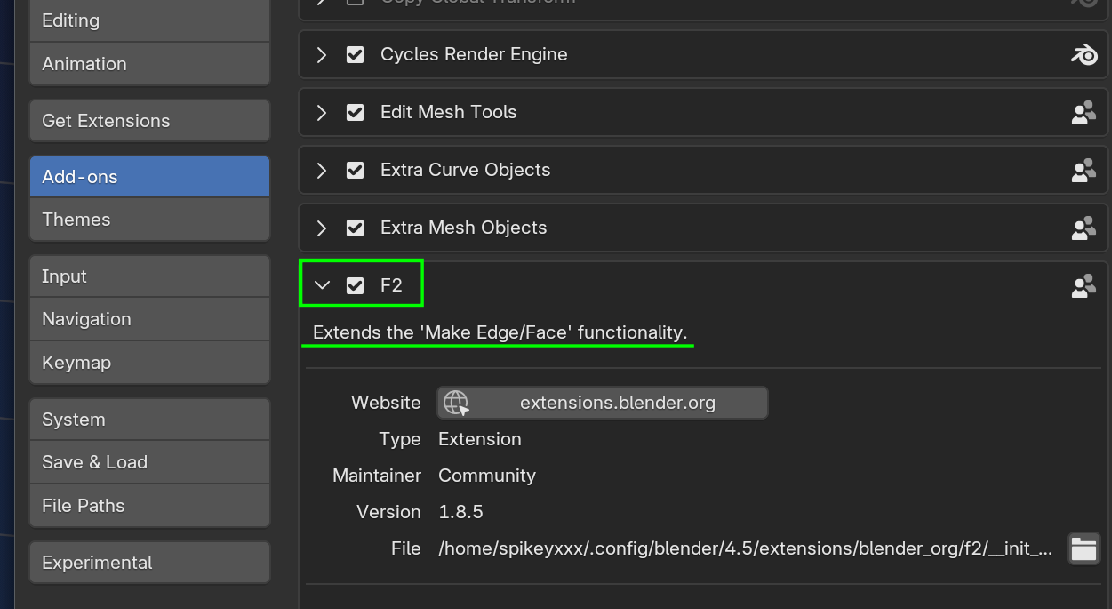
It is something that a most (?) modelers have enabled and forget about, but apart from many other functionalities, it makes a Quad out of a Vertex like this:
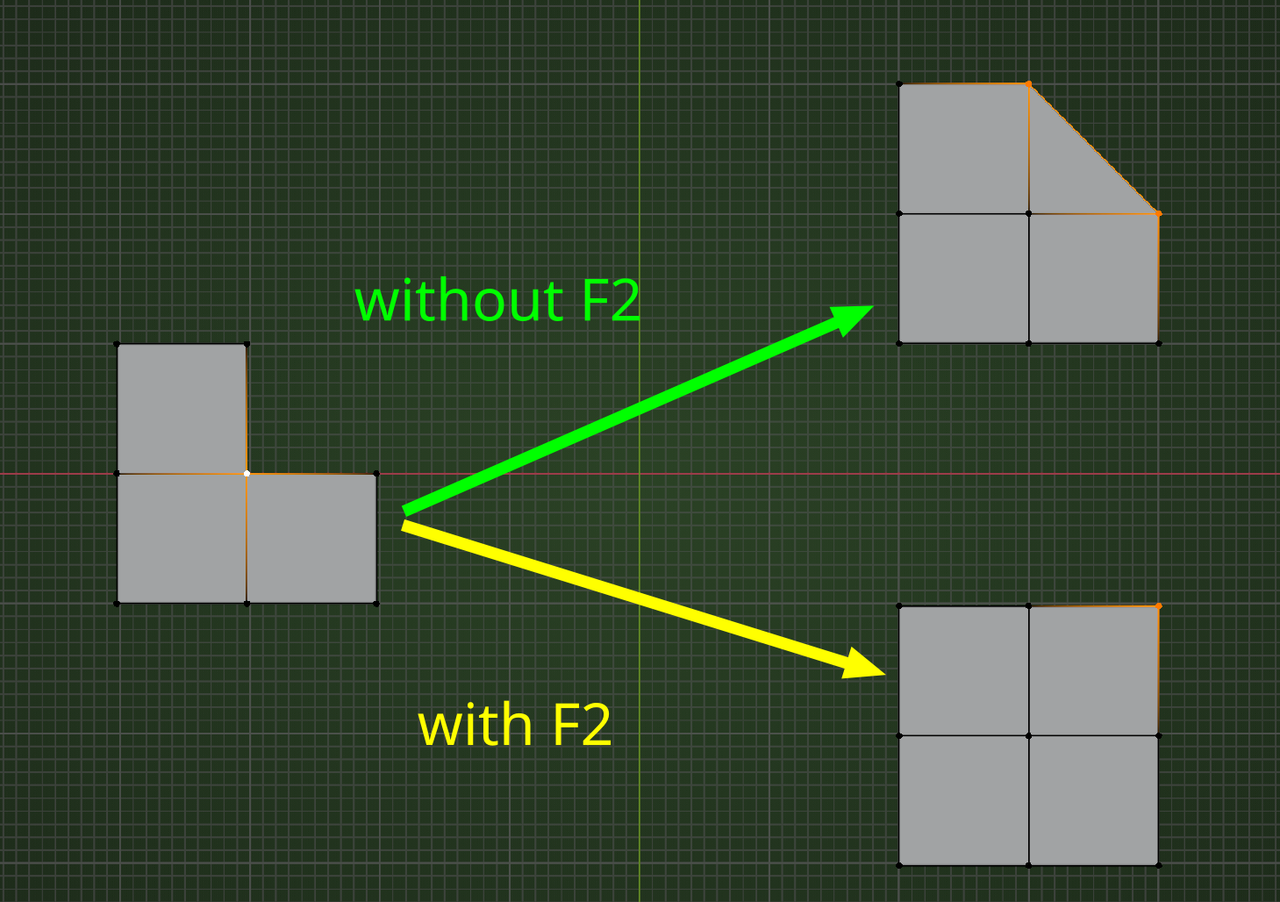

Just a side note: If you are using 4.2 or newer version of blender, you will need to install the F2. Go to extensions and search for F2 and click install. If you don't want to enable blender to access internet or your blender system isn't connected to internet you can download it from here: https://extensions.blender.org/add-ons/f2/
Click Get Addon. Then under where it say drag and drop into blender click the download text and install just like any other addon. There is a link next to download that gives instructions if you don't know how to install an addon. For those wondering, Yes you can click and hold down the mouse button in the Click and drag box and drag and drop it into blender and it will install the extension.
