Hi,
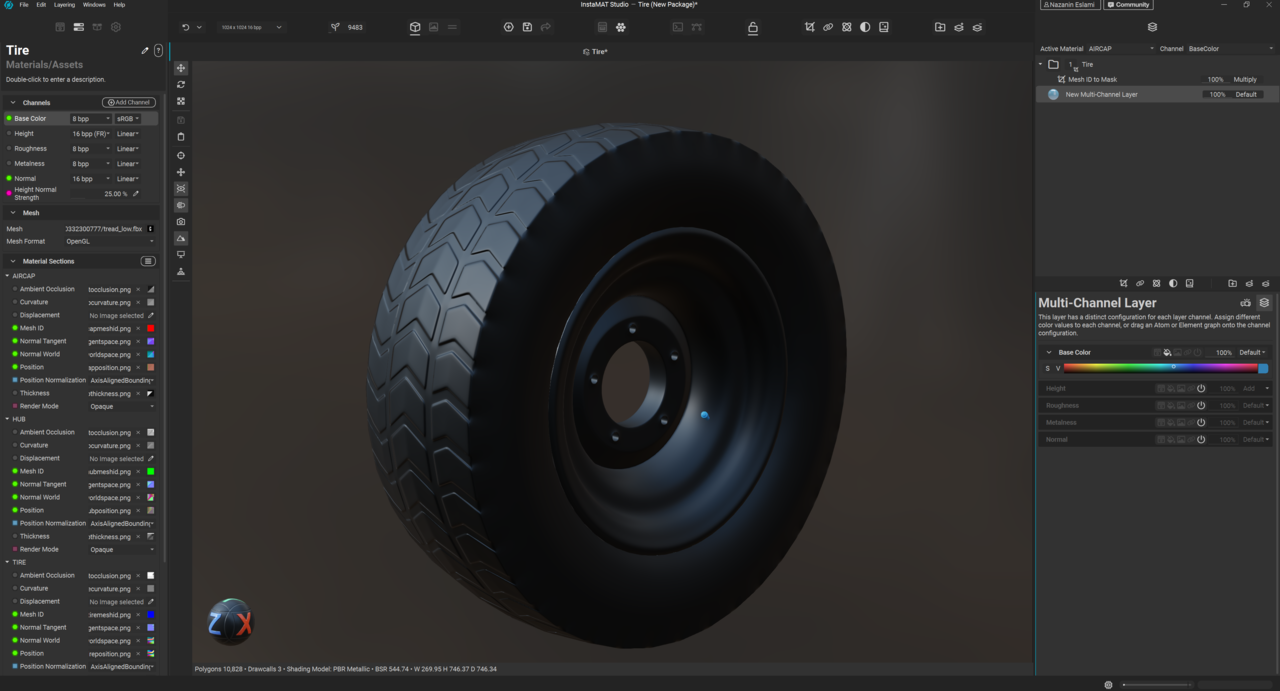
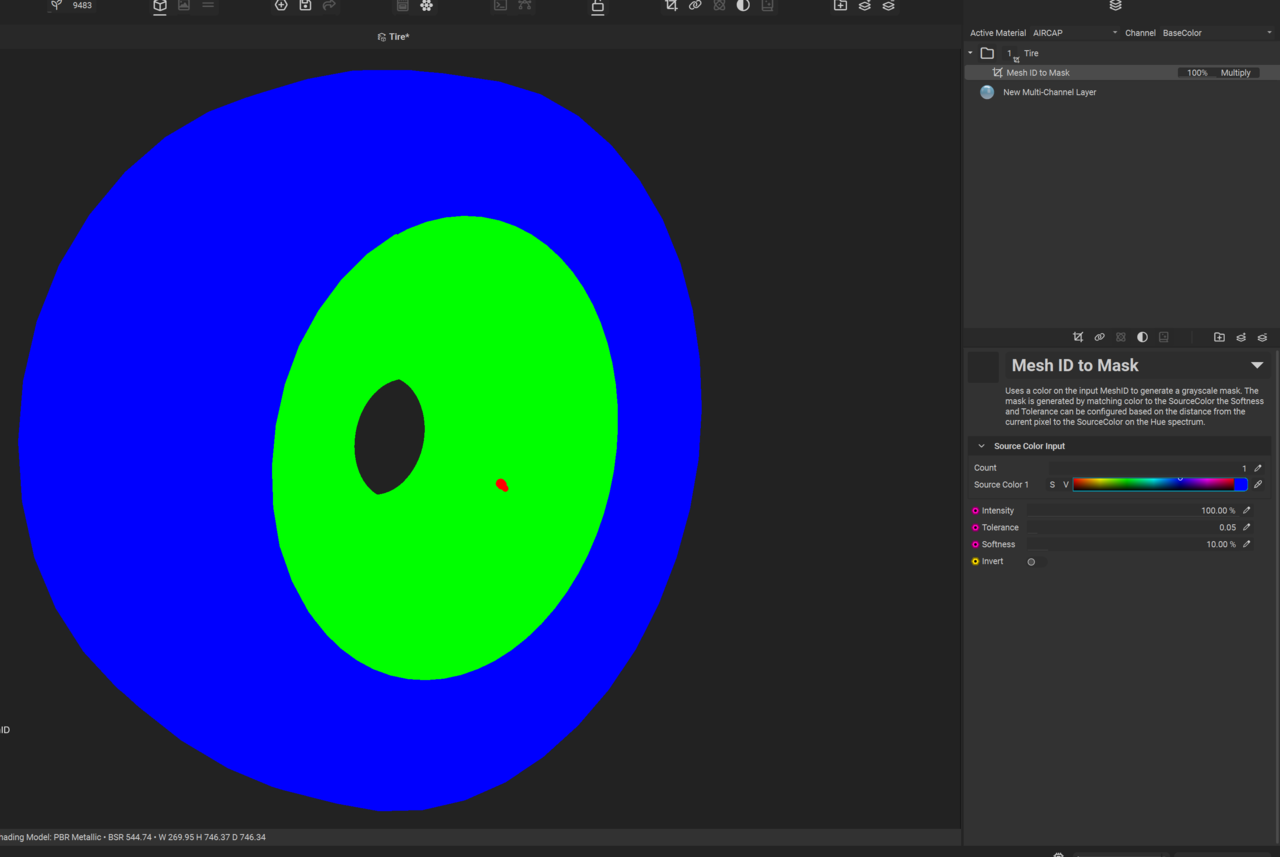
I baked my mesh successfully in InstaMat, but no matter which mesh ID I choose, the only part that my layer is applied to is always ''AIRCAP''! I checked my Mesh ID channel, all three objects have their own color. I even came back to Blender and gave separate material to each mesh and export it again, I even tried "Mesh mask" in InstaMat instead of "Mesh ID mask" but the result is the same!

Thank you for the screenshot! That was what I was looking for, however has left me stumped as well haha.
Are you able to switch what material you are viewing in InstaMAT (assuming you are still using different material slots for each mesh) and see if you can apply any layers to either of the other meshes?
Another option you may try is increasing the tolerance of the ID Mask parameters.

If none of this works, the way I would try to approach this again is make everything share one material in Blender. Ensure that everything has clean UV unwraps with no overlapping UVs (or similar to what is shown in the lesson). From there, you can try a fresh import into a new InstaMAT file and attempt again. InstaMAT is new(ish) software as well, so there is potential for this to simply be a weird glitch and a fresh file may be all that is required!
Admittedly I'm not quite sure what could be the cause of your problems at this point in time, but if you give these a try and achieve different results, please post them here and we can continue diagnosing. :)
Hi again,
Thanks for the help. It actually worked. I just changed the active material to tire as you said and now I am able to apply layers :) but I need to get a little further into this to see if I run into any problems again.
Oh wonderful!
In that case then, I would truthfully recommend re-importing a mesh that has only one material for the entire asset. One issue I foresee is when you intend to export your textures. I haven't done enough testing to know whether this is the case or not, however I believe that what will happen is InstaMAT will export textures per material slot.
What this will mean is all the textures for the rubber, rim and aircap will be exported separately and not onto one texture sheet. Even though you have your UVs all laid out, the program may not combine all of those layers onto one texture for you. Again, I am not entirely sure about this but I have a strong feeling it may be a possibility that you may want to consider going forward, so you don't spend too much time!