Hi again,
Thank you for the course. I have my last question.
I can only render my image from viewport when my viewport is on material preview mode. When it's on render mode my image is totally black and shows nothing.


Hey there!
Just to echo what's already been mentioned, unfortunately the "Material Preview" and "Render" modes aren't exactly the same when it comes to actually rendering. If you are hoping to render an image using the "Render" operation, you will need to make sure to view your scene in the "Render" mode view. The reason you are only seeing black when rendering is likely due to not having any light sources in the scene. When in "Material Preview", I'm sure you're lighting the scene with the built-in HDRIs, however you will need to set that all up in the "Rendering" part of the viewport shading menu. All the settings in this dialog will contribute towards the final render! Beyond that, setting up any lights in the 3D scene should work once you hit Render. :)

Thank you all for responding but here is the issue:
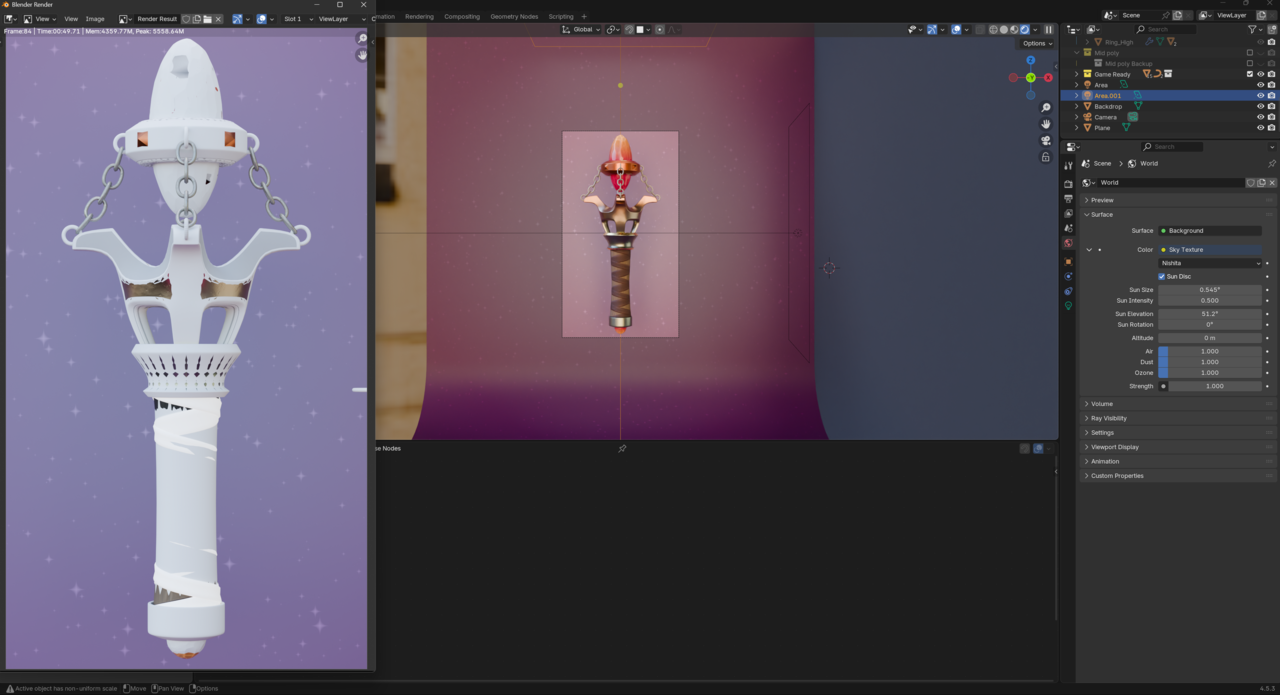
I actually have lights in my scene. But my viewport render in render mode is black and my real render is a mess.
Here is my real render!

Hi Nazanin NNazanin ,
Here is already something that is causing problems in the real Render:
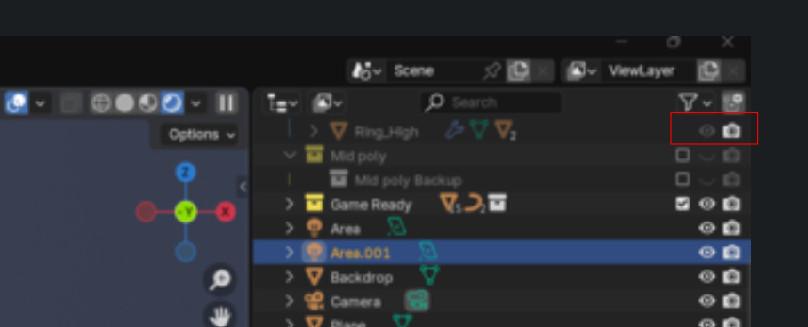
The Ring_High is Hiden in the Viewport, but is stil beingl Rendered. And I am pretty sure that it's not the only part 😉
And your Viewport Render in Rendered Mode doesn't look black to me. Probably some miscommunication or translation issue.
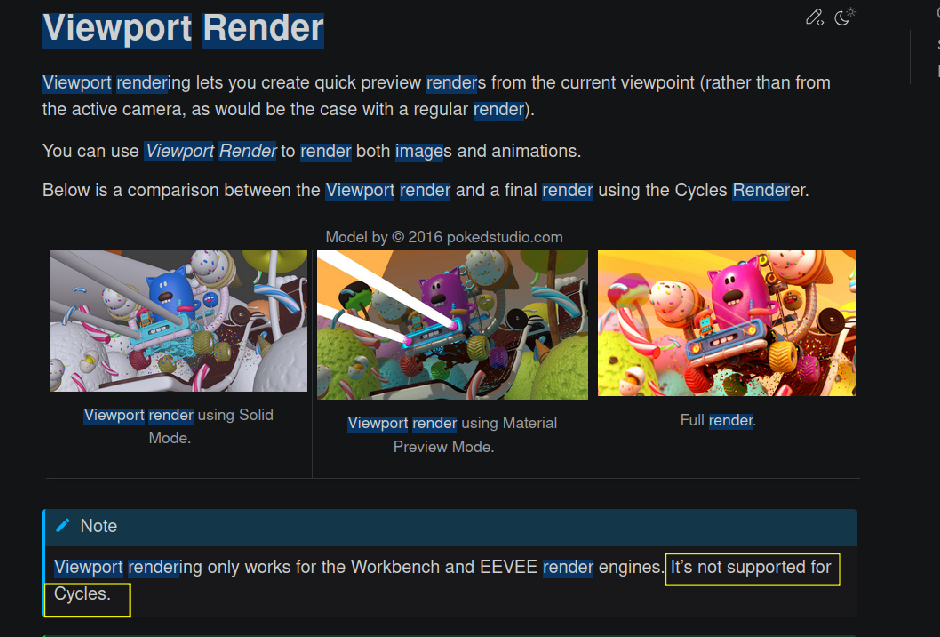
Oh wait, you are talking about the View > Viewport Render Image. That doesn't work with Cycles:
Thank you very much Martin for your support. Now problem is solved :)