

Cloth sim gets tangled even if there is self collision. I increased the quality steps as well but it seems to still get tangled. What could be the issue? Also, are there any thorough cloth simulation tutorials?
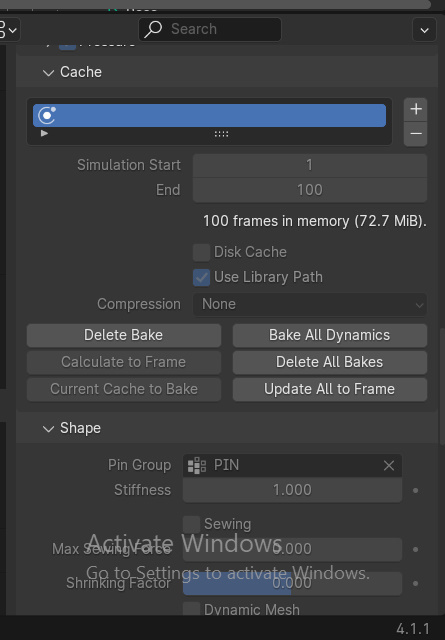
Frame: 1-100
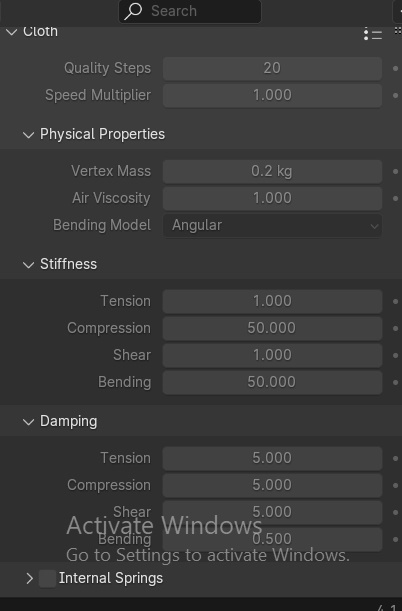
Stiffness:
Tension: 1.000
Compression: 50.000
Shear: 1.000
Bending: 50.000
Damping:
Tension: 5.000
Compression: 5.000
Shear: 5.000
Bending: 0.500
https://mega.nz/folder/5g1RWKAY#DrFnv1m2gTebCcCASP4KTg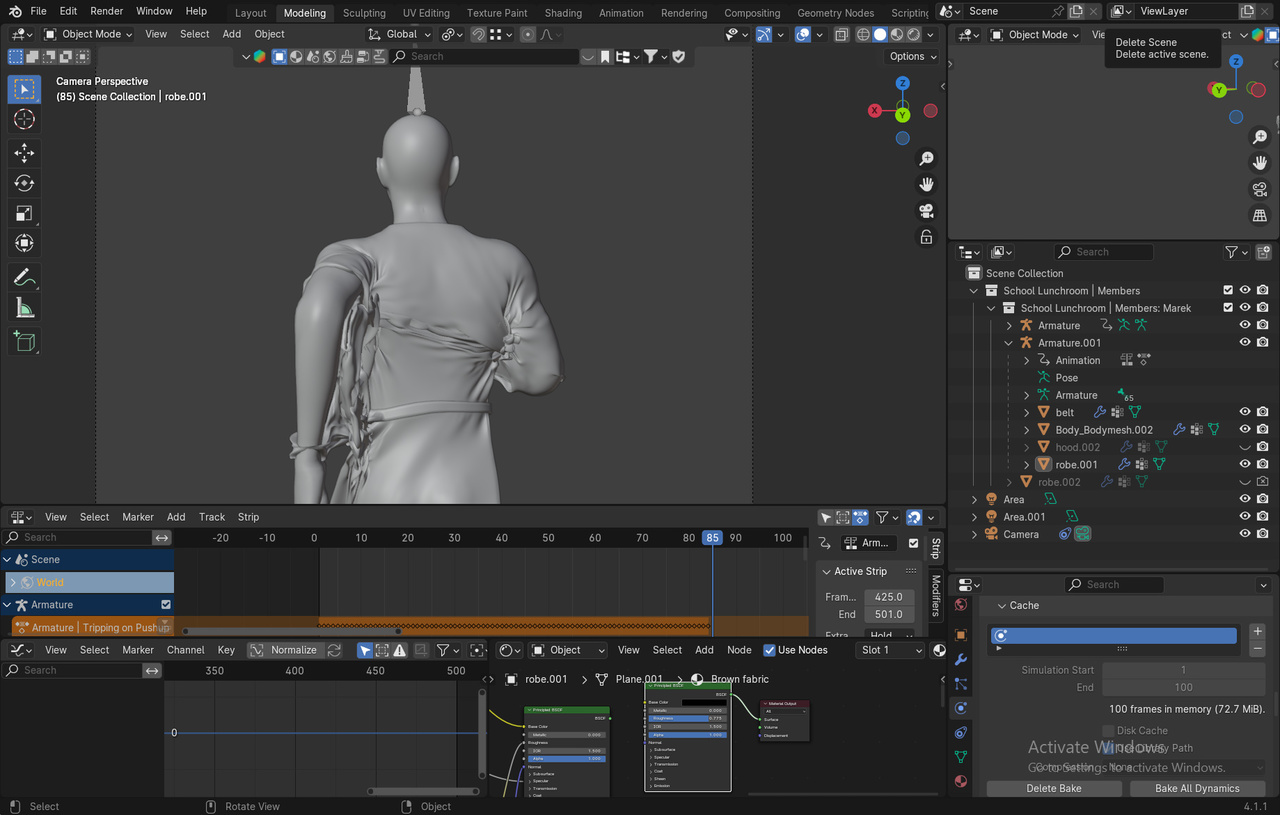
Cloth Settings
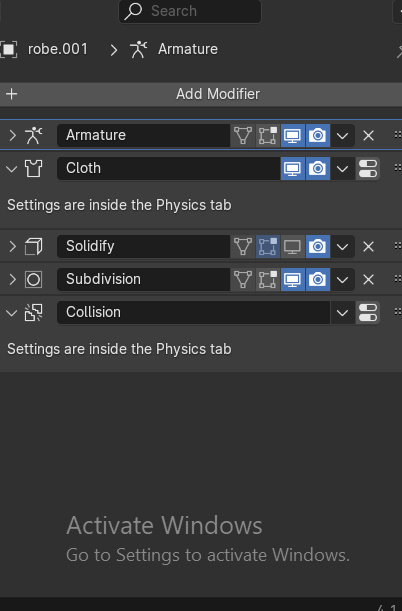
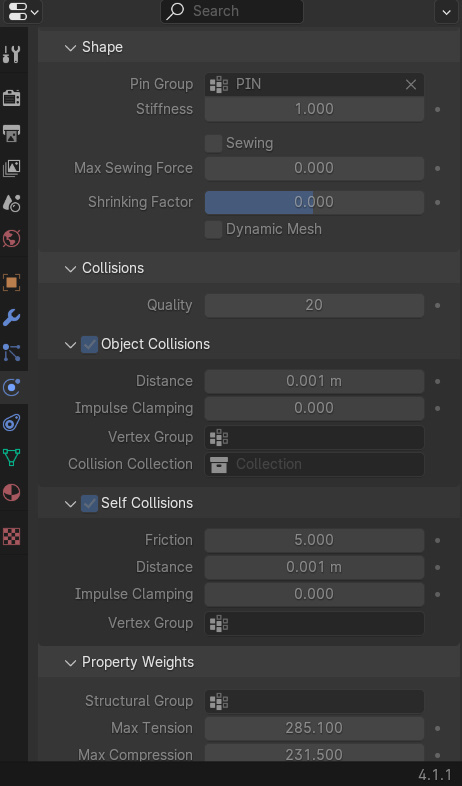
Collision settings for human body
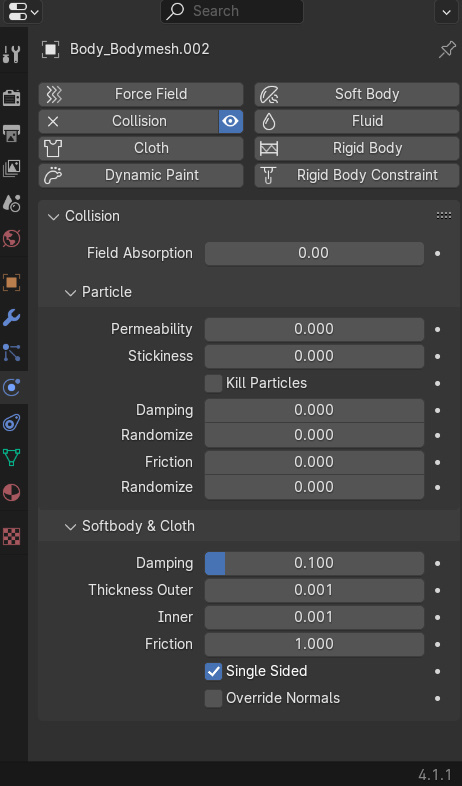
File
https://mega.nz/folder/5g1RWKAY#DrFnv1m2gTebCcCASP4KTg

After doing quite a few sims a few weeks ago... first thing I'd check is are there any intersections, either with the target mesh or within the cloth object? That's usually the biggest source of things going wildly crazy from the start. The next thing I'd check is your collision distances. The default values are quite high to begin with so lowering that could help. Then I'd check the quality, both for the total sim (and sewing quailty if you're using that). If none of this seems to help, you can always try scaling the target and the cloth up and see if that helps things settle more correclty.
actually, your top quality steps looks plenty high... but since you didn't show your collision settings, not sure how that one is but that's the other ones I'm talking about checking.. the collision settings... quality, Object Collisions -> Distance and Self Collisions -> Distance.
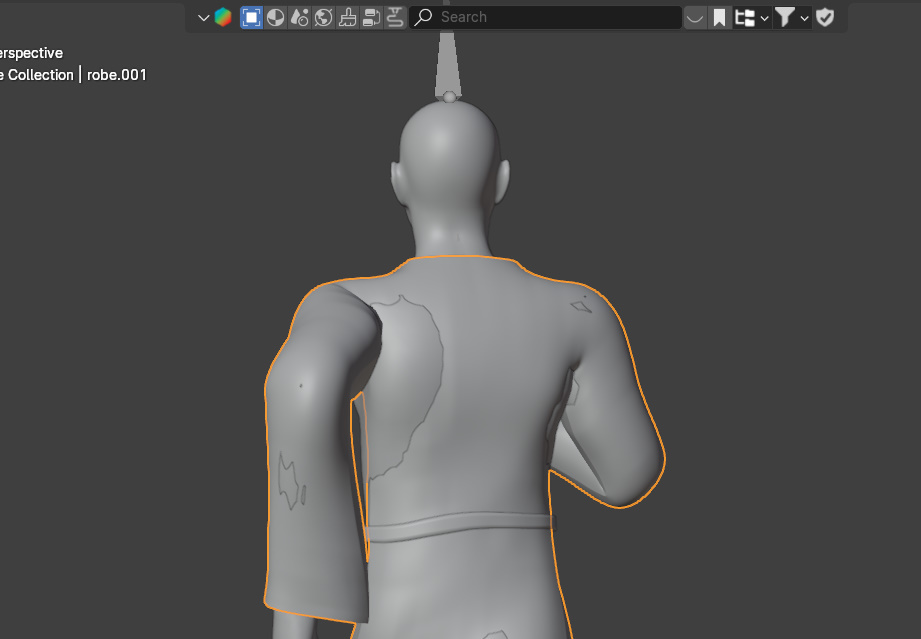
Hi. Yes. Without my cloth simulation active, there have been intersections between the human mesh and the cloth itself as I run the animation longer. In that case, do you resolve it with weight painting or sculpting or either way works? I used to weight paint and sculpt when catching issues but not sure which is more invasive to the cloth simulation.
Example of intersection on frame 85
Ok.. if you're trying to get the cloth to move with the character, first you want to make sure there's not any intersections at the start. You want to start with a T or A pose and give a few frames before the start of the animation. Give a few frames to get into the animation. then you have the animation. Make sure that during the animation, you don't have any clipping. You might have to tweak the pose during the animation to make sure that hands don't accidently go through the cloth. It's my understanding that if you do it like this, then the cloth sim will work more correctly. And if it's still getting some issues without hands clipping through, scaling up can help.
As for the rest of the target clipping through during the animation and causing problems, that could likely be because of the collision distances. You might try lowering that to see if that helps and making sure the collisions quality is also raised from the default of 2. If you're collisions quality is higher and your distance is down around .001 and you're getting intersection, maybe try a little higher distance and see if that helps some.
I"ll admit.. I wasn't trying to do an ongoing animation, but was just trying to get my character in a pose, but that's the things that I did to get it into the pose and it worked fine. While the basic technique for sewing I did get from Kent's here on CG Cookie, the rest of it I learned from watching a few tutorials on YouTube.
