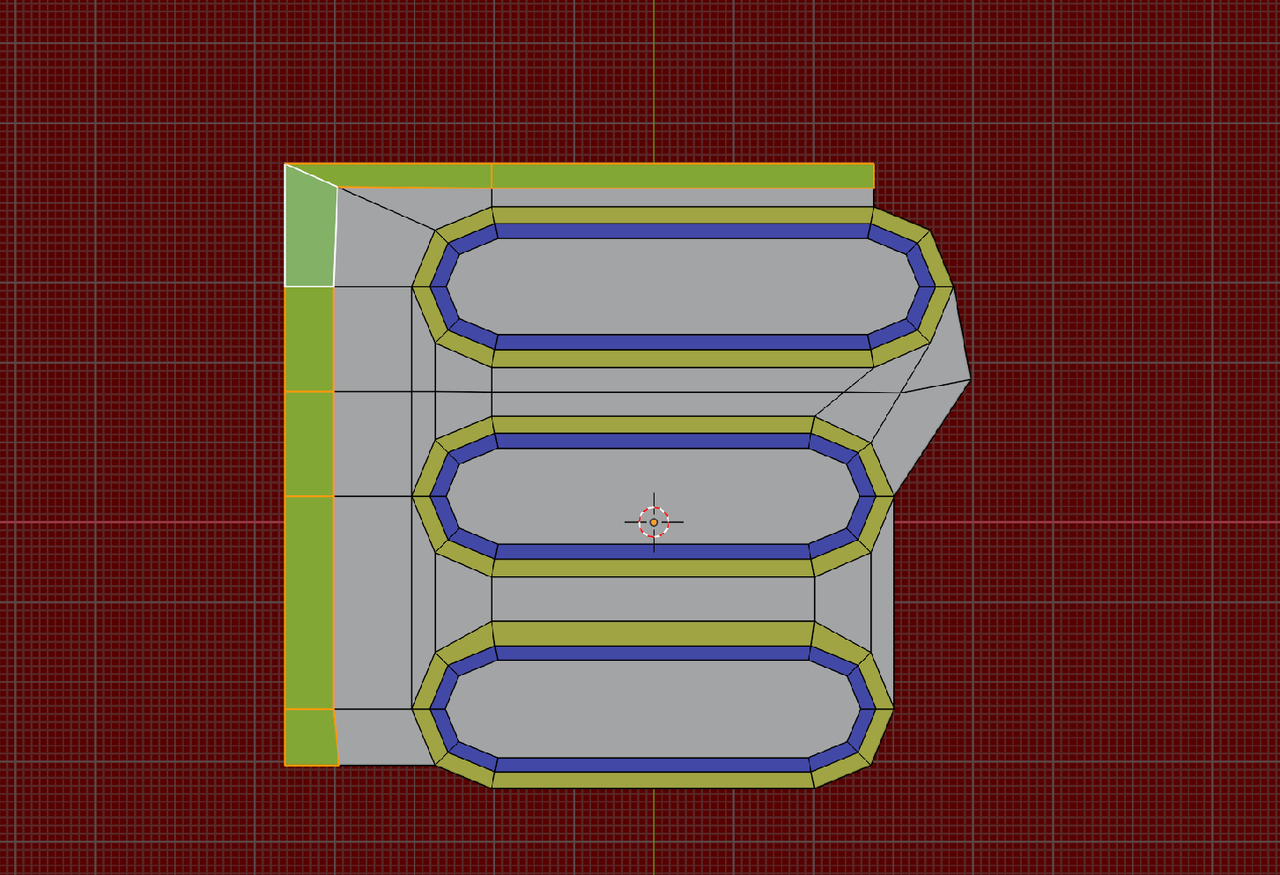
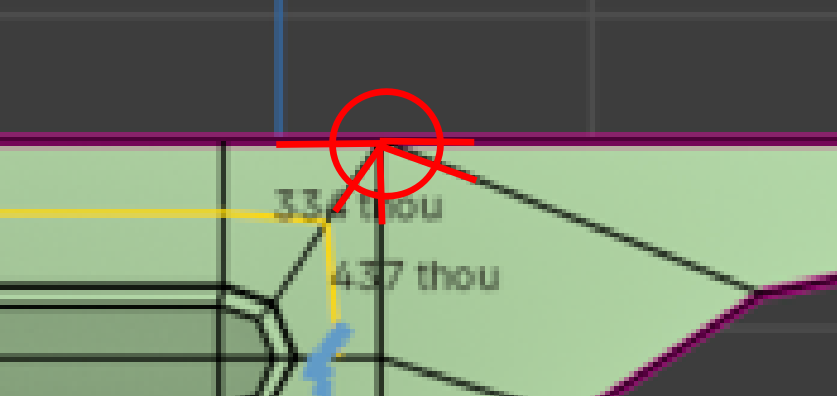
I just want an edge loop that follows the entire shape of the speaker, but it’s not flowing the way I want. I filled all the faces with quads, but the edge still won’t follow correctly. Is there any adjustment I can make to my face layout or topology to fix this?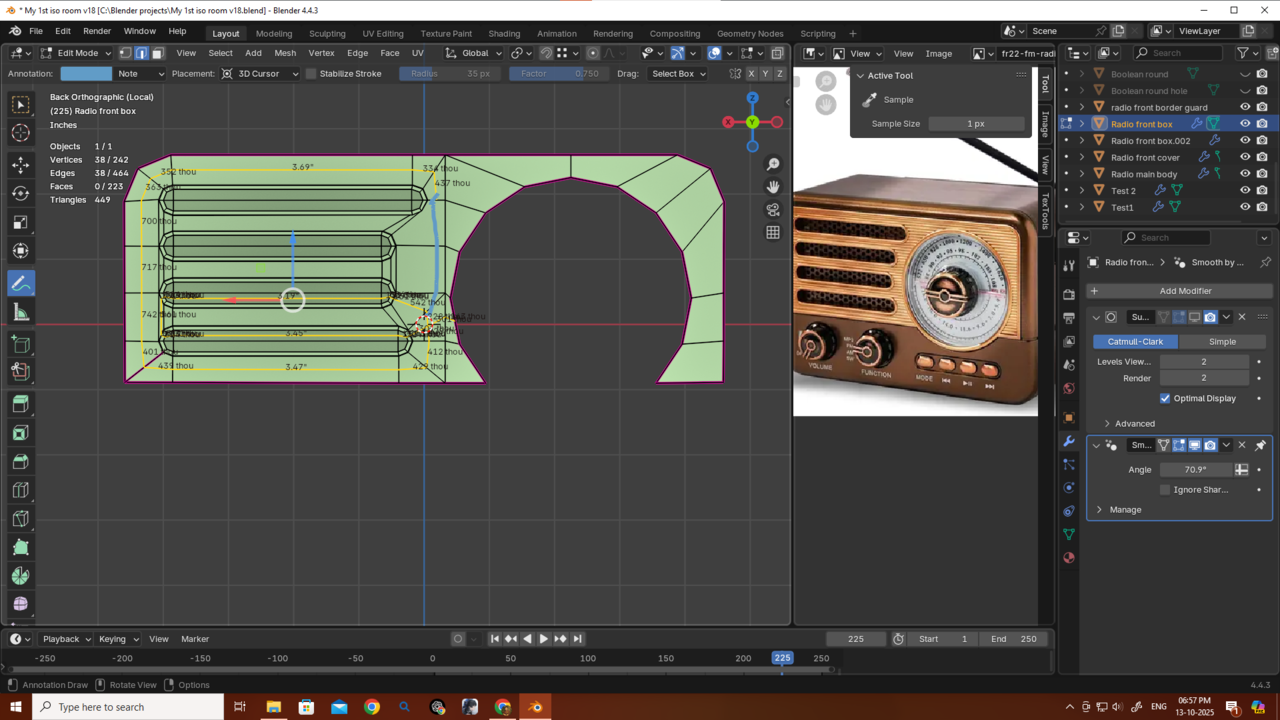
Thanks martin and omar i tried your methods and it's creating pinching issue...but without another loop it's looking mostly fine...i just add bavels and it looking fine...so this time that bad edge loop is not gonna create any problem i think...i tried to create round edge flow because jonathan said it bad edge flows like that sometimes can create some problems if we want to add edge loops... because i don't need any edge loops here it's not creating the problem i thought it would create. so this time is probably not one of those...
Thank you again martin and omar for allways helping me/us out


I think you just need another inset on the other side with the dial to even out the tension?
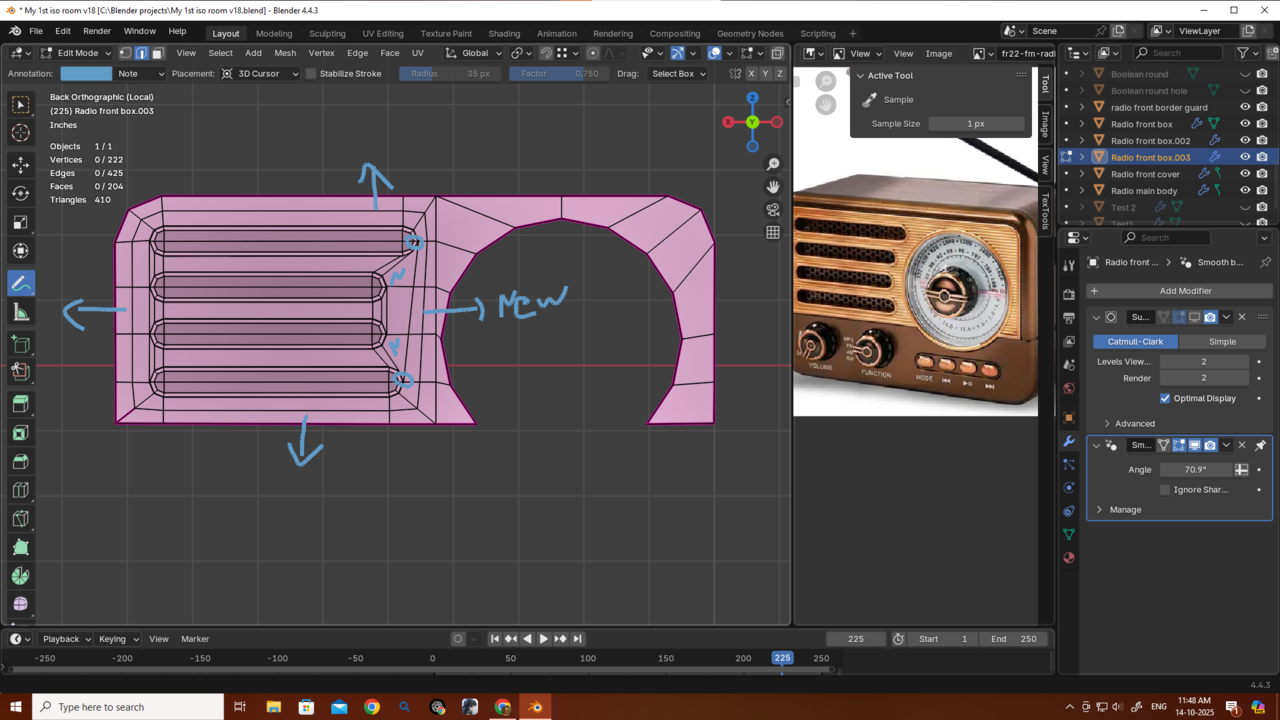 t creates a proper path for the edge flow I wanted, and after adding the loop, the shading looks much better. On the opposite side, though, it creates two n-gons. They’re not causing any issues, and the shading looks fine after adding the loops, so I think it’s okay to leave them, right? On the other hand inset method have all the quads but casuing big shading issue idk why though it creates all quads thats becasue maybe my cleaning method is not right..as omar said i have to clean afterward. Thank u martin and omar as always.thehomme — thank you, mate! But I actually don’t need that approach. You see, I already have an edge separating the speaker and the dial, and in the image u can see, there isn’t much space there
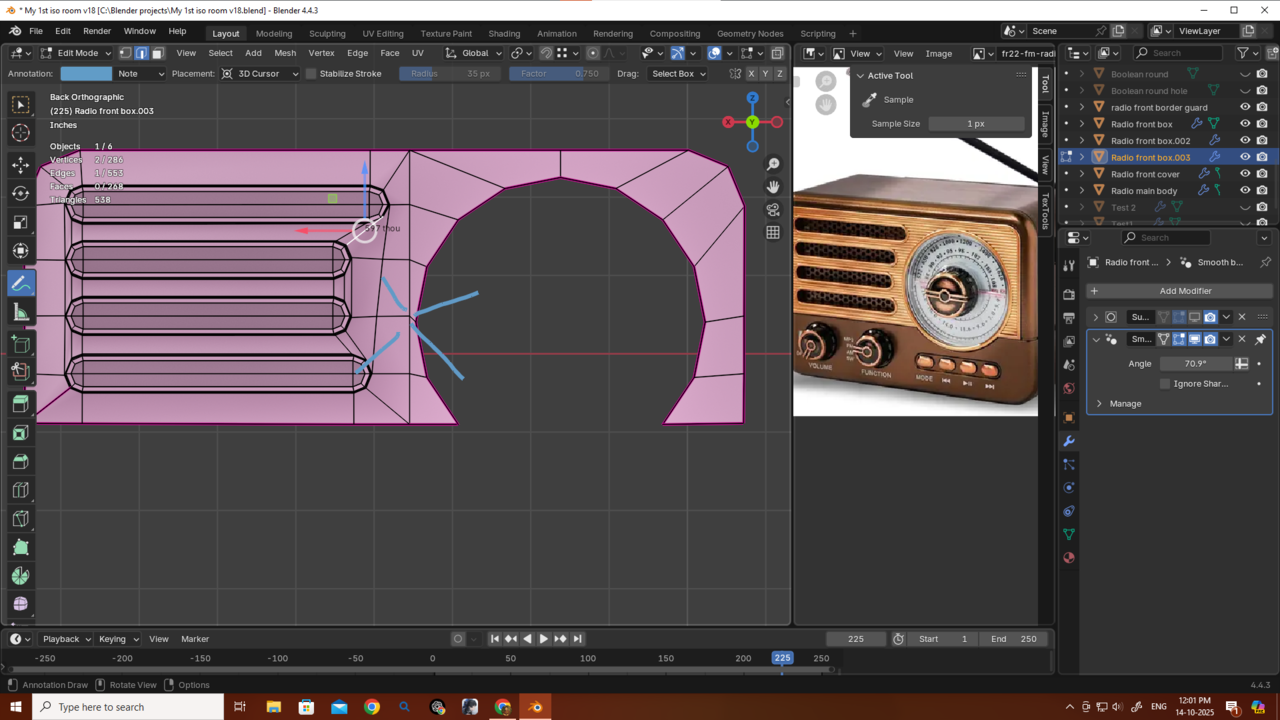 If I add loops, it’ll cause pinching, and without them, it looks fine anyway. Still, really appreciate the suggestion!
Yeah, you get some overlapping Faces. That is why I added an extra Edge Loop between the different sized speaker slots, to be able to 'pull' some of those Vertices 'out' to get better quads:
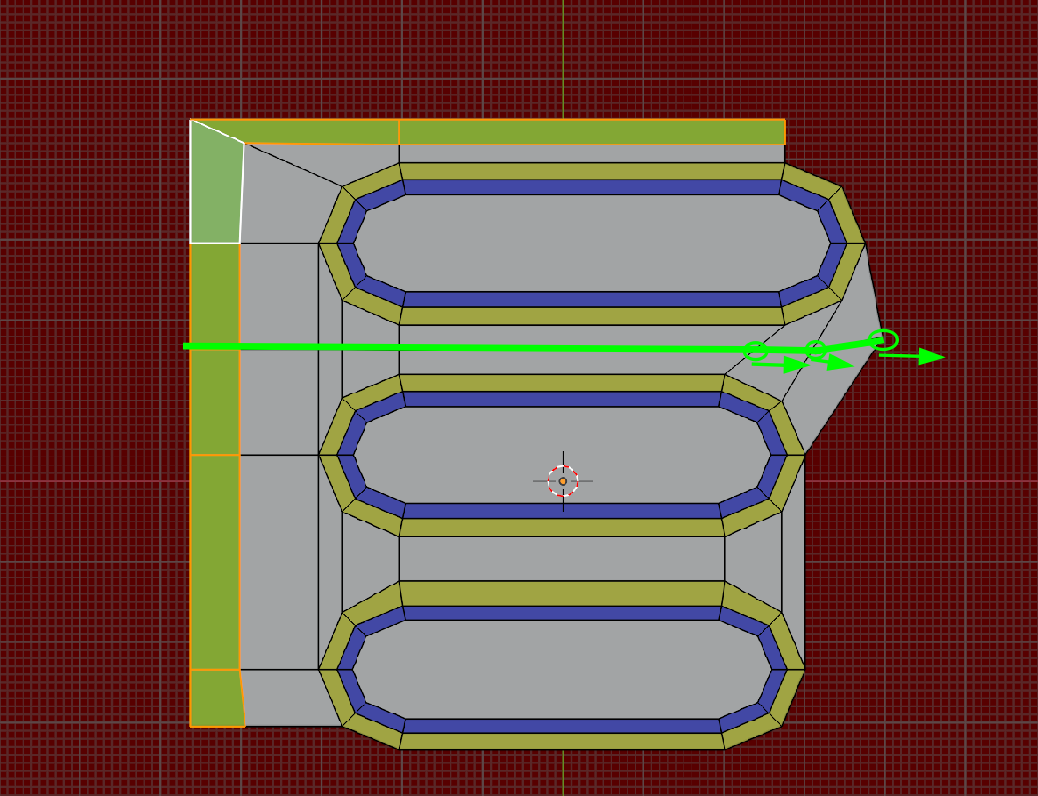
Also make sure, that all the necessary Faces are flat and in the same plane (S, Y, 0 for instance), if you still get shading issues.

Deleting things always work for me to clear the fog in my head. Your eyes are tricking you with complexity, so when you delete the inner part, things simplify a lot. For example:
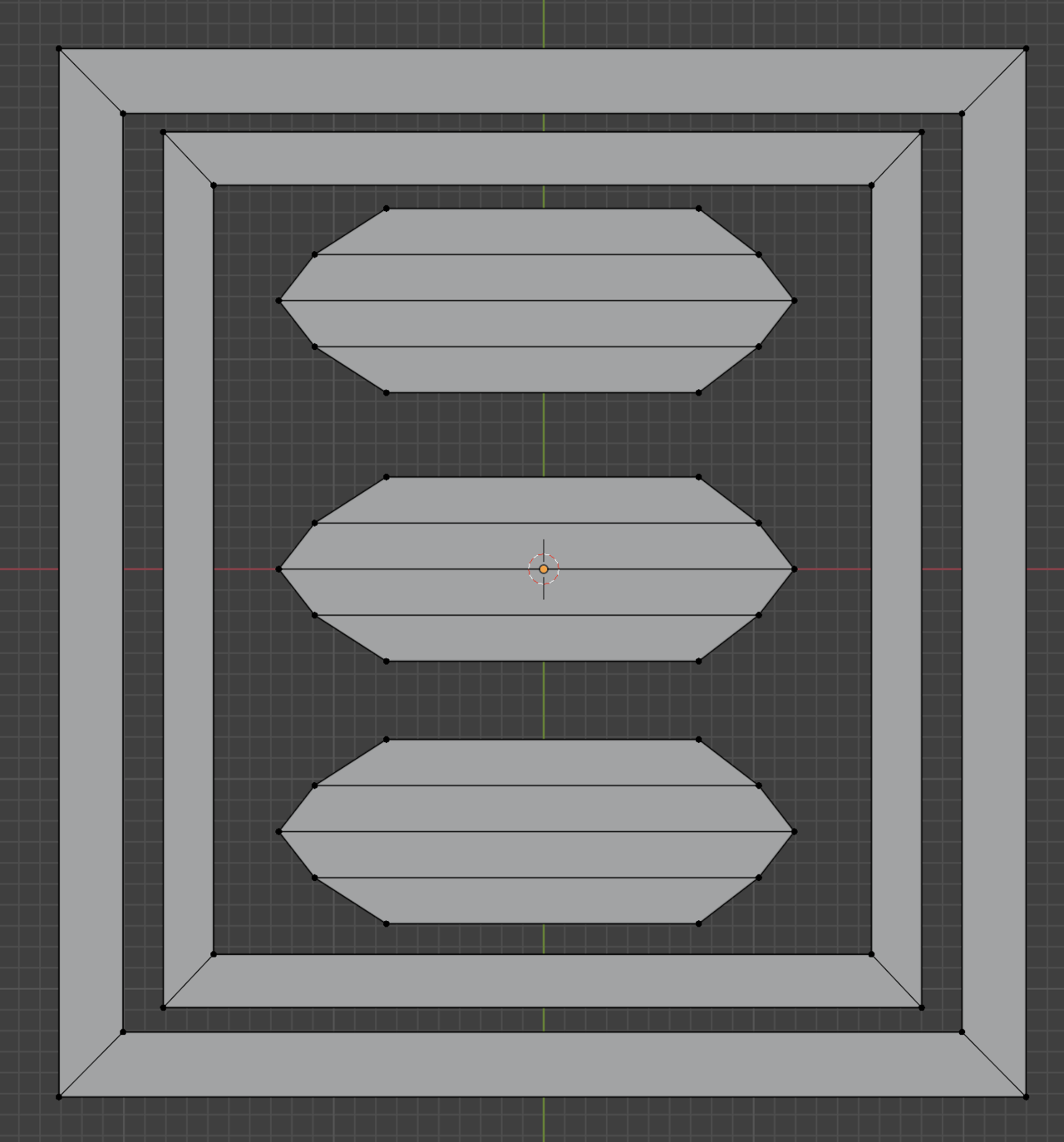
If the interior part was full of faces and making a whole mess, my mind would be saturated. So I just delete all the inner faces and leave all the main simple shapes. It is then that my brain has a break and can clearly see how I can fill stuff the proper way.

another thing that might help... there's no rule that says that the edge between the dial and the speakers has to be a straight line. As long as that edge is there, it can conform around the dial a bit, giving you a little extra space and possibly even making it so you can get it tigher... treating that edge like you're insetting the dial as well.
oh, and when connecting two vertices that already have a face, use J... F will connect them with a new edge. J will cut through an existing face.
Thank you all — Martin, Omar, and @Gradyp. I’ll try all these methods. I’m really having trouble focusing on modeling right now because I’ll probably have to go through surgery soon, and honestly, I’m scared as hell. I’ve never had a surgery before, so I can’t focus properly or even sit or walk comfortably.
I’m also worried about why I can’t focus on Blender lately — if this keeps going, I’ll fall behind everyone and progress really slowly. If everything goes well, I’ll come back and finish all the props for my first isometric room.
Thank you again, guys.
Thank U Omar very much...Gonna ask more questions after recovary...see u guys soon 😊