
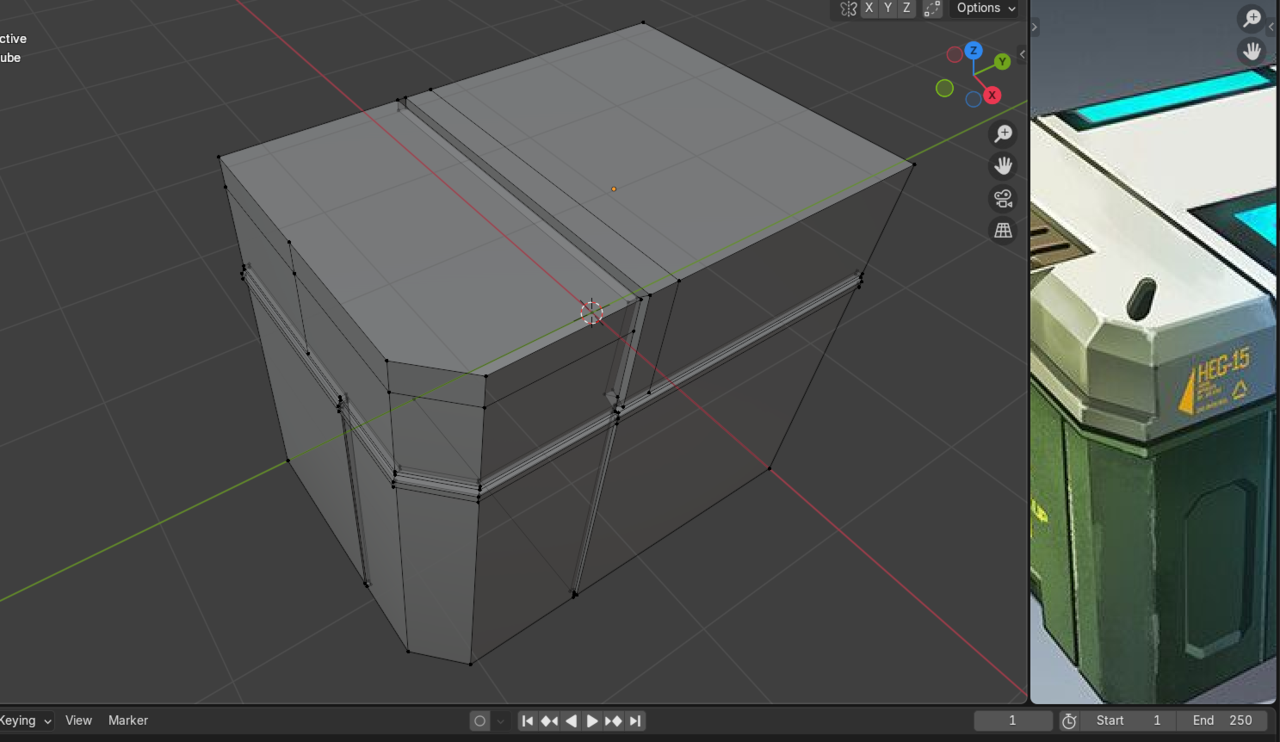
I've tried a few different things to get the three-sided bevel on the right image corner, but it doesn't work. What should I do? I've been struggling for days, and it's not working. Please help.

You need to select that vertex and bevel by vertex or - better - select all the edges and bevel by edge. You also need to adjust the weight and the segments to see it. Examples below using a destructive bevel (not modifier)
https://app.screencast.com/MLeYni5Xh6fjC?conversation=bfRFpsszK1eX03ktdovOIN
When you say it not working it's hard to know exactly what you mean without a screenshot and your settings.

Hi aayaf ,
I am not sure if I understand you correctly, but do you mean something ike this:
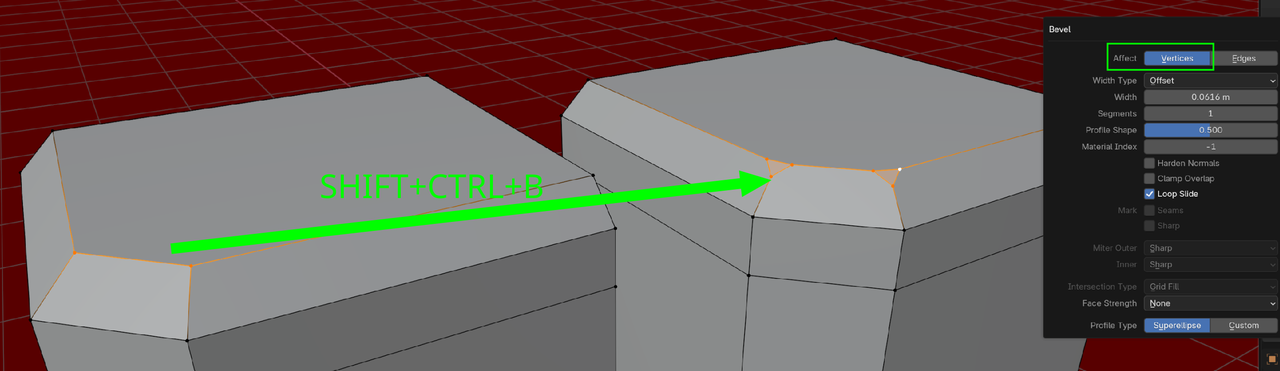
SHIFT+CTRL+B is the shortcut for Vertex Bevel, but you can also change that in the "Adjust Last Operation' Panel.
Or when you are in the Bevel Operation, you can Toggle between Vertices and Edges with V.

JL models a sci-fi box. I'm guessing you watched it? He goes through various the modeling techniques that would be extremely helpful. Getting your head around modeling is hard at first, so you probably need to practice more and stat over whenever you feel stuck. Your brain starts to get it with every attempt.
Thank you so much for your reply.
I'm a beginner, so there's a lot I don't understand.
Thank you for your help.
I'll try the method you suggested. ^^