

I need to create a shader with two image textures, one on top of the other.
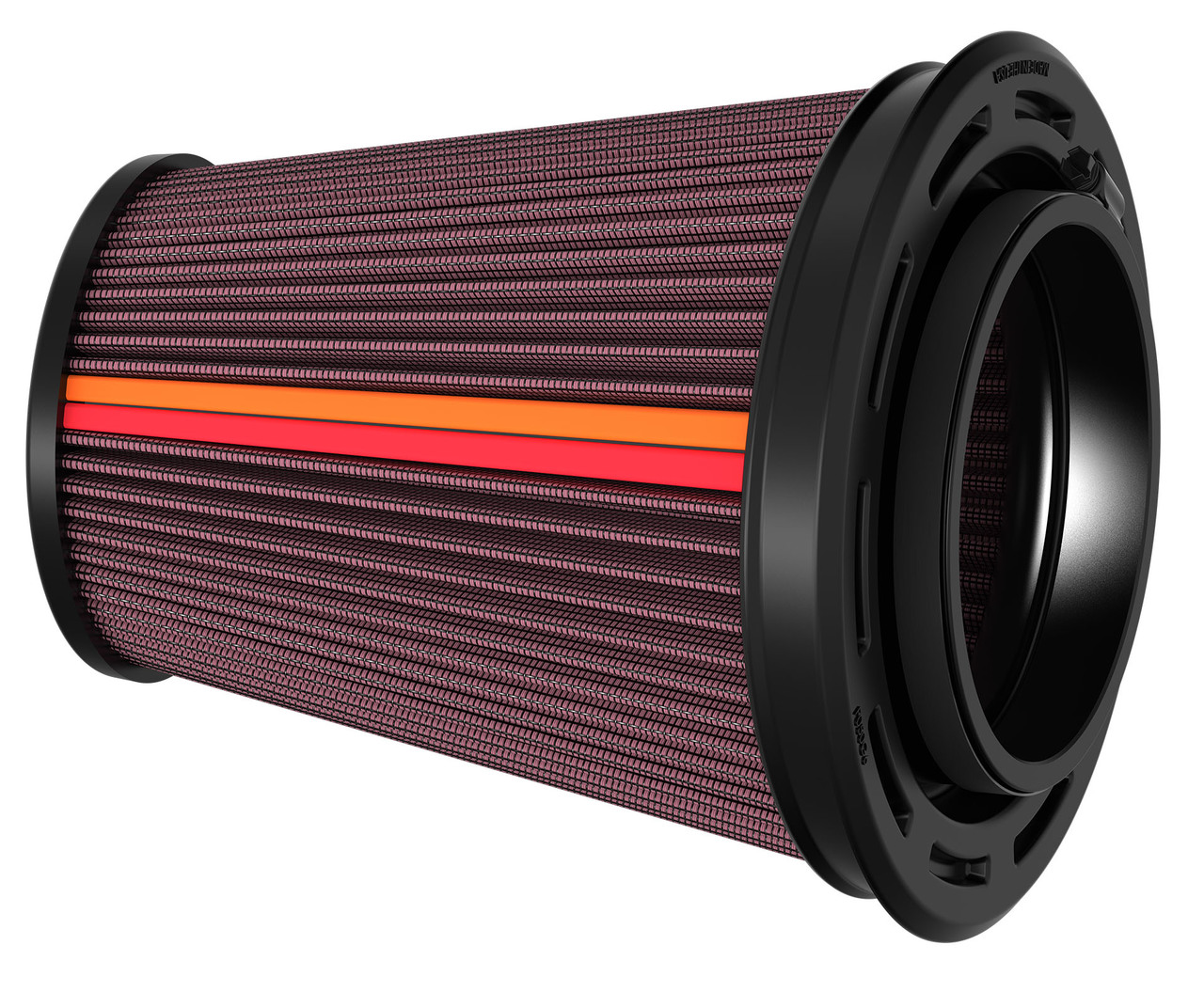
In the example, there is an underlying red cotton texture overlayed with a screen mesh to give the impression of a filter wrapped under a screen.
I need some advise on how to combined the two texture images onto one shader.


HI Jeffrey,
you can mix two Shaders, one for each Texture. In your case, you can simply use the screen mesh Texture as the Factor (maybe make it a perfect black and white mask, by feeding it through a Color Ramp, before it gets plugged into the Factor of the Mix Shader Node:
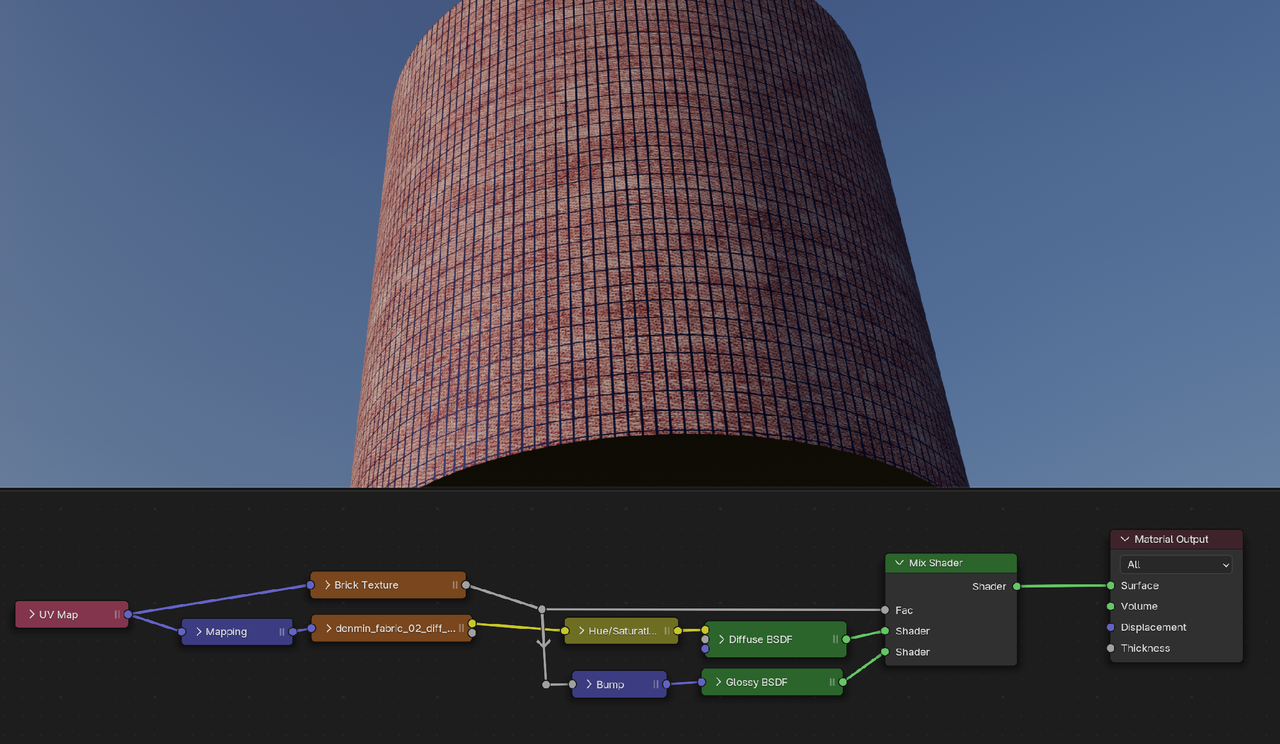
You can also use one Principled Shader and do all the mixing before the Principled, but that involves a bit more thinking.
Omar Domenech, "Unless you don't mean mix in the transfer mode kinda way?"
Thanks Omar. I'm new to Blender (moving from Maya) so I'm not exactly sure what I need to do. I'm just shooting up a flare. I need to show proof of concept ASAP.
(Martin Bergwerf...)
Thanks Martin, I'll give this a spin.
